


Aura-UI
- By
03-Quests.png
04-Loot.png
05-World.png
06-Mail.png
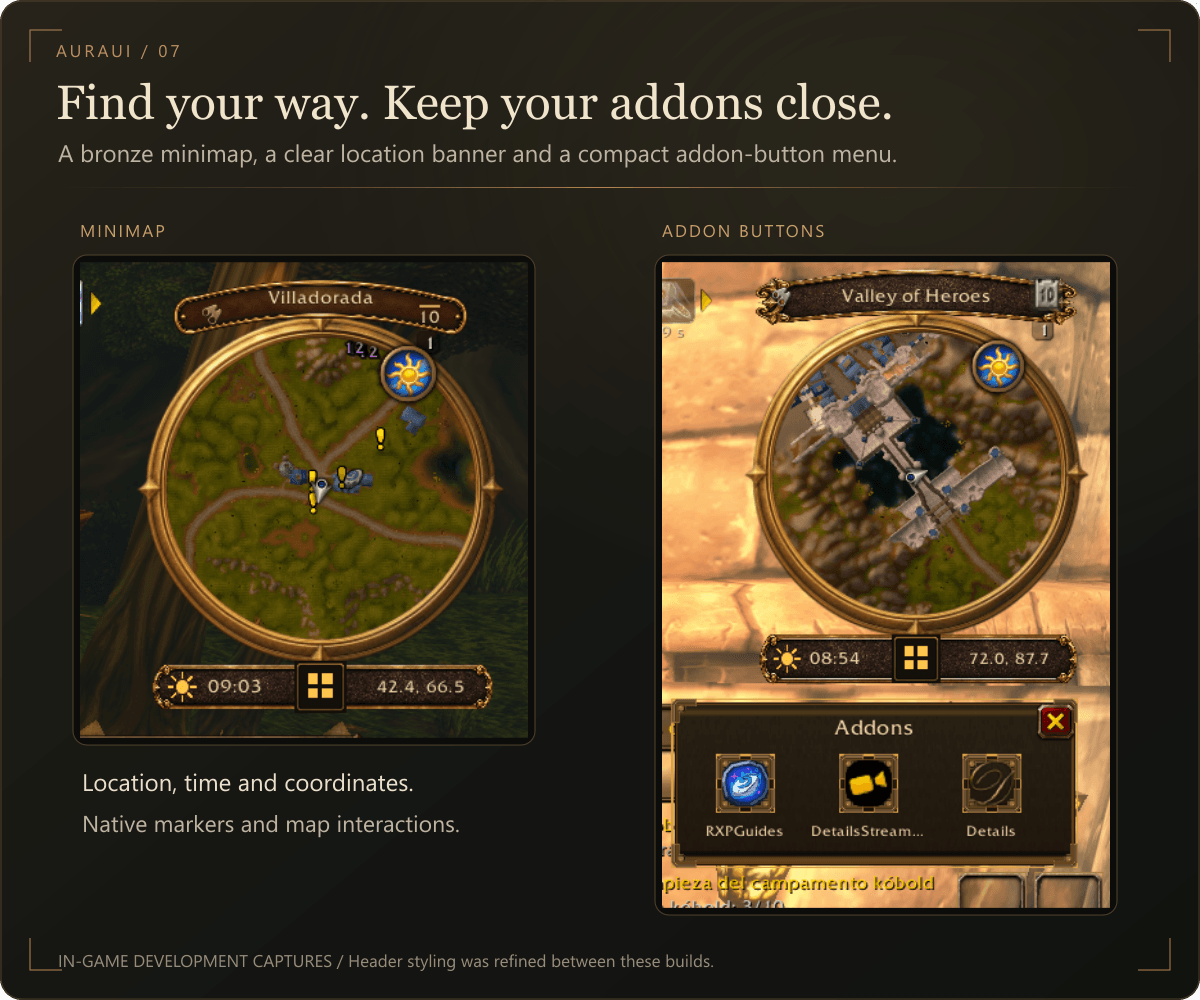
07-Minimap.png
Description
A cleaner interface. The same Warcraft soul.
AuraUI refreshes WoW Forever with forged bronze, dark leather, warm parchment and carefully tuned visual effects. It brings a consistent fantasy style to combat frames, quests, inventory and everyday windows while keeping the game's familiar controls.
New in 0.27.0 — Faction Identity
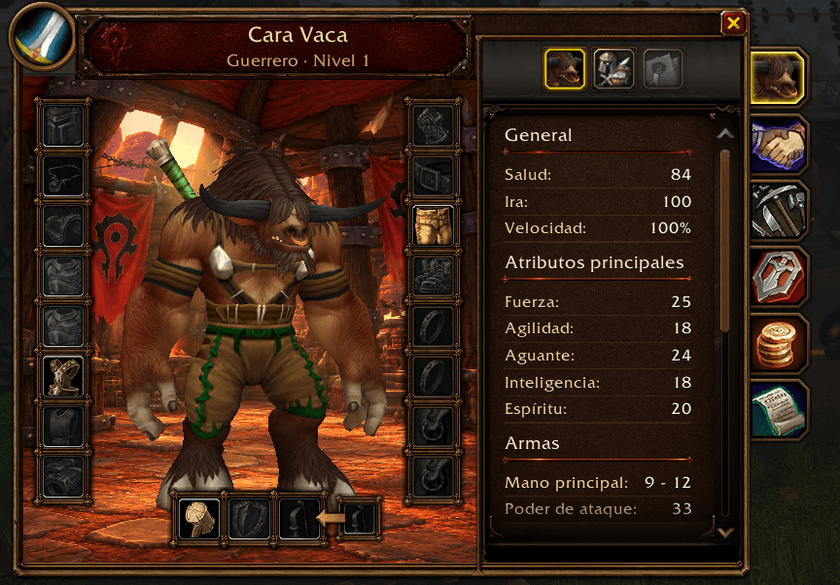
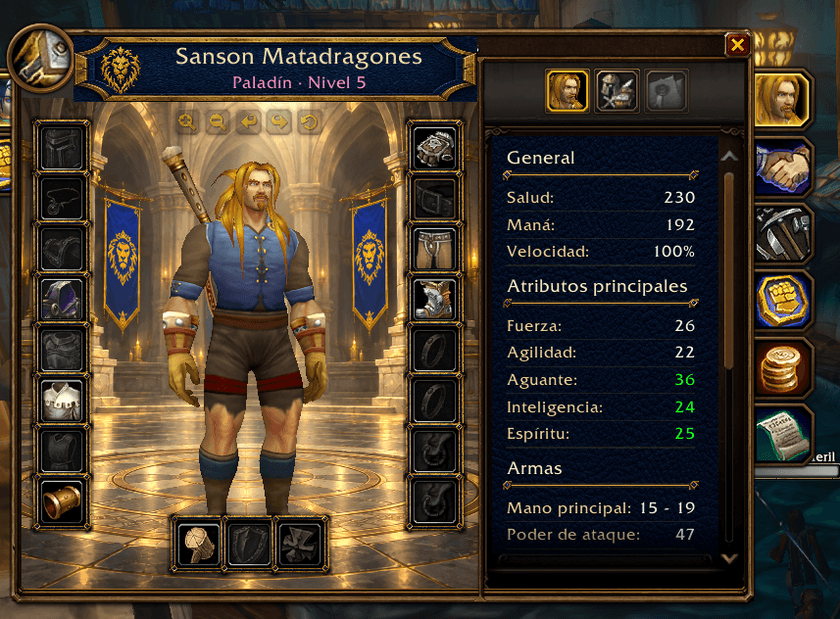
Your faction now carries through more of your interface: royal blue and gold for the Alliance, crimson leather and forged metal for the Horde.
- Faction player frames: distinct Alliance and Horde artwork around your portrait, health and resource bars.
- Faction target frames: player targets use their own faction's artwork. NPCs, beasts and other non-player targets keep the existing neutral frame.
- Character panel: a faction crest, full character name, class-colored subtitle, refined equipment borders and readable stat sections.
- Atmospheric backgrounds: a luminous Alliance cathedral with blue lion banners, or a Horde stronghold with red banners and warm firelight. Subtle animated light gives the scene movement.
- Inspect players: matching headers, equipment borders and backgrounds follow the inspected player's faction.
- Multilingual names: corrected Cyrillic, Korean and Chinese name rendering in character and inspection headers.
Player, target and pet frames
- Custom frames with circular portraits, level badges, full character names and clear health and resource percentages.
- Independently adjustable frame size and position, with saved settings and draggable placement controls.
- Golden dragon decoration for elite targets and an animated resting indicator for your character.
- Smooth health and resource transitions, with subtle flowing light across the player's bars.
- Healing highlights, animated threat indicators, low-health warnings and optional floating damage and healing numbers.
- Adjustable visual-effect intensity and individual effect switches.
- Character-name font handling for Latin, Cyrillic, Korean and Chinese scripts.
- The option to return to the native unit frames.
Spell casting
Player and target cast bars display the spell icon, name and remaining time. Casting, channeling and supported empowered spells use the client's native cast information.
Choose an integrated position above the unit frame or a separate placement, and adjust scale and position. Soft transitions, subtle magical light and completion or interruption feedback give casts a more fluid finish.
Buffs and debuffs
Helpful and harmful auras appear in separate groups beneath the player and target frames, with stack counts, cooldown displays and tooltips.
Customize visibility, icon size, spacing, icons per row and vertical offset. These icons are informational; they do not provide right-click buff cancellation.
Quest conversations and rewards
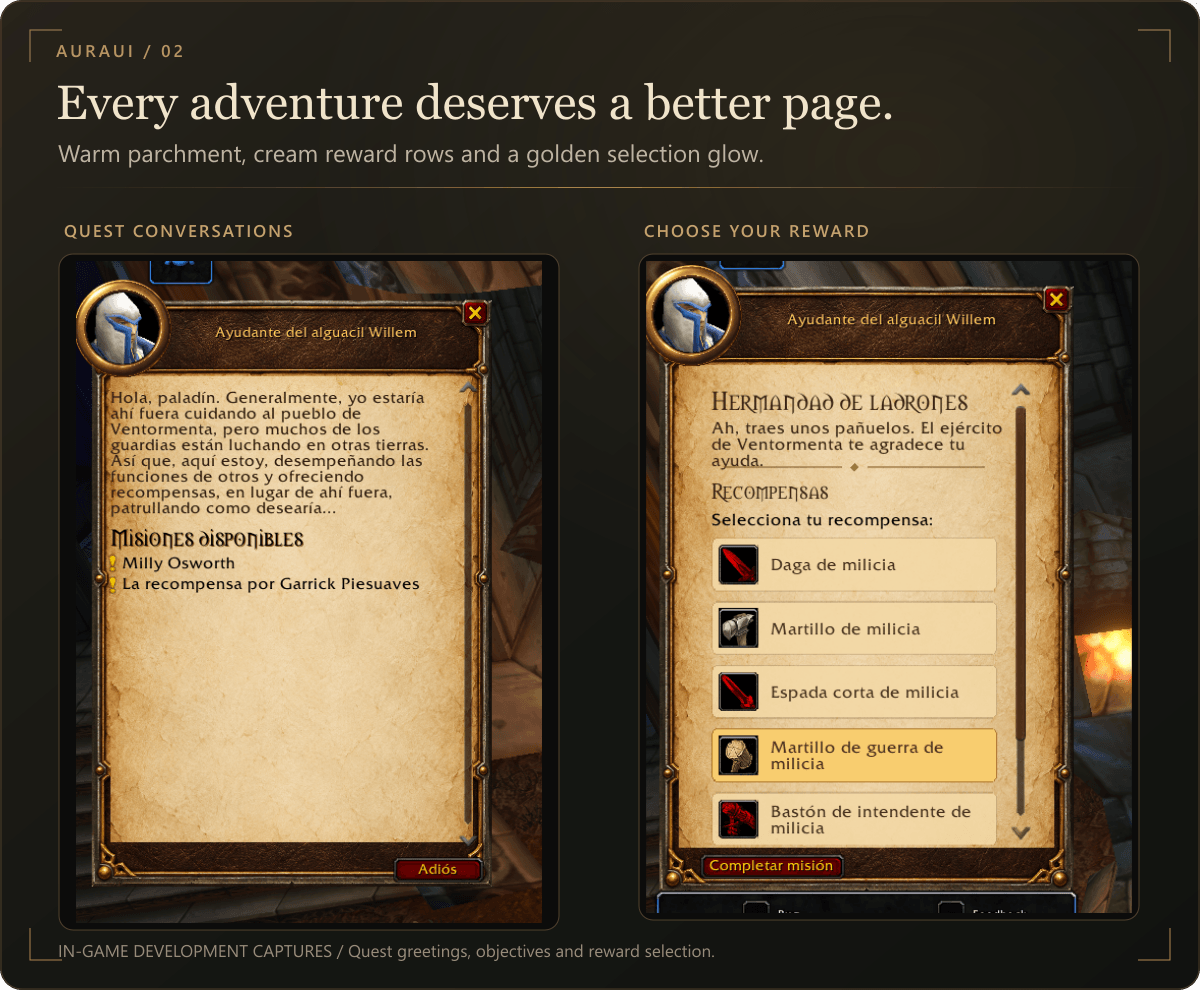
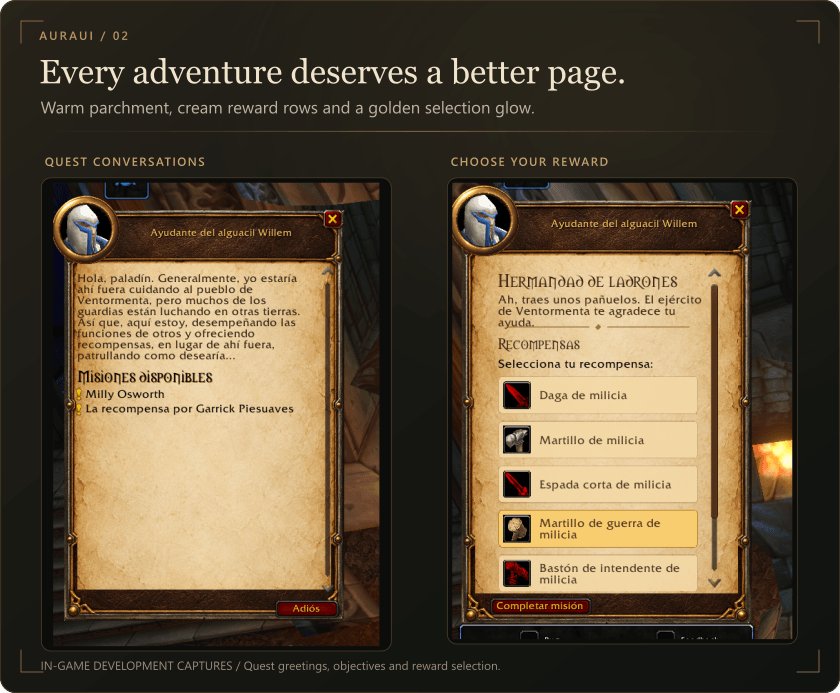
- Parchment quest windows with framed NPC portraits, refined typography and scrolling text.
- Restyled quest greetings and available quest lists with soft rows and hover highlights.
- Clear layouts for accepting quests, delivering required items and completing missions.
- Cream reward rows with item icons, wrapped names and a luminous gold selection effect.
- Refined placement of Accept, Continue, Cancel and Complete Quest controls.
- An opening animation for the quest window.
This module styles NPC quest interactions; it does not replace the quest log.
Objective tracker
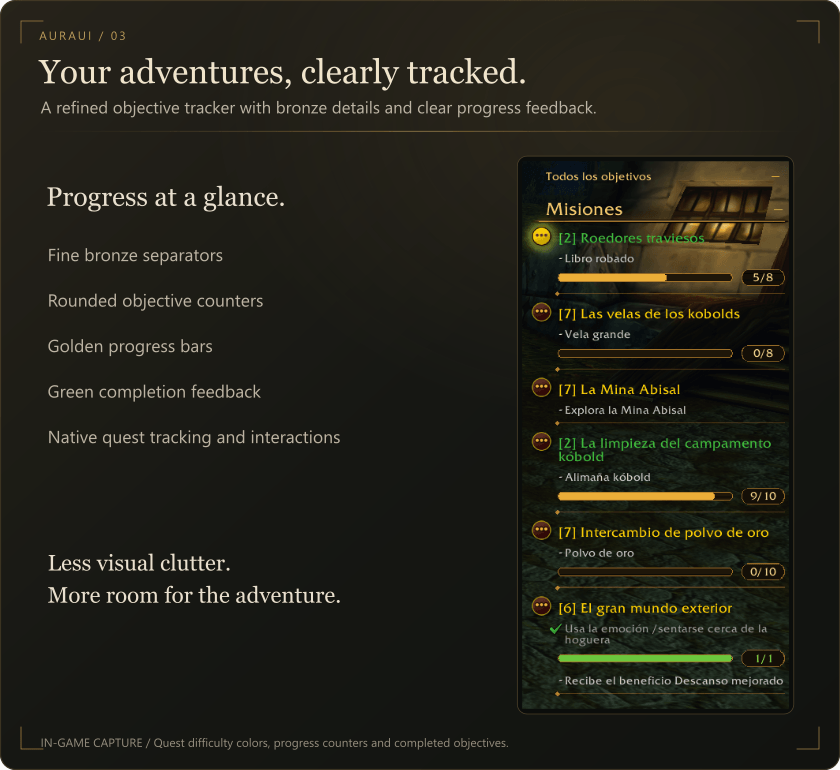
The redesigned quest tracker uses fine bronze separators, rounded objective counters and clear progress bars. Golden bars show progress toward an objective; green bars and completion indicators mark finished objectives. Quest titles retain their native difficulty colors, and tracking and quest interactions remain available.
Loot
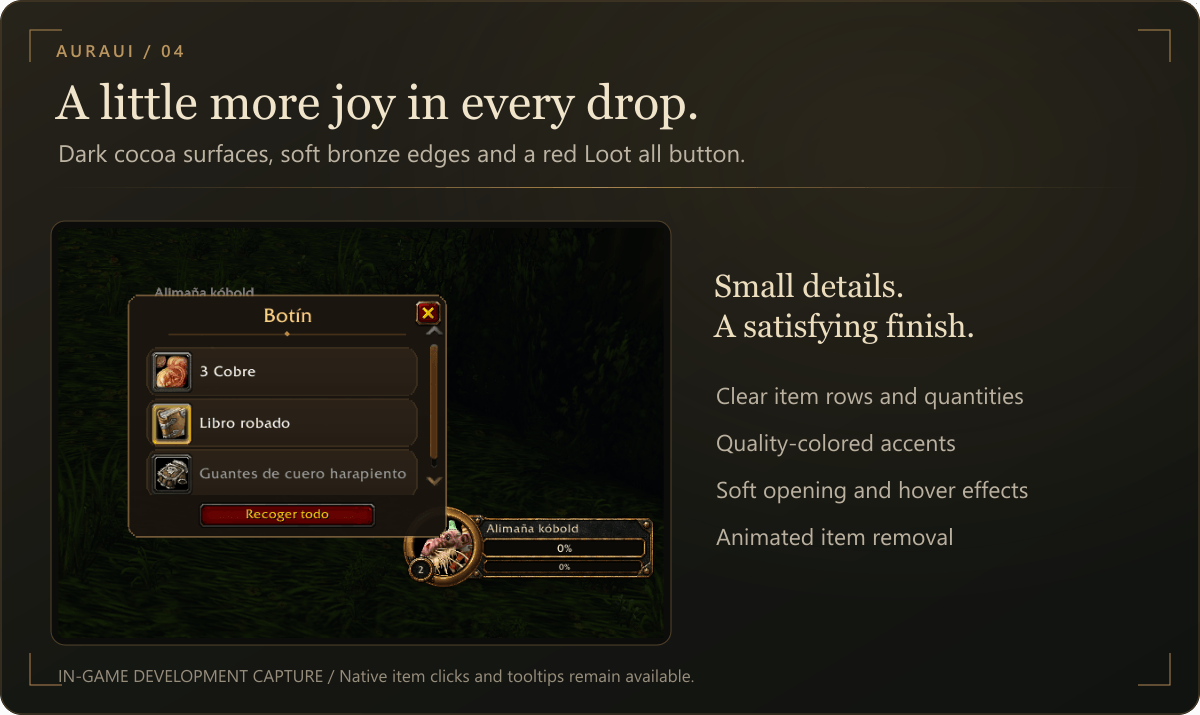
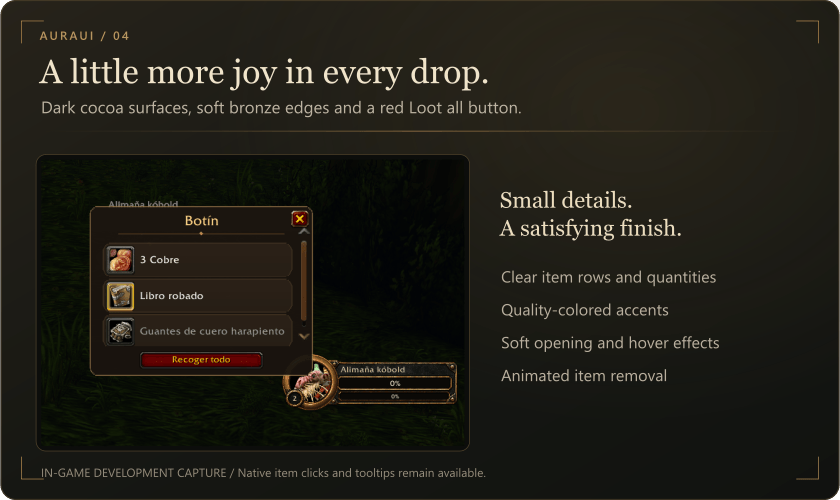
A dark, rounded loot window pairs warm bronze edges with softly shaded item rows. Item icons, quantities and quality colors remain easy to read.
Opening transitions, fading hover highlights and disappearing-item effects add movement to looting. Collect items individually or use the red Loot all button.
Bags and action bars
Combined bags: a matching leather-and-bronze finish around the native combined inventory, preserving the game's inventory controls.
Action bars: a cosmetic AuraUI finish for the main and optional additional bars, with a separate background toggle. Position, size and row layout are managed through the game's Edit Mode.
The experience bar currently retains its native design.
NPC dialogue
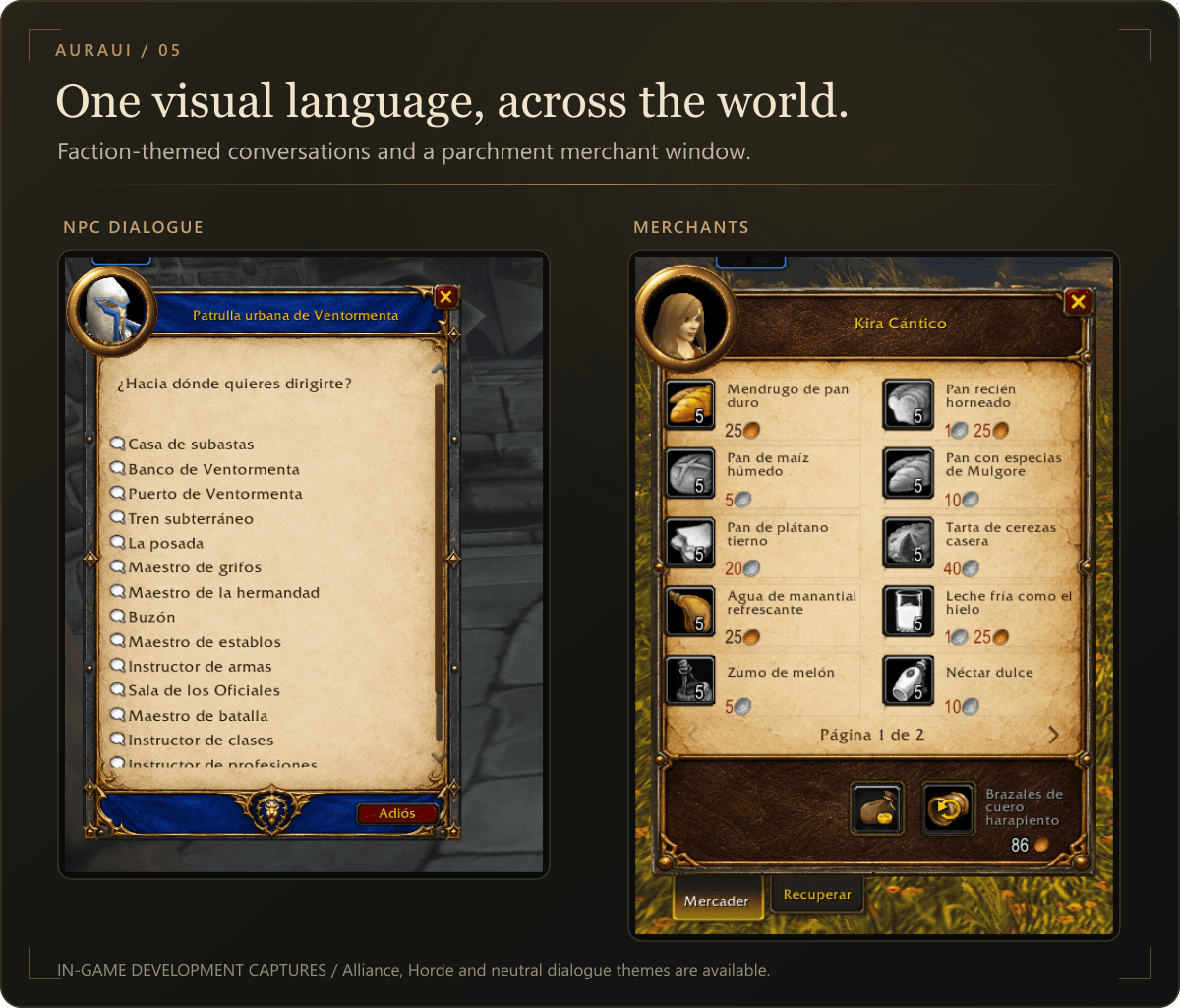
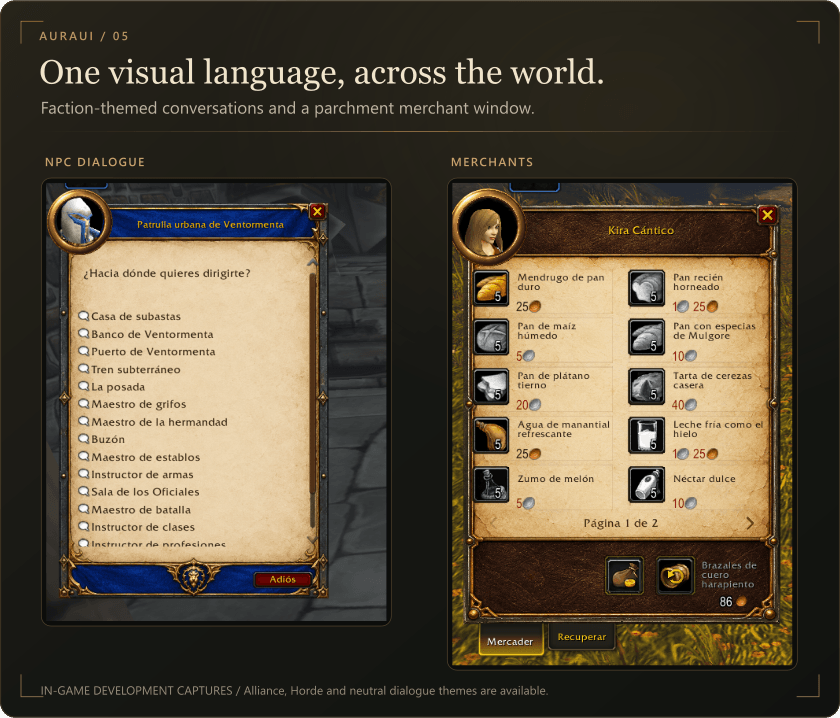
Faction-themed conversation windows combine parchment with blue and gold for Alliance, crimson and dark metal for Horde, and a neutral finish for other NPCs. Framed portraits, scrolling options and refined navigation carry the same style into everyday conversations.
Merchants
A parchment merchant window presents ten items per page, with clear prices, availability styling and page navigation. Buying, selling, repairs and buyback continue to use the game's controls.
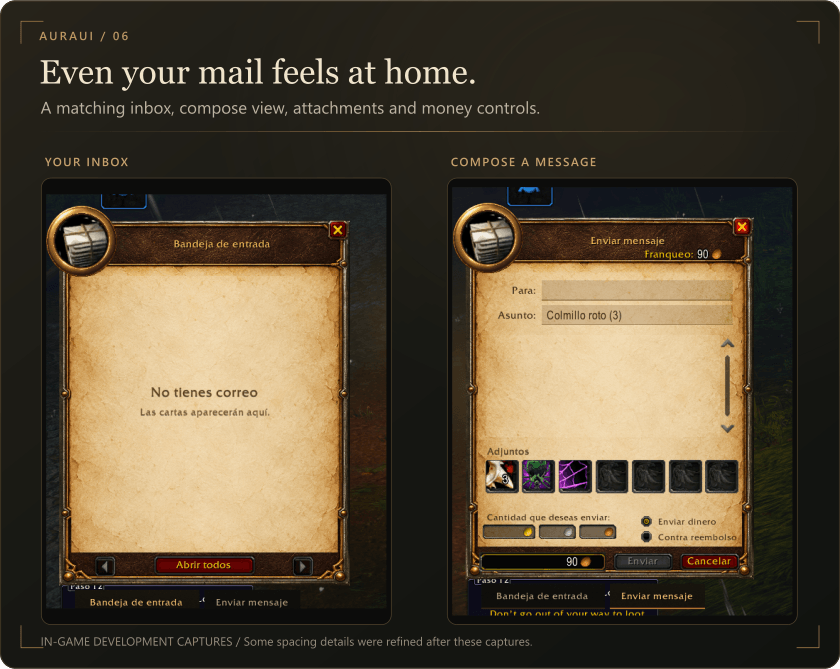
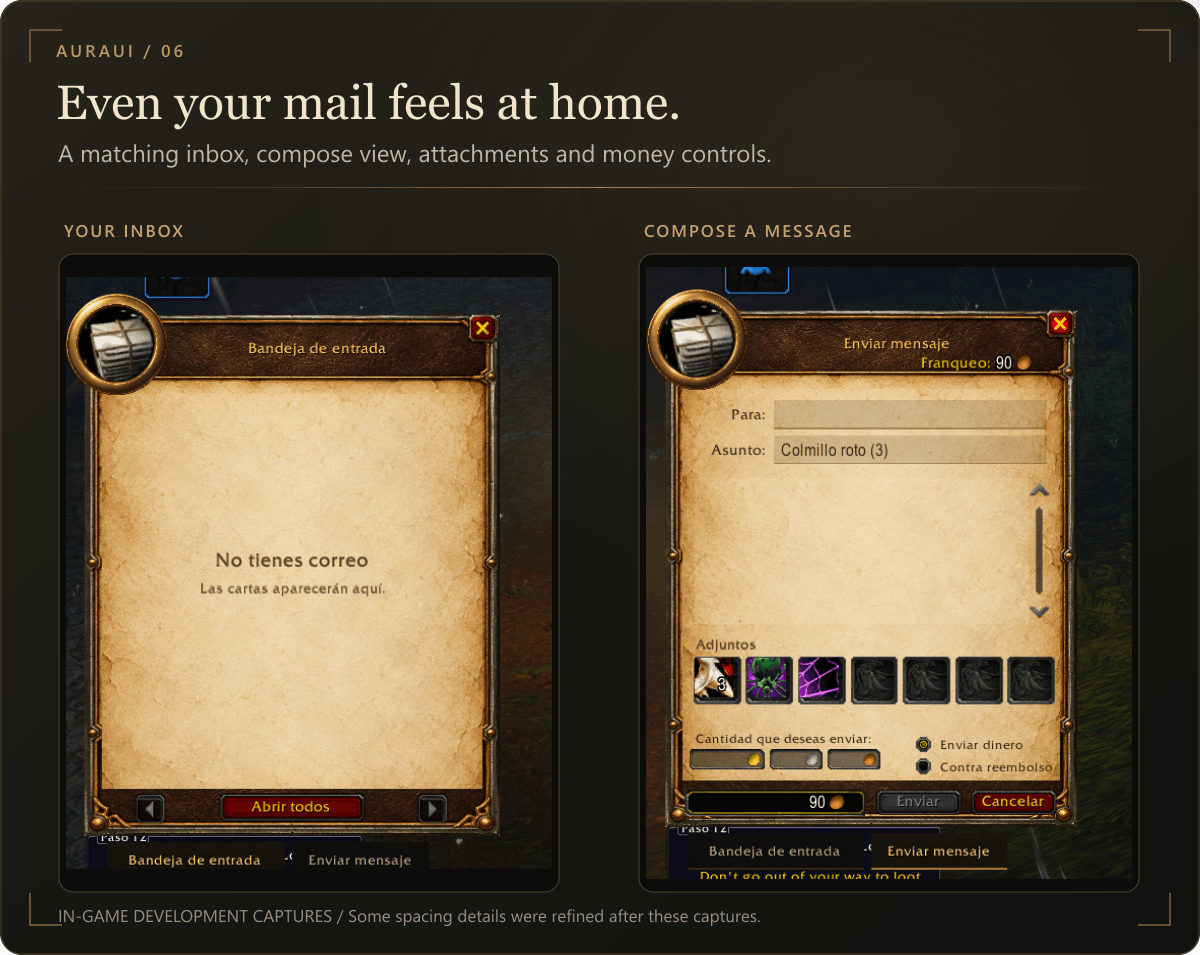
The inbox, compose window and opened letters share the parchment theme. Refined layouts cover paging controls, attachments, message fields, money and cash-on-delivery options, with aligned footer buttons and a localized empty-inbox view.
Minimap
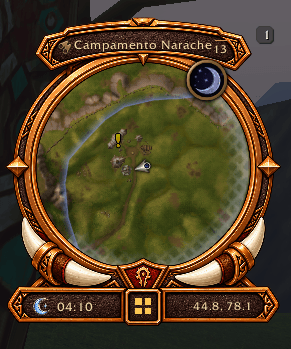
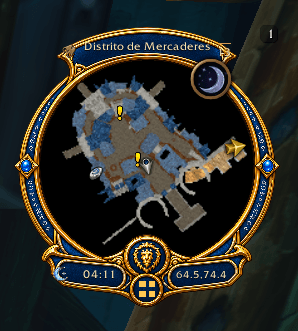
Faction-specific artwork surrounds the native map: a lion crest with blue and gold detailing for the Alliance, and tusks with warm metalwork for the Horde. The design includes a clock with day/night artwork, coordinates, calendar and tracking access, and a compact menu for supported addon buttons.
Adjust minimap size from 50% to 150%, with 90% as the default. Native map markers, zoom, tracking and ping behavior are retained.
Class-colored player nameplates
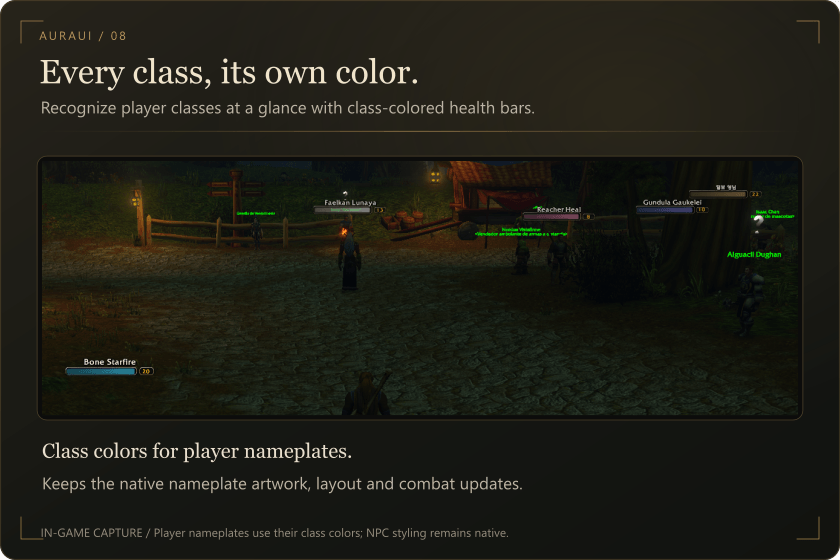
Each player class has its own recognizable health-bar color, making classes easier to identify at a glance. AuraUI enables the native class-color settings for player nameplates, including friendly players, while preserving their original artwork, layout and combat behavior. NPC nameplates retain their native styling.
Tooltips, names and speech bubbles
- Unit tooltips: dark metal styling, class or reaction accents, an integrated health display and character-name font handling for supported scripts.
- Speech bubbles: a dark rounded body, fine bronze outline, integrated pointer and warm text. Messages retain their original display duration.
Auction house — in development
An early visual treatment styles the auction browser. This module is still being refined; detailed buying and selling views retain native interiors. Auction transactions remain under your control.
Configure your interface
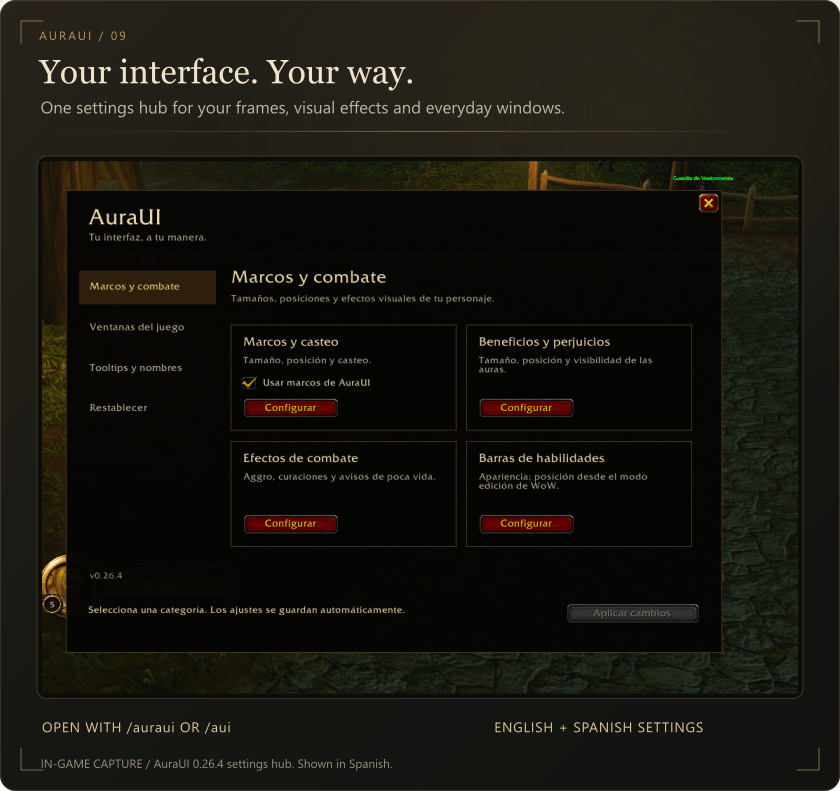
Open /auraui or /aui to access the settings panel. Settings are available in English and Spanish, with English as the fallback language.
- Enable or disable individual window and detail modules.
- Configure unit frames, cast bars, aura layouts and combat effects.
- Customize action-bar styling separately from native Edit Mode placement.
- Restore frame and bar settings or re-enable all visual modules.
- Keep your preferences between sessions.
Some module changes require an interface reload. Settings can be viewed during combat; layout changes must wait until combat ends.
Installation
Install with CurseForge, or place the AuraUI folder in your WoW Forever Interface/AddOns directory. Enable the addon and reload the interface after updating.
Compatibility and feedback
AuraUI is in active beta development for WoW Forever. Compatibility with other WoW clients and complete interface replacements has not been verified.
To report an issue, include your AuraUI version, client version, steps to reproduce it and a screenshot or Lua error when available.
Screenshots are from real development builds. Some spacing and visual details have since been refined. Static images do not show animations.
</main>Aura-UI Team
