Aura Timers
- By
Aura Timers lets you track buffs and debuffs into clean countdown bars that drain as they run out, with filters, Special Auras, Edit Mode support, and more...
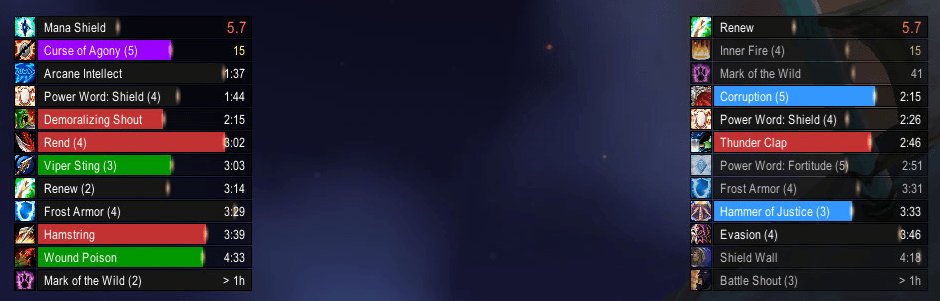
Shows many test bars to let you customise their appearances per timer bar field
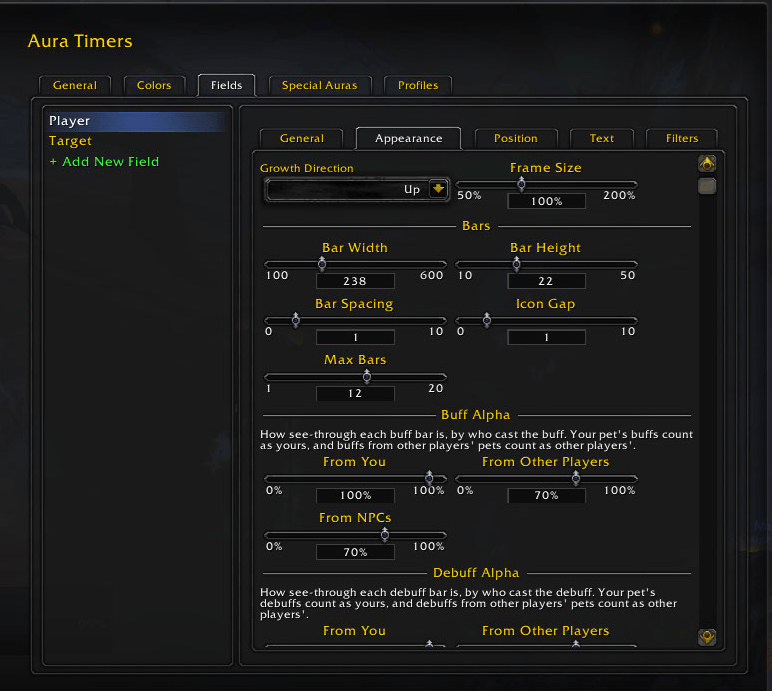
GUI - Appearance.png
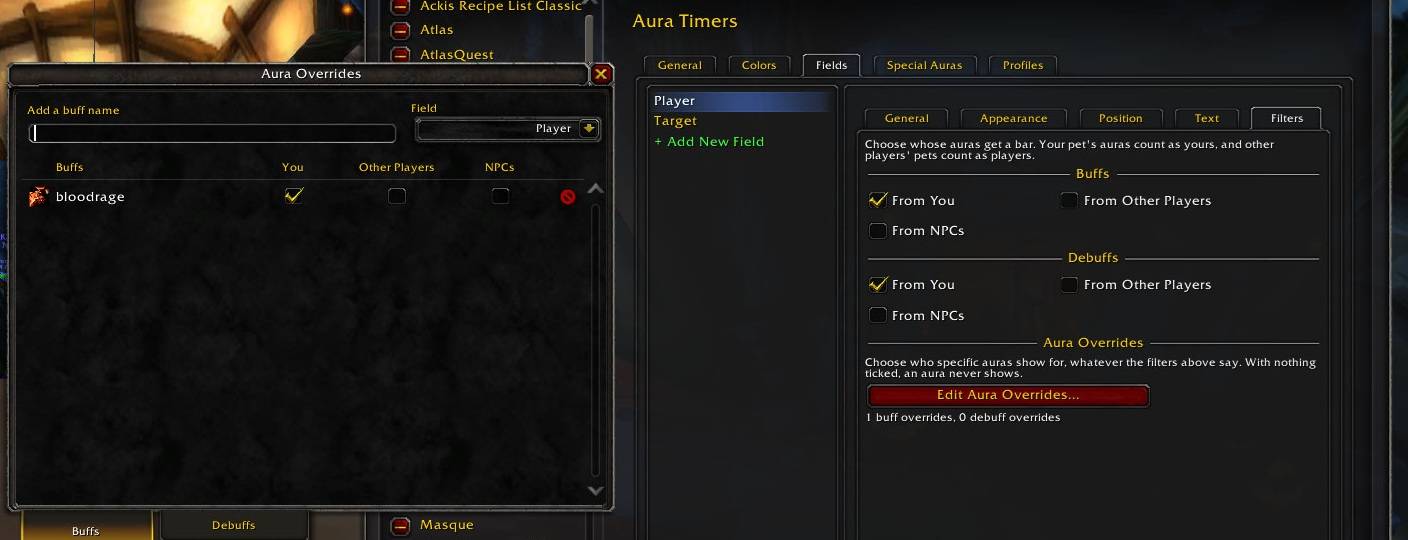
Make specific auras have their own filters, ignoring the timer bar field general filters
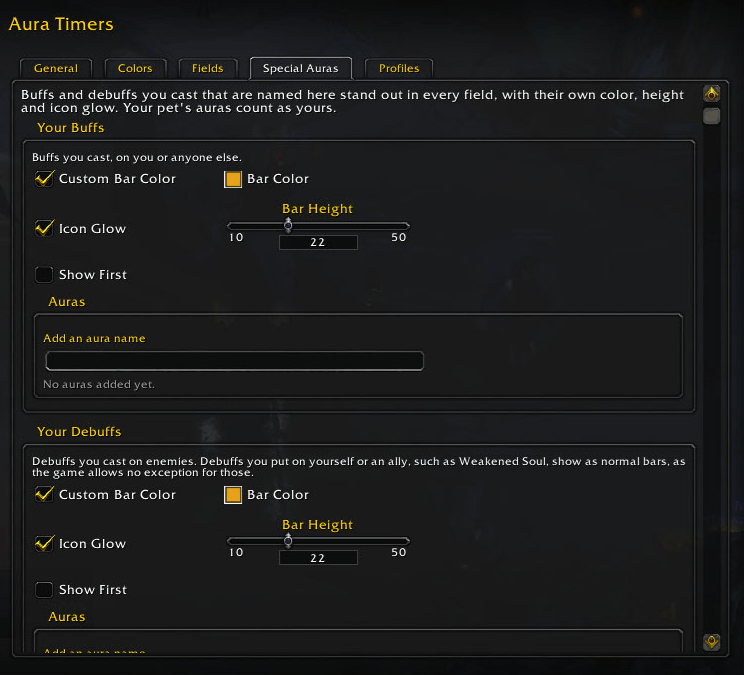
Lets to specify auras you want to visualise with a unique appearance to make them stand out from the rest
Description
See every buff and debuff that matters at a glance, as clean countdown bars.
Aura Timers replaces squinting at tiny aura icons with readable bars that drain as your buffs and debuffs run out. Each bar shows the spell's icon, name, stack count and time left, and works in combat, raids and PvP.
Features
Bars that read at a glance
- Bars drain from full to empty as each aura runs down, with a spark riding the edge.
- Time left counts down as
> 1h,1:28,42, then5.7in the final seconds. - In the last seconds the time turns white, then yellow, then red, and can switch to a larger countdown so you never miss an expiring buff.
- Debuffs can be colored by type: Magic, Curse, Disease and Poison. Stealable buffs can be highlighted.
- Stack counts can sit after the name, on the icon, or in their own space to the left or right of the bar.
- Hover a bar for the spell's tooltip, or turn tooltips off in combat.
Fields for each unit
Bars are grouped into fields, each following one unit:
- Player
- Target
- Target of Target
- Focus
- Target of Focus
Player and Target fields are set up for you. You can add as many fields as you like, name them, and have each one grow up or down. A field can show only for certain kinds of units: friendly players, enemy players, friendly NPCs or hostile NPCs.
Show only what you care about
- Choose whose auras get a bar, separately for buffs and debuffs: yours, other players', or NPCs'.
- Auras from other casters can be drawn faded, so your own stand out.
- Aura Overrides let you make exceptions for single auras, such as "always show this raid buff from anyone" or "never show this debuff of mine". Aura names are suggested as you type, from the auras you've seen.
- Permanent auras with no duration are hidden by default, and can be shown.
Special Auras
Pick out the auras you most need to track, such as procs, cooldown buffs or your key DoTs, and give them their own look:
- their own bar color and height;
- a glowing icon, like the action bar proc glow, each time they appear;
- shown before or after your other bars.
Fits into Edit Mode
- Fields appear in the game's Edit Mode with sample bars, so you can arrange them alongside the rest of your UI.
- Drag fields into place, snap them to other frames, and nudge them a pixel at a time with the arrow keys.
- Right-click a field to open its settings, or resize it with Frame Size.
- Changes save and revert with Edit Mode's own Save and Revert buttons.
Highly Customisable
- Fonts, sizes and colors for names, times and stacks.
- Bar width, height, spacing, bar texture, border, icons and spark.
- The spark can use your class color.
- Works with LibSharedMedia, so textures and fonts from your other addons show up in the lists.
- Profiles, to share one setup across characters or keep a different one on each.
- Test mode fills every field with sample bars, so you can style them without needing real auras.
Translated
Available in English, Deutsch, Español (EU and Latin America), Français, Italiano, 한국어, Português (Brasil), Русский, 简体中文 and 繁體中文.
Getting started
- Install the addon and log in. Player and Target bars are ready straight away.
- Type
/at(or/auratimers) to open the settings. - Open Edit Mode to move your fields into place.
Commands
| Command | What it does |
|---|---|
/at |
Open the settings |
/at test |
Show or hide sample bars |
/at unlock [field] / /tb lock [field] |
Unlock or lock fields for moving |
/at fields |
List your fields |
/at rename <old> <new> |
Rename a field |
/at overrides [field] |
Open the Aura Overrides window |
/at help |
List every command |
History
This addon was originally a module found in MayronUI called "TimerBars" but was ported to being a standalone addon when MayronUI was abandoned and I returned for WoW Anniversary, and now WoW Forever. Most of the core parts of the original functionality was kept, but a lot of extra code was added to make it work with the AceGUI-3.0 and AceDB-3.0 libraries and Blizzard's newer Edit Mode. With the new restrictions in place for WoW Forever, a lot of tweaks had to be added to prevent Lua errors.
In terms of feature changes, the legacy "Whitelist/Blacklist" system was completely replaced with a better "Aura Overrides" system, allowing for more granular control over aura filtering and improving the UX. Also, a new "Special Auras" feature was added to make specific auras standout better from the rest of the aura timer bars.
Aura Timers Team