AudioProfiles
- By
screenshot-2026-08-13_19-12-01.png
screenshot-2026-08-13_19-12-28.png
Description
Audio Profiles
Stop hunting through the Sound options every time you swap between raiding, questing, and AFK-in-a-city. Audio Profiles lets you save named volume presets and switch between them in one click — or let the addon do it for you as you move between zones.
Features
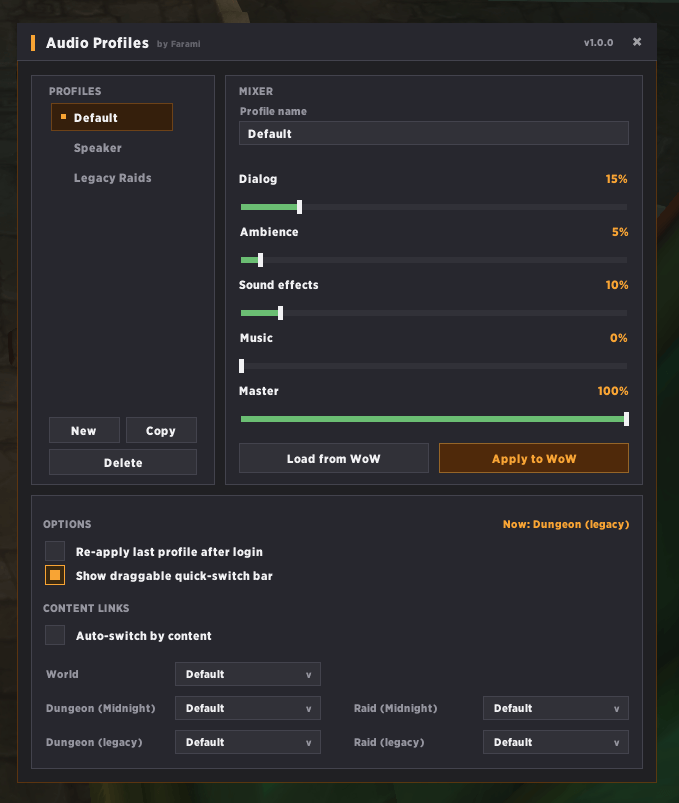
Named profiles — Save Master, Music, Effects, Ambience, and Dialog volume, plus the DSP toggle, as a named preset. Create as many as you want: Raid, Quiet, Music Off, whatever fits how you play.
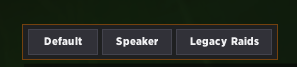
One-click apply — Switch profiles from the config window, a draggable quick-switch bar, keybindings, or chat commands.
Auto-switch by content — Bind a profile to World, Dungeon, or Raid content (with separate slots for current-tier and legacy instances) and Audio Profiles applies it automatically when you zone in. Manually change volume mid-instance and auto-switch politely backs off until you leave.
Copy from game — Grab your current live volume settings into a profile with one button instead of re-entering every slider by hand.
Resume on login — Optionally re-applies your last-used profile automatically when you log in.
Getting started
- Open the config window with
/ap(or/audioprofiles). - Create a profile and hit Copy from game to capture your current settings, or set the sliders manually.
- Optionally turn on Auto-switch by content and link profiles to World / Dungeon / Raid under Content Links.
Slash commands
| Command | Action |
|---|---|
/ap |
Open/close the config window |
/ap list |
List your profiles |
/ap <number> |
Apply a profile by its list number |
/ap apply <name> |
Apply a profile by name (partial match works) |
/ap next / /ap prev |
Cycle to the next/previous profile |
/ap links |
Show current content-link bindings |
/ap link <tag> <profile> |
Set a content binding from chat |
Content tags: world, dungeon_current, dungeon_legacy, raid_current, raid_legacy.
Keybindings
Set these under Game Menu → Options → Keybindings → AddOns → Audio Profiles:
- Toggle configuration window
- Apply next profile
- Apply previous profile
The AudioProfiles Team