AuctionGoblin
- By
SCR-20261126-szzs.png
WoWScrnShot_112626_023551.jpg
WoWScrnShot_112626_023518.jpg
WoWScrnShot_112626_023618.jpg
Description
AuctionGoblin
From the creator of AuctionGoblin.com
AuctionGoblin adds auction house prices to item tooltips in WoW Forever and tells you the most valuable thing to do with each item: auction it, vendor it, or disenchant it.
It needs no auction house scan and no companion app. Prices for your auction house come with the addon and are refreshed with each daily addon update.
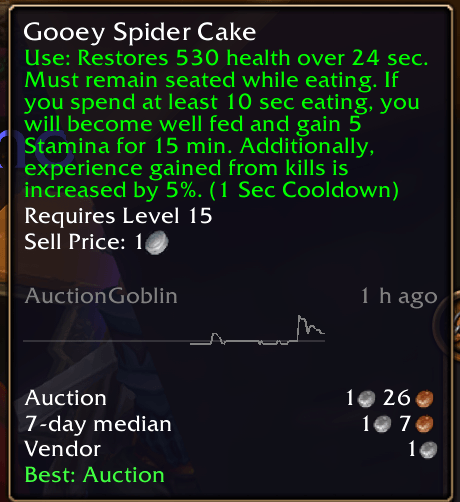
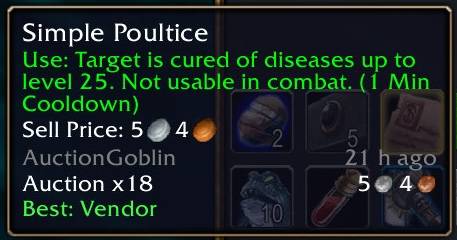
What you see on a tooltip
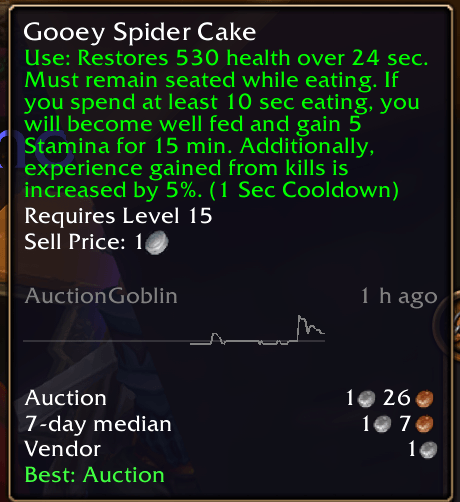
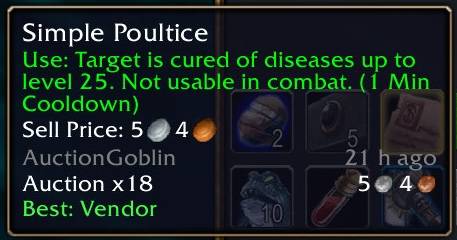
Hover any item in your bags, bank, a loot window, a vendor, a quest reward or a chat link. AuctionGoblin adds at most four lines:
- AuctionGoblin · 3 h ago: how old the prices are, so you always know how fresh the data is.
- Auction x20: the lowest current auction price for the whole stack you are hovering. If nothing is listed right now, it shows the 7-day median instead and labels it "7-day median".
- Disenchant (estimate): for gear that can be disenchanted, the expected value of the materials at current auction prices, after the auction house cut. For other items, a Vendor line appears here when the game does not show its own Sell Price.
- Best: Auction / Vendor / Disenchant: the verdict, in green. It names the option that gives you the most gold.
Example: you loot a green item while levelling. The tooltip shows Auction 1g 20s, Disenchant (estimate) 2g 85s, and Best: Disenchant. You know what to do without opening the auction house or doing the maths.
Hold Shift for detail
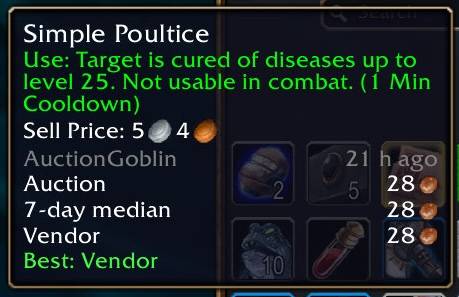
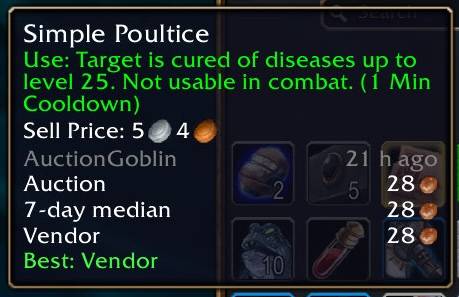
Holding Shift switches the tooltip to per-item detail:
- Prices for one item instead of the stack, so they are easy to compare.
- The 7-day median price next to the current lowest price, so you can tell whether today's price is unusually high or low.
- The vendor price for one item.
- The disenchant breakdown: each possible material with its quantity, its drop chance, and what it sells for, for example "Strange Dust x2-3 (75%)".
How the verdict is worked out
- The auction value is taken after the 5% auction house cut, and uses the lower of the current price and the 7-day median, so one overpriced listing does not mislead you.
- Soulbound items are never recommended for auction.
- Disenchant is only shown if the item is still tradeable or your character has Enchanting.
- If a tradeable item has not been listed in the last 7 days, the tooltip says "No auction data" rather than guessing.
- Items with random suffixes ("of the Bear", "of the Eagle"…) show one combined price marked "all variants" and get no verdict, because the variants sell for different amounts.
Settings
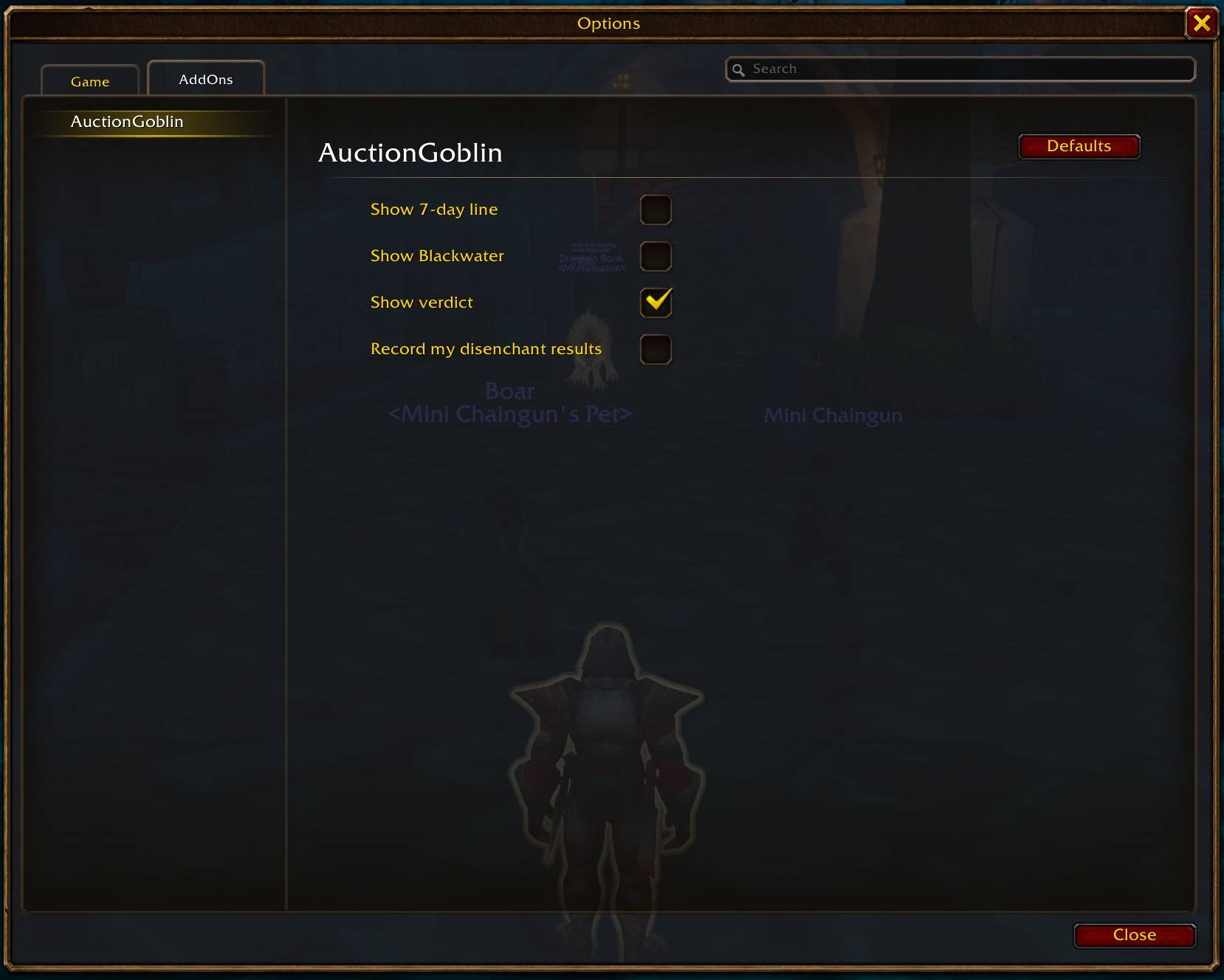
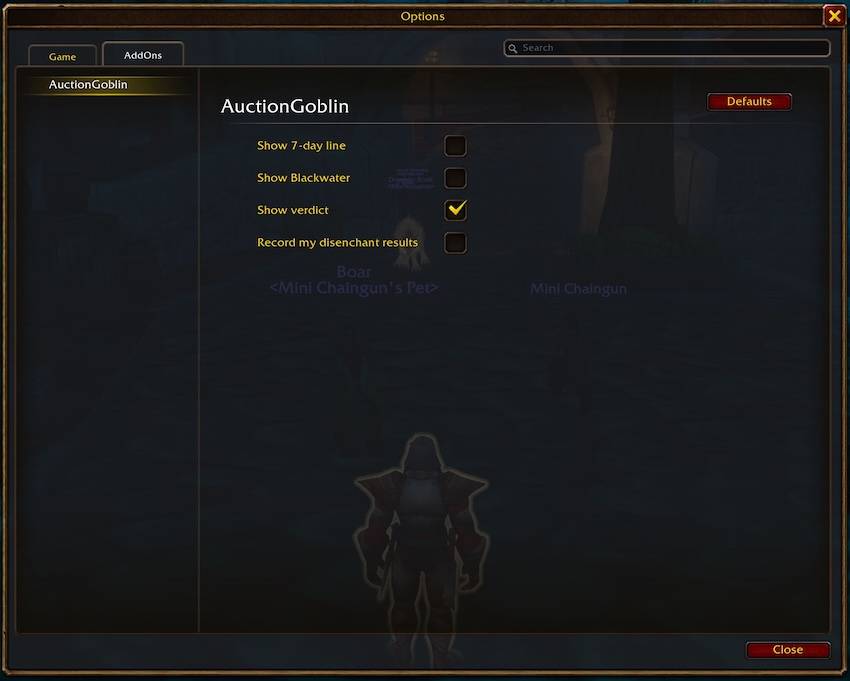
Type /goblin to open the settings (also under Options > AddOns). There are four checkboxes:
- Show 7-day line (off): always show the 7-day median, without holding Shift.
- Show Blackwater (off): also show the lowest price at the Blackwater (neutral) auction house.
- Show verdict (on): show or hide the "Best:" line.
- Record my disenchant results (off): save what your own disenchants give. This stays in the addon's saved variables on your computer and is never sent anywhere.
Good to know
- WoW Forever only. The addon does not load on other versions of the game.
- Your auction house is detected automatically from your region, realm type and faction. The download covers every Forever auction house, but only yours is kept in memory.
- Hardcore characters get no added lines.
- Prices update when the addon updates, once a day. The header line always shows the age of the data.
- Optional hourly prices: if you want fresher data, a single scheduled command on your computer (macOS or Windows) can refresh your auction house's prices every hour. Instructions: https://www.auctiongoblin.com/addon
- Labels are in English.
AuctionGoblin Team