


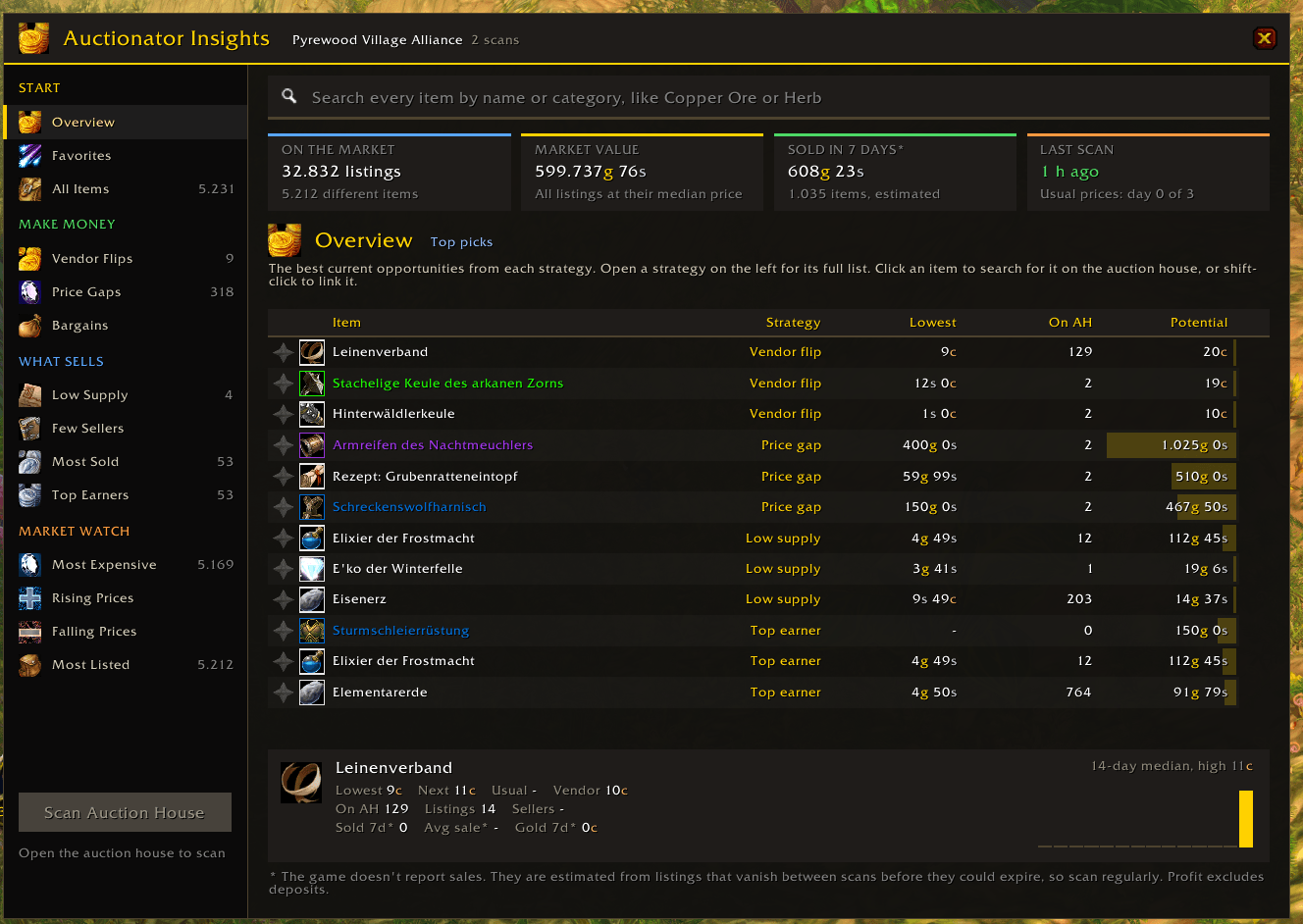
overview.png
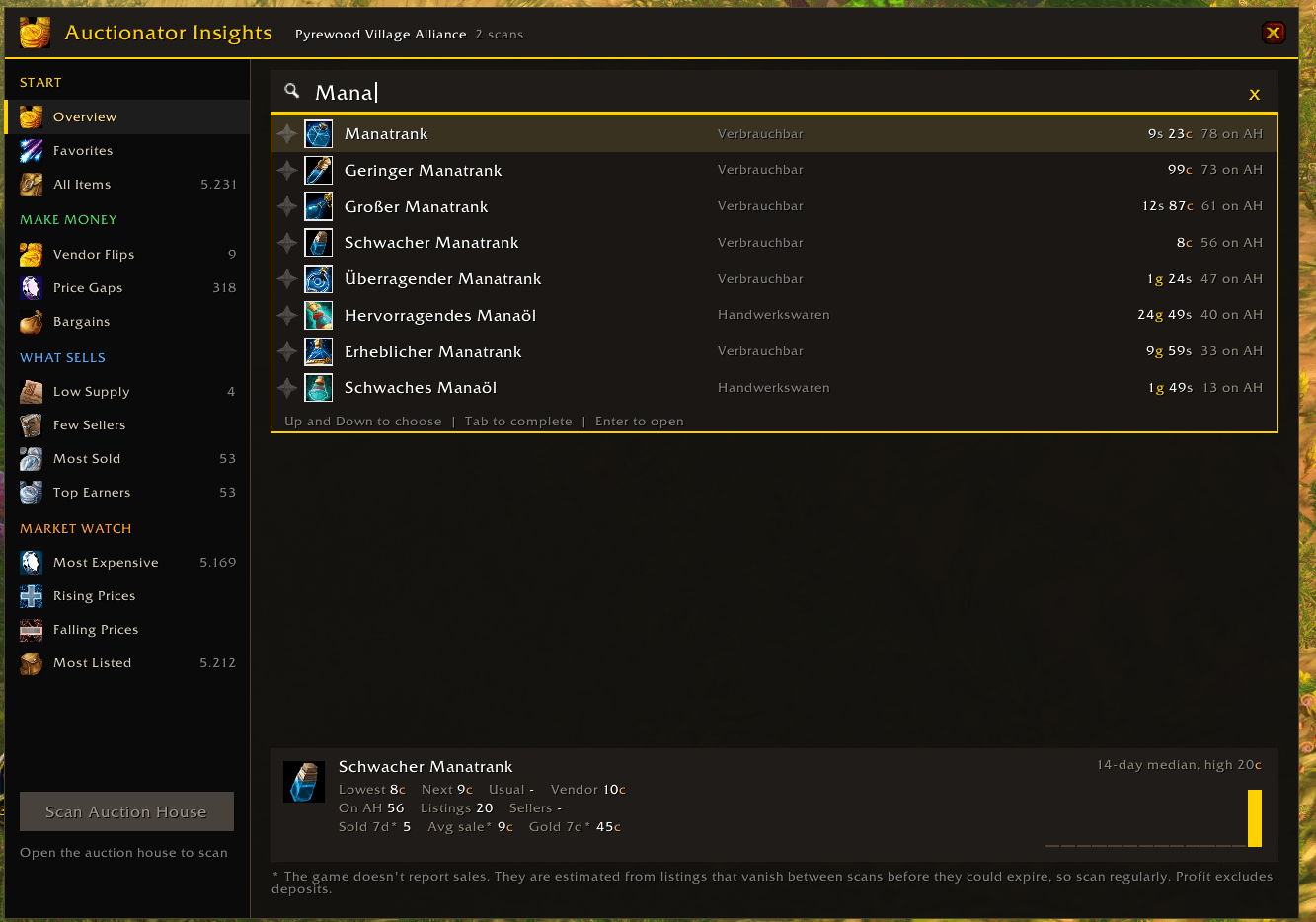
search.png
Description
Auctionator Insights
Turn your auction house scans into clear money-making opportunities.
Scan the auction house and see what to buy, what to sell and what to avoid, all in one window. It works on its own, with no other addon needed.
Make money
- Vendor Flips: items listed for less than a vendor pays.
- Price Gaps: the cheapest listing is far below the next one, so you can buy it and relist.
- Bargains: items listed at least 30% below their usual price on your server.
Every strategy shows a risk level, so you can see at a glance which ones are safer.
See what sells
- Low Supply: items selling faster than sellers restock.
- Few Sellers: items that sell despite having only one or two sellers.
- Most Sold: the items with the most estimated sales over 7 days.
- Top Earners: the items where the most gold changed hands over 7 days.
Watch the market
- Rising Prices: a good time to sell your stock.
- Falling Prices: items below their usual price that are still selling.
- Most Expensive: the highest prices per item right now.
- Most Listed: crowded markets where you can expect slow sales and heavy undercutting.
Also included
- Overview page: your top picks across all strategies.
- Item search: find any scanned item by name or category, with suggestions as you type.
- Bag tooltips: hover over an item to see whether to sell it on the auction house or to a merchant.
- Price history: view an item's median price per day from your scans.
- Neutral auction houses: tracked separately from your faction's auction house.
Getting started
- Open the auction house and press Scan Auction House.
- Scan again a few hours later to start estimating sales.
- Keep scanning once or twice a day. Usual prices need 3 earlier days of scans.
Open the window with the minimap coin, the button on the auction house, or /ahi.
Commands
/ahior/ainsights: open the window/ahi scan: start a scan/ahi tooltip: turn bag tooltip advice on or off/ahi neutralor/ahi faction: switch between the neutral and faction auction house
Good to know
- The game doesn't report sales. They are estimated from listings that vanish between scans before they could expire, so regular scans make them more accurate.
- Profit figures don't include auction deposits.
- The game may block another full scan for up to 15 minutes.
- Item names follow your game language, but the addon's own text is English only.
Supported versions
Classic Era and Anniversary.
Auctionator Insights is an independent addon and is not affiliated with the Auctionator addon.
Auctionator Insights Team
