Auction Status Viewer
- By
asvtimer.png
asvscreen.png
Screenshot 2026-06-02 215649.png
Screenshot 2026-06-02 215715.png
asvtimer2.png
Description
Auction Status Viewer
Auction Status Viewer is a lightweight, read-only auction tracking addon for World of Warcraft. This addon was designed for The Burning Crusade: Anniversary Edition. I have not tested it on other versions, but it is simple in practice and so most likely works on other editions of WoW.
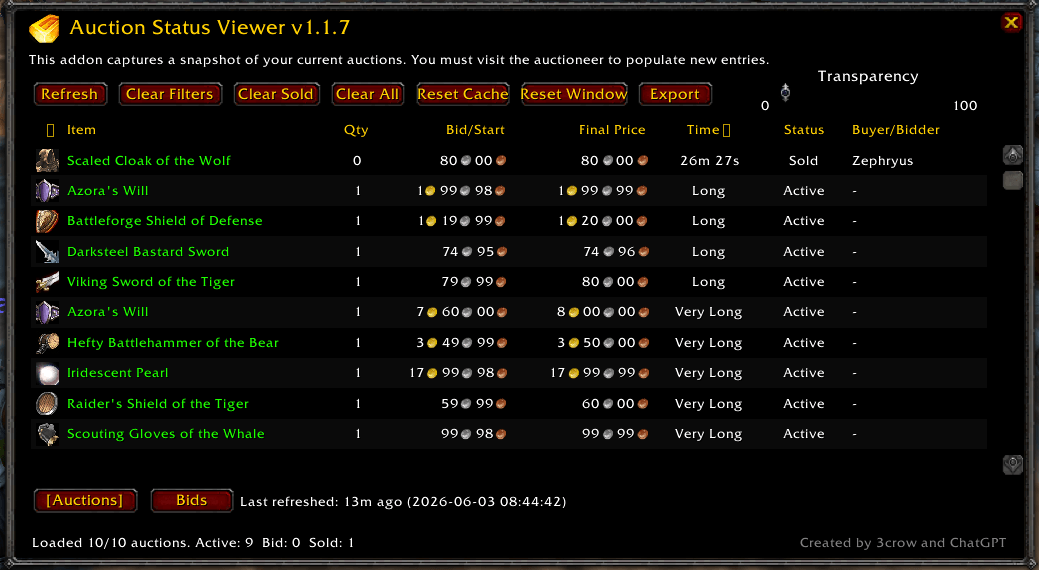
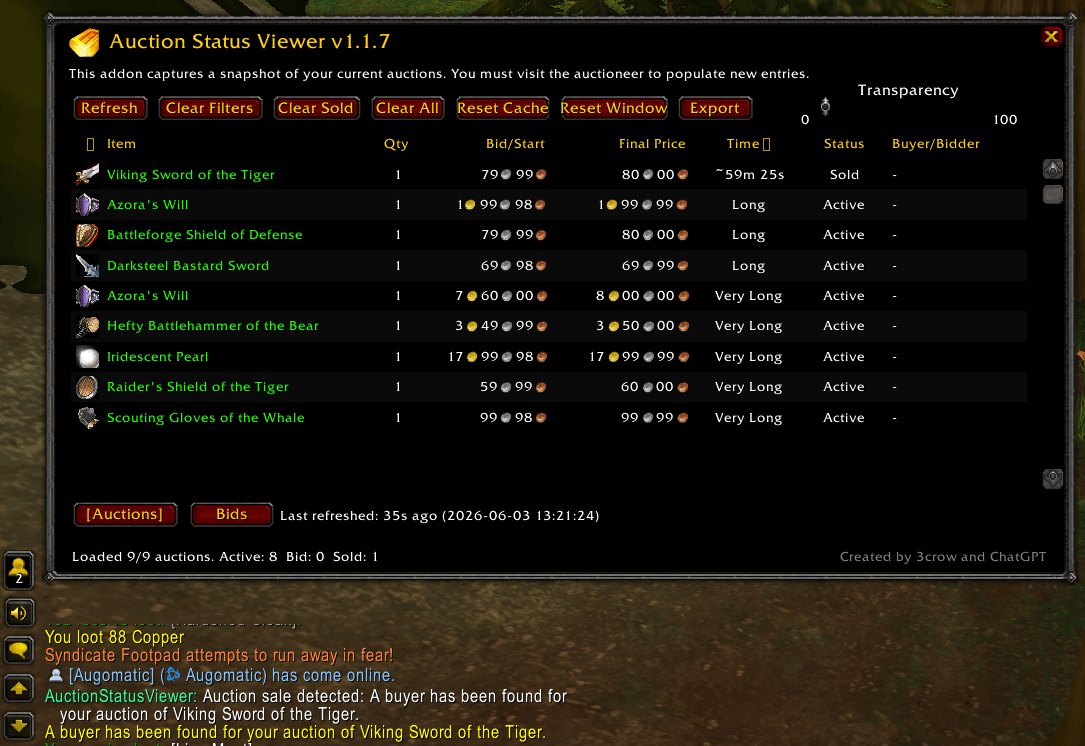
It captures a snapshot of your current auctions and bids when you visit the Auction House, then lets you view that information later from a clean standalone window using /asv or the minimap button. It is designed for players who want to quickly check auction status, sold items, bid status, buyer/seller names, payment timers, and auction details without reopening the full Auction House interface every time.
This addon does not automate posting, bidding, buying, canceling, scanning, or undercutting. It is purely a personal auction status viewer.
Features
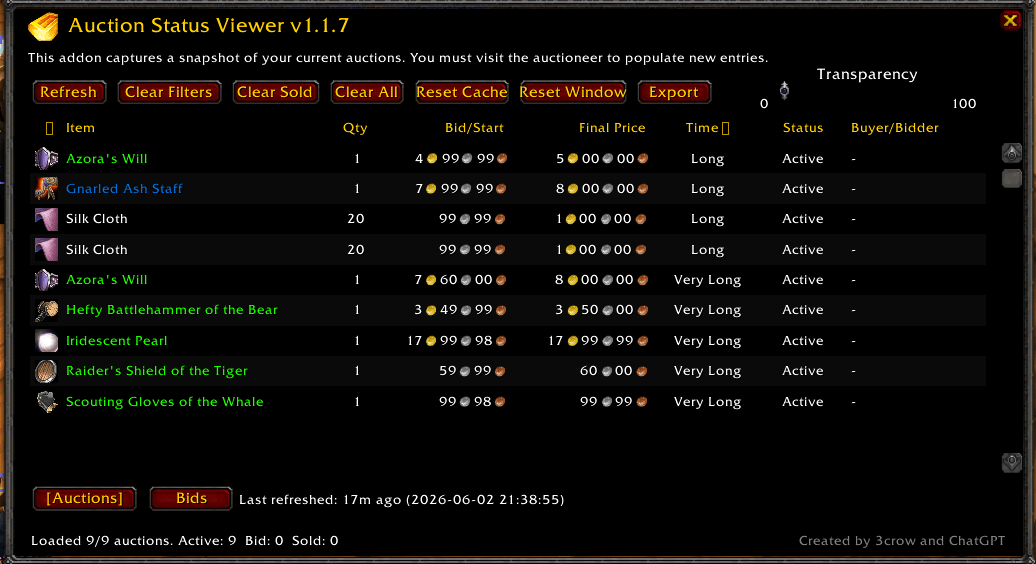
- View a cached snapshot of your current auctions.
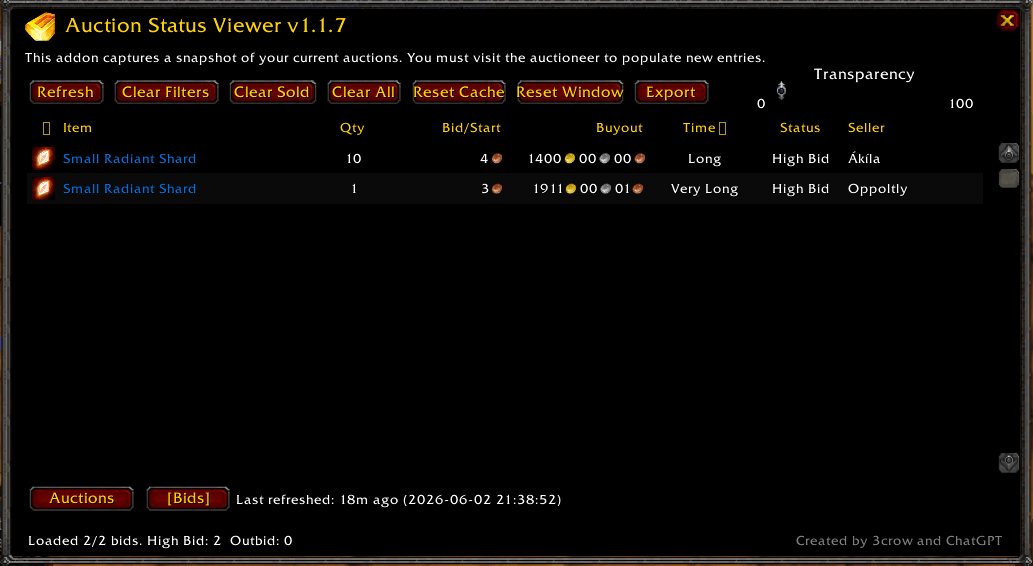
- View a cached snapshot of auctions you have bid on.
- Switch between Auctions and Bids tabs.
- See item icons, item names, quantity, prices, time remaining, status, and buyer/seller names.
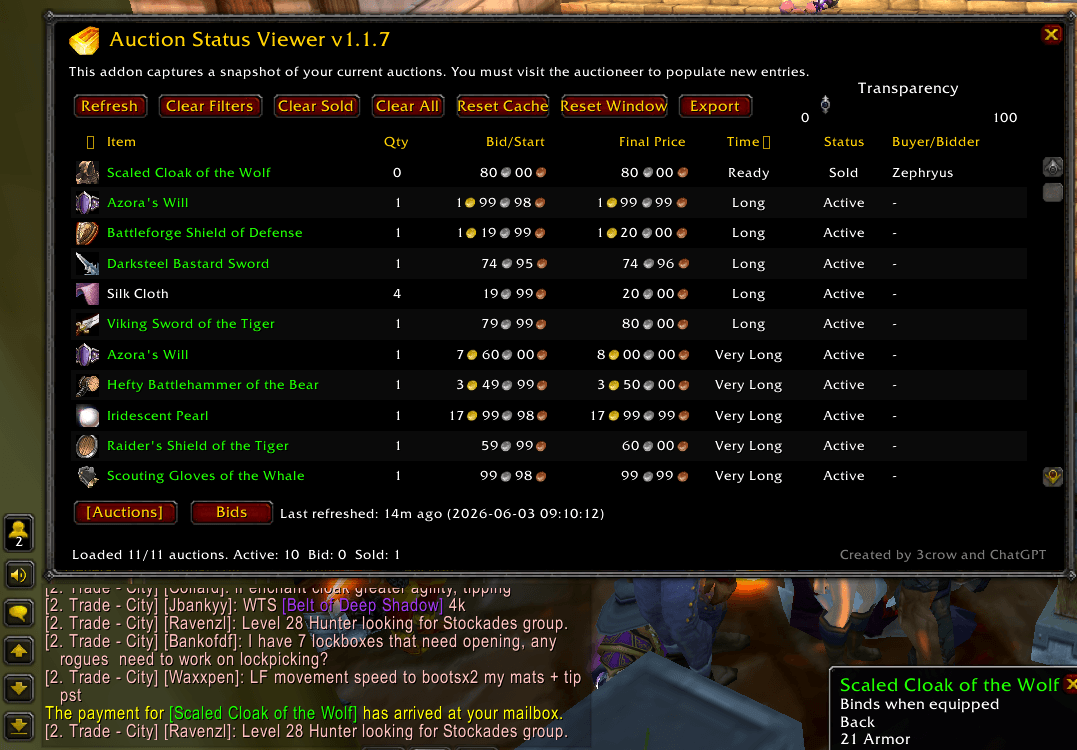
- Tracks sold auctions and displays a payment countdown when available.
- Plays auction-themed sound cues when an auction sells, payment should arrive in the mailbox, you are outbid, or your bid is accepted.
- Prints a mailbox alert when sold-auction payment is ready:
The payment for [item] has arrived at your mailbox. - Sort by item, quantity, price, time, status, and rarity.
- Shift-click item names to paste item links into chat.
- Shift-click buyer or seller names to paste the player name into chat.
- Hover item names/icons for item tooltips.
- Hover time values for auction duration details.
- Adjustable window transparency.
- Saves window position.
- Includes a minimap button.
- Export your cached auction data as clean tab-separated text.
- Read-only design: no Auction House automation or protected actions.
Slash Commands
/asv- Open or close the Auction Status Viewer window./asv auctions- Switch to the Auctions tab./asv bids- Switch to the Bids tab./asv refresh- Refresh the current tab from live Auction House data, if available./asv export- Open a copyable export window./asv clearfilters- Reset sorting to Time./asv clearsold- Clear sold auction rows, or outbid rows from the Bids tab./asv clearall- Clear the current tab’s cached snapshot./asv resetcache- Clear cached auctions, bids, and sale invoice data./asv resetwindow- Recenter the window and reset transparency./asv testsound sold- Test the auctioneer open/success sound./asv testsound mail- Test the auctioneer close/mail-ready sound./asv version- Show addon version information.
Important Notes
Auction Status Viewer works by capturing data exposed by the WoW Auction House UI/API. You must visit the Auction House and open the relevant Auction House tab to populate or update entries.
Some auction timing data is only available as broad Blizzard time ranges such as Short, Medium, Long, or Very Long. When the game exposes more exact countdown information, the addon uses it; otherwise, it preserves and displays the best available cached timing information.
To install Auction House Viewer, download the latest zip file and extract Auction House Viewer to your C:\Program Files (x86)\World of Warcraft\_anniversary_\Interface\AddOns folder, then enable it in-game.
For assistance, feedback, or inquiries, you can reach me on Discord username 3crow.
Created By
Created by 3crow and ChatGPT.
The Auction Status Viewer Team