
Auction Shopping List
- By
Searching.png
Shopping.png
Description
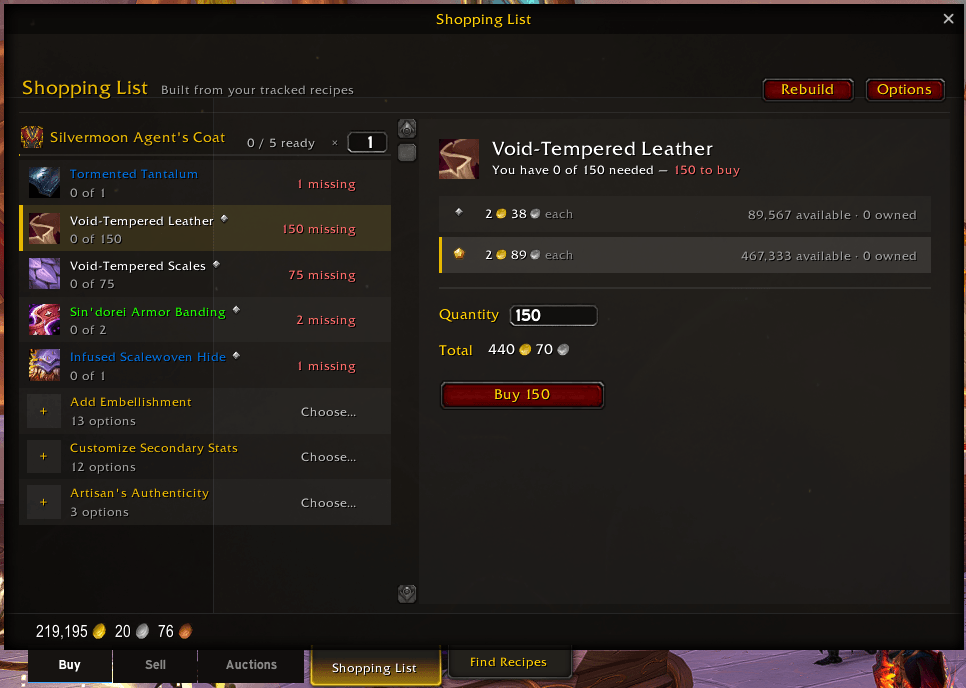
Auction Shopping List adds a Shopping List tab to the Auction House, built automatically from your tracked recipes. Every reagent you need, what you already own, what's missing, and a live price one click away — then buy it right there through Blizzard's own purchase flow.
Features
🛒 Automatic shopping list — track any recipe (right-click → Track Recipe) and the list builds itself every time you open the Auction House. One section per recipe with icons, progress bars, and per-recipe craft counts (making 5? Set ×5 on just that recipe).
💰 One-click buying — click a reagent, its live price loads with the quantity pre-set to exactly what you're missing. Buy hands off to Blizzard's standard confirmation dialog — nothing is ever purchased without your confirm.
⚡ Auto-advance — after each purchase, the next missing reagent is selected and priced automatically. Your shopping session is just Buy → confirm → Buy → confirm down the list, ending in a well-earned little celebration when everything's bought.
💎 Quality tier aware — reagents with multiple qualities show every tier side by side with Blizzard's own quality badges, unit prices, and availability. Any mix of tiers counts toward your totals, exactly like crafting. Set a preferred default tier in Options.
📬 Mail-smart counts — AH purchases arrive by mail, so the addon counts your bought-but-uncollected items as "in the mail" and keeps progress accurate. Everything settles to Ready automatically when you collect. No mailbox scanning, works across sessions.
✨ Embellishments & missives — optional slots with a real choice (which embellishment, which missive) appear as inline picker rows. Click, choose from a flyout, and it becomes a normal buyable reagent — with an × to change your mind. Unpicked optionals never block a recipe from showing Ready.
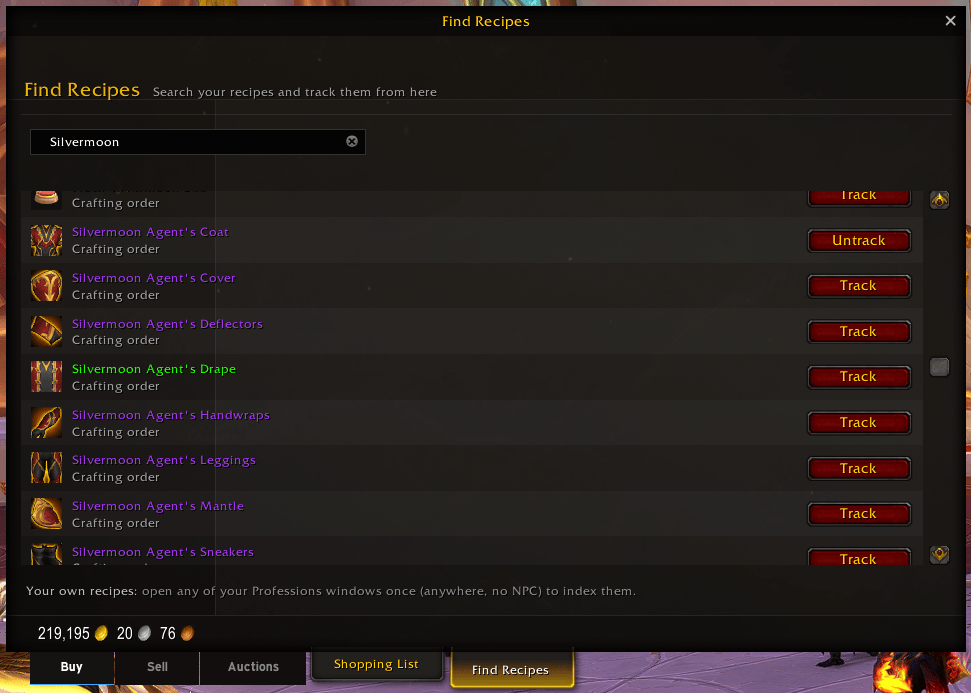
🔍 Find Recipes tab — search and track recipes by name without visiting anyone:
- Crafting-order recipes: one click of the Index Recipes button at any crafting-order clerk indexes the entire orderable catalog, permanently. From then on: search and track at the AH, buy the mats, and make just one clerk stop to place the order.
Auction Shopping List Team
