Auction Reforged
- By
Classic looking Auction House style for WoW: Forever, plus quick buying, lists with buy and sell price rules, bulk posting, full-AH price scans and a deal sniper
auction-reforged-2.png
auction-reforged-1.png
auction-reforged-4.png
auction-reforged-5.png
auction-reforged-3.png
Description
Auction Reforged brings back the look and feel of the original Auction House on top of WoW: Forever's modern functionality. The addon is light weight and adds tools for buying and selling faster. Blizzard's own code is still used for the majority of actions.
Classic Look
- Classic window frame, background, tabs and close button.
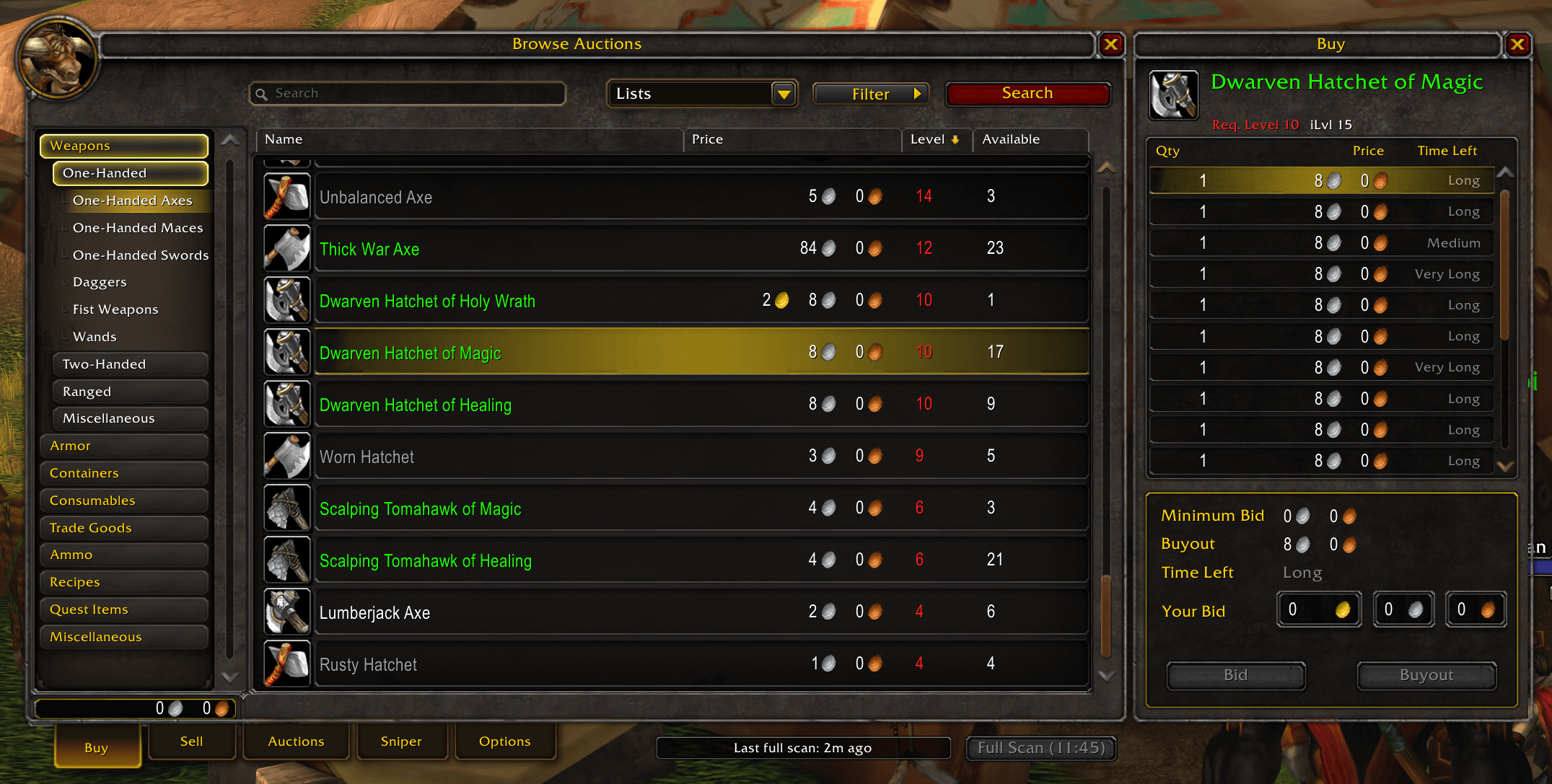
- Browse results in a familiar Classic-like display.
- A tidier Auctions tab, with room around the Bid and Buyout buttons.
Quick Buy
- Click a search result to open a buy panel beside the Auction House. The results stay on screen and the clicked row stays highlighted.
Lists
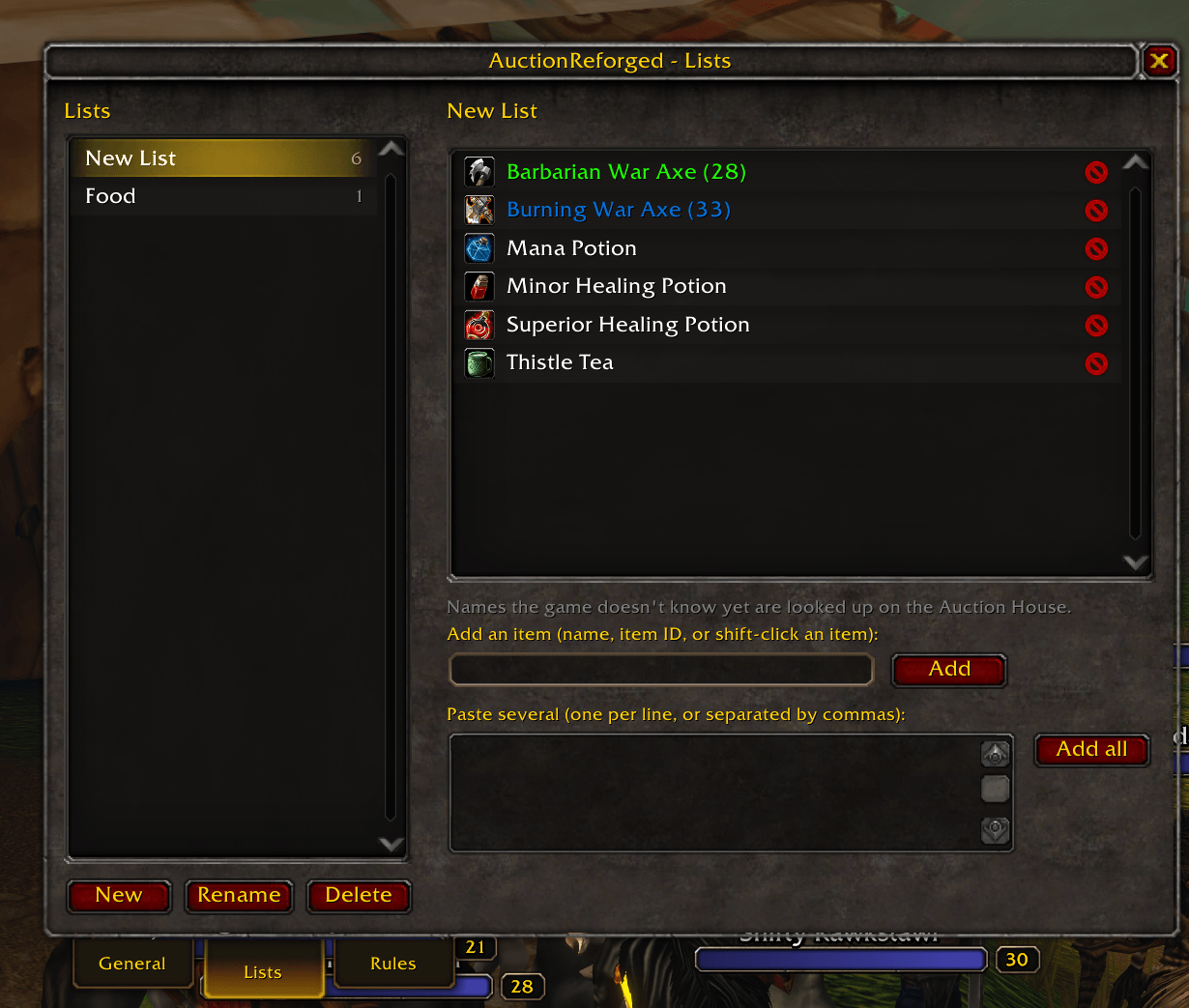
- Make your own lists alongside Blizzard's Favourites. Use the star on any result, or add items by name, ID, link or a pasted batch.
- Search a whole list at once from the search bar.
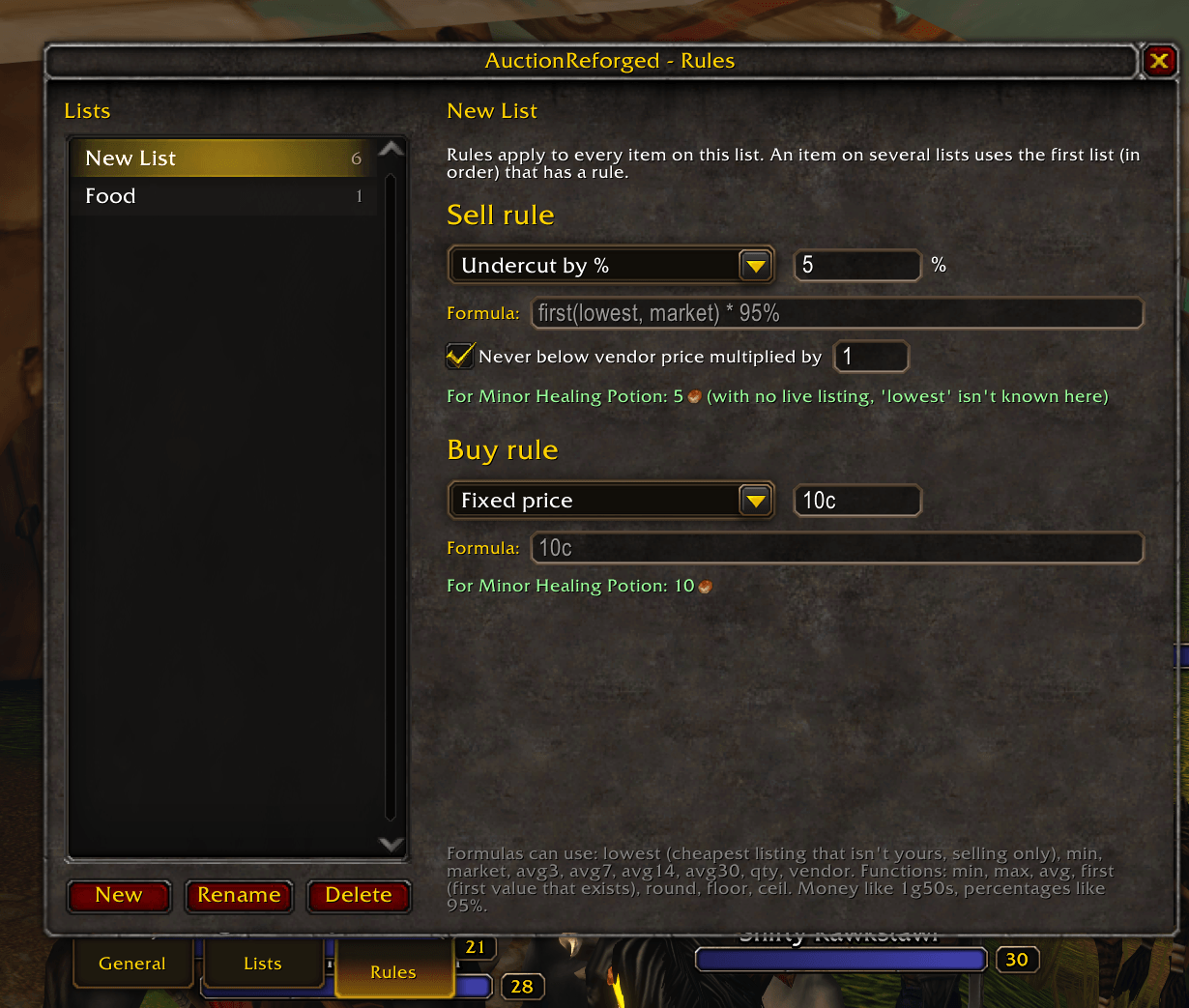
- Buy rules set the most an item is worth paying. Listings at or under it turn green, and "Deals only" hides everything else.
- Sell rules set your posting price: match lowest, undercut by a % or amount, a % of market value, or your own formula (for example
max(market * 90%, vendor * 2)). You can also set a floor at a multiple of the vendor price.
Selling
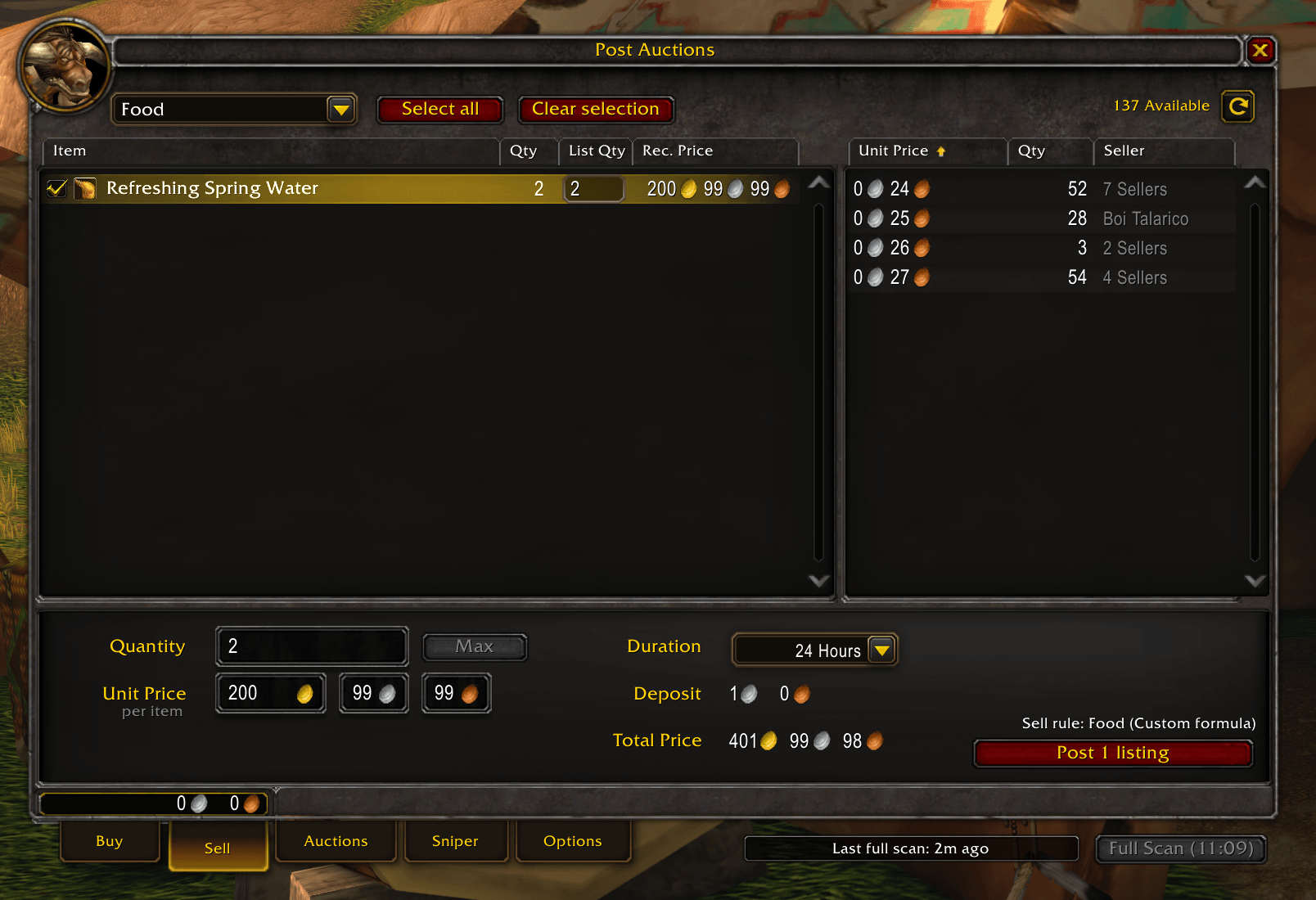
- The Sell tab shows your bags as a list beside the item's current auctions, with a recommended price for each item.
- Bulk posting: tick several items (Ctrl-click or Shift-click for ranges), then post them one click at a time with your list prices.
Price Scanning
- Scans the entire Auction House in one go, within the game's limit of one full scan every 15 minutes.
- Optional auto scan when you open the Auction House, at most once every 6 hours. Hold Shift to skip it.
- Keeps 30 days of price history per item.
- Prices seen while browsing keep the lowest price current between scans.
Tooltips
- Market value on item tooltips everywhere, per item and for the whole stack, with an optional 7-day average.
- Auction House tooltips show your equipped item for comparison automatically, without holding Shift.
Sniper
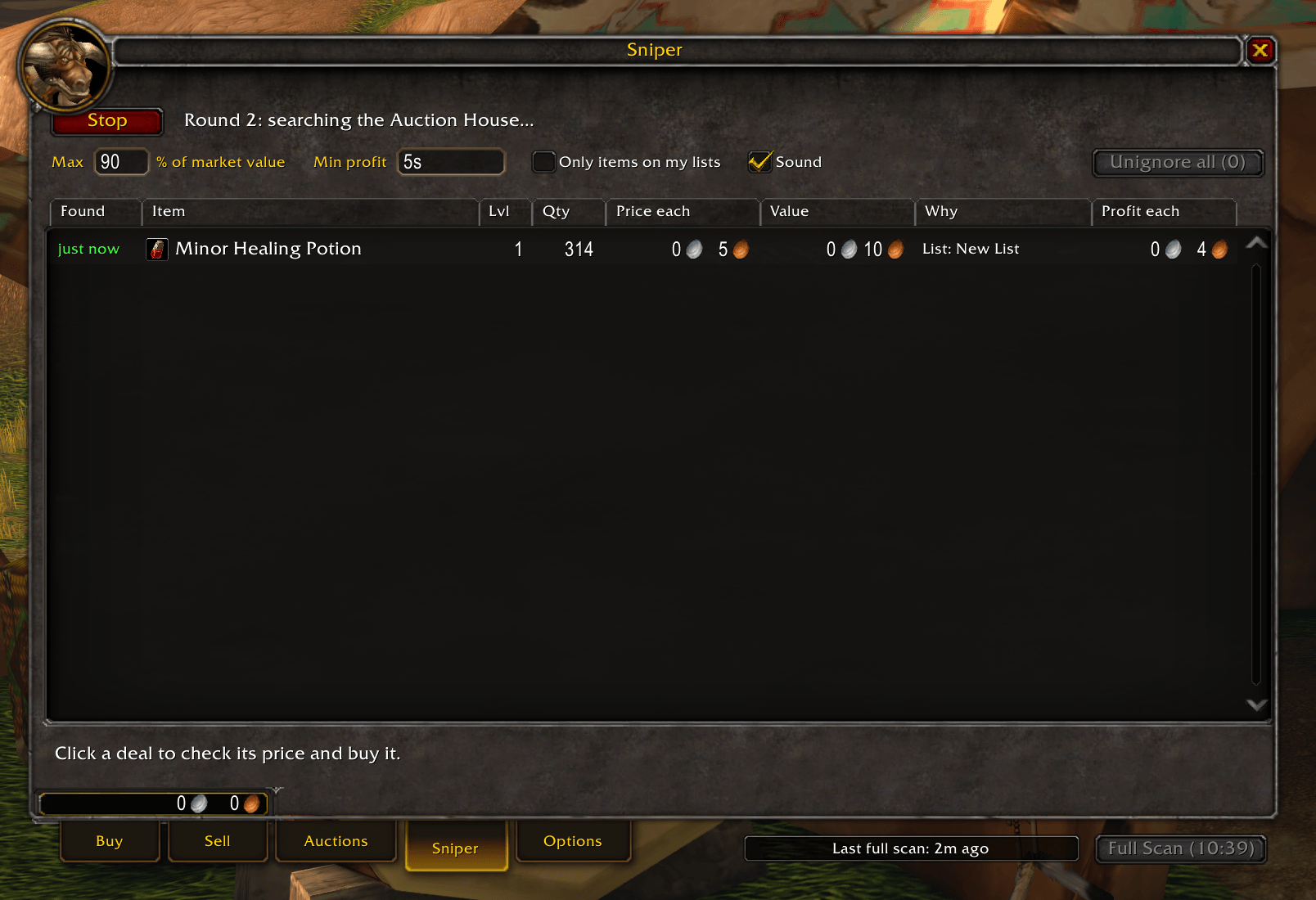
- A Sniper tab that keeps checking the Auction House for prices that just dropped, and lists the deals it finds.
- A deal is anything under your list's buy rule, below vendor price, or well under its market value, after the AH cut and with a minimum profit you set.
- Click a deal to re-check its live price and buy it. Right-click to ignore an item or search for it.
- Optional sound alert, and the game icon flashes on the taskbar.
Options
- Type
/aror use the addon compartment button. The options window doesn't close the Auction House when it opens.
Credits
- ClassicUI Forever
- Aux
- Auctionator
- AuctionMaster
- Auction House DataBase
Disclaimer
LLM-based coding tools were used to create this addon.
Auction Reforged Team