Auction Assistant
- By
Helps you with your purchases and sales at the auction house in WoW: Forever.
09-item-tooltip.png
Description
Auction assistant
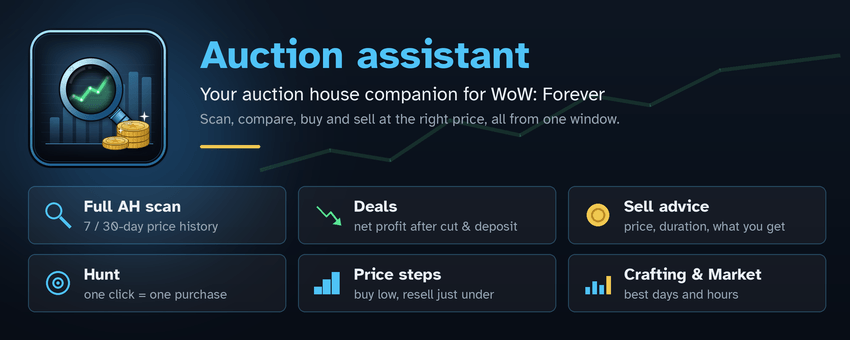
Auction assistant is an auction house addon for World of Warcraft: Forever. It scans the auction house, tracks the price of every item, finds listings under their usual price and helps you post your items at the right price, all from one window next to the auction house.
Features
- Full auction house scan and price history for every item: 24 hours, 7 days, 30 days or all time
- Live search with a category list, just like the game's auction house
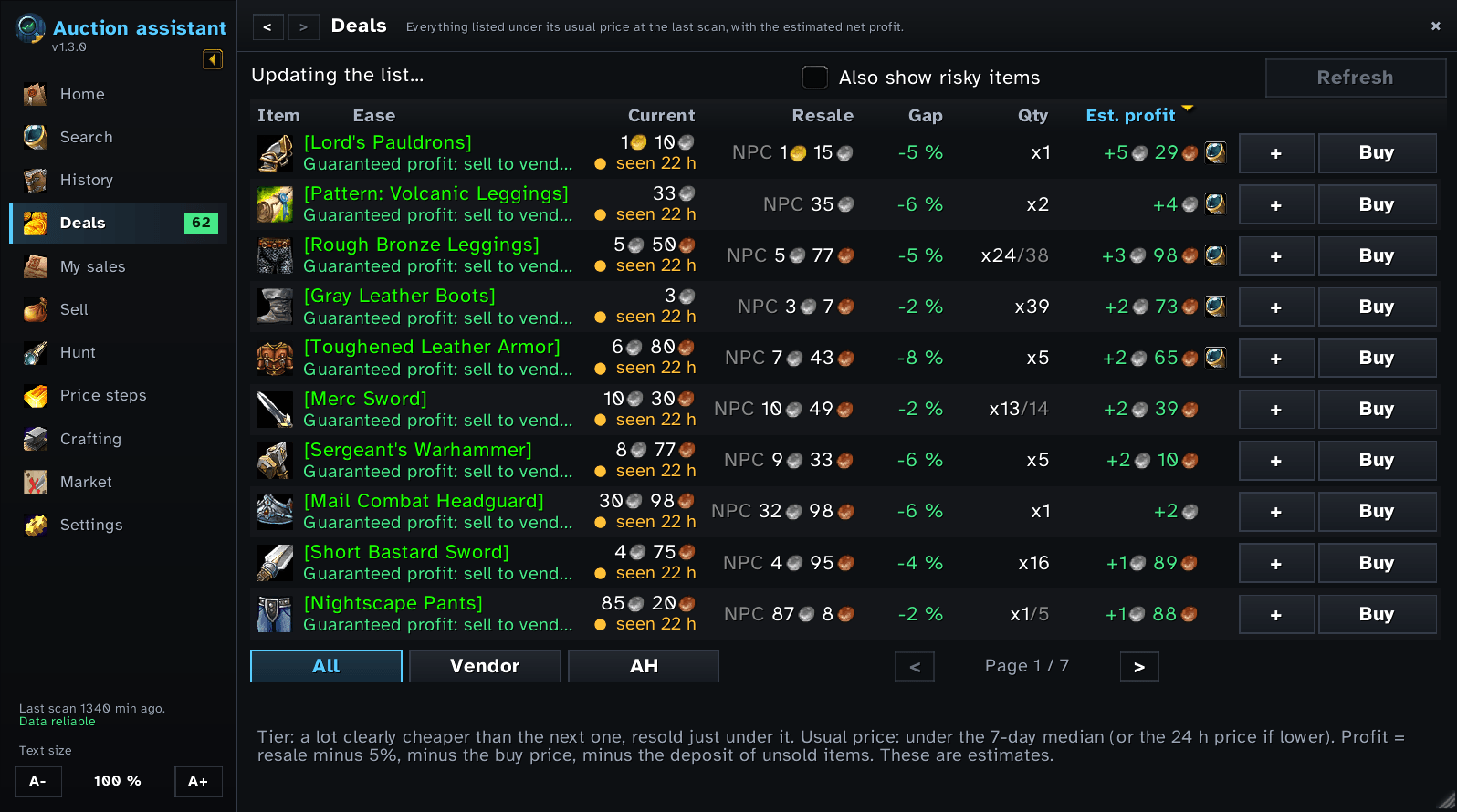
- Deals: everything listed under its usual price, with the net profit after cut and deposit
- Selling advice for every item in your bags: price, duration and what you actually receive
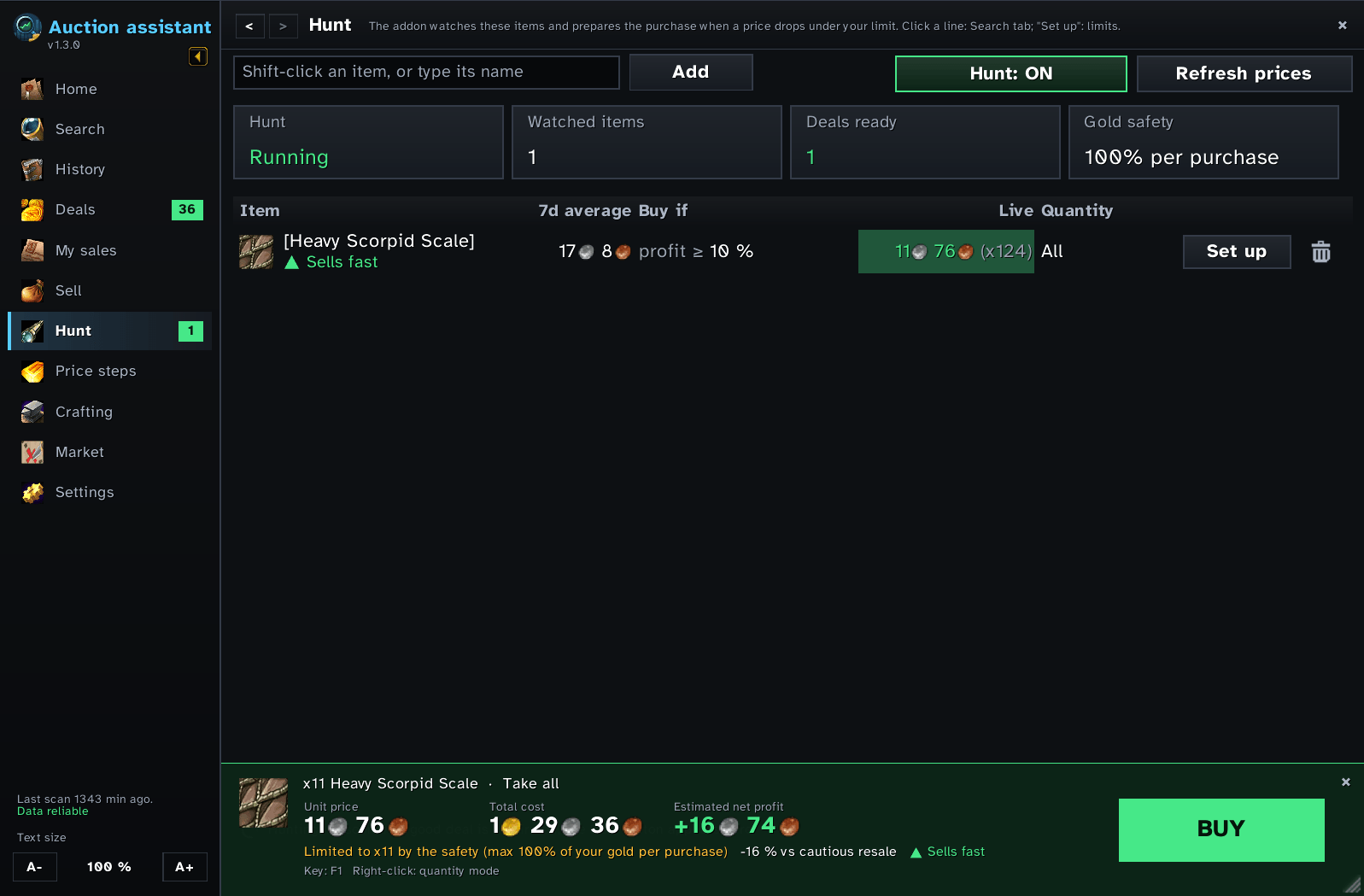
- Hunt: a watch list that prepares the purchase as soon as a price drops under your limit
- Price steps: buy the cheapest listings of a material and resell just under a higher price
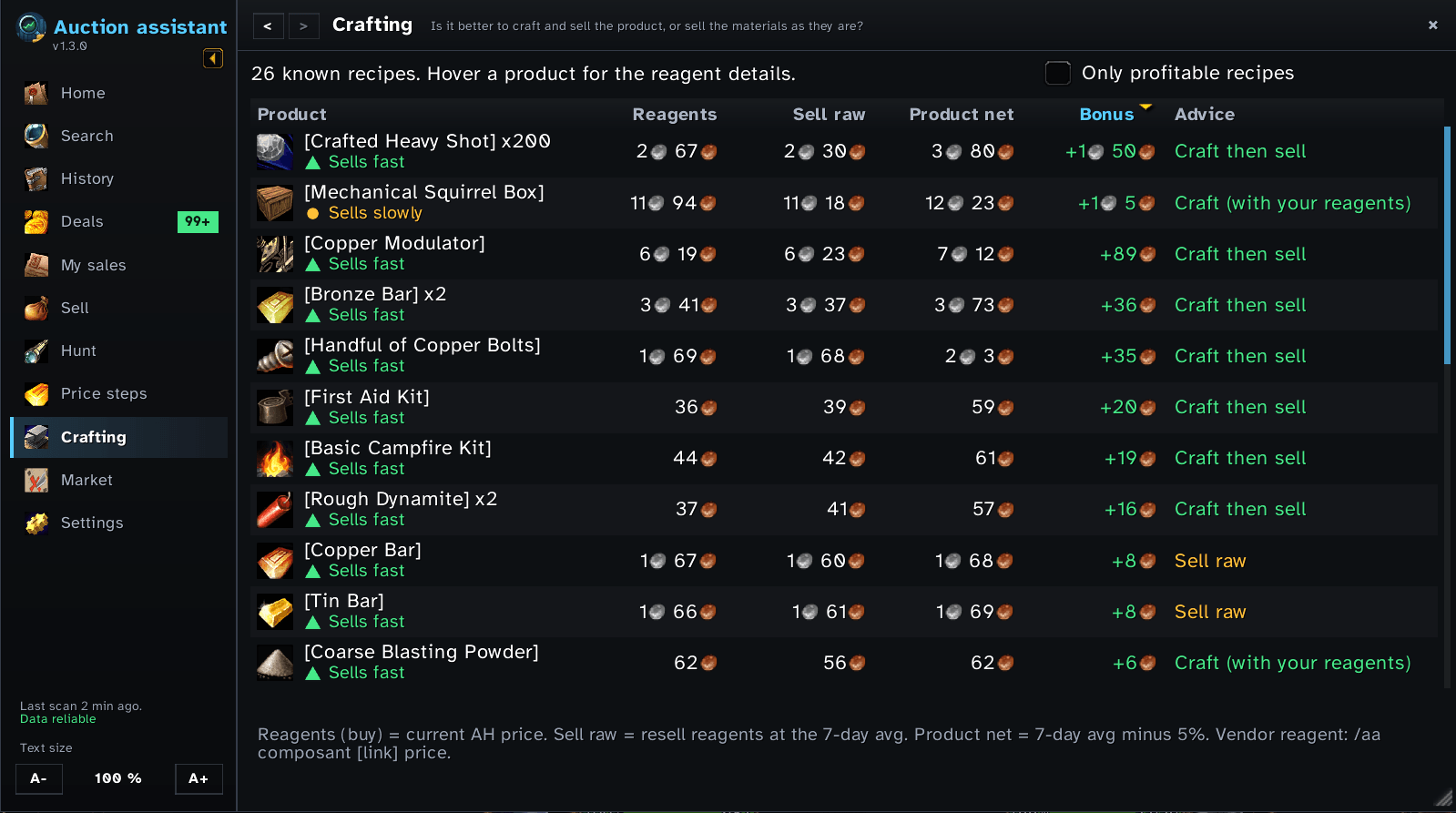
- Crafting costs, market calendar, best days and hours to buy or sell
- Sales report, stock tracking and unsold auctions with repost advice
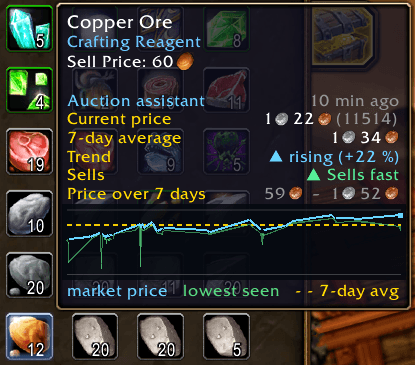
- Prices, trends and a 7-day chart in every item tooltip
- Gold safety on every purchase
- English and French, adjustable text size, readability font
Every purchase, listing and cancellation is one click from you. The addon prepares; the game carries out the action. Nothing is ever bought or posted on its own.
Getting started
- Open the auction house: the window opens next to it (or type
/aa). - Click Scan. The server allows one full scan every 15 minutes.
- Scan a couple of times a day for a few days. The Home tab shows how reliable your data is.
That's it. Prices are saved per realm and shared by all the characters of your account.
The tabs
Home
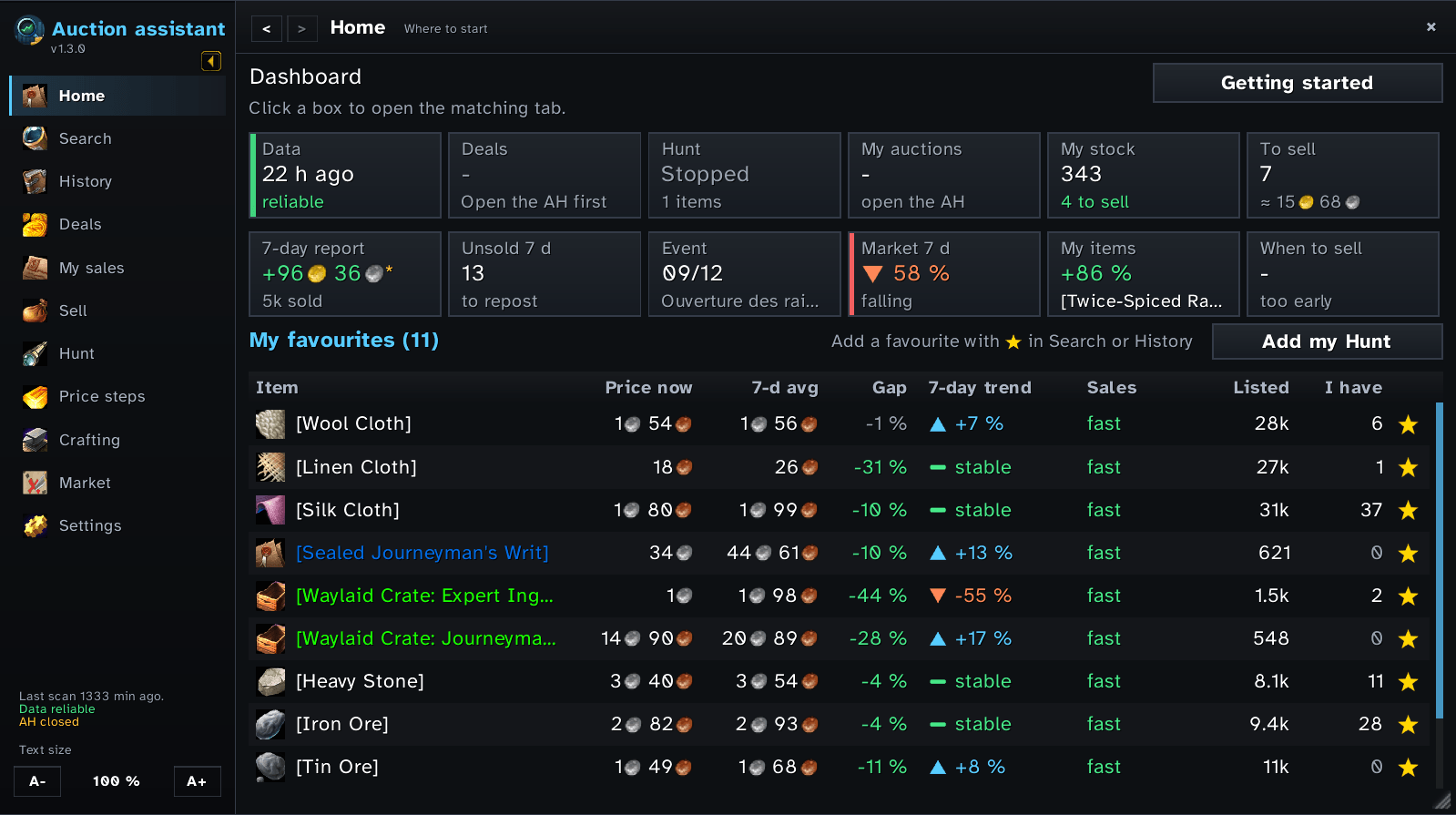
A dashboard of clickable boxes: last scan, deals, hunt, your auctions, stock, items to sell, last 7 days, unsold auctions, next event, market trend and best time to sell. My favourites follows the items you starred.
Search
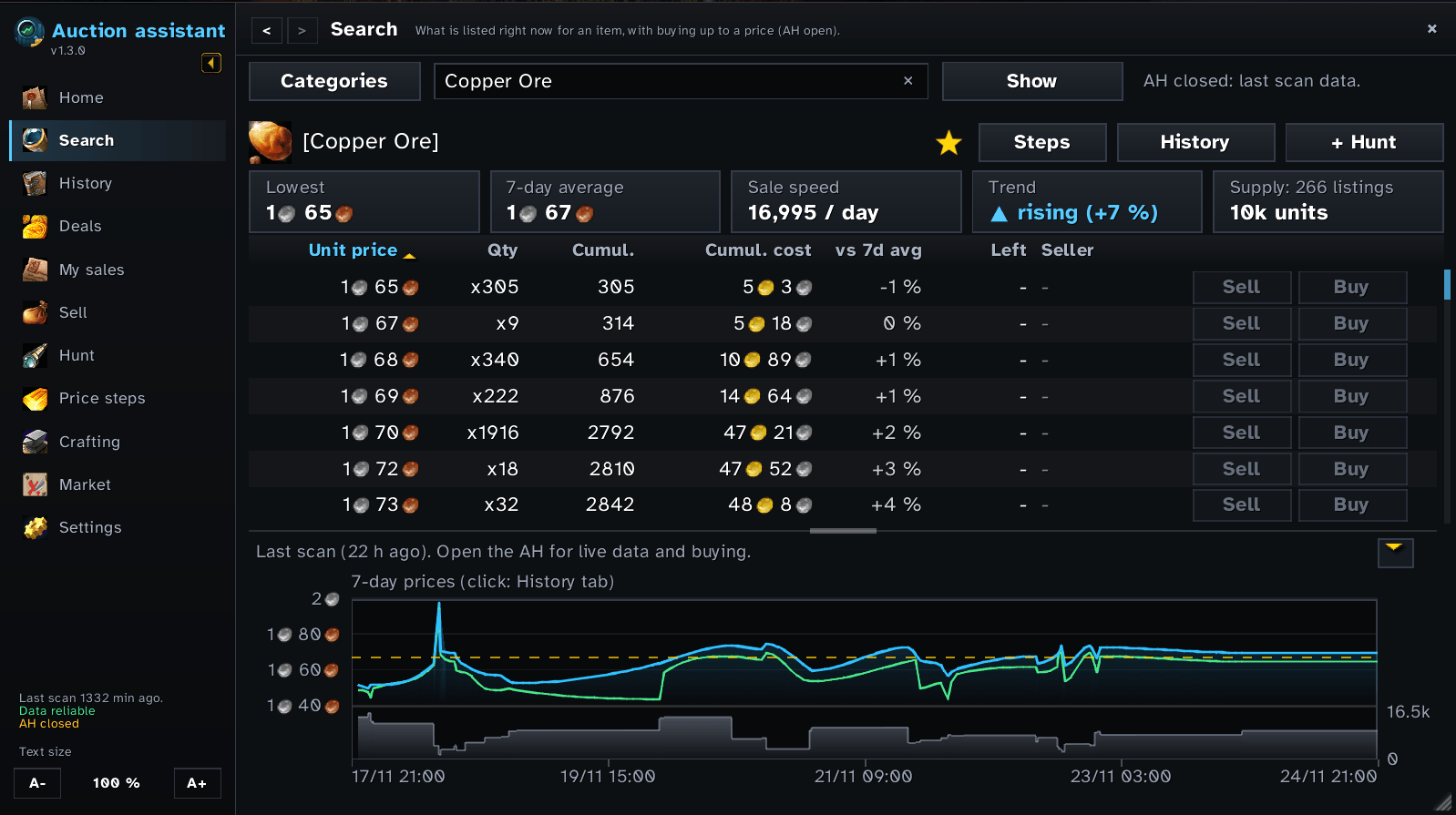
Every live listing of an item, compared with its 7-day average. Browse by category on the left. Buy opens a buy window with the quantity and total; Sell opens the posting window at that price.
History
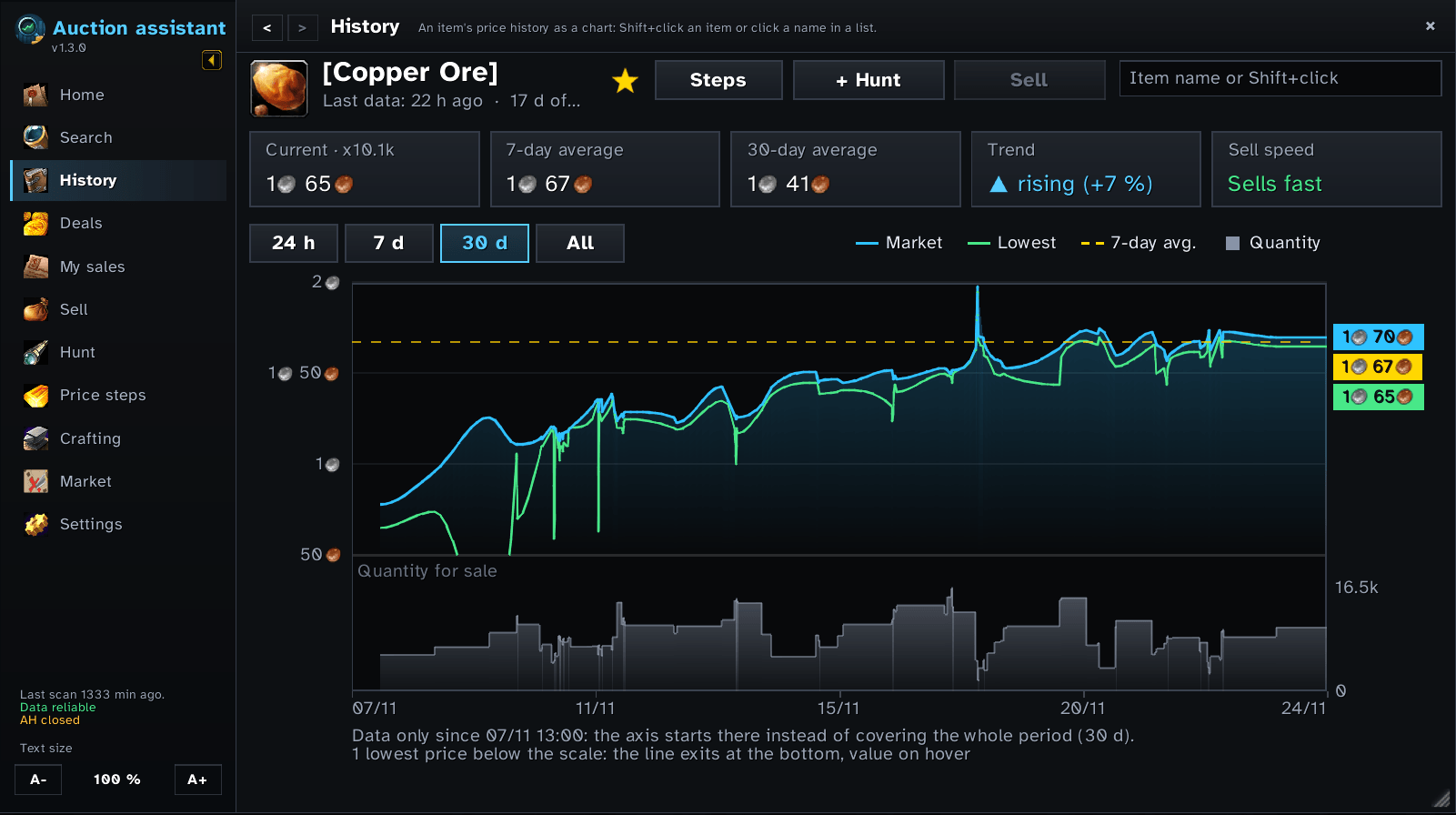
The price chart of any item: market price, lowest price, 7-day average, quantity listed and calendar events. Hover the curve for exact values.
Deals
Items listed under their usual price at the last scan, with the net profit after the 5 % cut and the relisting deposit. Resale is valued at the 7-day average, or the recent price if lower. Only what fits your gold safety is shown. Buy buys straight from the list, one click per purchase; the server quotes the real price and cancels the purchase if it is higher.
My sales
- My auctions: your running auctions against the lowest competing price, with keep or repost advice
- Report: what you bought, sold and earned, per item and per period
- My stock: what you still own, what you paid, and what to do with it
- Unsold: auctions back by mail, with the likely reason
Sell
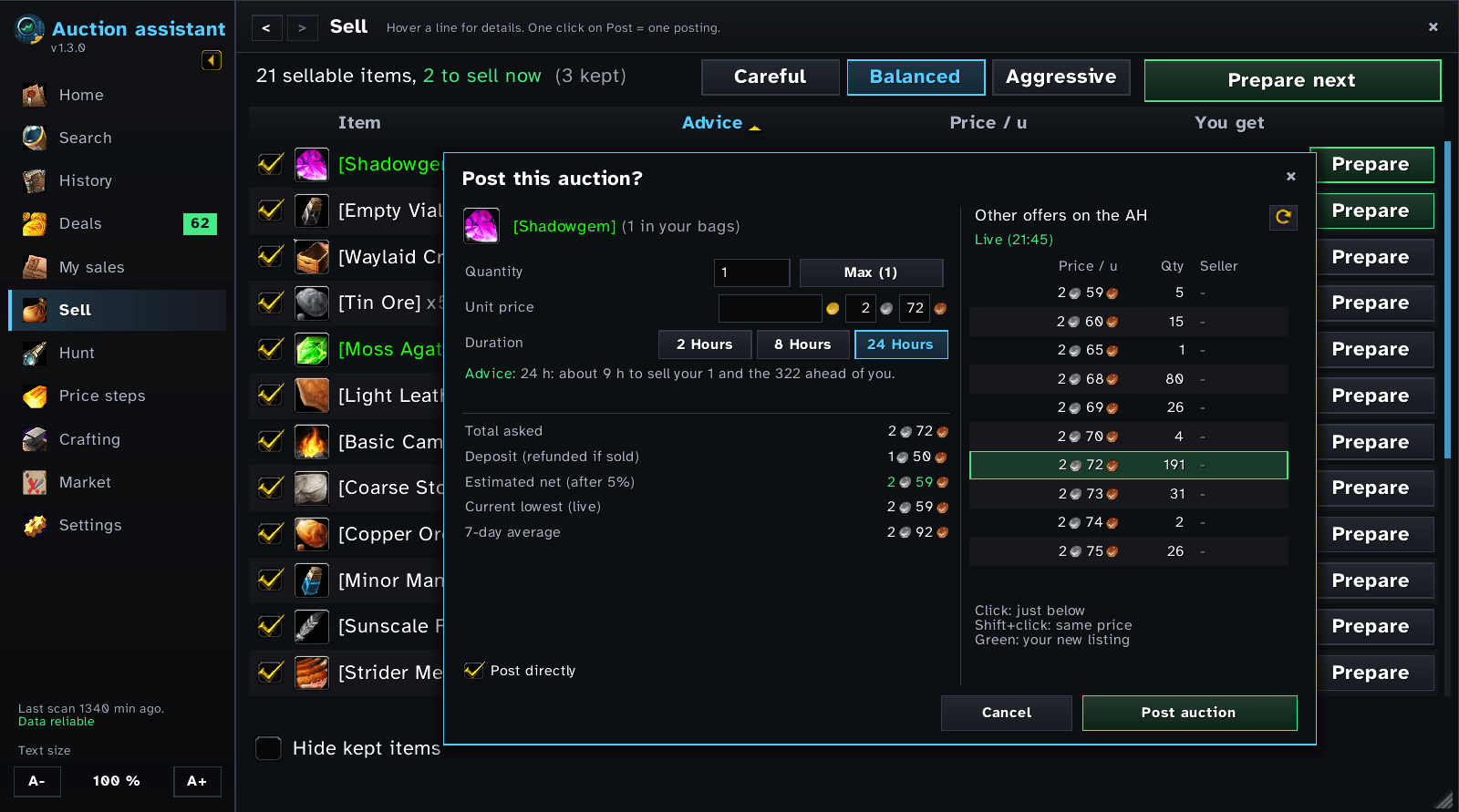
Every sellable item in your bags with clear advice (Sell now, Keep: price rising, Sell to vendor: pays more, Too early…), a price and your amount after cut. The posting window lists the 10 cheapest live offers: click one to undercut it, Shift+click to match it. Post next posts the next item advised "Sell".
Hunt
Set the most you will pay (Buy if) or a minimum profit, turn the hunt on, and the addon searches your list in a loop. When a price drops under your limit, the deal appears on the BUY bar: one click, one purchase.
Price steps
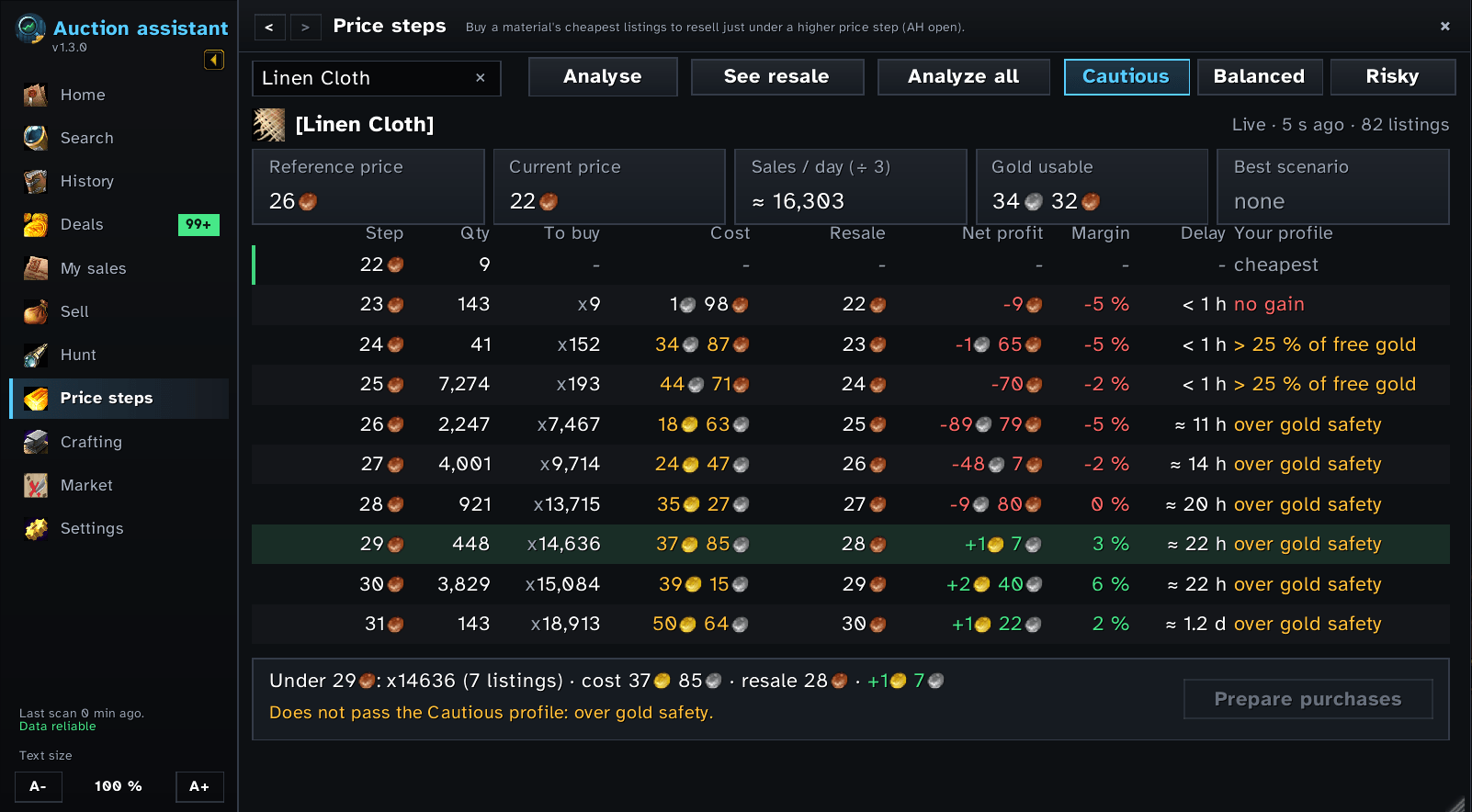
Pick a material and see, for each price step of the live listings, what buying everything cheaper and reselling just under that step would cost, earn and take, cut and deposits included. Choose your profile: Cautious, Balanced or Risky. Prepare purchases sends the best scenario to the BUY bar.
Crafting
Your recipes at current prices: Craft then sell, Craft (with your reagents) or Sell raw. Reagents you farmed count as free.
Market
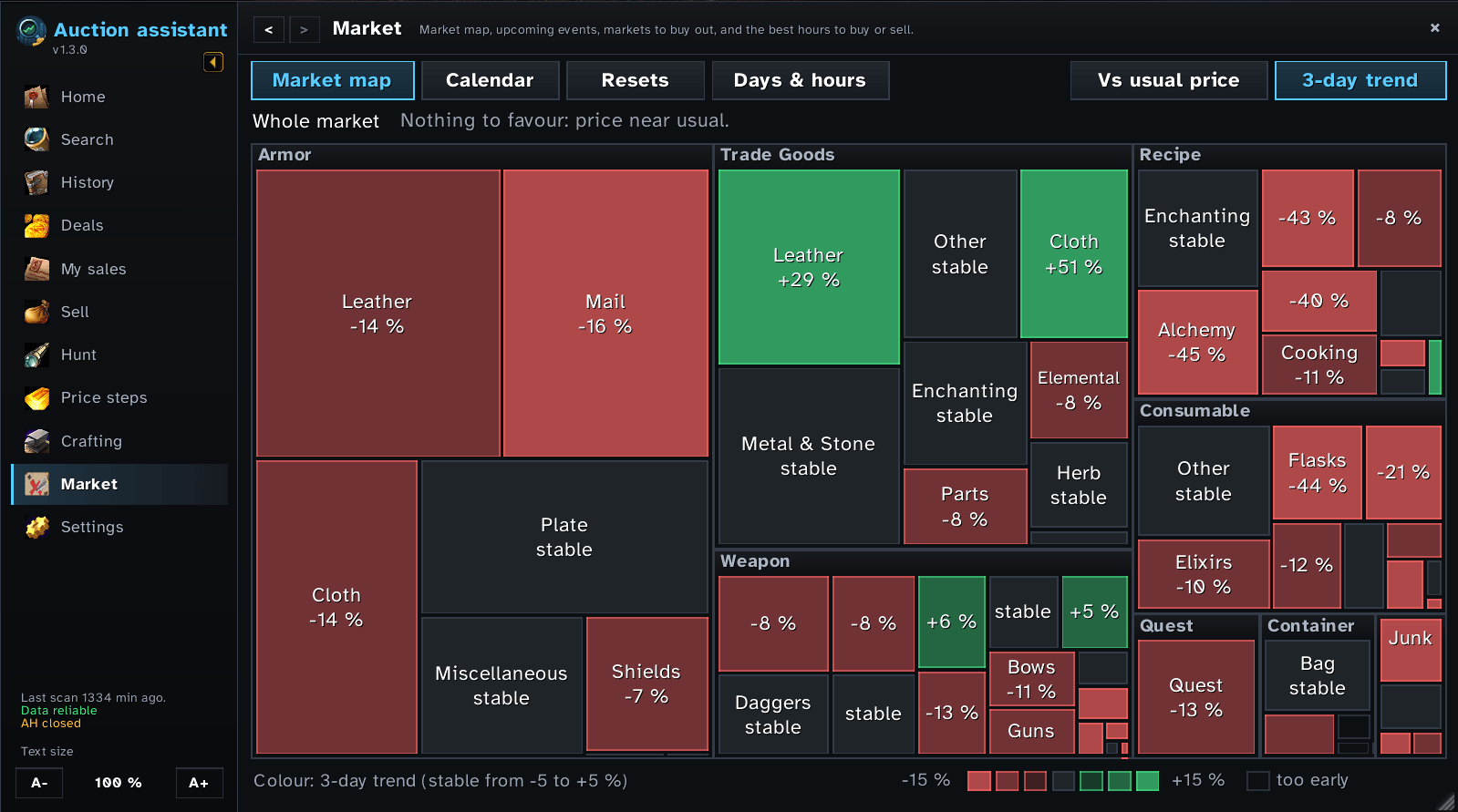
- Map: every category as a box sized by its value on sale and coloured by the price gap or the 3-day trend; click a box to see its items
- Calendar: events that move prices, with buy and sell timing for linked items
- Resets: thin markets you can buy out, with cost, resale target, profit and risk
- Days & hours: the best days and time slots to buy or sell
Settings
Buying, Alerts, Scans, Selling, Display and Advanced: gold safety, sale notifications and sounds, language, font and tooltip chart.
FAQ
Does it buy or sell automatically? No. One click or one key press = one action, and the game carries it out.
Why does it say "too early"? Averages, trends and profits need at least 3 days and 5 scans of an item over the last 7 days. Until then you get "too early", never an approximate number.
Why are some prices rounded to whole silver? WoW Forever refuses copper in the buyout of non-stackable items. The addon rounds those prices down and tells you so.
Does it work with Auctionator? Yes, both can run together.
Commands
/aaopens the window/aa helplists every command
Key bindings: Buy the prepared deal, Toggle hunt mode and Post next item (Options > Key Bindings > Auction assistant).
Bugs, questions or ideas? Leave a comment.
Includes the Atkinson Hyperlegible font (SIL Open Font License).
Auction Assistant Team