ATT-GoGo
- By
AllTheThings' companion addon to show overall collection progress per zone/instance
mainframe-Pandaria.png
mainframe-Kalimdor.png
mainfarme-Classic.png
mainframe-MoP.png
options.png
Description
ATT-GoGo is a companion addon for AllTheThings.
Purpose
It focuses on answering "where should I go next?" for collectors who farm old and current content.
What this addon is
- A compact, account-aware overview of your dungeons and raid progress.
- A fast Uncollected List for your current zone/instance, powered by ATT data.
- A lightweight UI layer on top of ATT, not a replacement for ATT windows.
Where it is useful
- When you are standing at a raid or dungeon entrance and want to know if it is worth running on this character.
- When planning a farming session and deciding which zone or instance to focus on.
- When you like doing checklist-style runs across many characters.
- When you want a quick zone overview without digging through the full ATT tree.
Core features
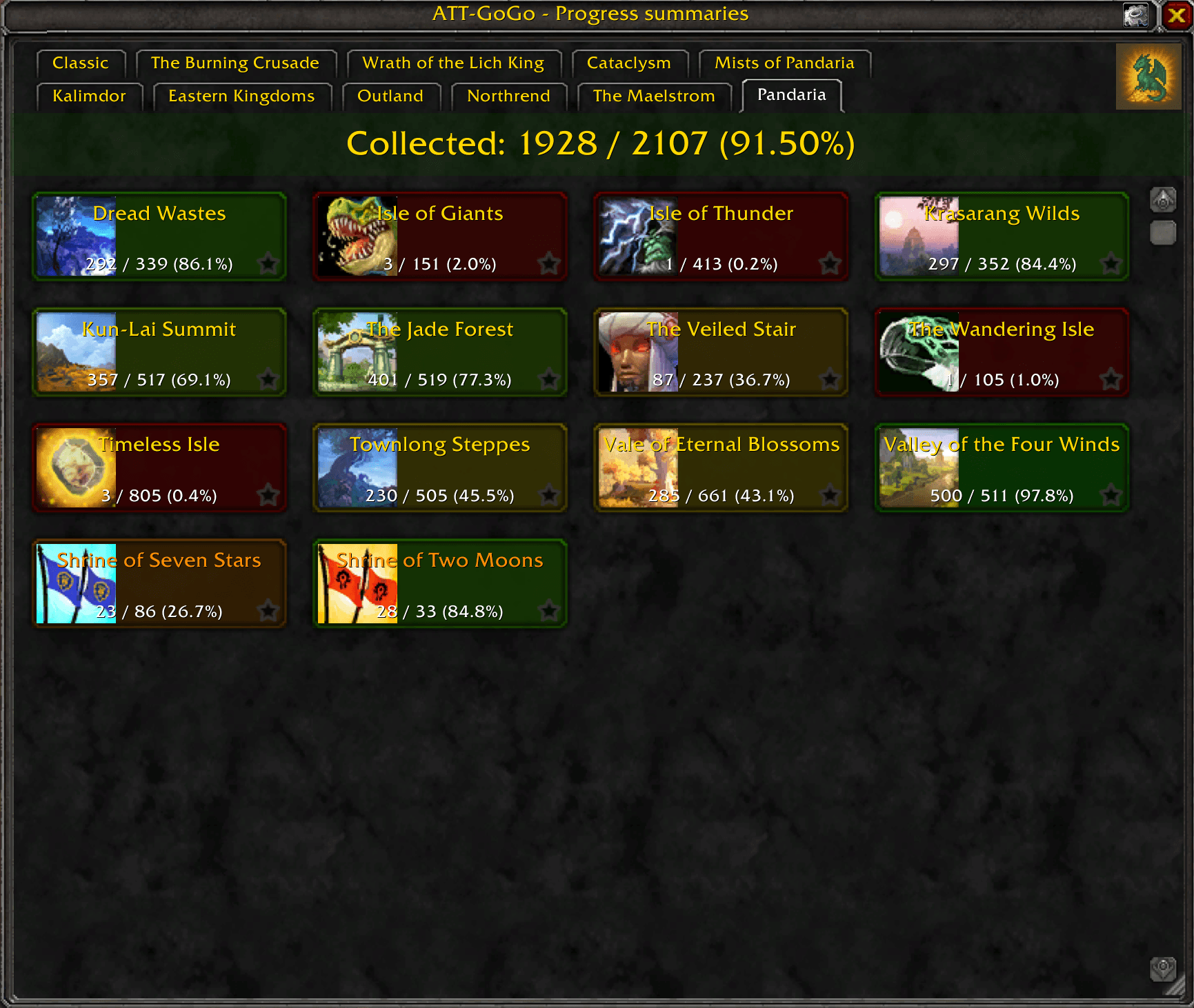
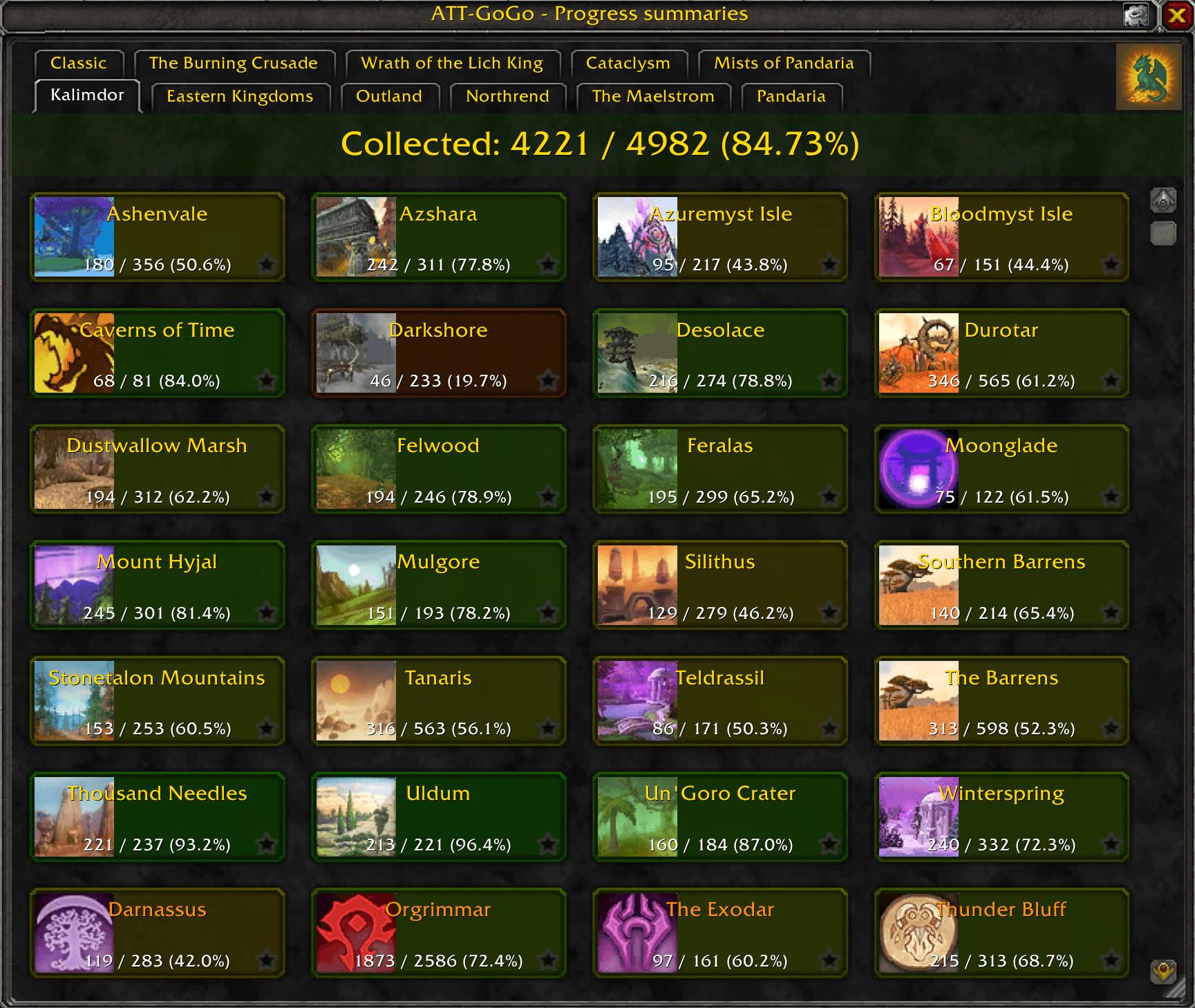
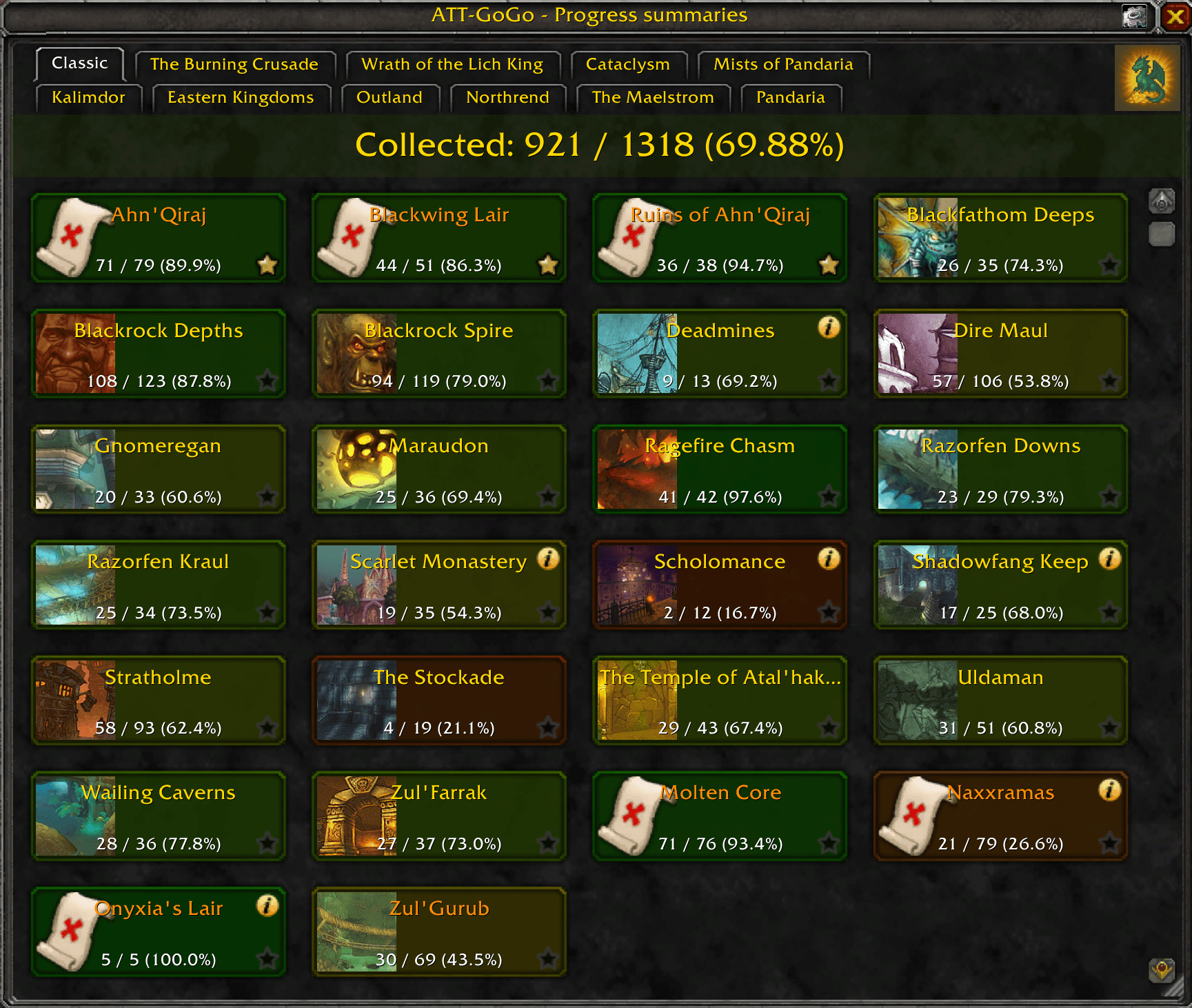
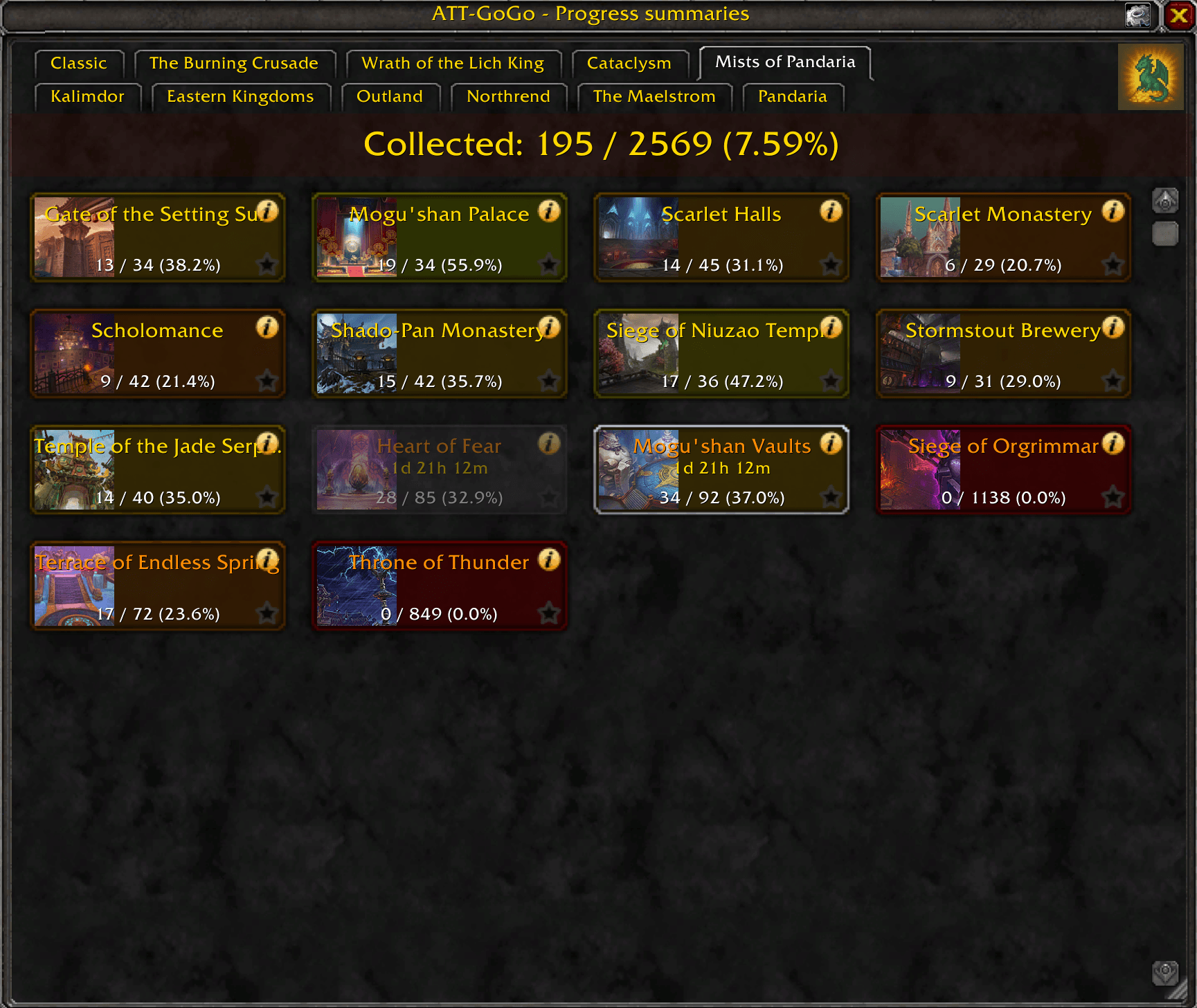
- Main grid window with tiles for each instance/zone, grouped by expansion and by continent.
- Each tile shows collected vs. total collectibles and a color-coded completion bar.
- Tooltip per tile with detailed ATT progress and (optionally) other-characters data, including active locks.
- One-click Uncollected popup that lists remaining items, quests, achievements, etc.
- Optional 3D model preview dock for uncollected creatures and a Dressing Room try-on helper.
- Favorites system to pin your priority instances/zones to the top of the grid.
- Snapshotting of instance and zone progress for "other toons" overlays in tooltips.
- Optional minimap icon with quick access to the main grid, options, and the Uncollected popup.
Typical usage
- Farming session: open the main window, pick an expansion tab, and scan tiles for low % completion.
- Instances: right-click the minimap icon or use
/gogo listto see uncollected for that place. - Running content: leave the Uncollected popup open and let it auto-track zone/instance changes.
- Alt farming: use the "other characters" tooltip option to see who has already finished an instance.
What to expect
- Most data (what exists, where it drops, what you already own) comes from AllTheThings.
- ATT-GoGo does not change how ATT tracks collections; it only reads ATT's data and presents it differently.
- Performance is tuned for MoP Classic: grids, popups, and tooltips are virtualized and warmed up in small chunks.
- Some heavy ATT queries may still take a moment on first open after login or after clearing the ATT cache, like getting list of uncollected items for collection-heavy places, e.g. capital cities.
Who this is for
- Players who already use AllTheThings and want a "dashboard" bird-eye view for dungeons, raids, and zones.
- Mount, transmog, toy, and achievement farmers who do a lot of repeated runs.
- People who enjoy planning checklists for entire expansions or for many alts at once.
Basic usage
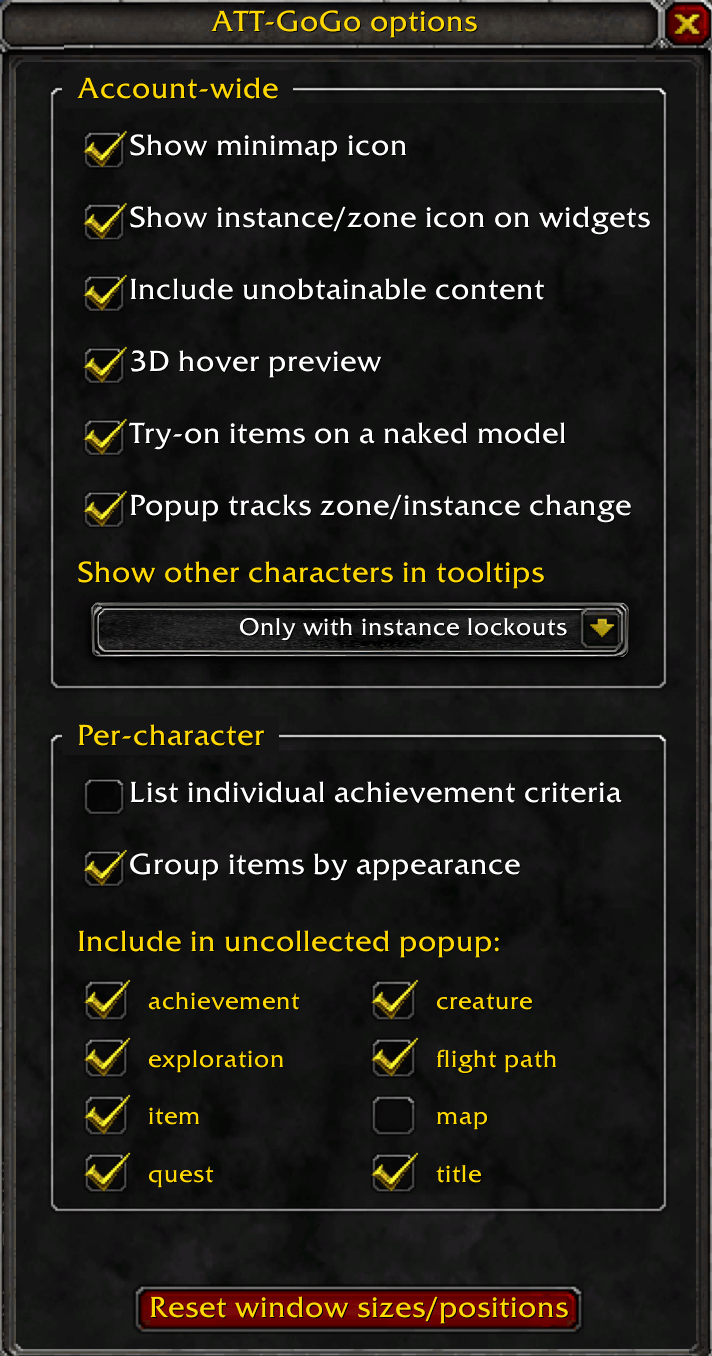
- Open the main ATT-GoGo window from the minimap button or via a slash command
/gogo show. - Use the expansion tabs (top row) to switch between eras.
- Use the zone tabs (second row) to drill into continents and their zones.
- Set "favorite" tiles to sort them on top for quick access.
- Mouse over a tile to see detailed progress in the tooltip, including optional lockouts and other-toons data.
- Click a tile to open a popup of still uncollected items for that instance/zone.
- Many items in the Uncollected popup are clickable to show their location on the World Map.
- You can link most of those collectibles into chat with the standard Ctrl+Click action.
- If a location of an item is known it will be highlighted on World Map when mouse-over on it in Uncollected popup.
Slash commands
/gogo help- Show this help/gogo about- "About" window/gogo options- Options window/gogo show- Main window/gogo list- Uncollected List for current instance/zone
You can also use/aggor/attgogoinstead of/gogo.
Notes
- ATT-GoGo is an independent companion project and not an official ATT module.
- Relies on AllTheThings for data and services, so most features require ATT to be enabled.
ATT-GoGo Team