


ATT Global Summary
- By
1-table.png
3-talents-overview.png
4-talents-character.png
2-history.png
Description
ATT Global Summary
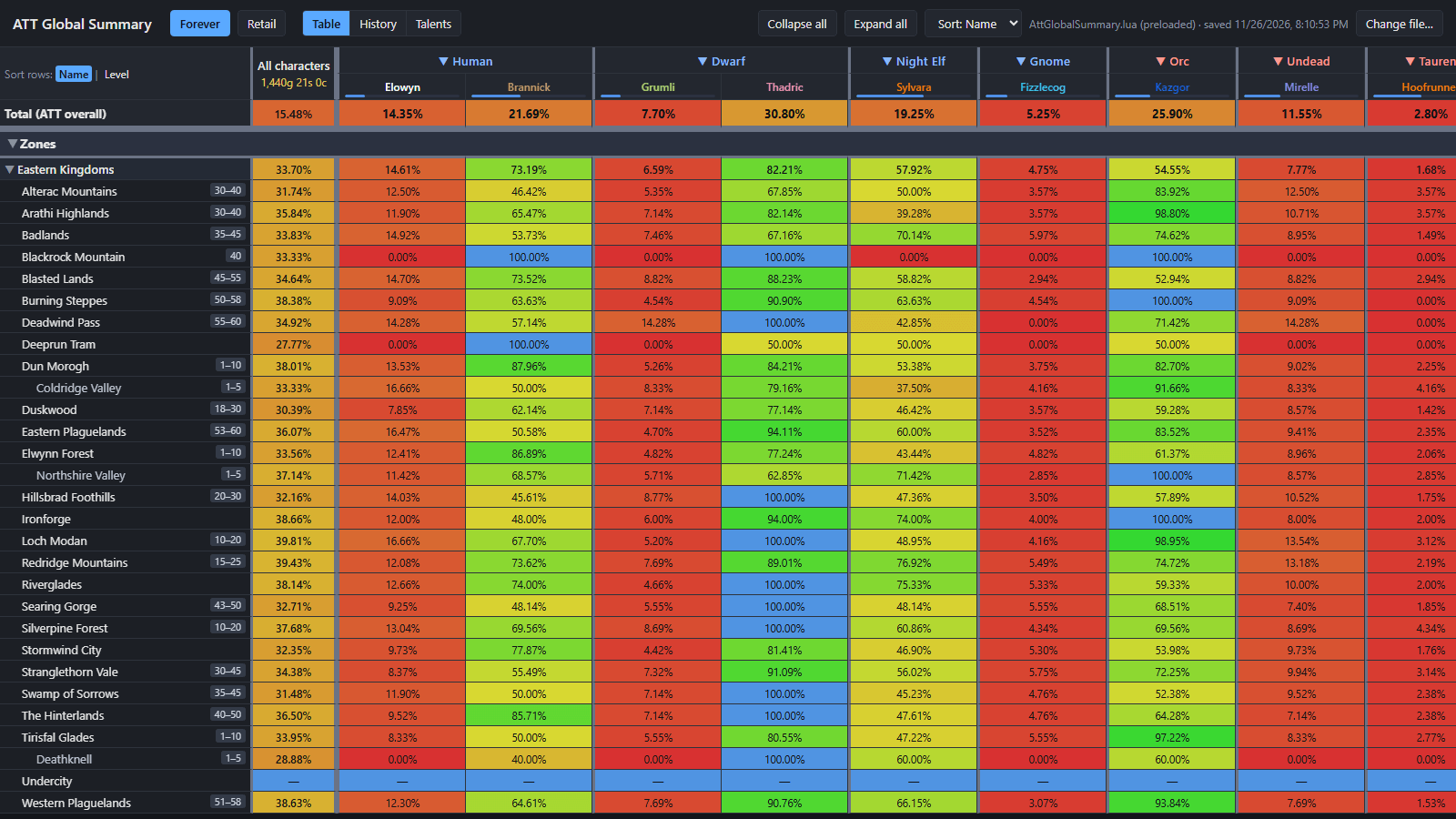
See every character's AllTheThings progress side by side, plus gold, rested XP and talent plans, on one page.
AllTheThings shows the character you're logged in on. ATT Global Summary saves each character's progress when you log out. A companion dashboard on your own PC then puts them all in one table: every zone, dungeon, raid and profession, one column per character.
Unofficial companion addon. It isn't made by or affiliated with the AllTheThings team. AllTheThings is required.
What you get
- One table for all your alts. Completion % for every zone, dungeon/raid and profession, with characters grouped by race and coloured by class. Hover a name for level, gold, location, item level, deaths and recent gains.
- "Needs a login" hints. When one character collects something account-wide that another can use (armour type, class, race, faction and profession all count), the other character is flagged, so you know whose numbers are out of date.
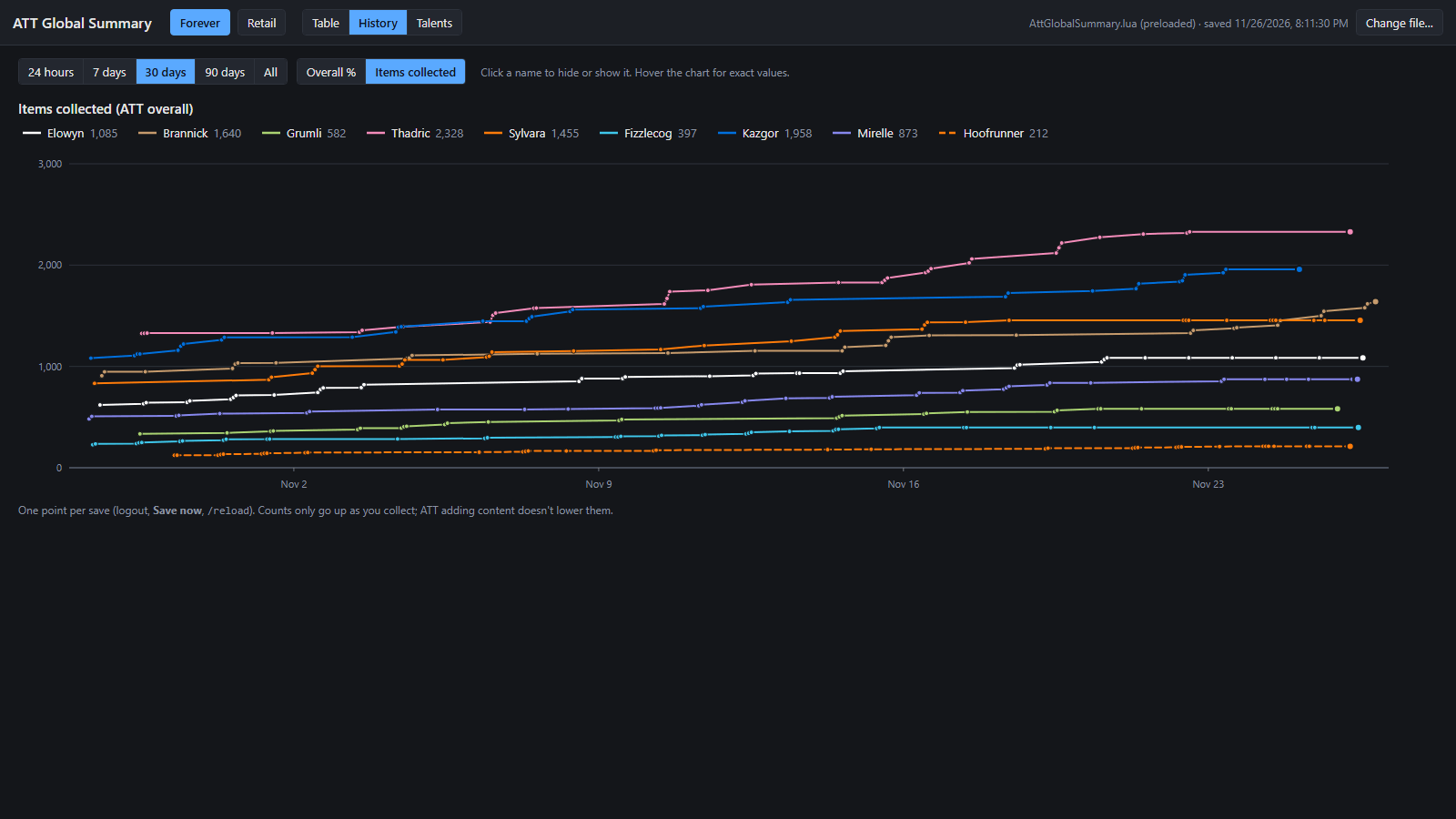
- History chart. Progress over time for every character, from the last 24 hours to all time.
- Gold total across the account, including hidden bank alts.
- Rested XP at a glance, estimated up to the present, including when it will be full.
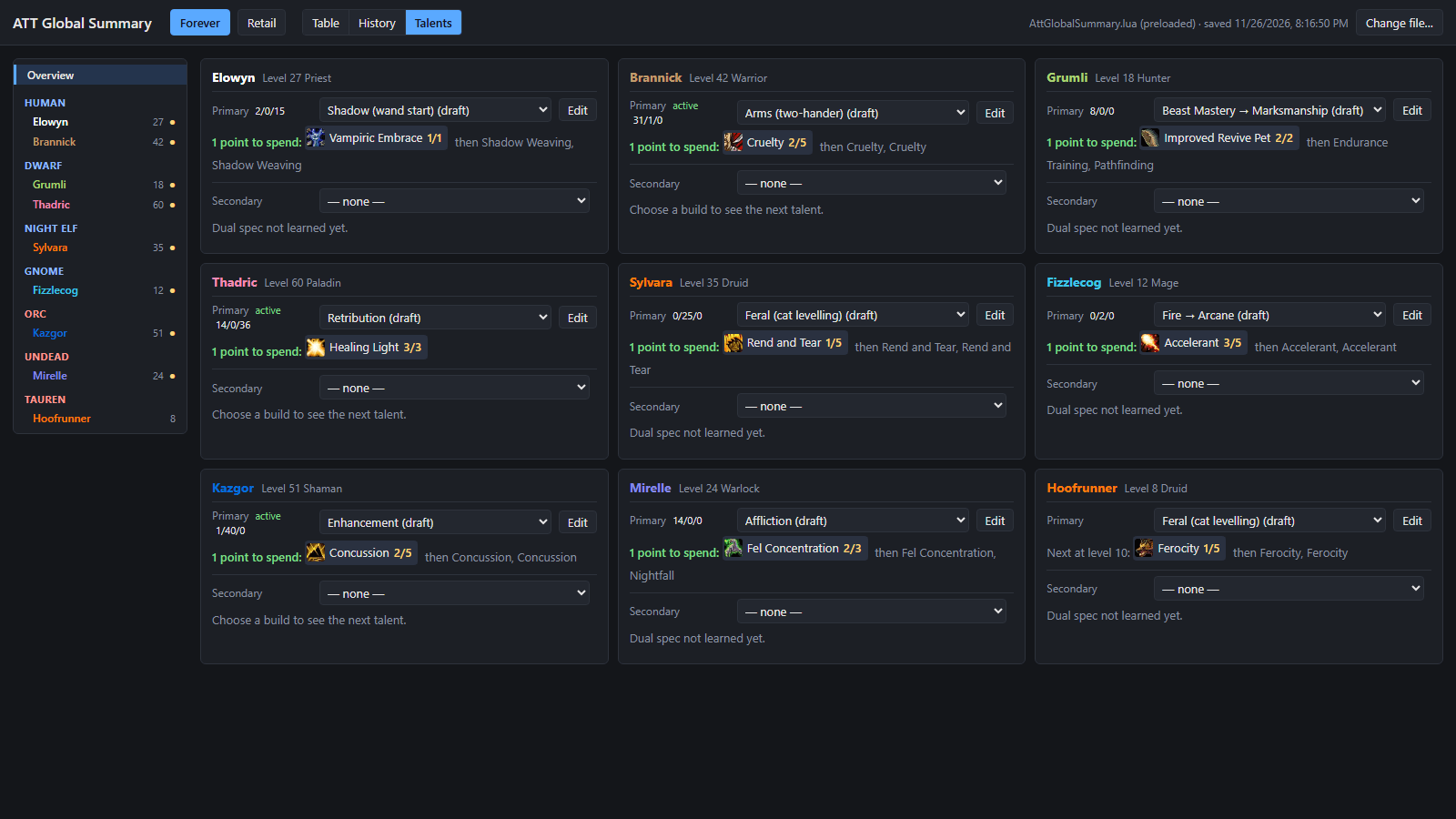
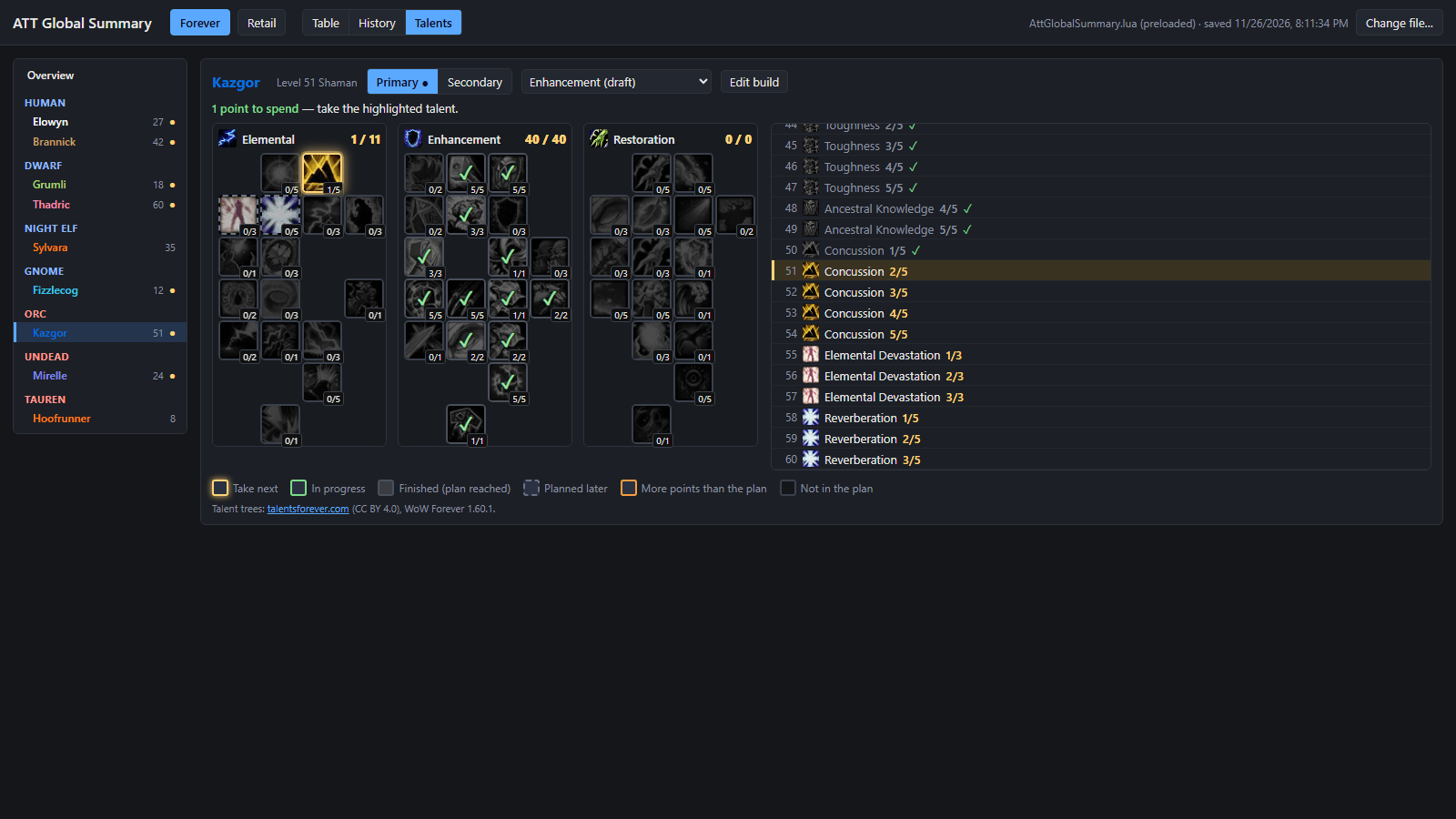
- Talent planner (WoW: Forever). Choose a levelling build per character, primary and secondary. The dashboard highlights the next talent to take, with full trees and an editor for your own builds.
- Optional character renders. Your character's armory image on its talent page, using your own free Battle.net API key.
How it works
- The addon recalculates each character's numbers at logout and saves them with WoW's normal SavedVariables. There's no extra load while you play.
- The dashboard is a small local program. It reads those saved files and shows them in your browser. Nothing is uploaded anywhere; it only listens on your own PC (127.0.0.1).
Installing
Addon: install from CurseForge as usual. Make sure AllTheThings is installed too.
Dashboard (Windows):
- Install Python 3 and tick Add python.exe to PATH.
- Download the dashboard zip: latest release on GitHub (the AttGlobalSummary-Dashboard zip). Unzip it anywhere.
- Double-click Start Dashboard.cmd. Your browser opens the dashboard. Keep the console window open while you use it.
- Log out of each character once, so the addon saves its numbers.
If WoW isn't in C:\Program Files (x86)\World of Warcraft, copy data\settings.example.json to data\settings.json and enter your WoW folder.
In game
- Minimap button: options, Save now (reloads the UI so the dashboard updates straight away), and a list where you can hide characters such as bank alts.
/attsummary options: the same window, even when the minimap button is hidden./attsummary save: save now./attsummary ignore [name]and/attsummary unignore [name]: hide or show a character. A hidden character's gold still counts in the total./attsummary forget Name-Realm: delete a character's saved data.
Supported versions
Retail and WoW: Forever, the same as AllTheThings. The talent planner is for Forever only.
Credits
- AllTheThings, which provides all the collection data. This addon only reads it.
- Talent tree data for WoW: Forever comes from talentsforever.com under CC BY 4.0. Icons load from Wowhead's icon server.
- Draft levelling builds are partly based on Method.gg's WoW: Forever guides. They're editable, so check them against a current guide.
Author: Grinamdord · Source and issues: github.com/Grinamdord/att-global-summary
ATT Global Summary Team
