Atmos
- By
Atmos is a lightweight, modular UI enhancement framework that modernizes your World of Warcraft interface.
![Shows the reputation/xp bar added by the Atmos [Tracking Bars] module.](https://media.forgecdn.net/attachments/1501/906/pic1-jpg.jpg)
Shows the reputation/xp bar added by the Atmos [Tracking Bars] module.
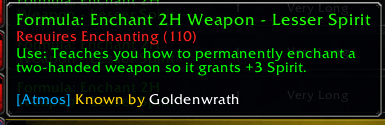
Displays the character who already knows the recipe, helping you decide whether to send, keep, or ignore it.
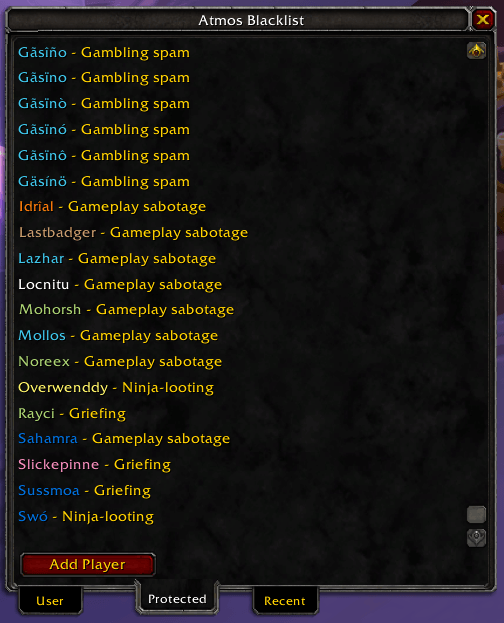
Shows the predefined list of players that has been blacklisted (protected tab).
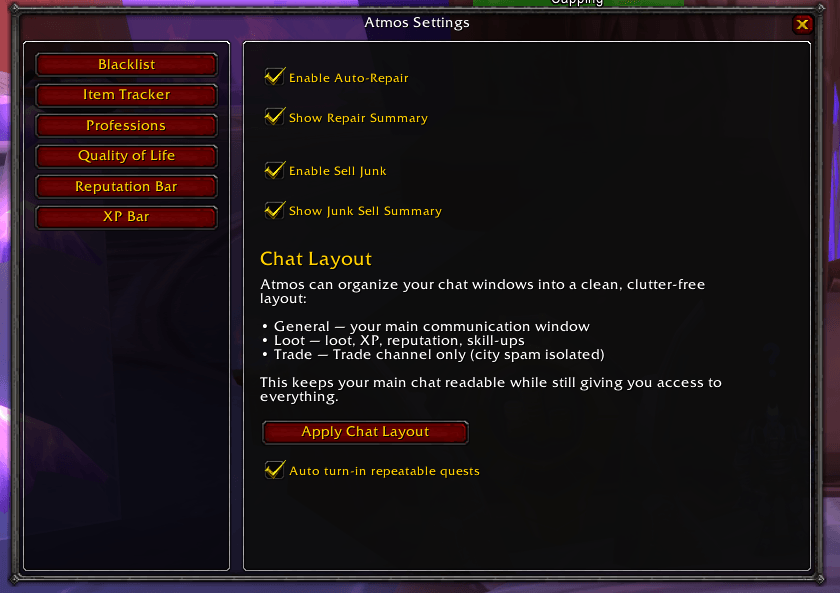
Shows the settings for the Quality of Life module.
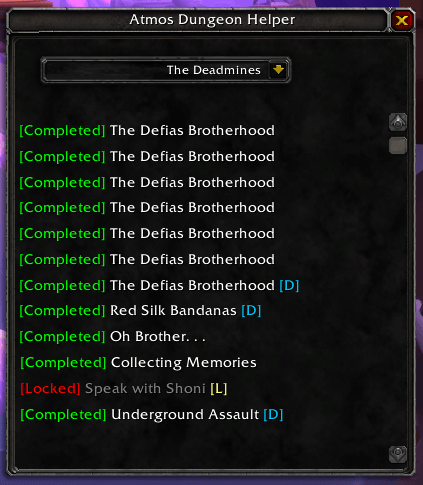
Shows quests related to the selected dungeon, so you can prepare before heading inside.
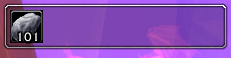
The on-screen item tracker, that can help you keep track of certain items (max 5 items)
Description
Atmos — A Modular, Lightweight UI Framework for World of Warcraft
Atmos is a clean, modern interface framework designed to enhance the World of Warcraft experience without overwhelming your screen or your addon list.
Instead of a single monolithic overhaul, Atmos is built as a collection of focused modules — each solving a specific problem elegantly, efficiently, and without bloat.
🌟 Vision
Atmos exists to solve a simple problem:
players often feel forced to install a long list of “required” addons just to make the game comfortable to play.
The goal of Atmos is to reduce that dependency by offering:
- Lightweight replacements for commonly installed utility addons
- Smart enhancements that fill gaps in the default UI
- Quality‑of‑life improvements that make everyday gameplay smoother
- A modular system where you enable only what you want
Atmos isn’t trying to replace every addon — just the ones players install out of necessity rather than desire.
The long‑term vision is a UI framework that:
- Makes the game feel more modern and intuitive
- Reduces addon clutter
- Provides thoughtful, player‑focused improvements
- Grows through small, focused modules rather than giant rewrites
Atmos should feel like the UI Blizzard could have built: clean, helpful, and unobtrusive.
How do I use it?
You can enter/exit Atmos' edit mode by clicking on the minimap button.
For slash commands you can write /atmos help or /atmos ? to get a list of available slash commands.
For more information about each module you can Shift-click on the minimap icon or go to options → Addons and open the list of pages below Atmos.
🛠 Settings & Customization
Atmos includes a unified settings panel where each module can expose its own options.
You stay in control — enable, disable, or configure modules exactly the way you want.
Atmos Team