AtlasTracker
- By
AtlasTracker 1.jpg
AtlasTracker 2.jpg
AtlasTracker 3.jpg
AtlasTracker 4.jpg
Description
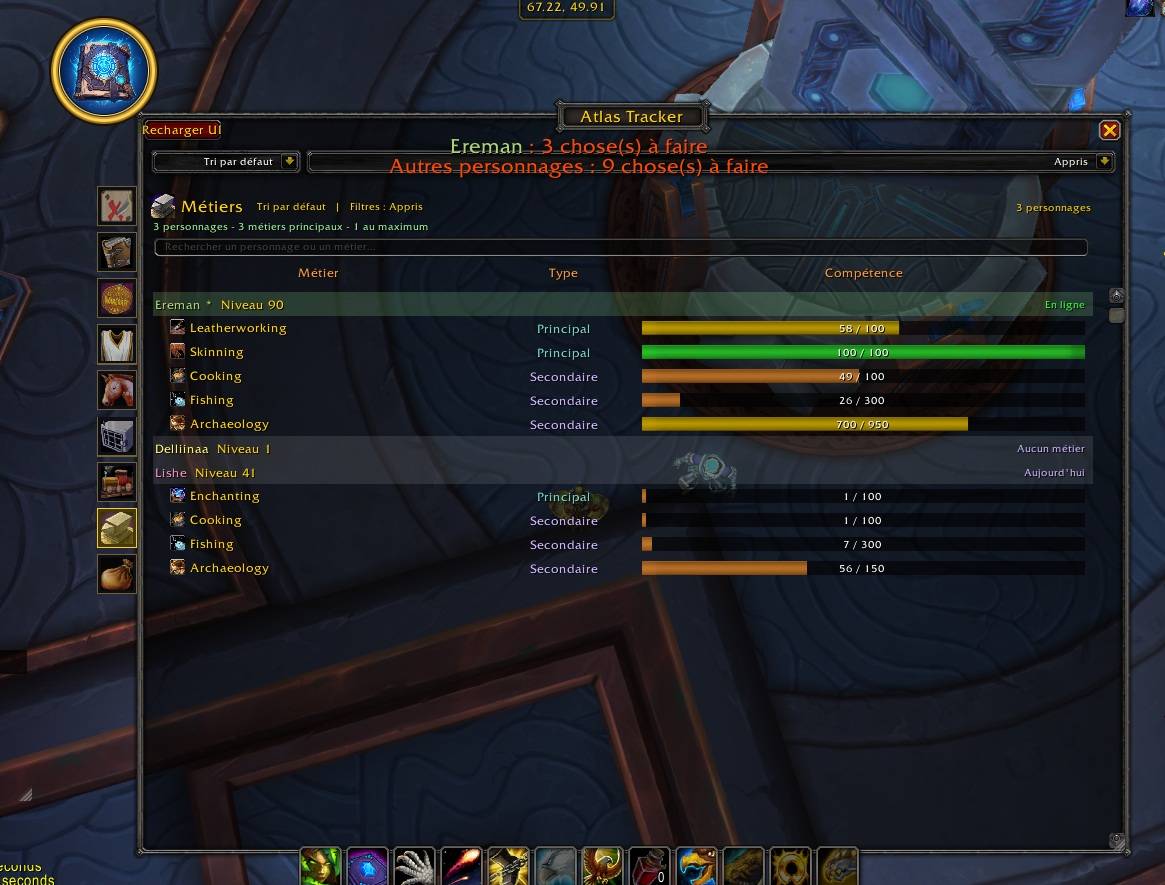
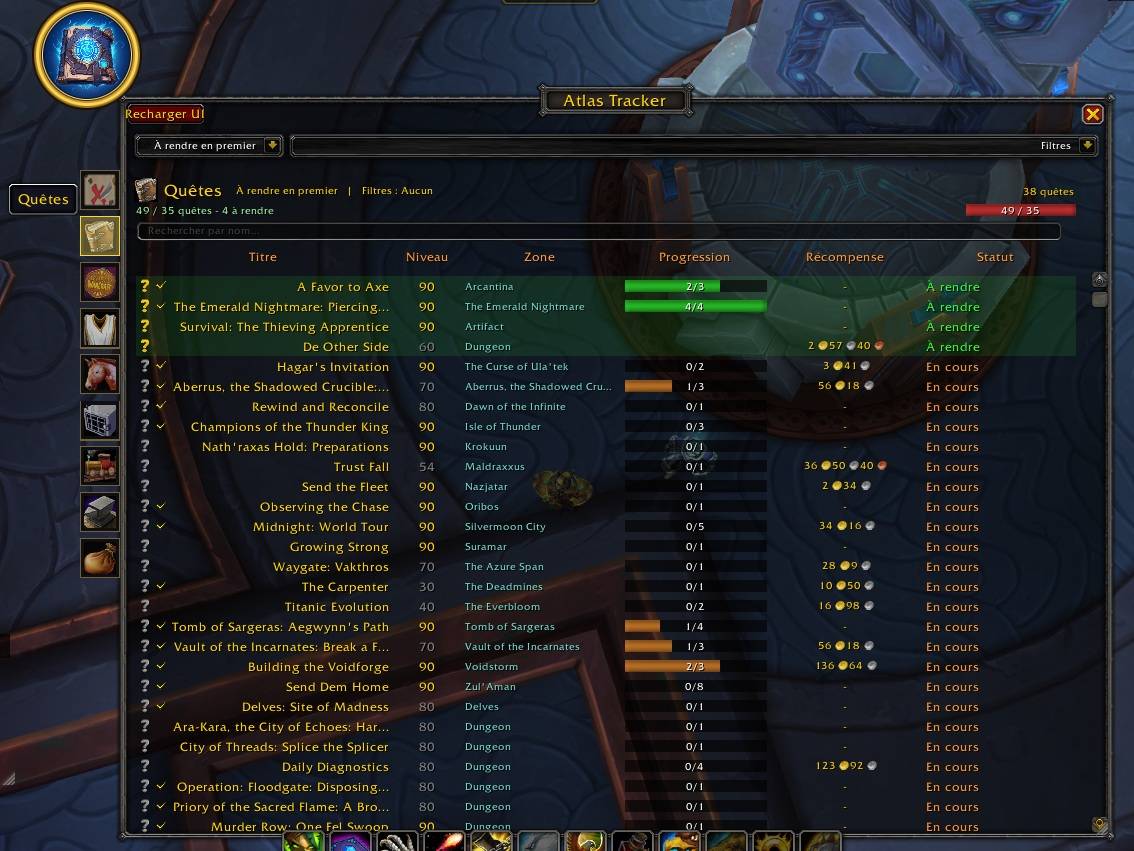
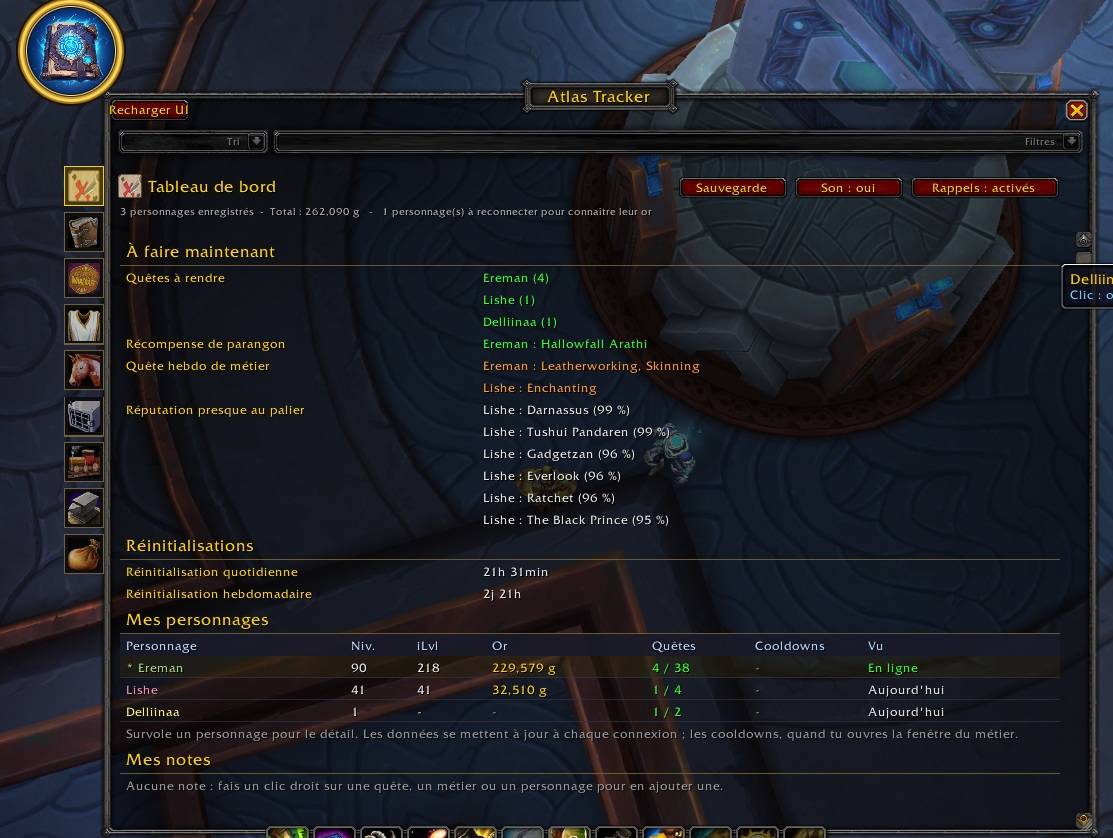
AtlasTracker puts everything you want to track about your characters in a single window: quests, achievements, reputations, mounts, pets, toys, professions and missing collections, plus a dashboard that tells you what to do next across all your characters.
• To-do dashboard for all your characters, with daily and weekly reset timers
• Quests, achievements and reputations, with search, sorting and filters
• Reputations close to their next rank, with a dedicated filter and sort
• Mounts, pets and toys, with filters by source, faction, family and rarity
• Professions of every character, grouped by expansion, with recipes and cooldowns
• Missing collections, with where to get what you are missing
• Reminders when a cooldown is ready or the weekly reset is near
• Personal notes on quests, professions and characters
• Export and restore of your data
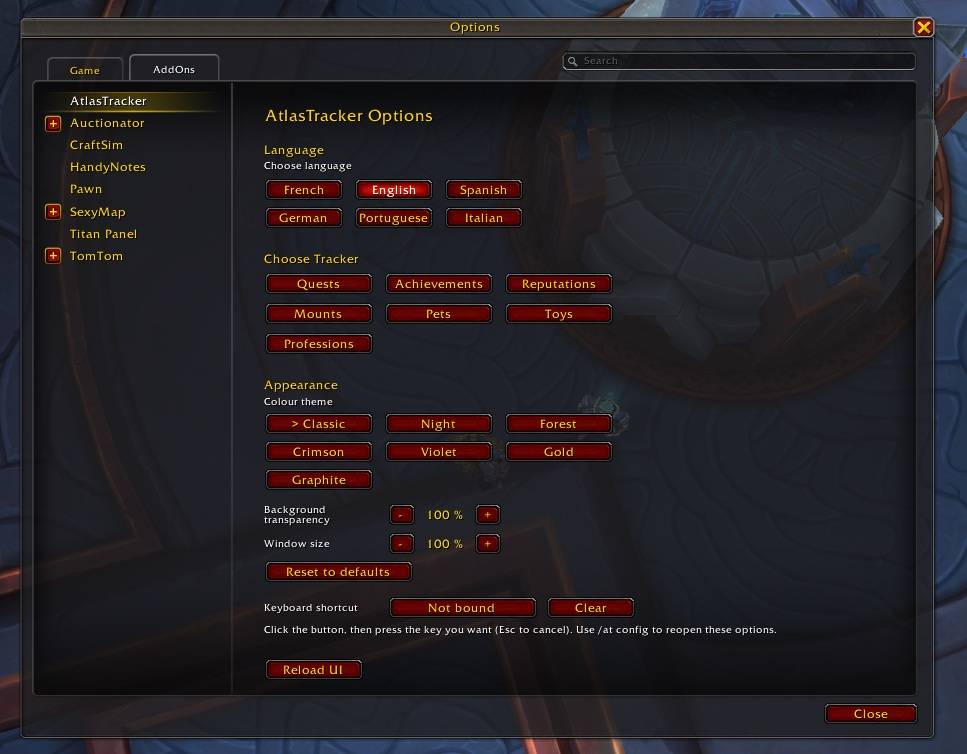
• 7 colour themes, adjustable transparency and window size
• Available in English, French, Spanish, German, Portuguese (Brazil) and Italian
Opening the addon
Click the minimap button (right click for the module menu), type /at in chat, or assign a key in the addon options. Type /at config to open the options.
Dashboard and reminders
The dashboard lists what is ready to do now: quests to turn in, cooldowns that are ready, paragon rewards, weekly profession quests and reputations close to their next rank. Click a line to open the matching module. At login, a two-line summary shows what is left for the current character and for your other characters.
Your other characters
Data about your other characters is saved when you log in with them. Profession cooldowns are updated when you open that profession.
Notes
Right-click a quest, a profession or a character to add a short personal note. Notes show as a small icon in the lists, in tooltips and in the dashboard.
Backup
The dashboard Backup button exports your AtlasTracker data as text you can keep in a file, and restores it later.
Privacy
All data stays on your computer. Nothing is sent anywhere.
Free and open
AtlasTracker is free, and its code is fully readable.
Support the project
Donations are voluntary and unlock nothing. [https://www.paypal.com/donate/?hosted_button_id=KZ5BGFGX9U4TW]
Comments and bug reports at : sperry_69@hotmail.com
AtlasTracker Team