AtlasLoot Wishlist
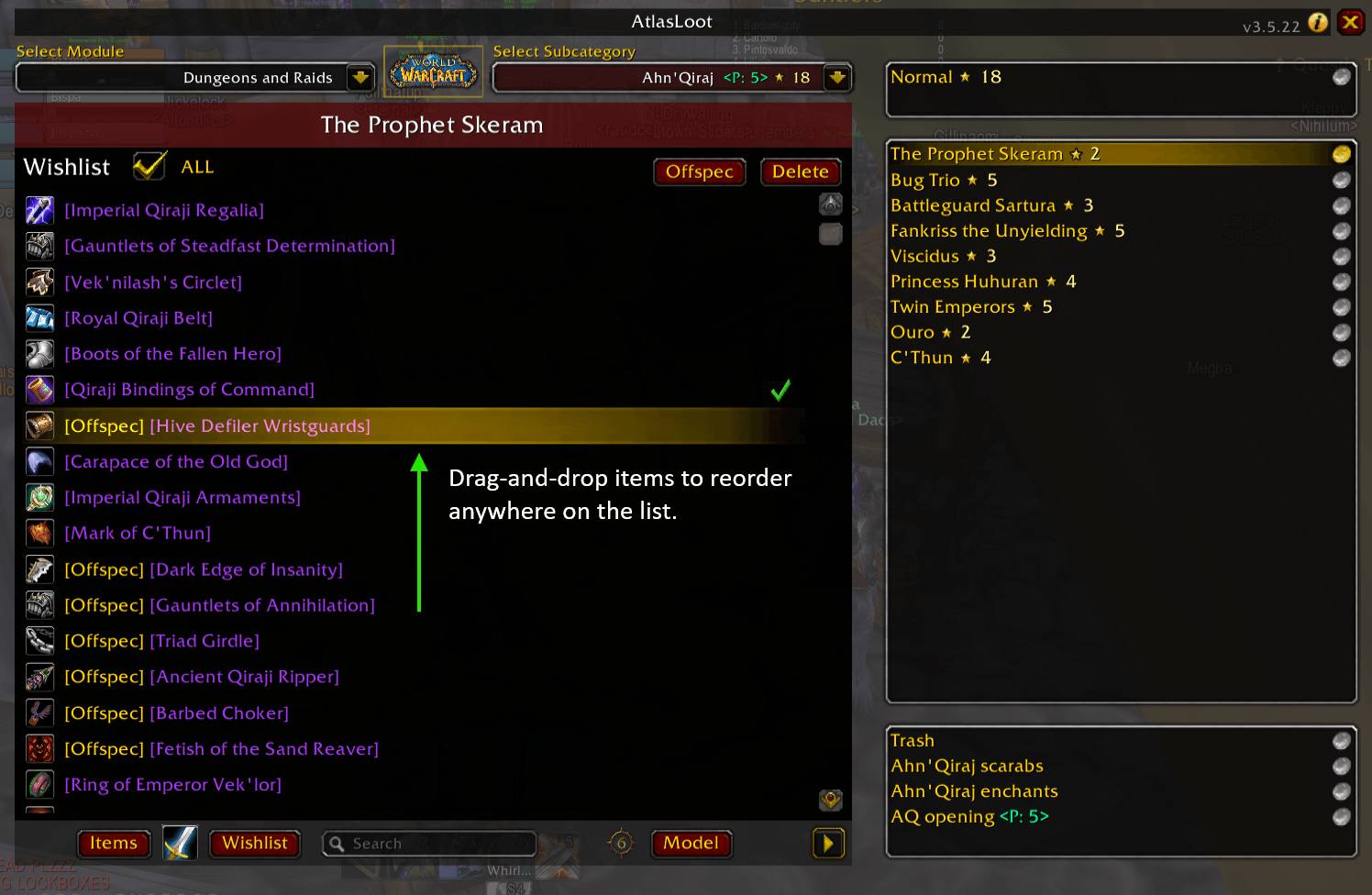
Adds a Wishlist function to AtlasLoot - Anniversary. Items can be sorted as you please.
ss2.png
ss3.png
ss4.png
ss5.png
ss6.png
Description
AtlasLoot Wishlist
AtlasLoot Wishlist adds a simple, focused wishlist view right inside AtlasLoot.
Key Features
- One-click access: A Wishlist button is added to the AtlasLoot UI.
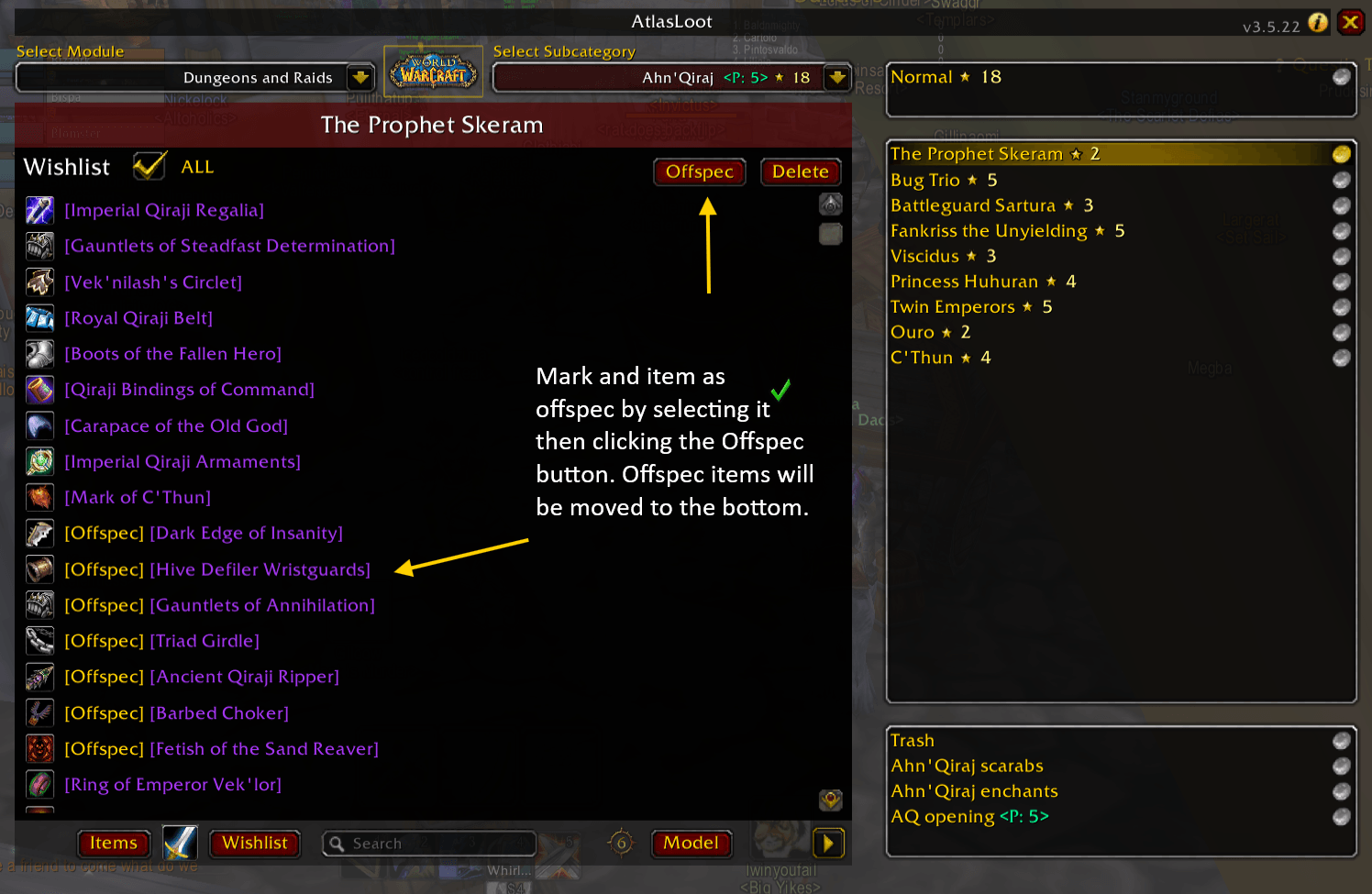
- Clean list of favorites: See your saved items with icons and item tooltips.
- Owned indicator: Items you already have are clearly marked.
- Drag-and-drop order: Reorder your wishlist to match your priorities.
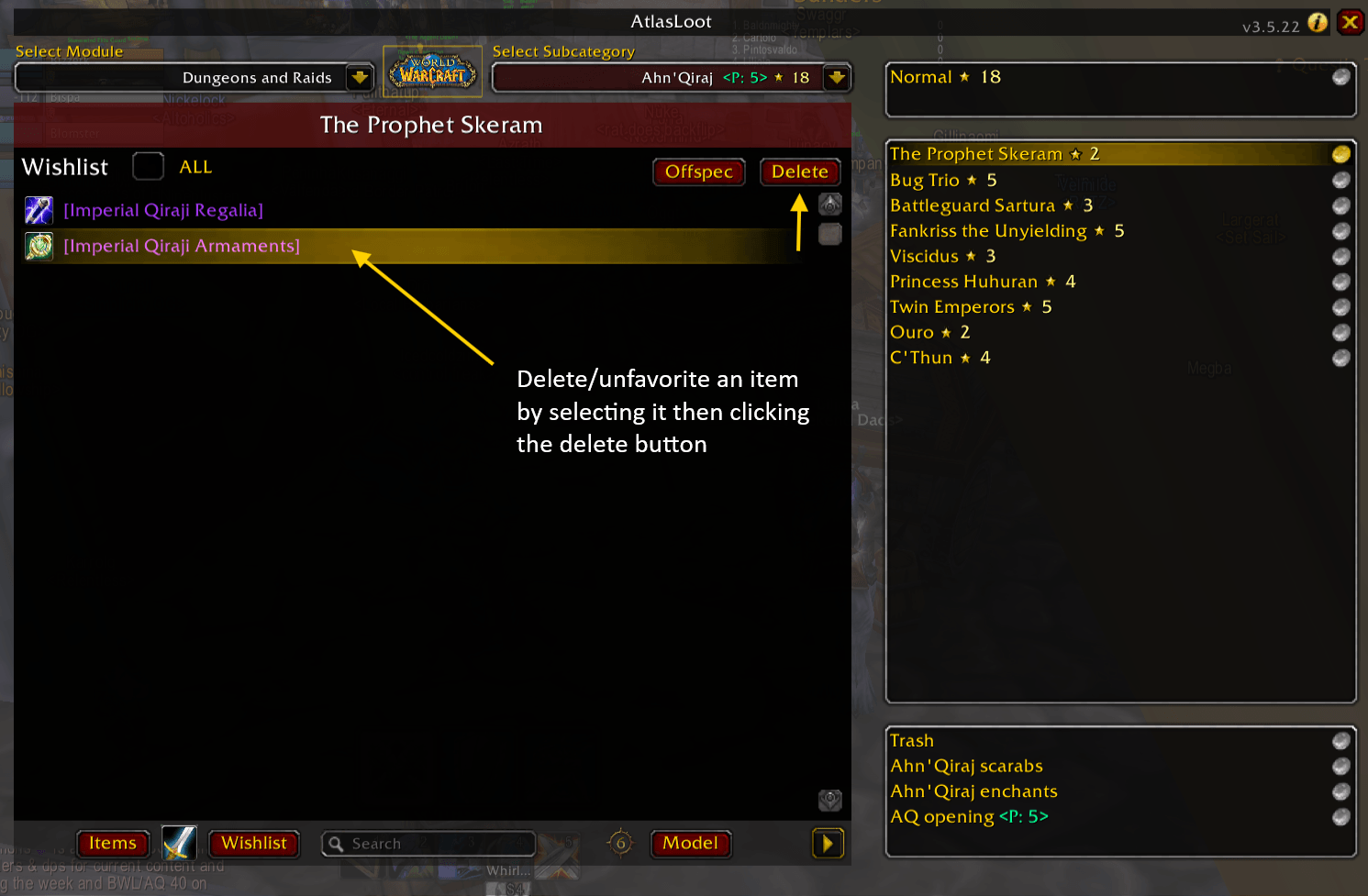
- Quick remove: Select an item and hit the Delete button to remove it from your favourites.
- Right-click to toggle: In AtlasLoot, right-click an item to add/remove it from your wishlist.
- Search-ready: Type in the AtlasLoot search box to instantly filter your wishlist by name or ID.
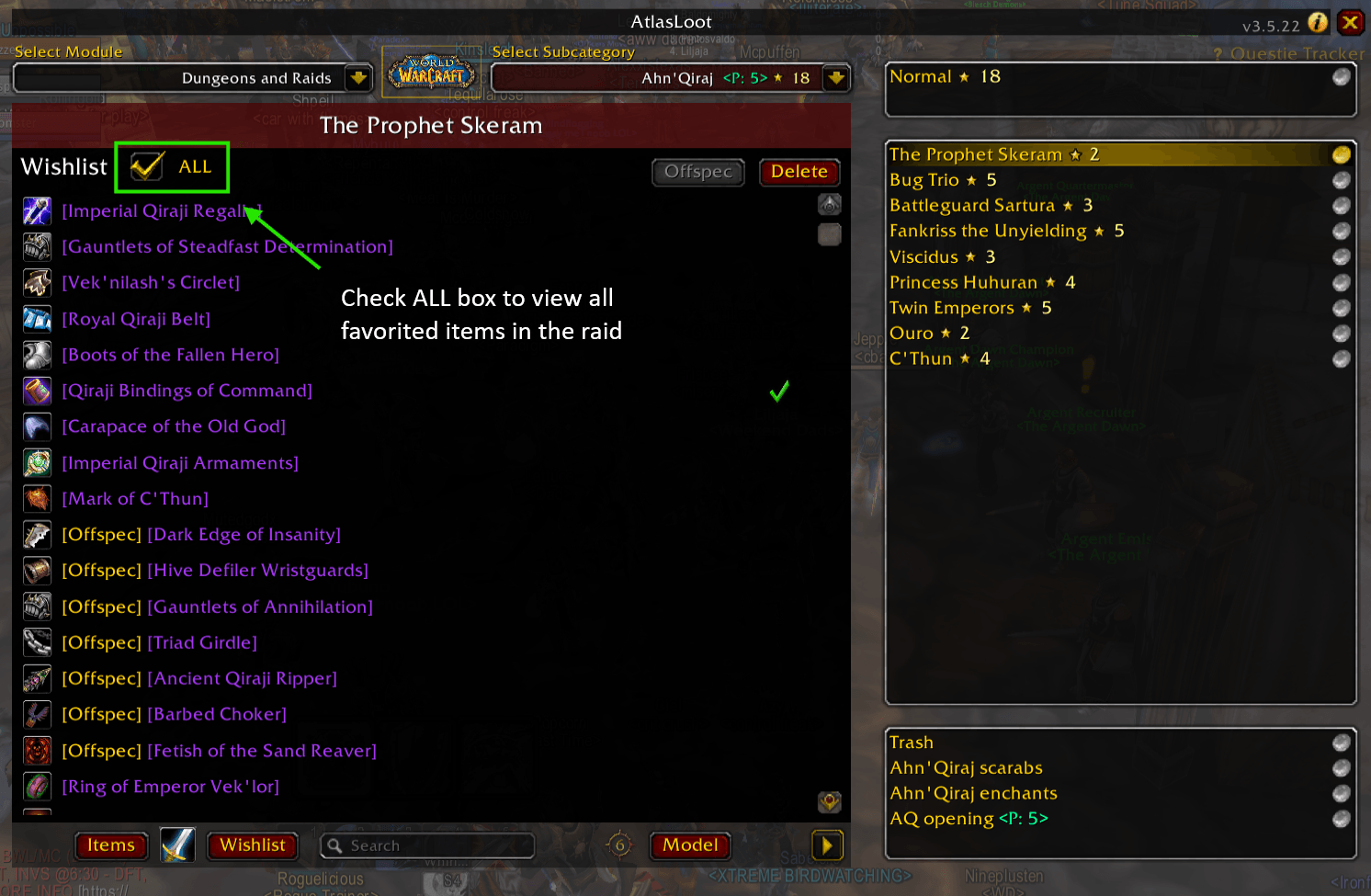
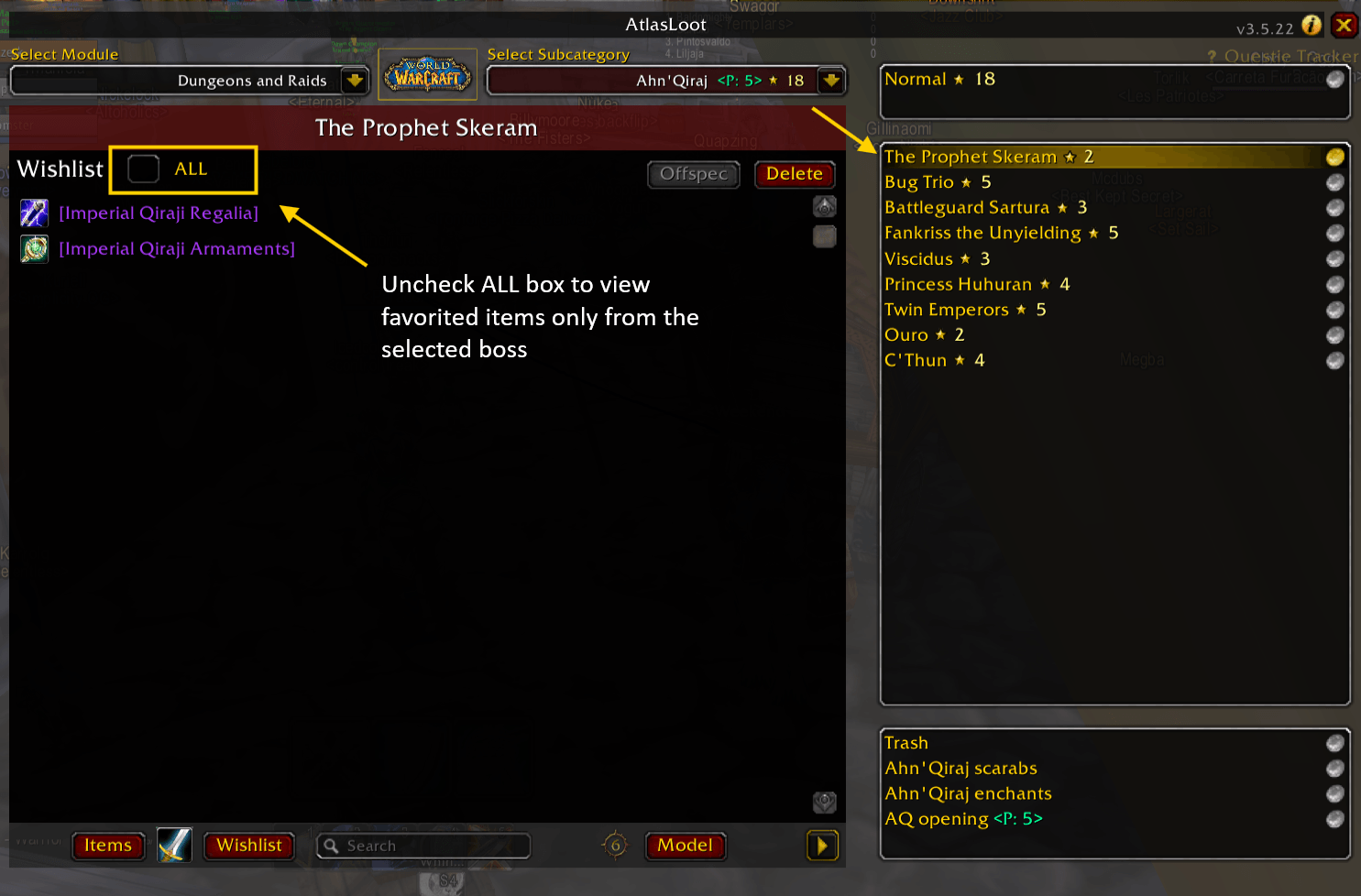
- Content-aware filter: Show only items for the current dungeon/raid (or toggle to show all bosses).
- Auto-refresh: Your list updates when your bags change or your favorites are edited.
How to Use
- Open AtlasLoot and click the Wishlist button at the bottom.
- Drag items in the wishlist to rearrange them; select one and use Delete to remove it.
- Use the search box to filter and the ALL toggle to switch between current boss or all bosses.
Chat Commands
/alwish— Open/close the Wishlist panel./alwl— Print your wishlist in chat, marking how many of each item you already own.
Requirements
- AtlasLoot - Anniversary
AtlasLoot Wishlist Team