


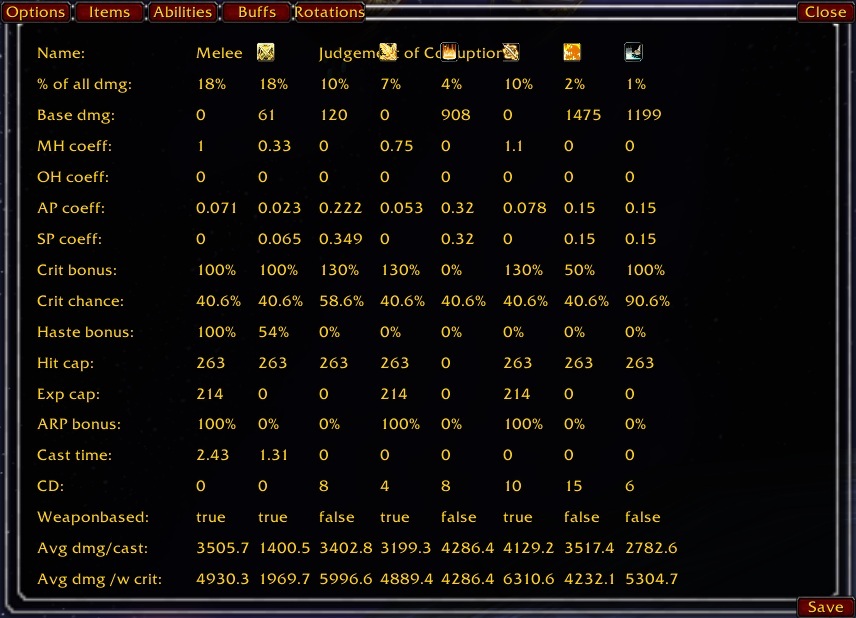
Overview of information for all abilities in the rotation used
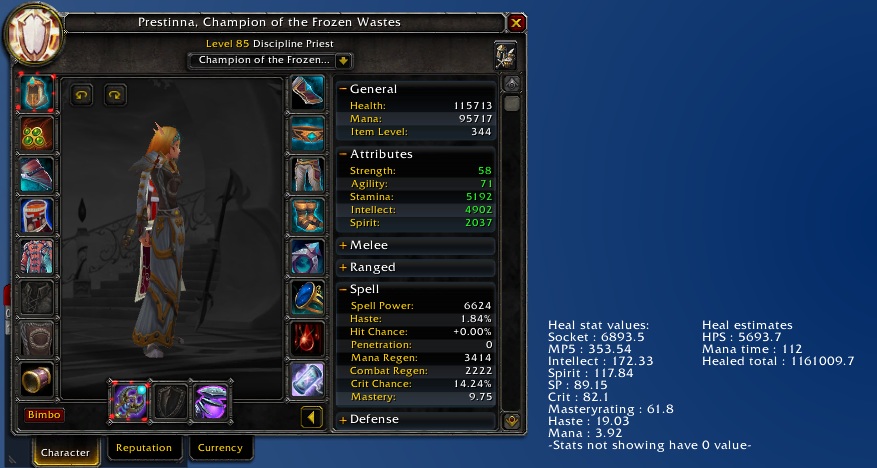
Char screen as disc priest
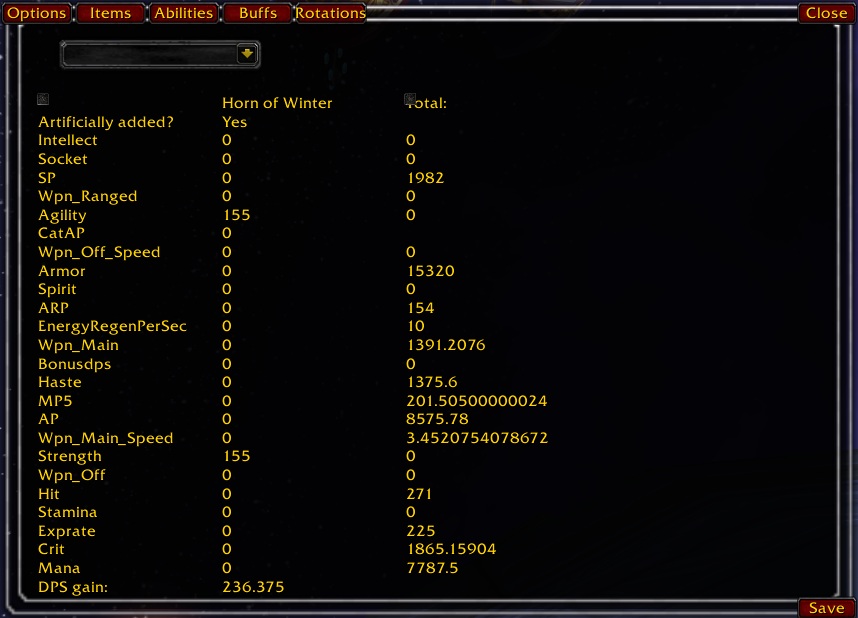
List of buffs affecting you in combat, what stats the selected buff gives you, how much DPS gain it equals, and the average stats you will have in combat with all raid buffs included.
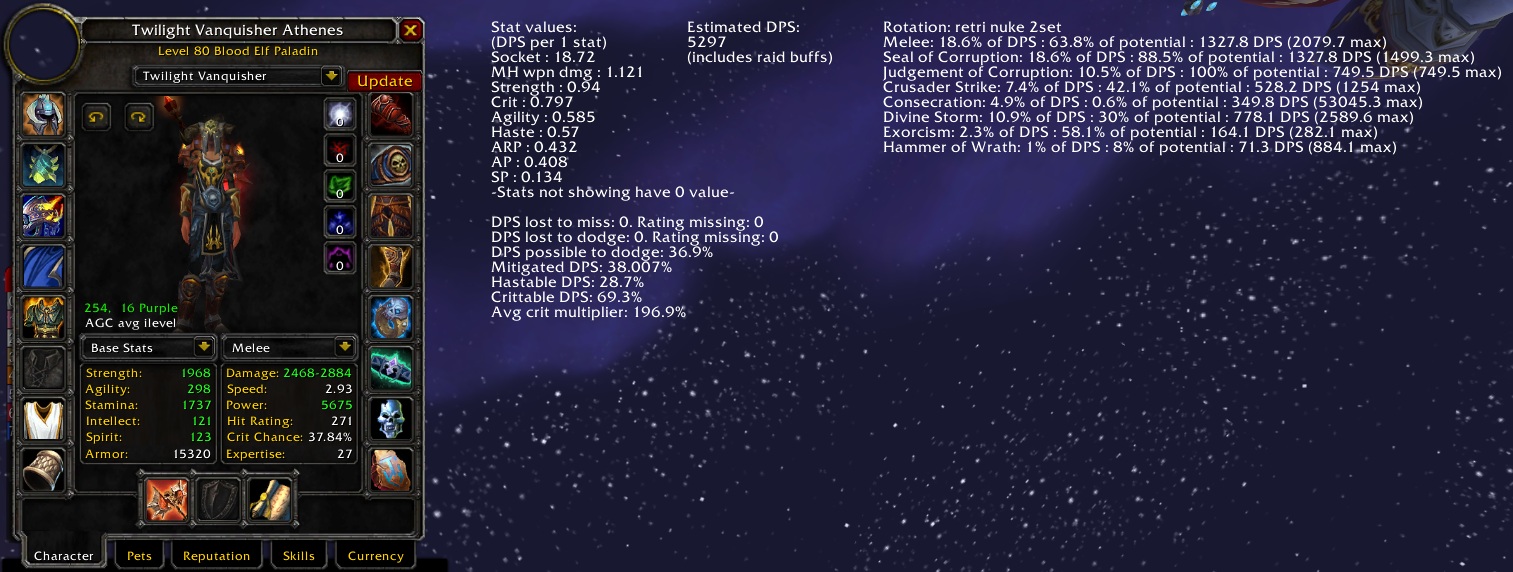
Stats can be sorted after value or alphabetically
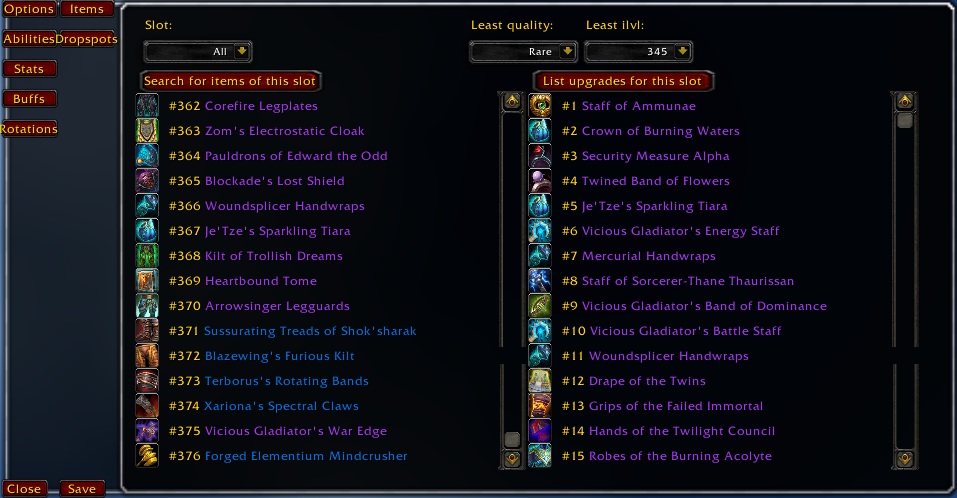
Searching for item upgrades
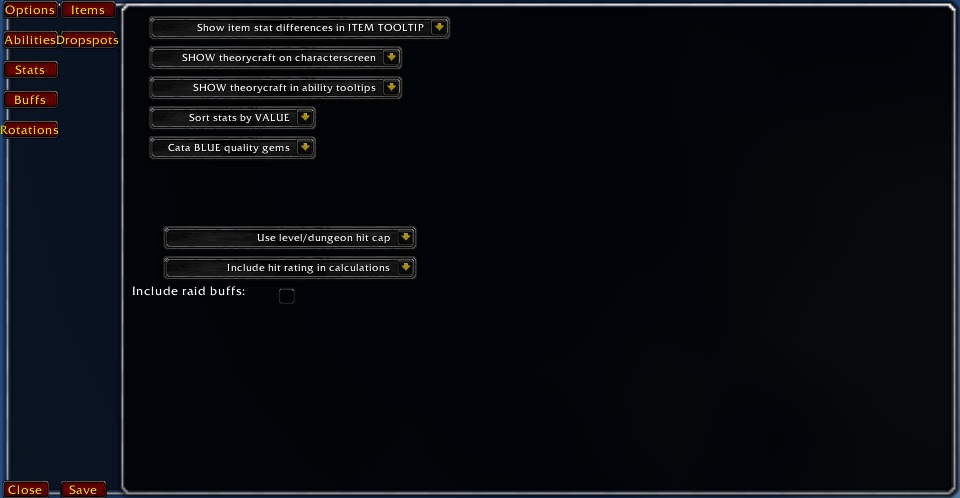
Options screen 4.0
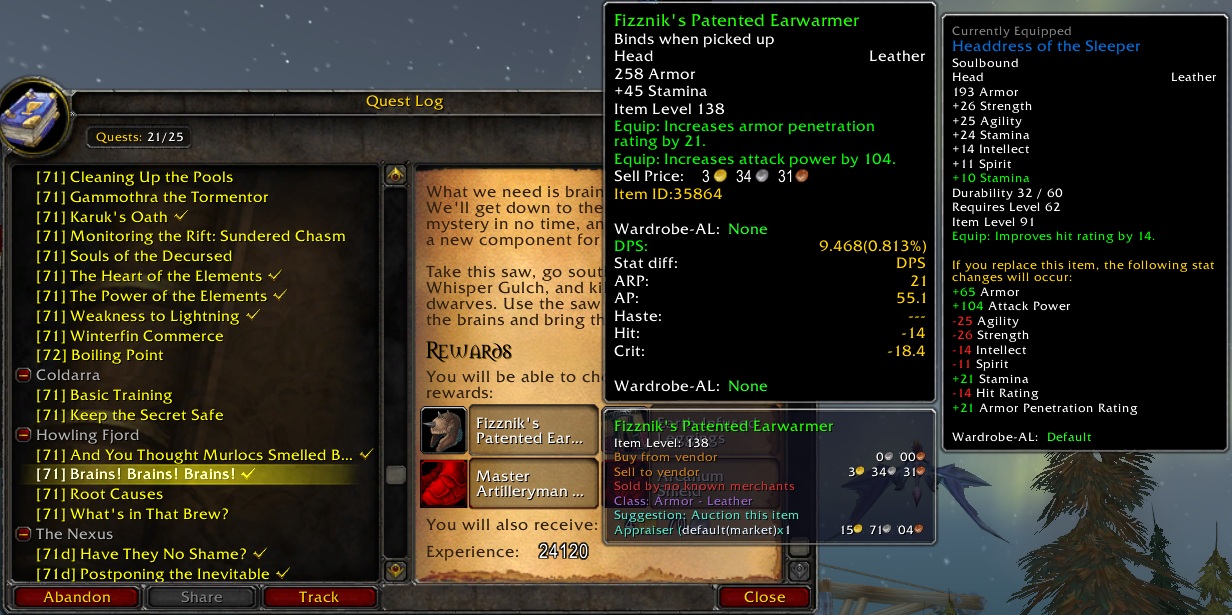
See which quest reward is best, and what quests you should do for the sake of rewards.
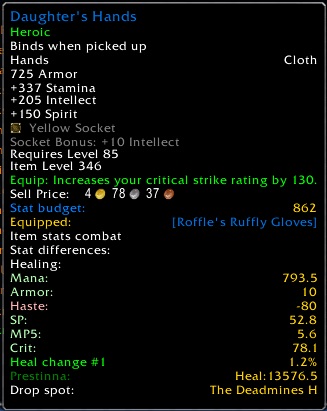
Upgrade info
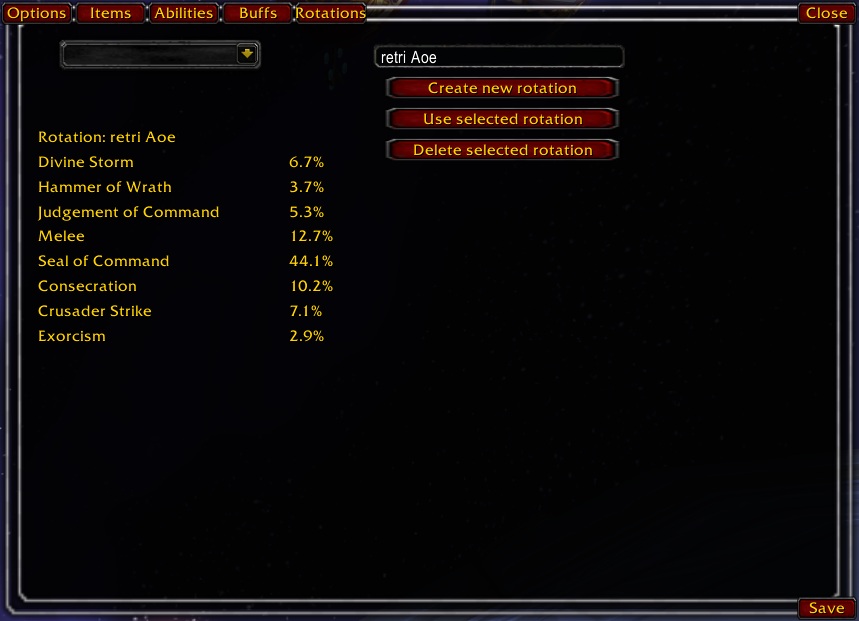
List of all rotations saved for your class, information of abilities used in each rotation, and options for creating/deleting rotations or changing the active rotation.
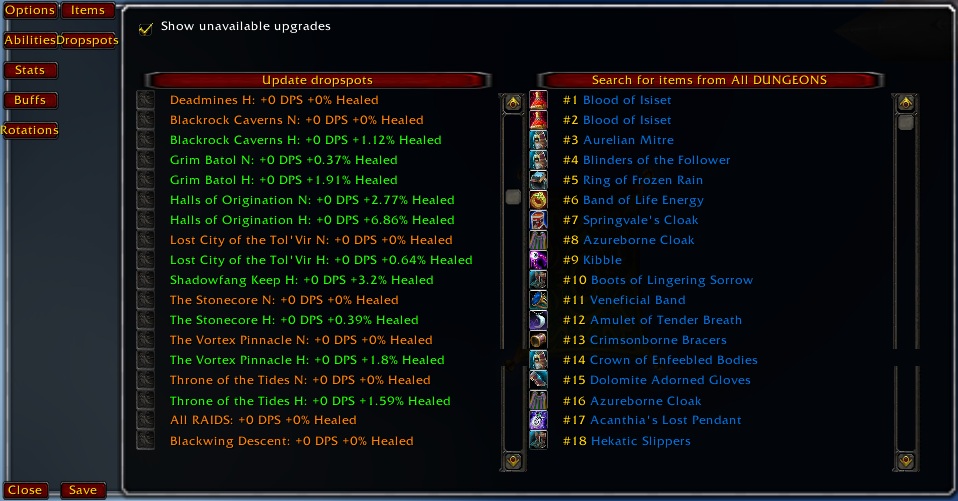
Overview of drop spots, where to get upgrades
Description
What does it do?
This is an addon for those who want help at figuring out what items are upgrades, and are tired of/don't understand complex spreadsheets.
It is made for DPS and healing.
To enable the addon for a character, type "/aue" and set your options for how much info you want from the addon, then go.
How does it work?
The addon will first scan your current gear and check your talents to figure out the value of each stat for you. To help figure out the value for each stat, the addon calculates a rotation with abilities. There are several premade rotations gathered from good DPS'ers on WoW Meter Online, and you can easily create your own rotations.
The addon can then tell you the value of each stat and how important each ability is to your DPS, next to your character window.
When you mouseover an item the addon will calculate what your total stats would be if you replace your current item with the mouseovered one, and then check if it would be better or worse.
The resultat is printed at the bottom of the item tooltip, and you can have an explanation in the tooltip for what makes it an upgrade\downgrade(what stats would increase\decrease). The upgrade\downgrade result is also colored in a fitting color (red for downgrade, green for upgrade).
This addon is completely automatic and 100x easier to use than any spreadsheet.
Advantages:
Personally, these are the things I like the most with this addon:
1: You dont need a new spreadsheet for all your alts when you try out new classes. Just load the addon and go.
2: Whenever you see an interesting item you can see at once if it's an upgrade. No more "sec, I need to check my spreadsheet", no time spent on building an upgrade list for new raid instances, no trouble trying to figure upgrades all by yourself.
3. The addon automatically saves all upgrades found to an internal upgrade list. Is your alt done with heroic farming? Should you join that TotC 10 pug? Check your AUE list.
4: The stat values and calculations scale with your gear and buffs. Sometimes as a healer you might want to change a bit of gear depending on buffs in the raid, especially considering mana vs HPS. As a DPS this makes the addon more accurate than using standard stat values.
5. The addon will automatically check how much value you can get from a blue quality gem in empty sockets, and take them into calculations. That way it's alot easier to figure the value of an item with empty sockets.
6. When you have figured wether an item is an upgrade or a downgrade, you can quickly figure from the item stat difference what makes out the upgrade\downgrade. Why is that item an upgrade when you lose spell power and crit from wearing it? Maybe it's because you really need that hit rating?
7. Tooltips will also tell you if an item is on the upgradelist for any of your alts. This way, all your chars could shop upgrades for any char on AH and it's easier to check if your tailor\BS\LW can make upgrades for alts.
Important notes:
- Only supports English clients!
- I have cancelled my WoW subscription. The 4.0 version of AUE is not yet completed, I release it as it might not be completed.
- Classes fixed for Cataclysm:
DK: Fixed.
Druid: Balance and Feral not fixed, Resto is fixed.
Hunter: Not fixed.Paladin: Fixed.
Mage: Not fixed.
Rogue: Not fixed.
Priest: Fixed:
Shaman: Not fixed.Warrior: Fixed.
Warlock: Not fixed.
The Athene's Upgrade Estimator Team


