Ascent
- By
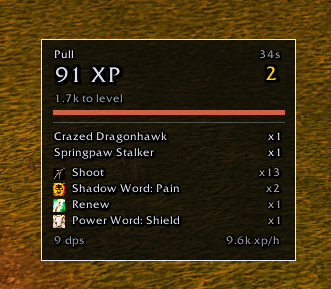
defect-pull-91xp.png
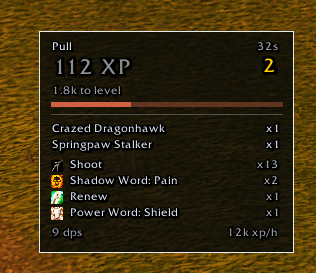
defect-pull-112xp.png

defect-bar-text-overlapping.png
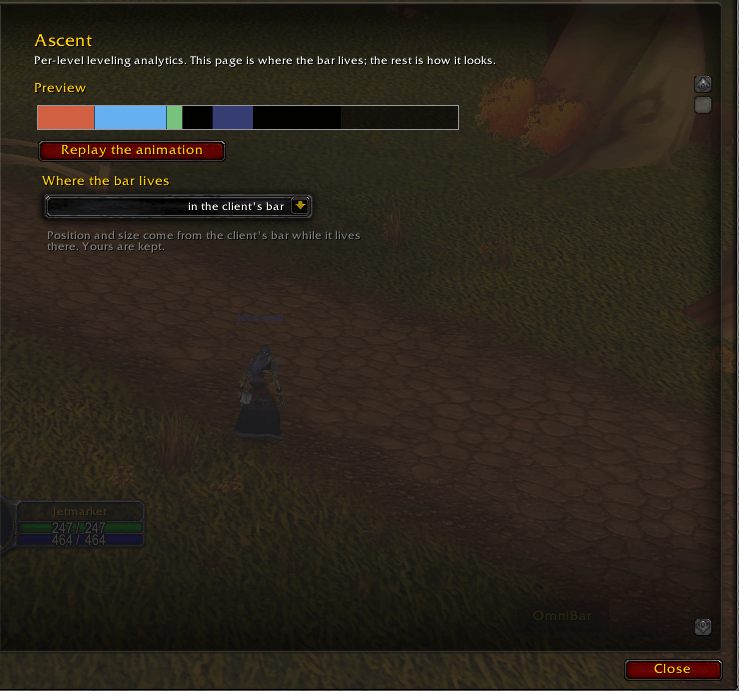
06-options-page.png
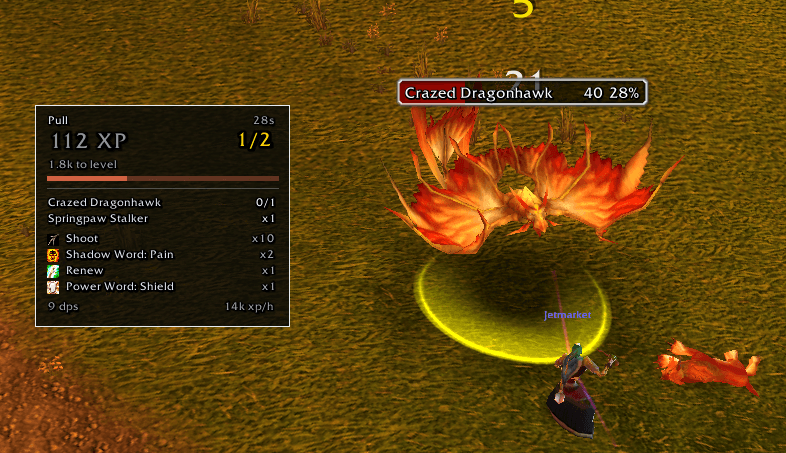
05-pull-plate.png
Description
Ascent
Per-level leveling analytics for World of Warcraft Classic Era (1.15.x) and Burning Crusade (2.5.x).
Every experience bar for Classic answers the present: how much is left, experience per hour, how much rested you have. None of them keeps the past. The moment you ding, how you got there is gone - which quests carried the level, how much of it you ground out, what that dungeon run was actually worth, how much you lost to deaths and corpse runs.
Ascent keeps it. Level by level, for every character.
The promise is arithmetic: the sources add up to exactly the experience of the level. Anything the client does not explain lands in a bucket that says so, instead of quietly disappearing into a total. Where a number is an estimate, Ascent says it is an estimate. Where the client never told it anything, it says that too.
The bar
A bar of its own, so Blizzard's is left alone - or park it inside the client's own frame if you prefer. Each segment is a source, not one undifferentiated block:
- quests, creature kills, exploration, and whatever the client reported but never classified
- a rested marker over the stretch the bonus is still paying for
- a separate channel for pending experience: what your quest log would hand you right now
- a tooltip that breaks the level down by source, cross-reads it by place, and states plainly which part of the level it was not watching
Drag it, lock it, scale it, resize it. The position survives a reload.
The level report
/ascent panel opens five tabs:
| Tab | What it answers |
|---|---|
| Sources | the level by source and by place, with the rested portion, the group bonus and the raid penalty |
| Combat | health and resource on leaving combat, deaths, time lost to them, time in combat versus downtime, damage and healing |
| Abilities | what you actually pressed, ranked, with auto attacks kept separate |
| Pending | the experience sitting in your quest log, what is ready to hand in, and how many quests the client could not price |
| History | every level you have closed, selectable, comparable against the one before it |
The pull
A plate that answers how the fight is going while it is still going: what this pull has paid so far, what is still standing, what you pressed, and the rate you are keeping.
Six skins
Tabard, Cartographer, Stormwind, Glass, Telemetry and Phantom - each a complete look for the bar and the panel alike: background, border, fill, separator, typography, accent. Pick one from the gallery and tune it axis by axis, or set the colour of each source by hand. There is a high-contrast mode, and a motion scale that goes all the way down to zero if you would rather nothing moved.
Commands
| Command | |
|---|---|
/ascent panel |
open or close the level report |
/ascent summary |
the current level's breakdown, in chat |
/ascent pending |
forecasted experience from the quests in progress |
/ascent options |
skin, scale, lock, contrast, motion, and where the bar lives |
/ascent copy |
the diagnostics as selectable text, for a bug report |
/ascent reset confirm |
erase this character's recorded history |
The options panel also lives under Interface -> AddOns -> Ascent.
Built for Classic, and only for Classic
Classic Era (1.15.x) and Burning Crusade (2.5.x) from a single file. No Ace3, no LibStub, no external libraries at all - one folder of Lua, which is also why it loads fast and stays out of the way.
Ascent makes no network requests and cannot: no addon can. There is no telemetry and no account. Your history lives in your own saved variables, bounded by a retention policy you control, and /ascent reset confirm erases it. At maximum level, or with experience gain switched off, Ascent stops tracking instead of recording zeroes.
This is an early beta
Said plainly, because you are the one who has to trust it with a levelling run:
- it has been played far less than it has been tested: the domain logic has a headless suite behind it, the interface has had far fewer hours in front of a real client
- the central promise, that the sources add up to exactly the level, has been confirmed level by level rather than across a full 1-60
- expect rough edges in the panel before you expect wrong numbers in the bar
If something looks wrong, that is worth reporting, and reporting it is one command: /ascent copy opens a window with the diagnostics already selected. Press Ctrl-C (Cmd-C on a Mac) and paste it into a comment here. It carries the addon's build, your client's flavour and your interface language, and counters. It does not carry your character name or your realm, and you can edit it before you send it.
The Ascent Team