
AscendUI
- By
AscendUI-banner-16x9.jpg
WoWScrnShot_112026_033505.jpg
WoWScrnShot_112026_033511.jpg
WoWScrnShot_112026_033931.jpg
WoWScrnShot_112026_033521.jpg
WoWScrnShot_112026_033537.jpg
WoWScrnShot_112026_033553.jpg
WoWScrnShot_112026_033621.jpg
WoWScrnShot_112026_033632.jpg
WoWScrnShot_112026_033647.jpg
WoWScrnShot_112026_033700.jpg
Description
AscendUI: a complete interface overhaul for WoW Forever
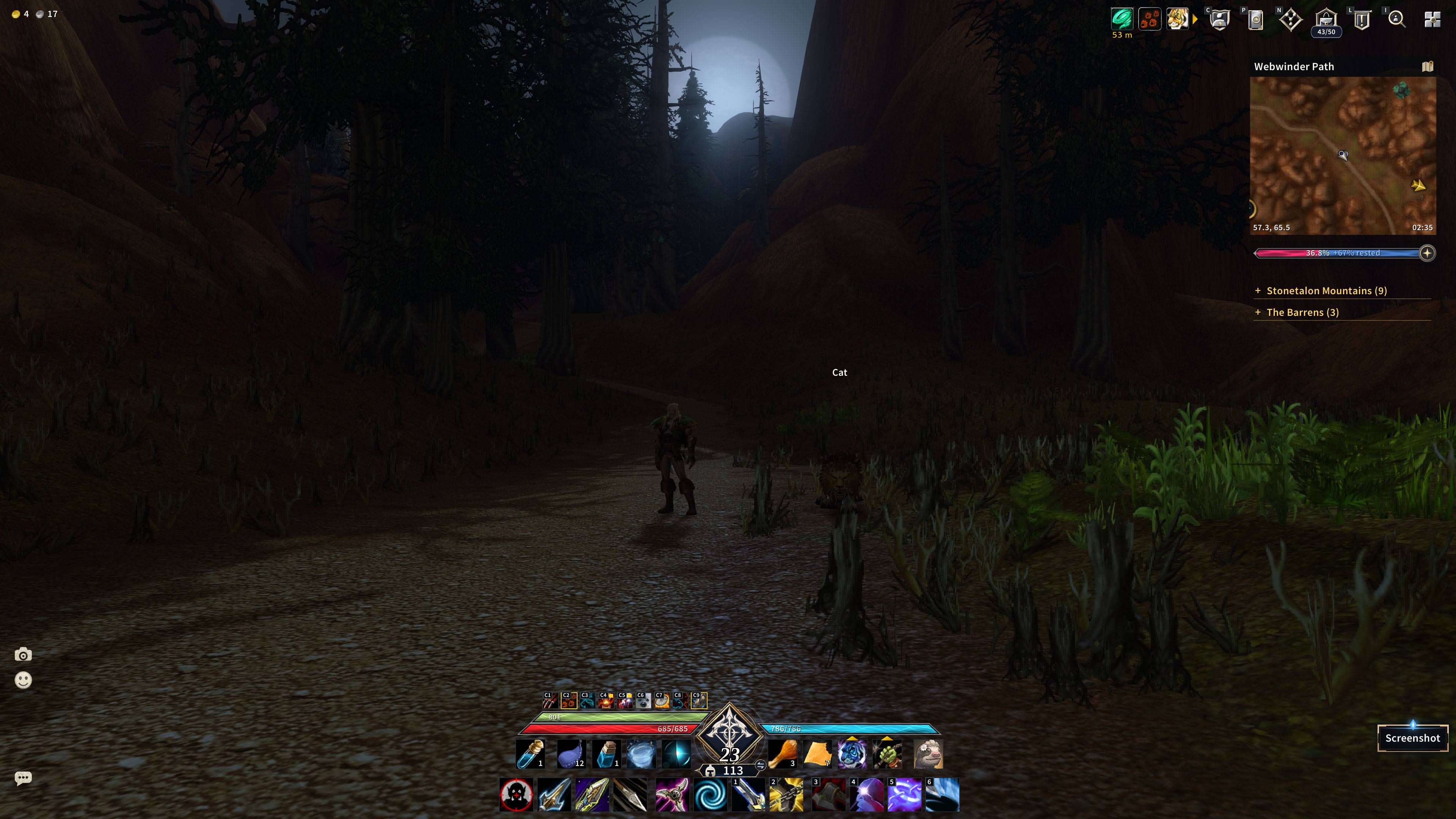
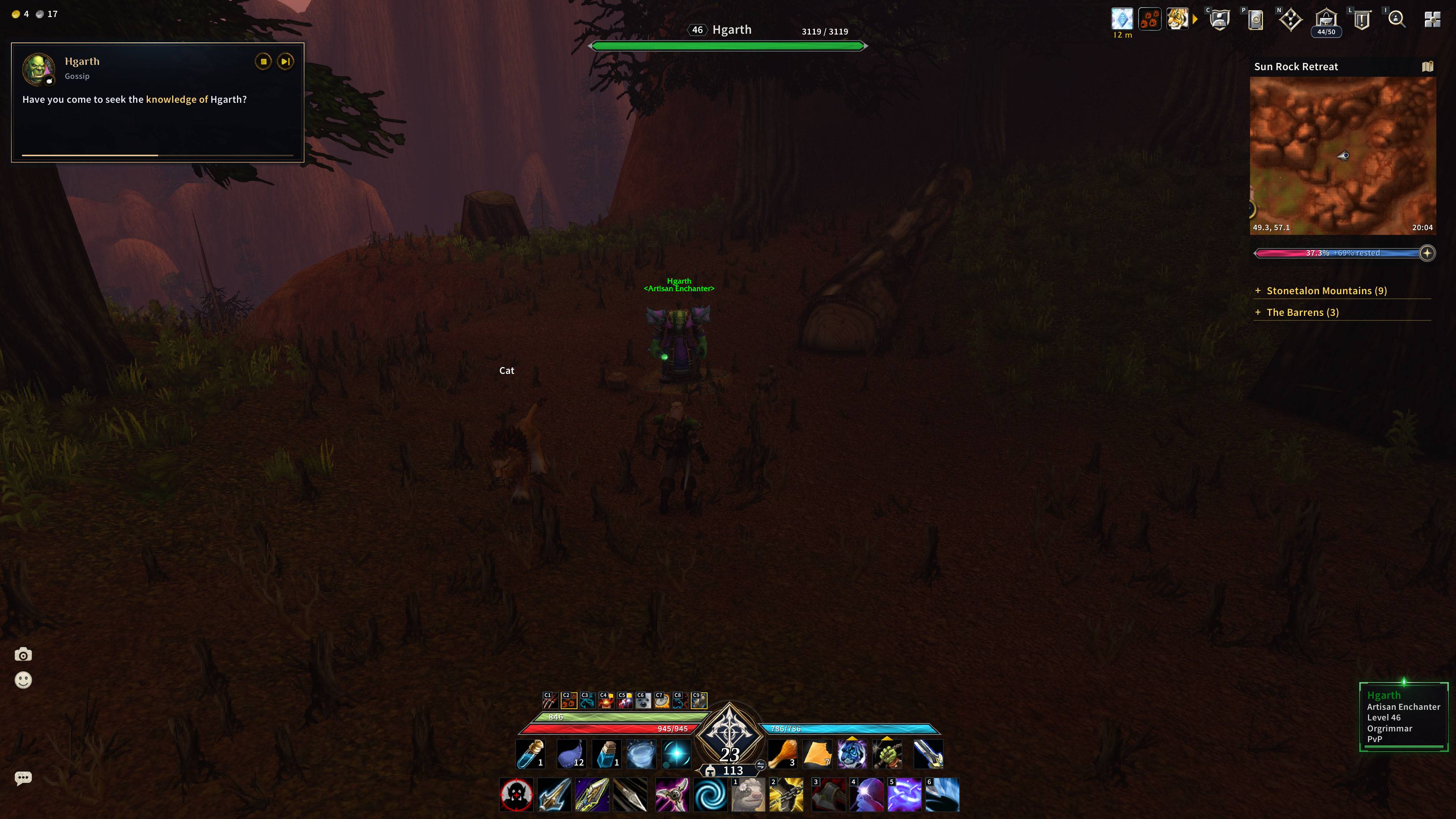
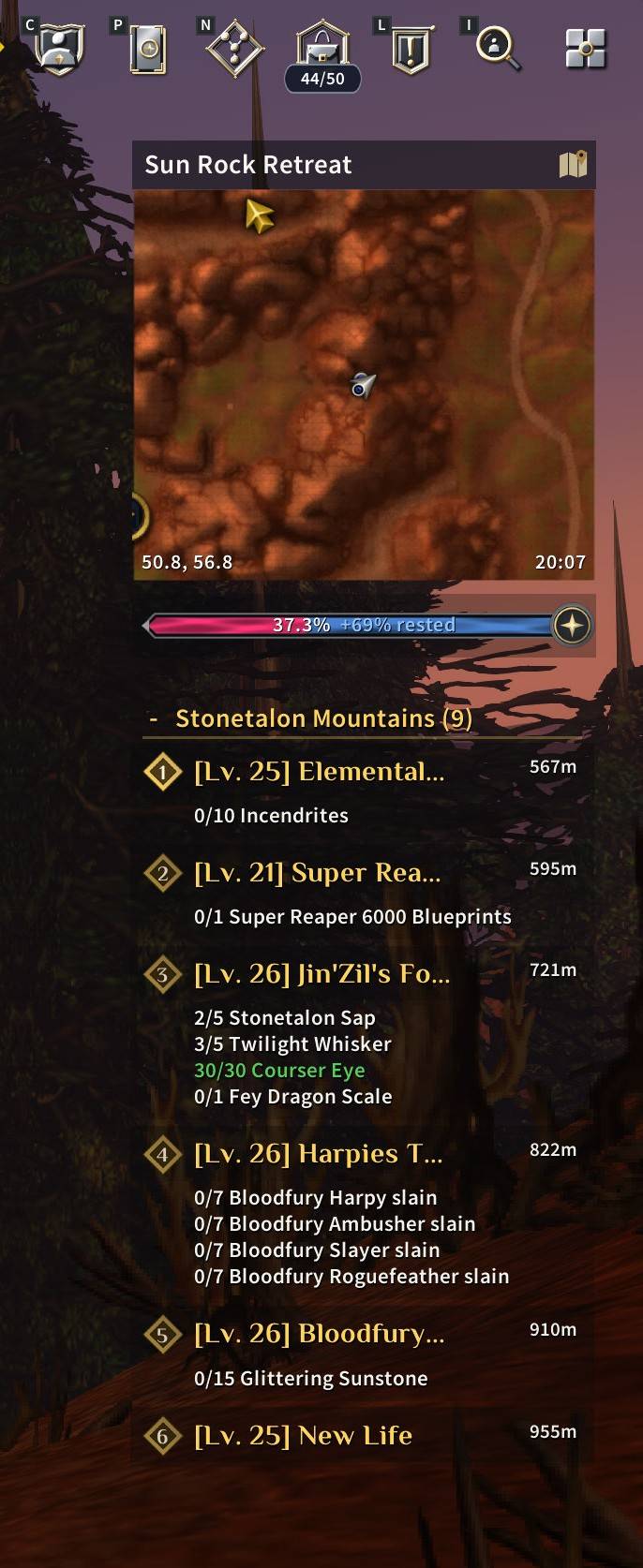
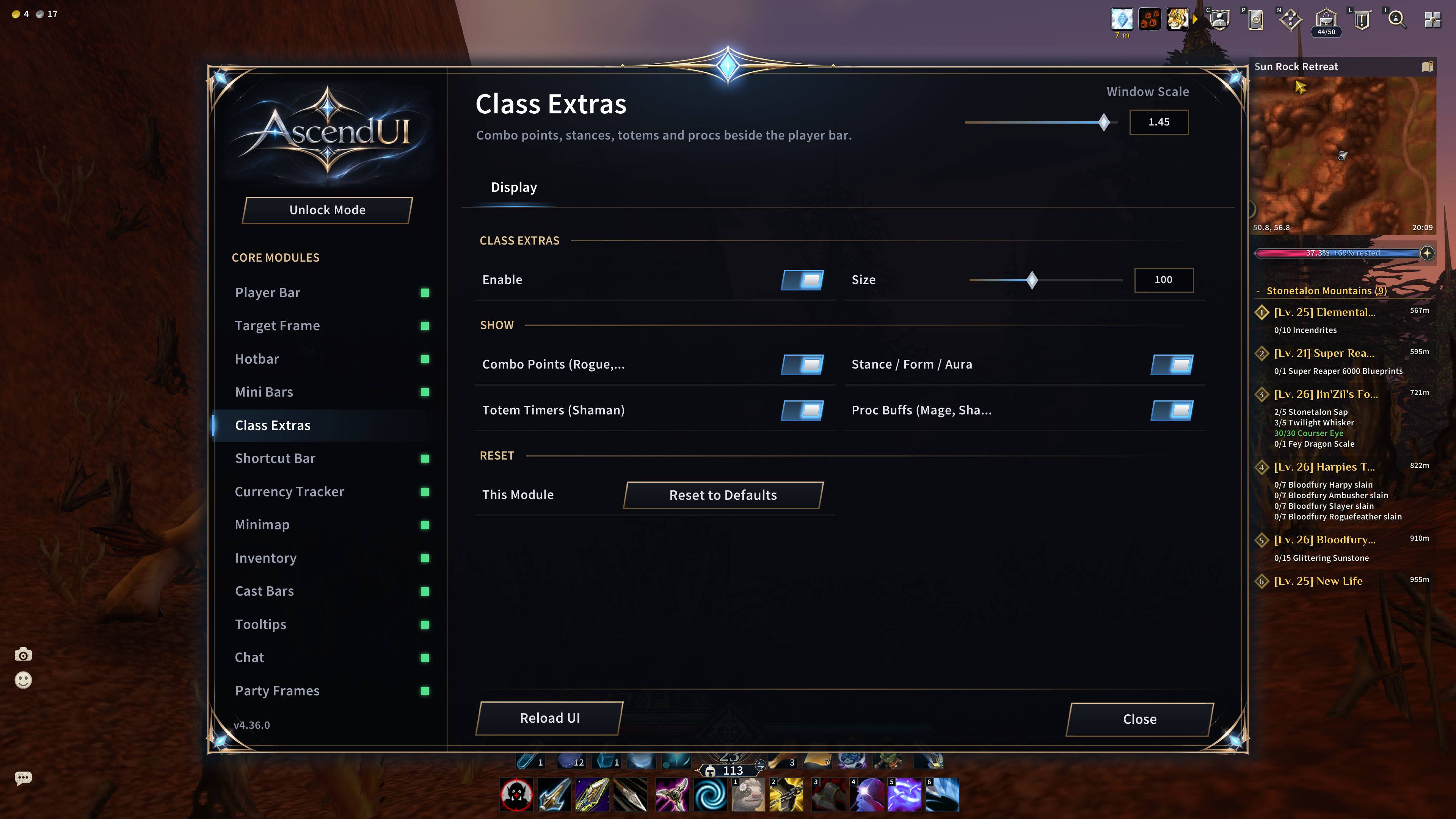
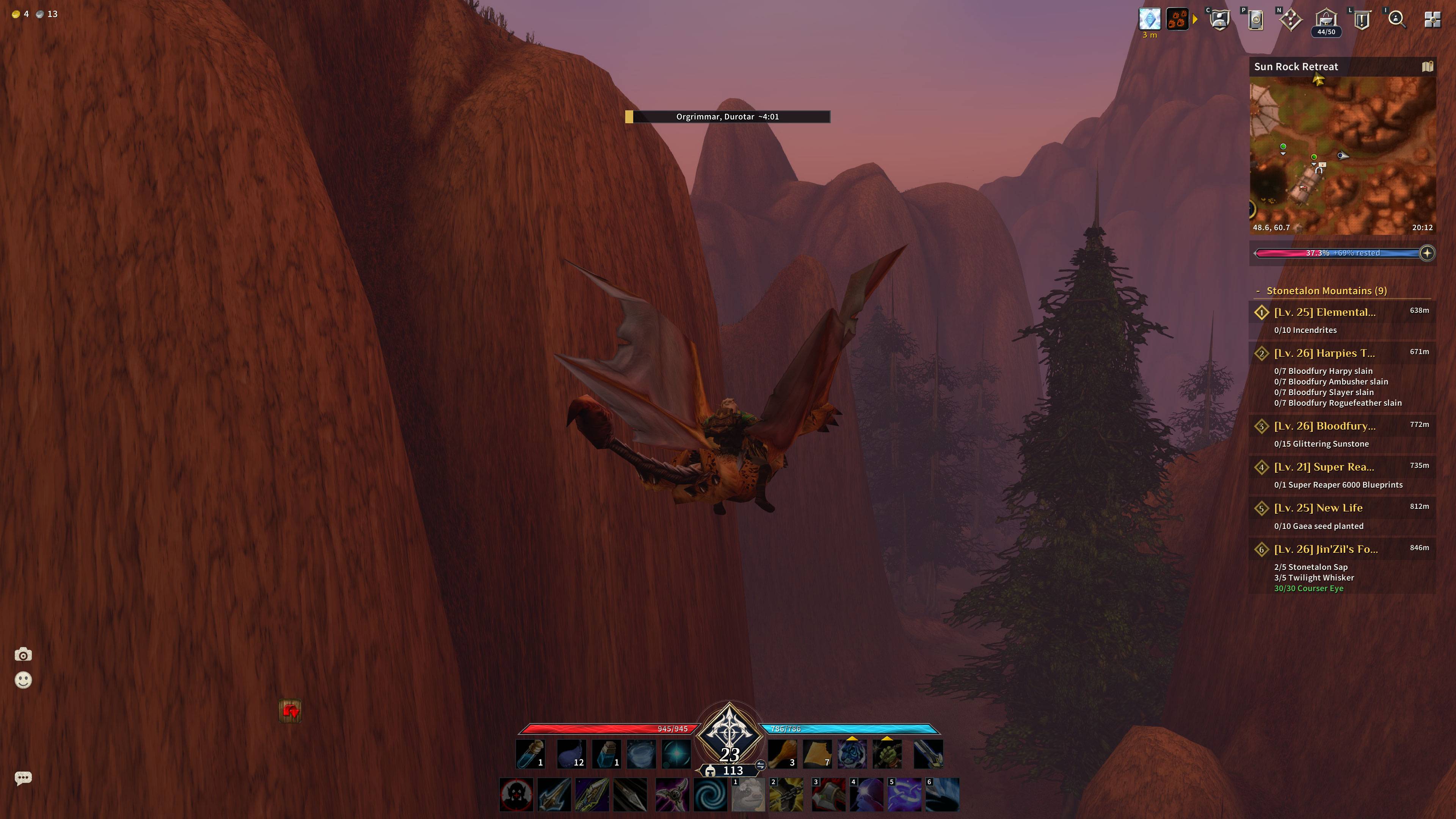
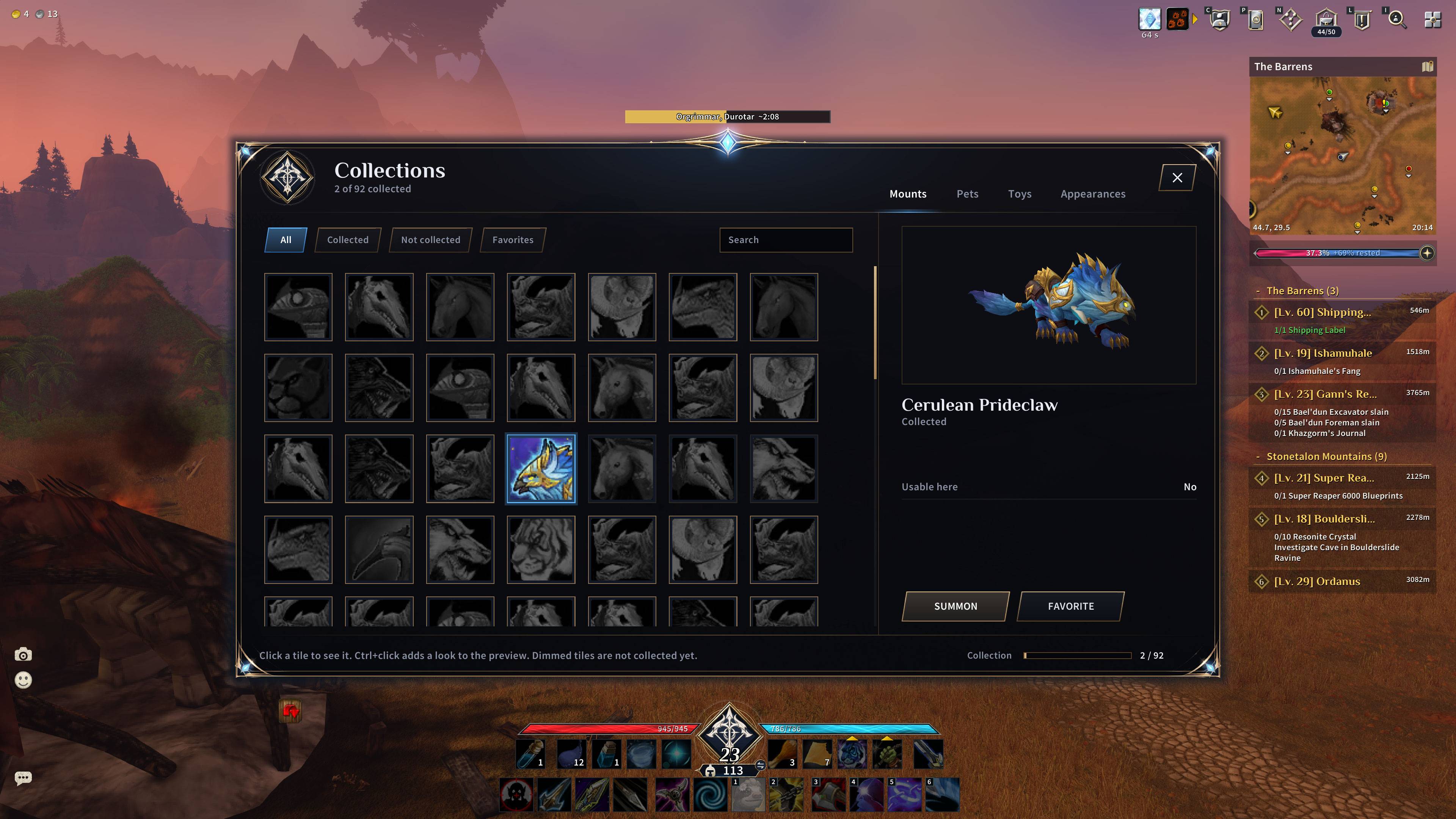
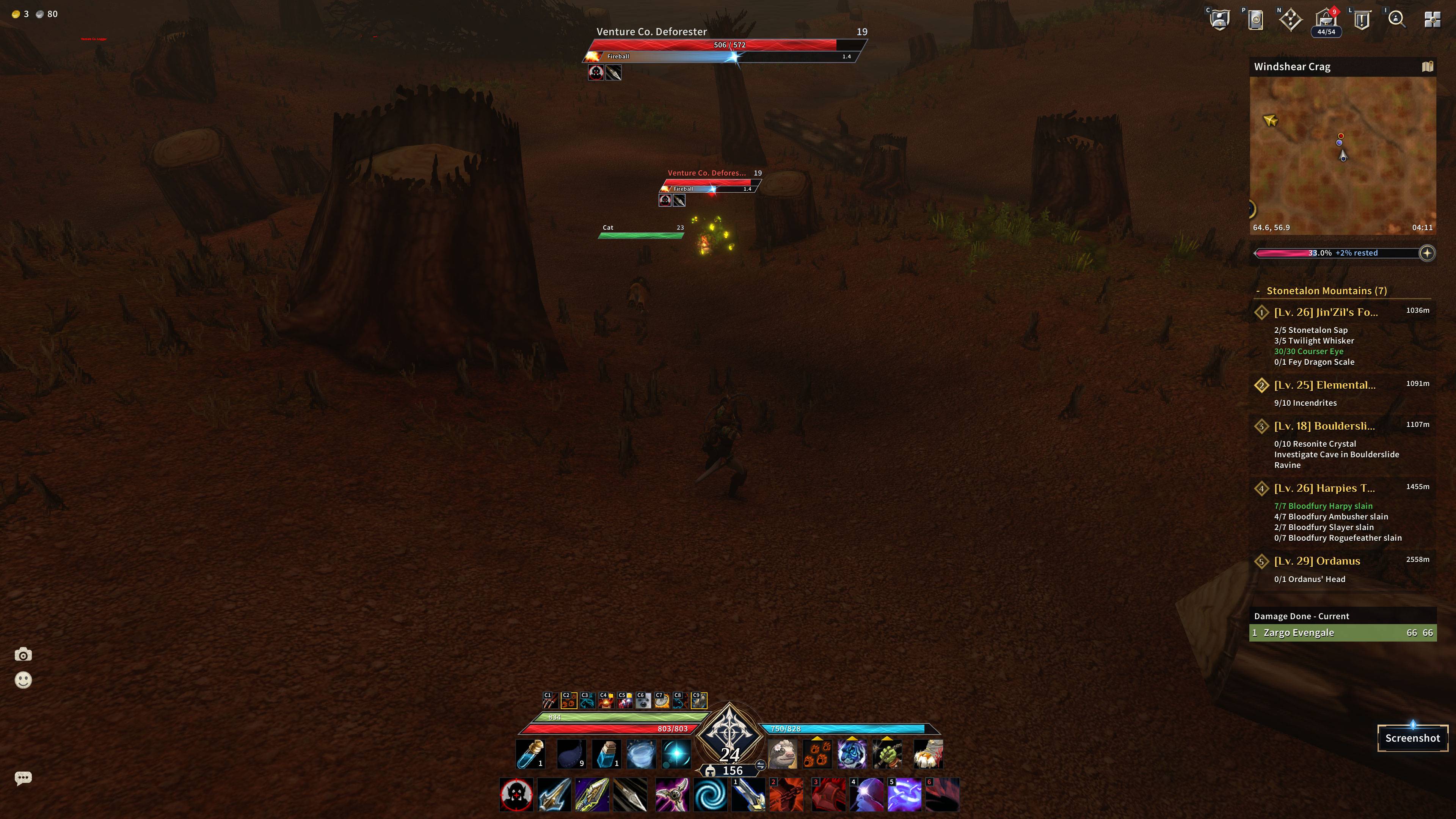
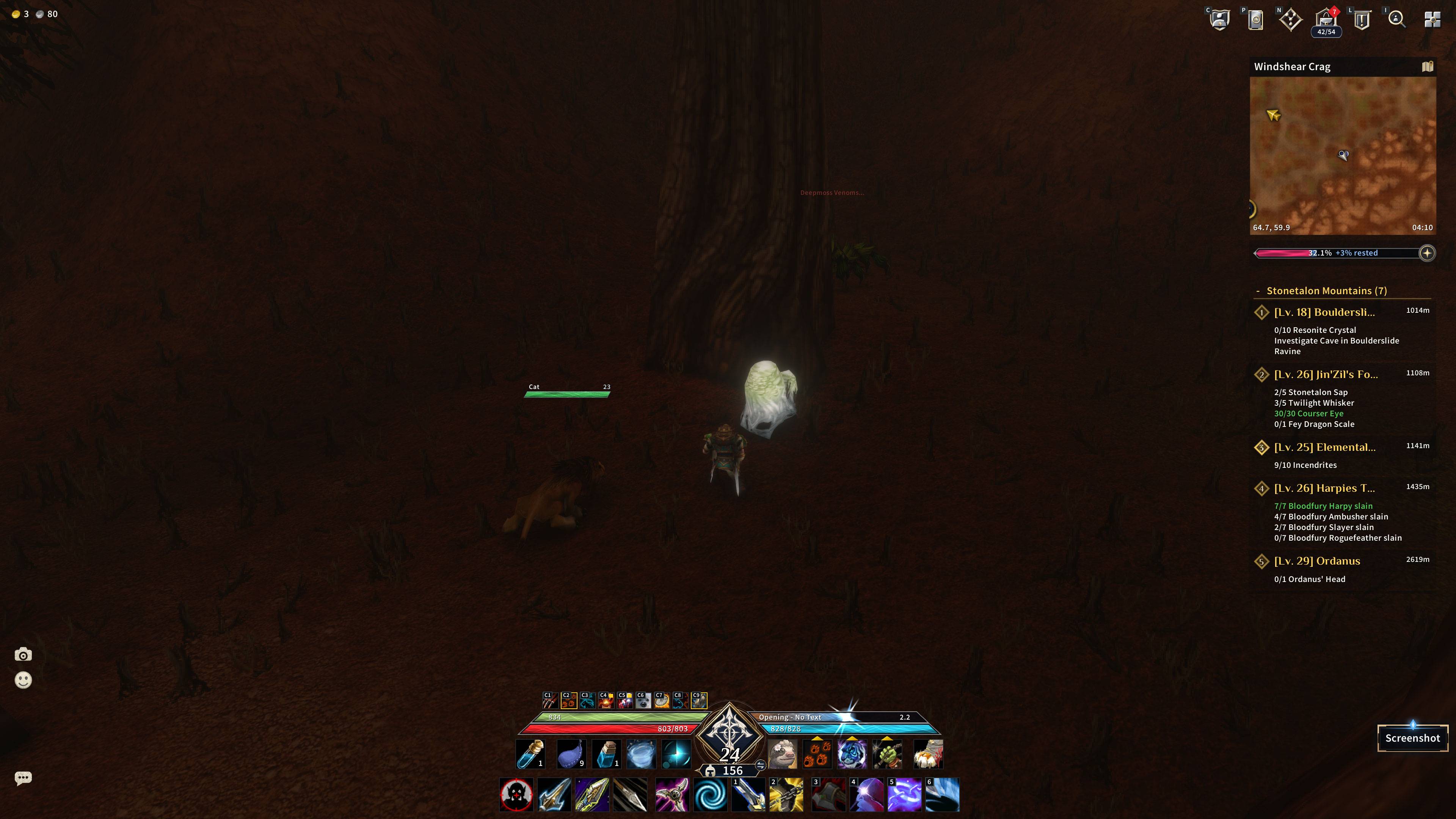
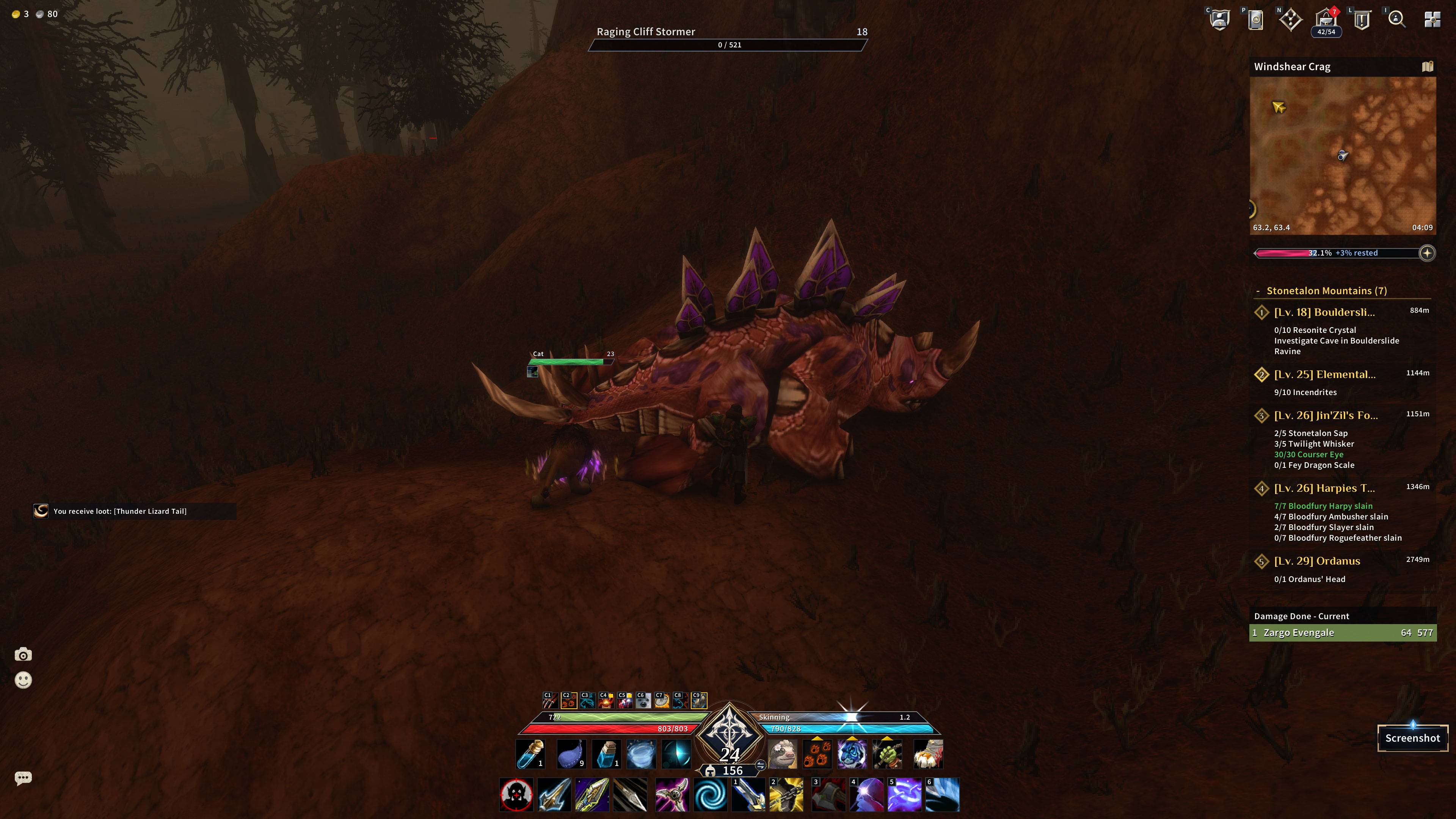
AscendUI replaces the default interface with one dark-glass, bronze-and-azure design: slanted player and target bars, a diamond level badge with a class emblem, restyled hotbars, bags, chat and minimap, a main menu, and new versions of the game's own windows. Every part is a module you can switch off in the settings, so you keep only what you like.
Made for World of Warcraft: Forever (interface 16001, patch 1.60.1). It is not tested on Retail.
What you get
Unit frames and bars
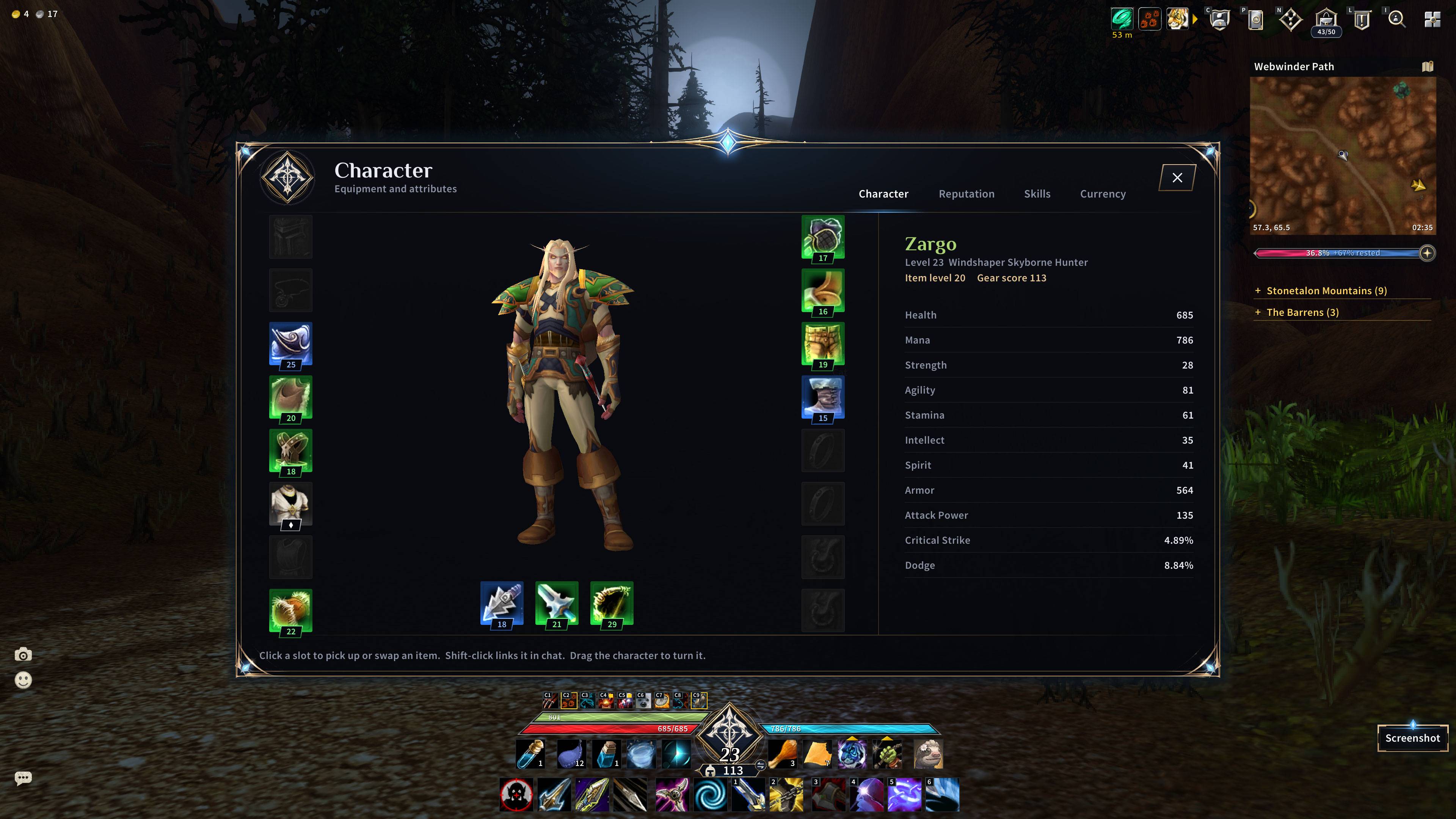
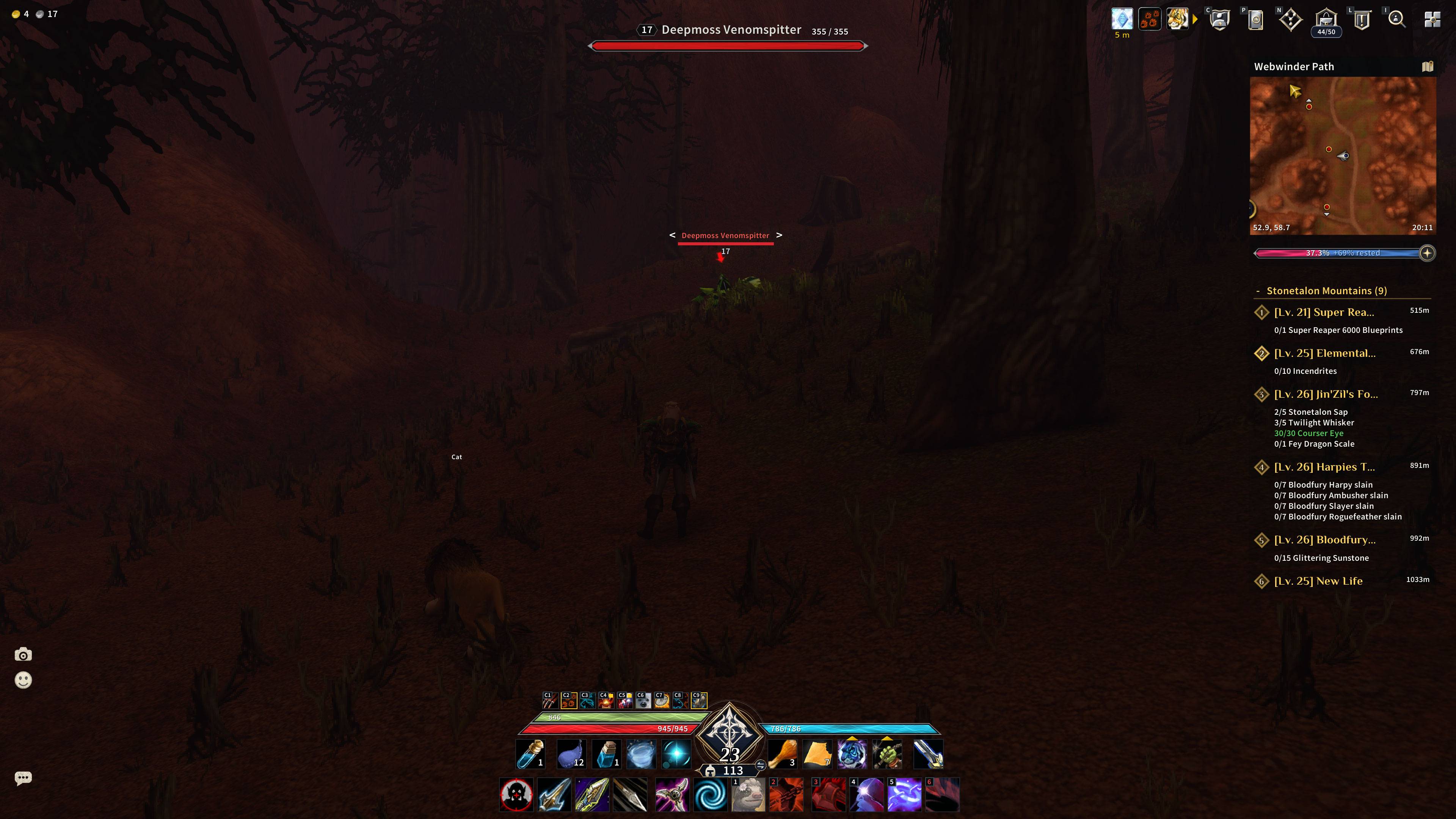
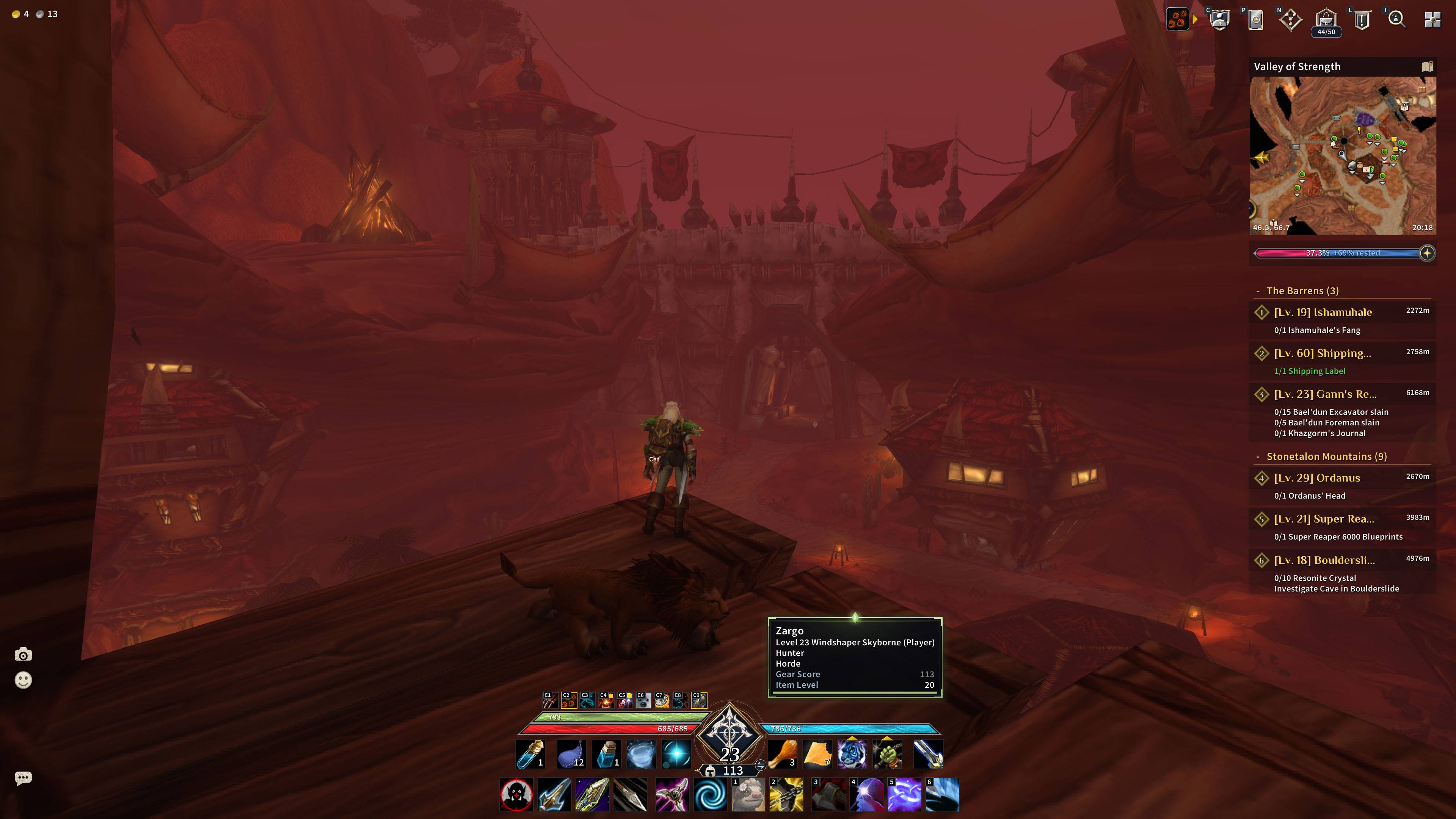
- Player health and resource bars with a diamond level badge, class emblem, and a gear score / item level plate
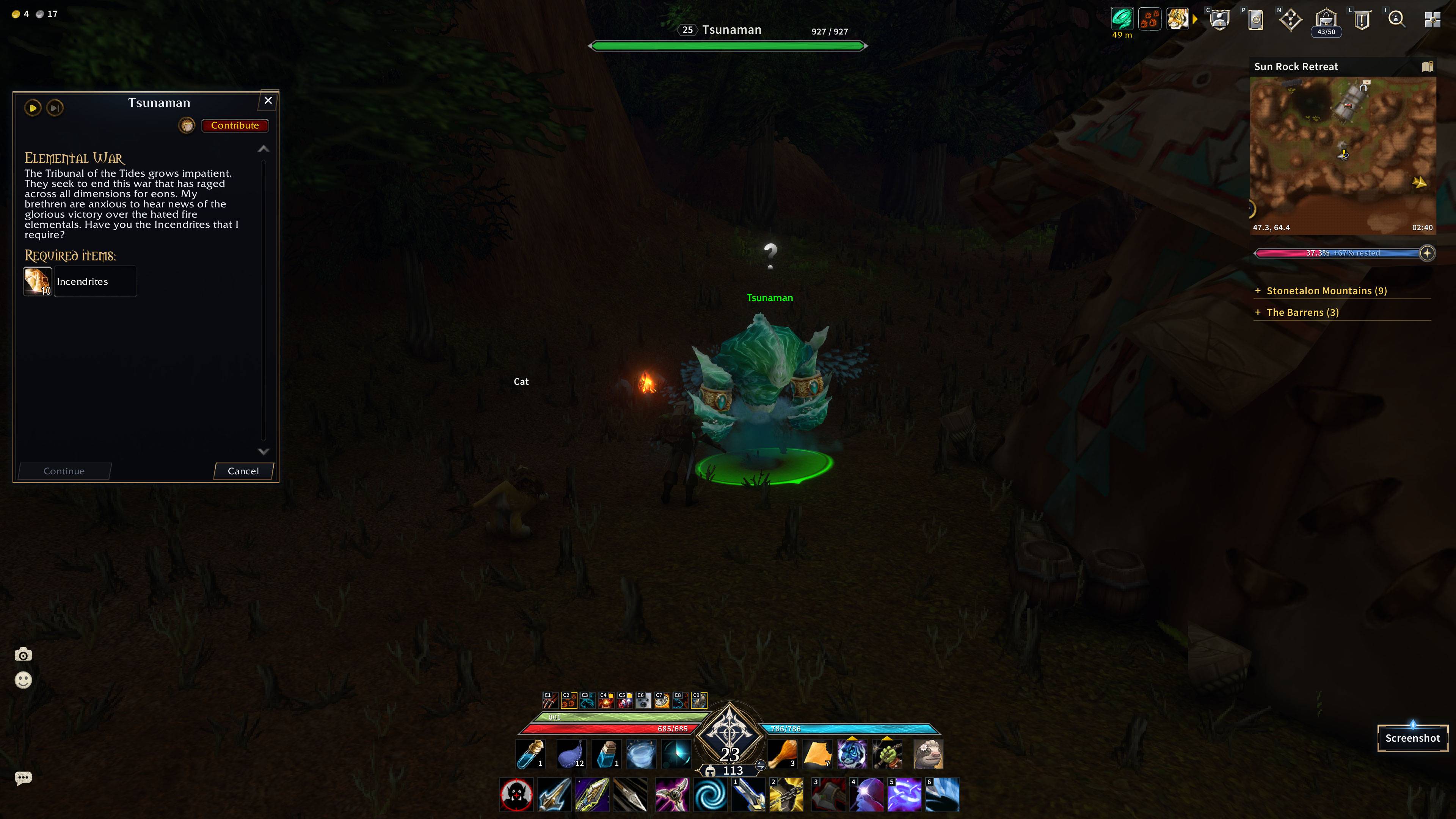
- Target frame, plus your own cast bar and your target's cast bar
- Pet bar with a class-coloured pet health bar and the pet's action buttons
- Party frames with class emblems and class-coloured bars
- Nameplates: a coloured name above a slim health bar, with guild names and titles
- An optional slow, silky moving texture on the bars
Hotbars
- Dark glass button skin with small keybind labels
- Two mini bars for potions and utility beside the level badge
- An optional second hotbar under the main bar
- Red tint when a spell is out of range, gold pulse on spell procs
Bags, chat and tooltips
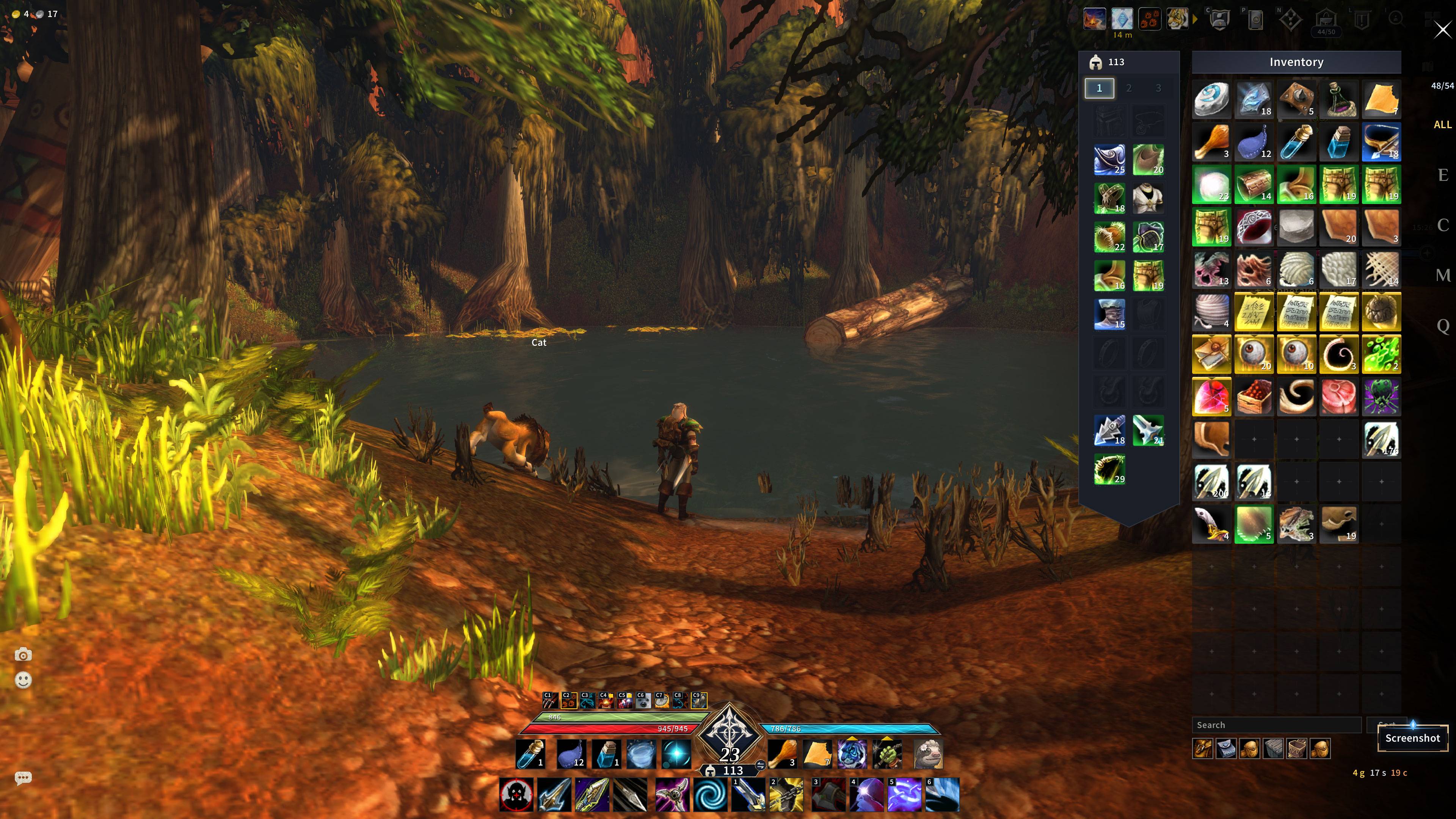
- One merged inventory window with search, sort, slot count, equipment slots at the side and equipment-set tabs; item cells use a solid quality colour instead of a plain border
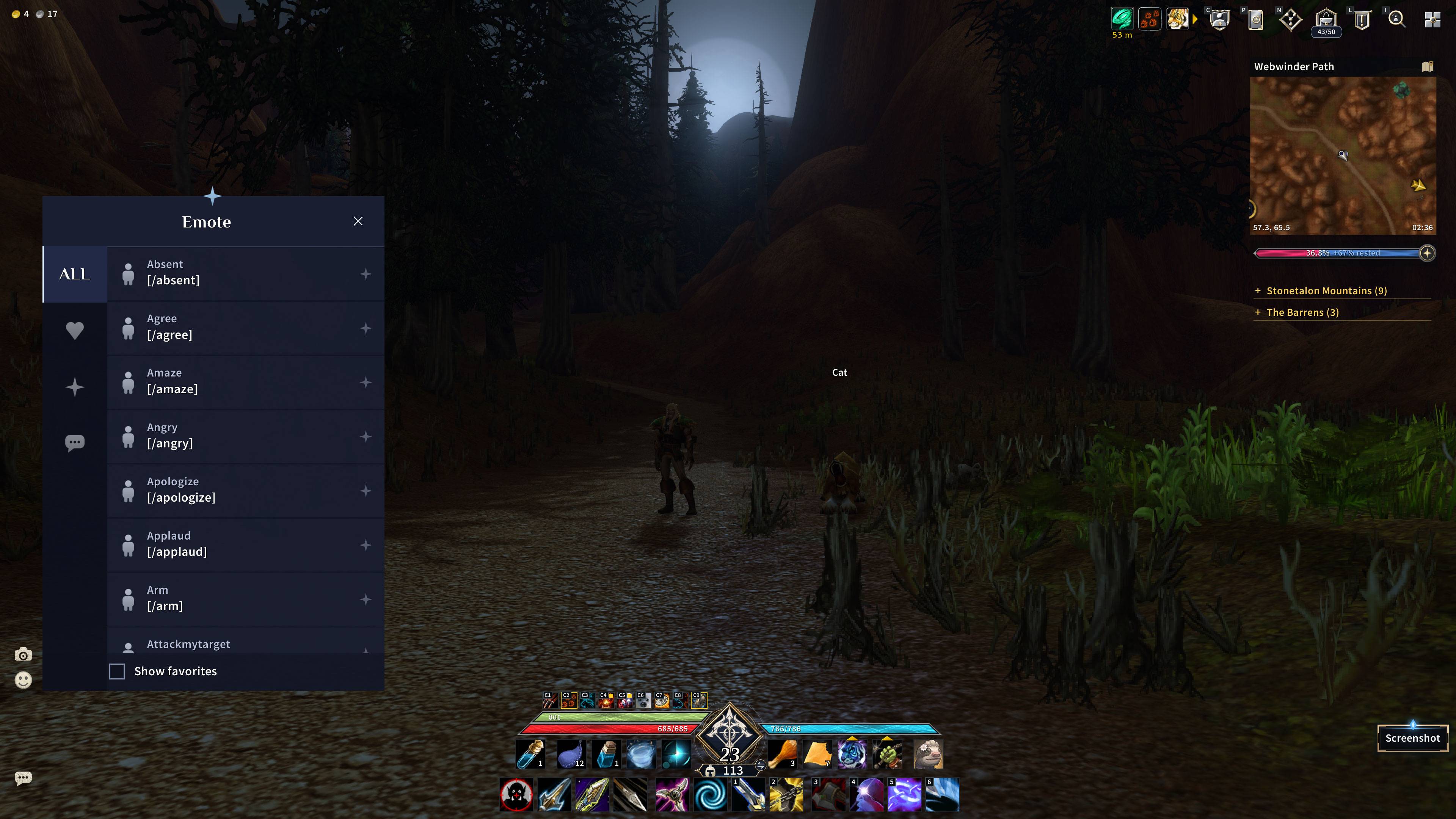
- Chat with a dark glass panel, flat tabs, an edit box that takes the colour of your channel, and screenshot, emote and chat buttons
- Tooltips in the same style, with other players' gear score and item level shown in their tooltip
Map and quests
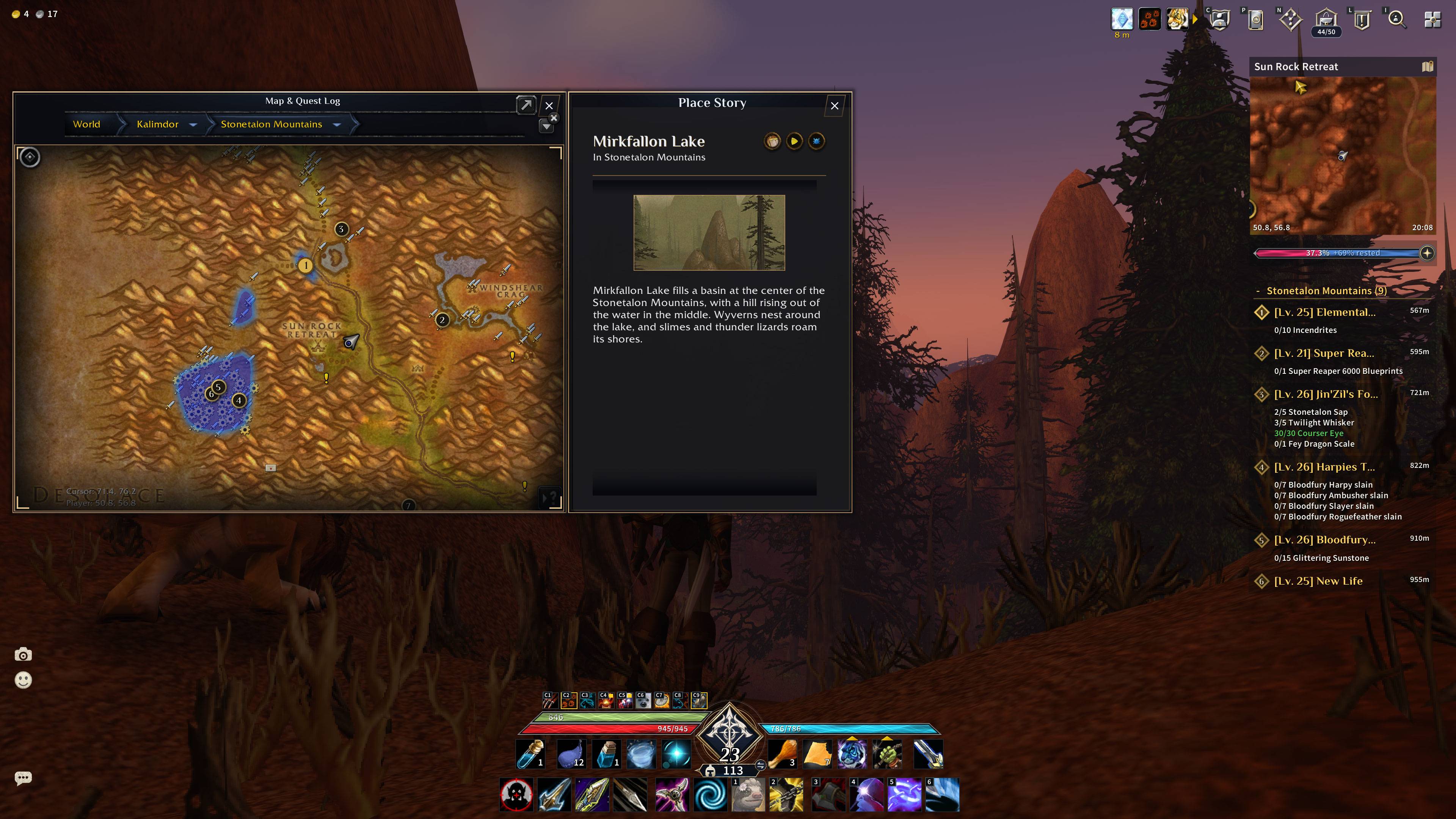
- A wide minimap with a zone bar, clock and experience bar
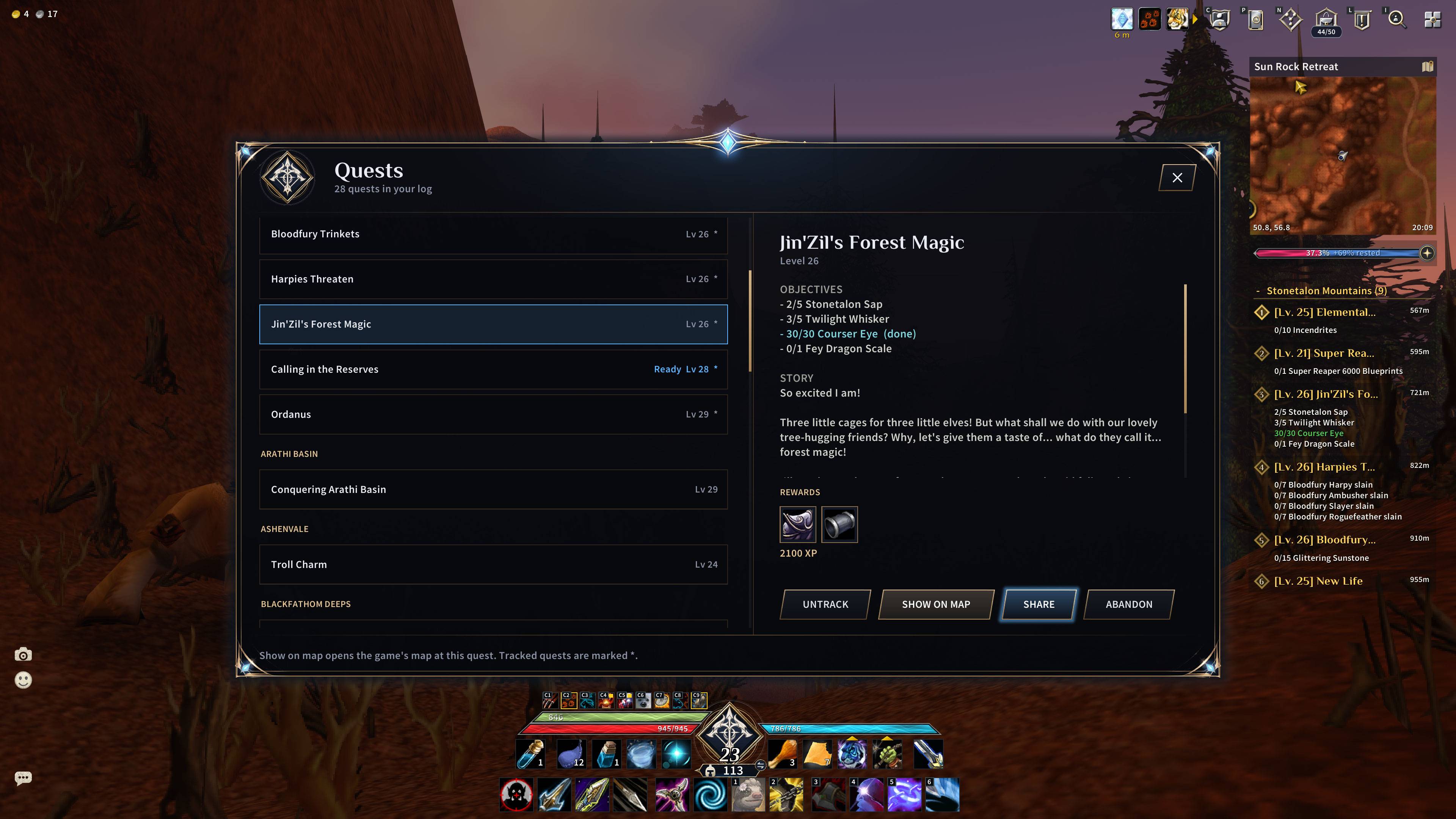
- Quest icons on the world map and minimap: "!" for quests you can pick up and markers for objectives, with an option to sort tracked quests closest first
- Town icons for inns, banks, auction houses, mailboxes, flight masters, stable masters, trainers and supply vendors, so nobody has to ask a guard
- Your tracker numbers on the world-map quest markers
- Flight times on the flight map, with a countdown bar while you fly
Menu and windows
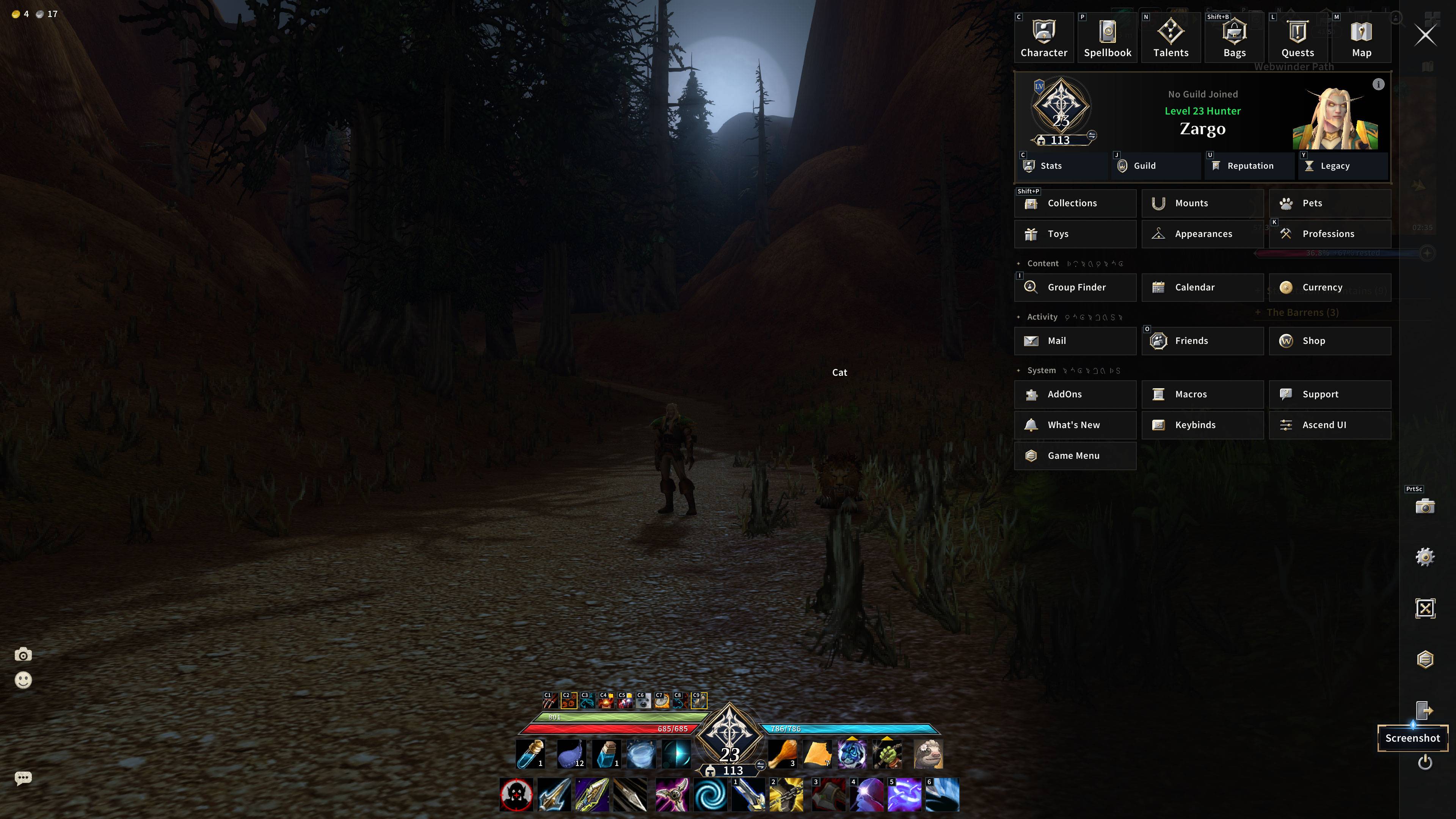
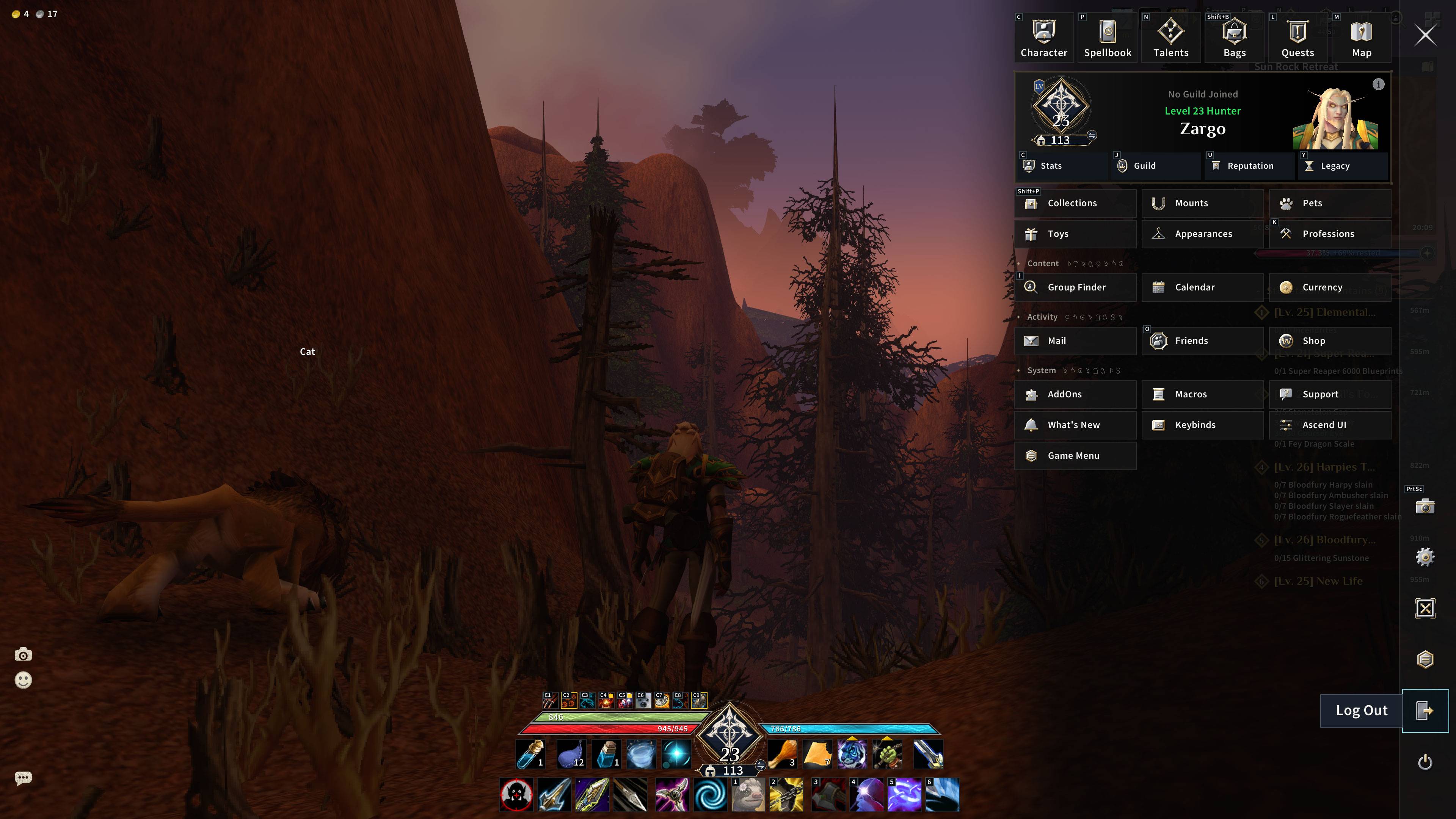
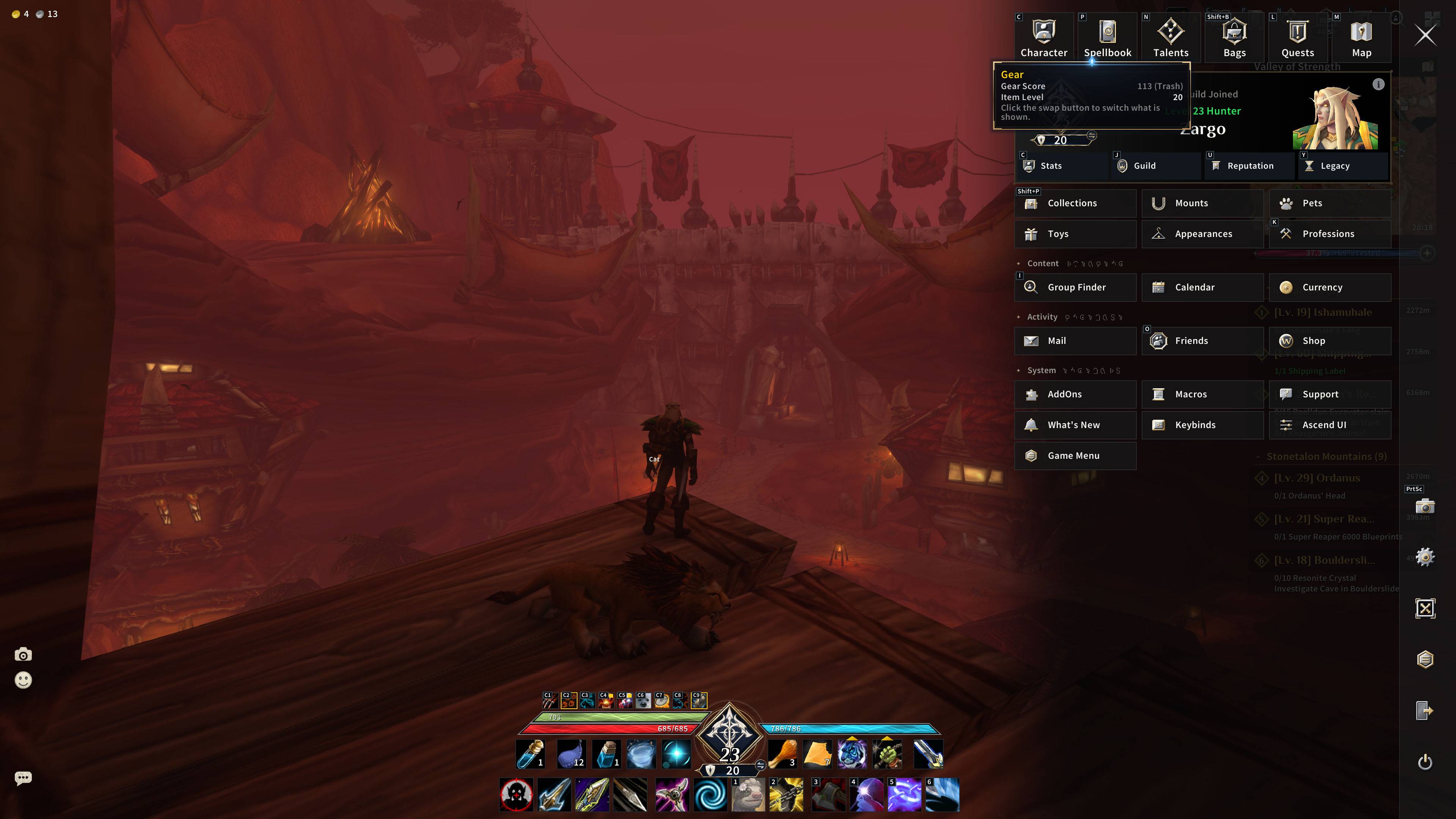
- A main menu (it opens with Escape) that gathers the game's windows in one panel, and a shortcut bar that replaces the micro menu
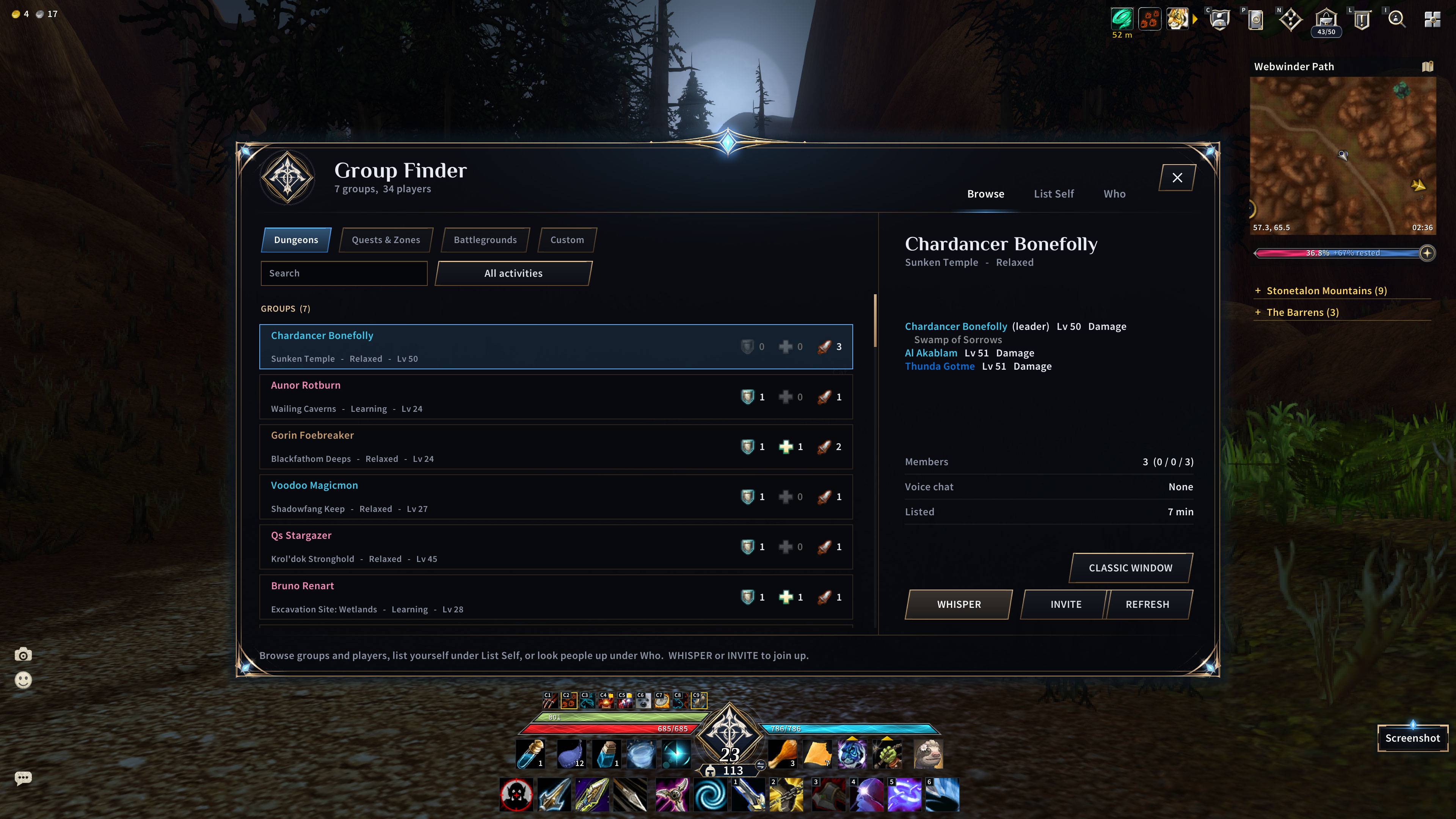
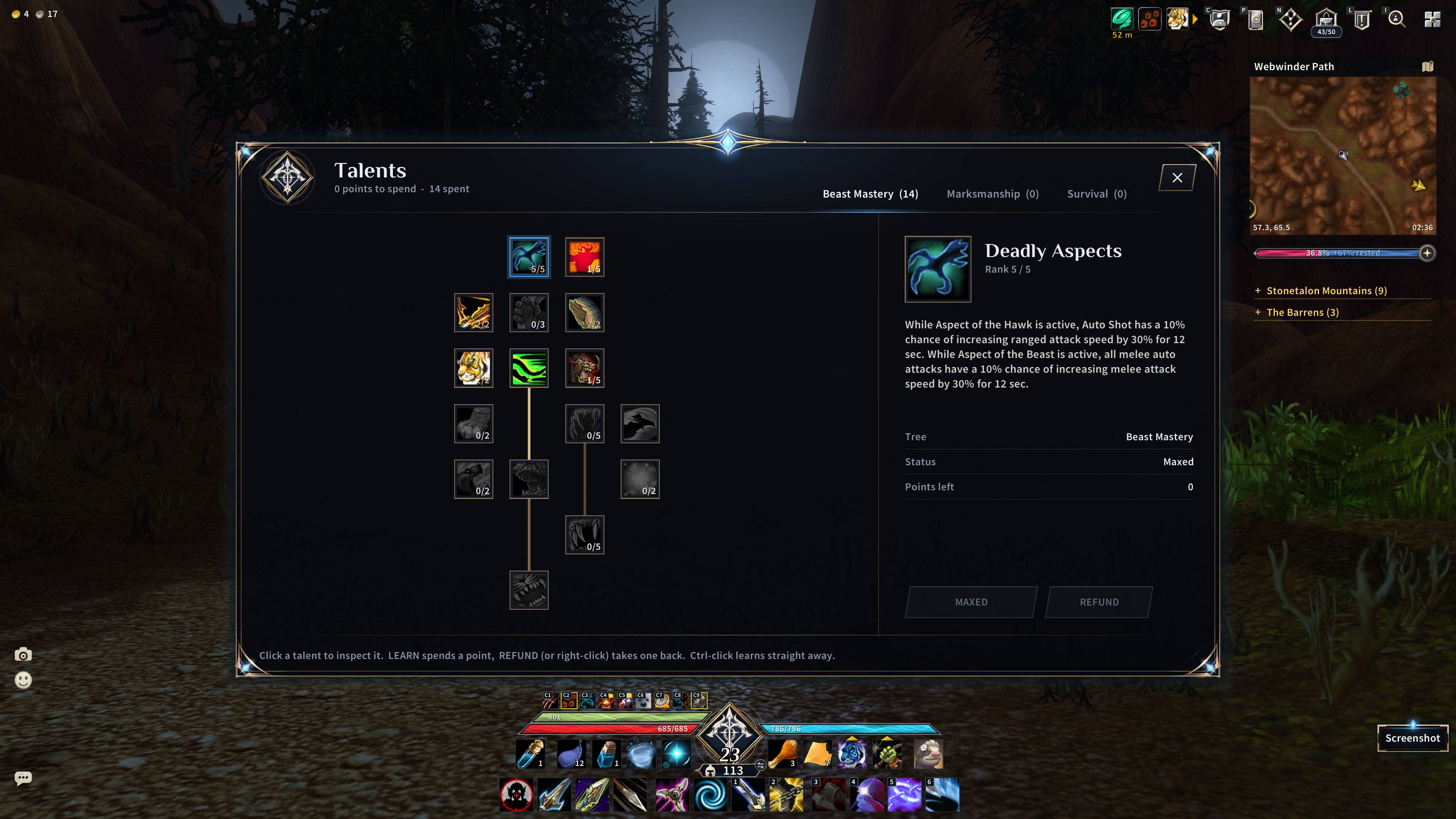
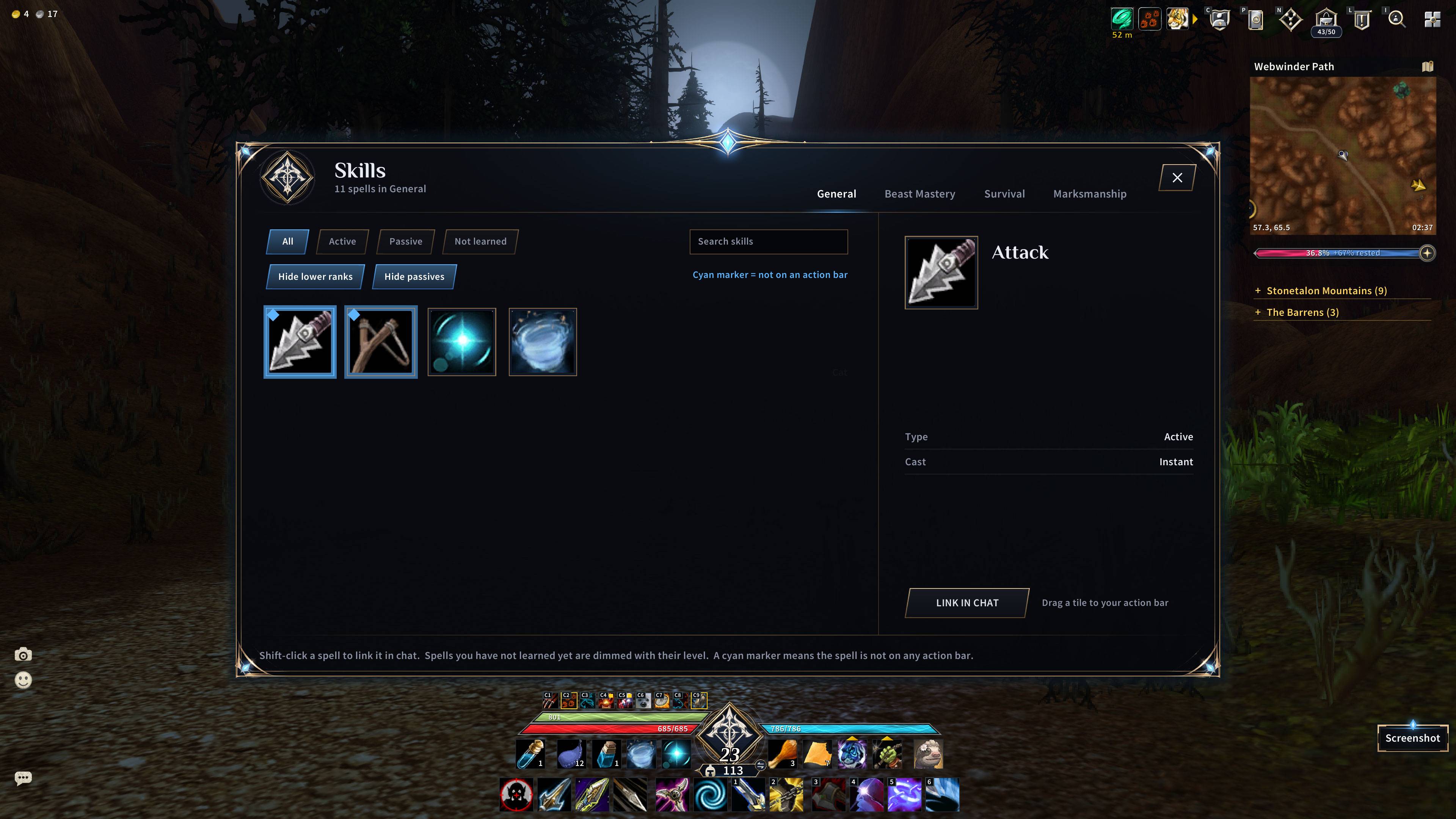
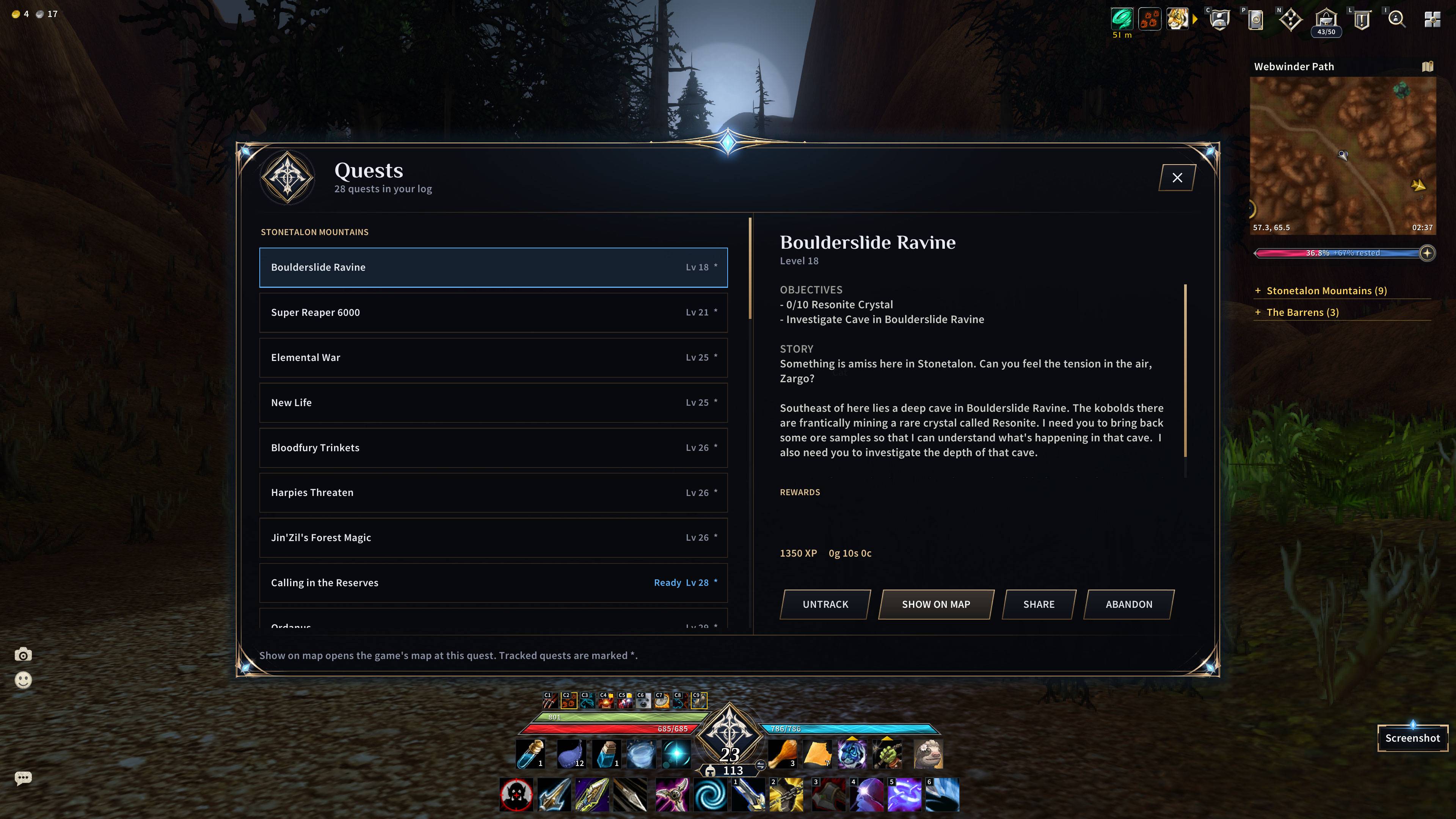
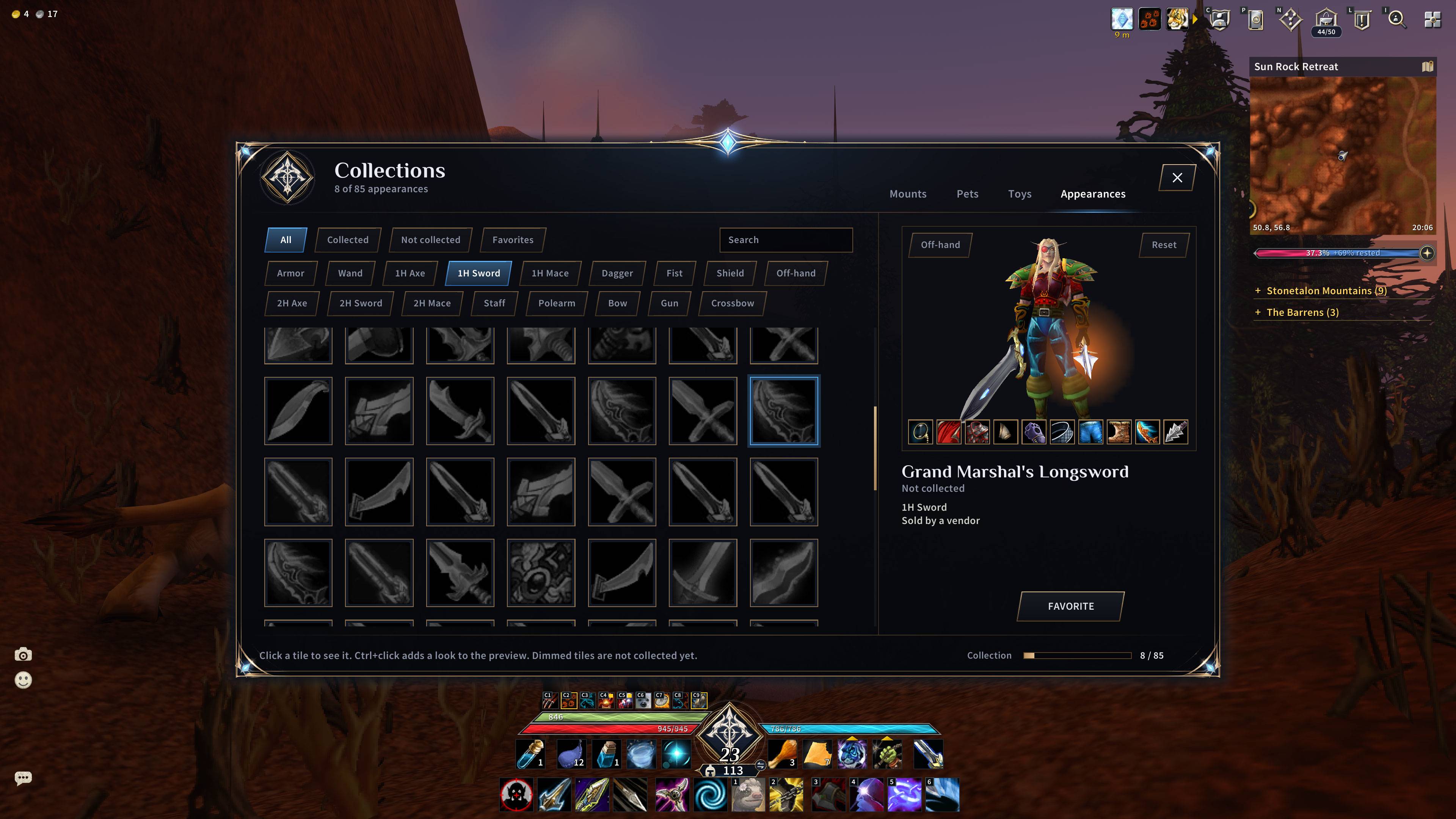
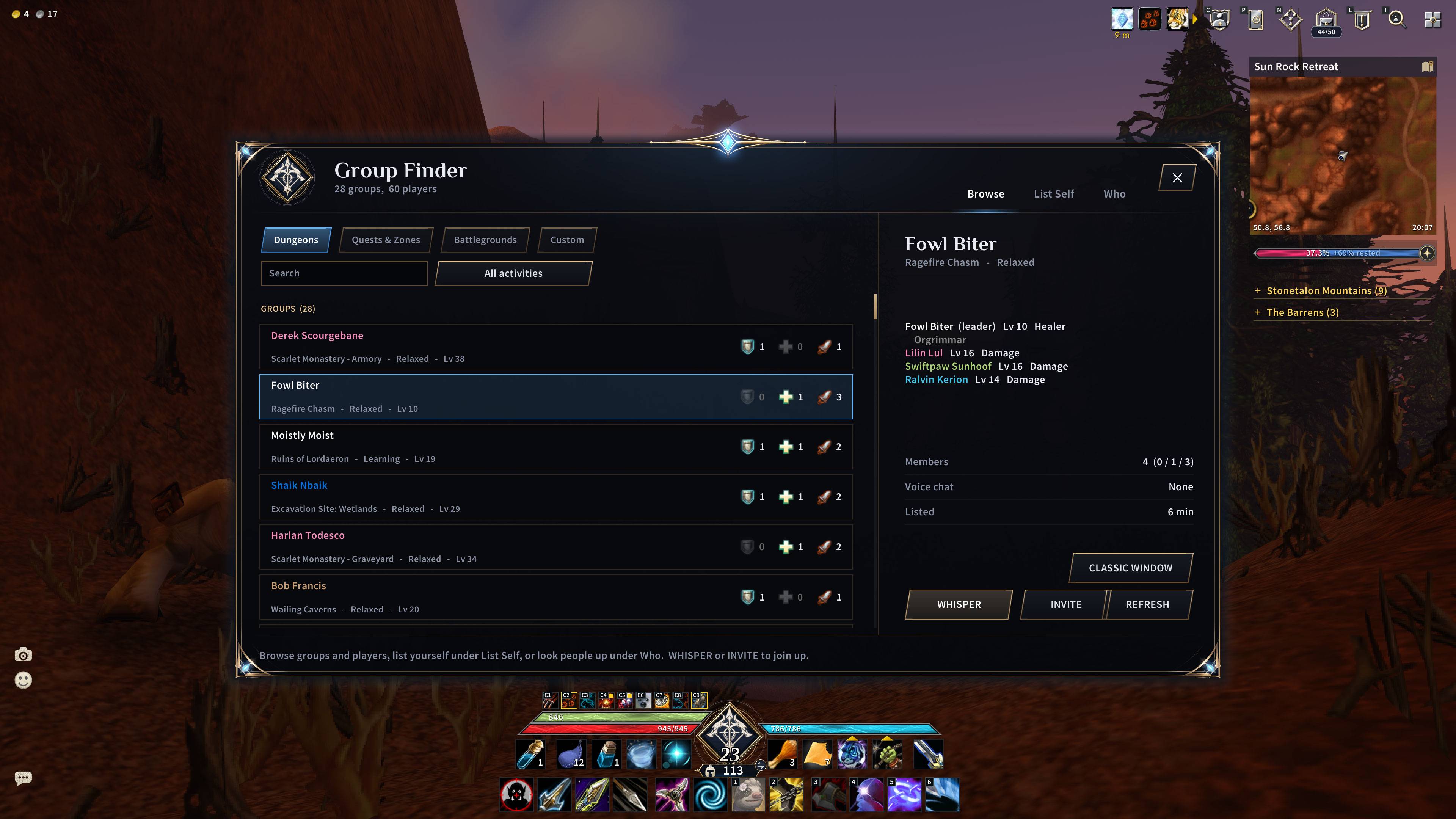
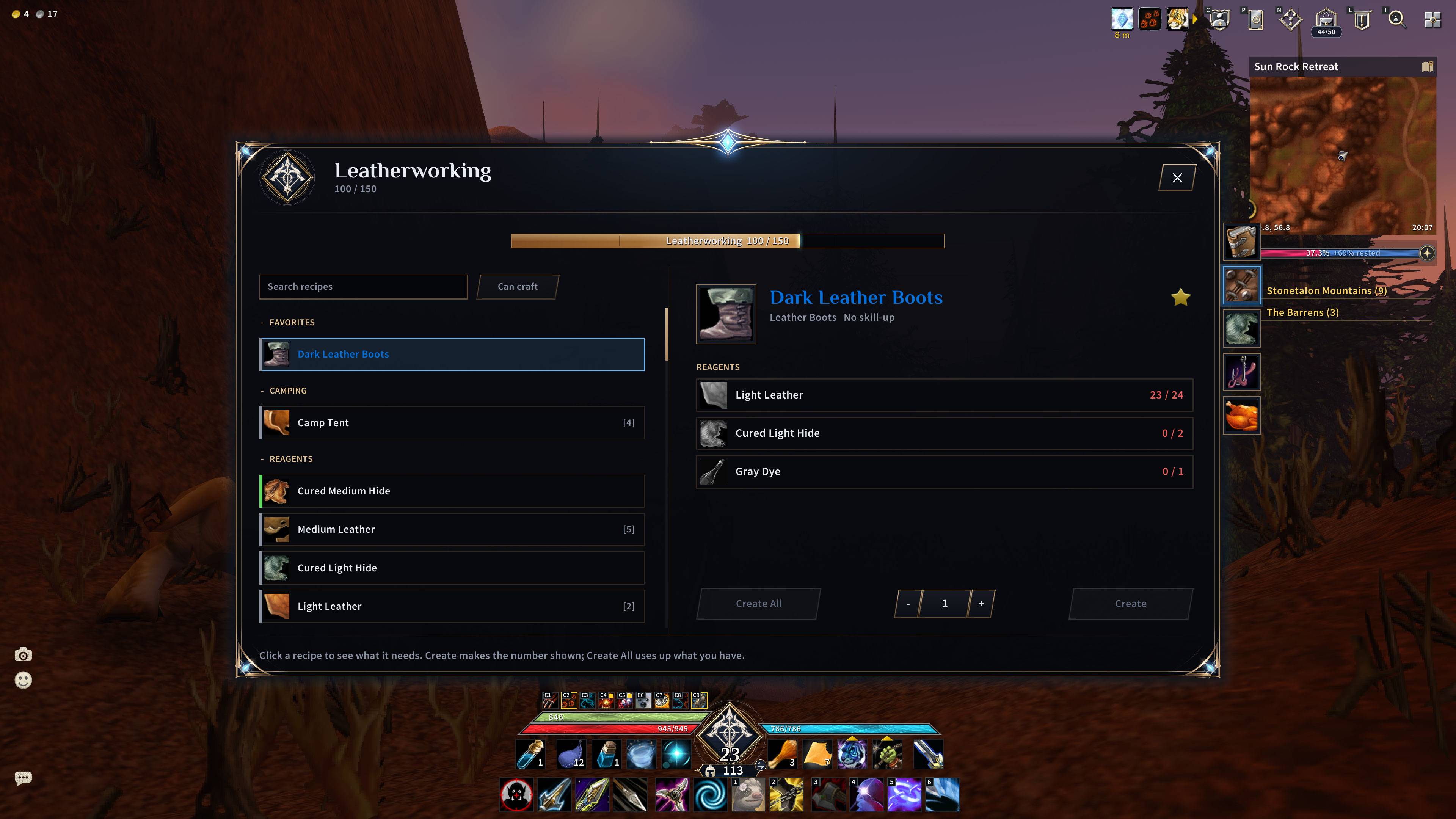
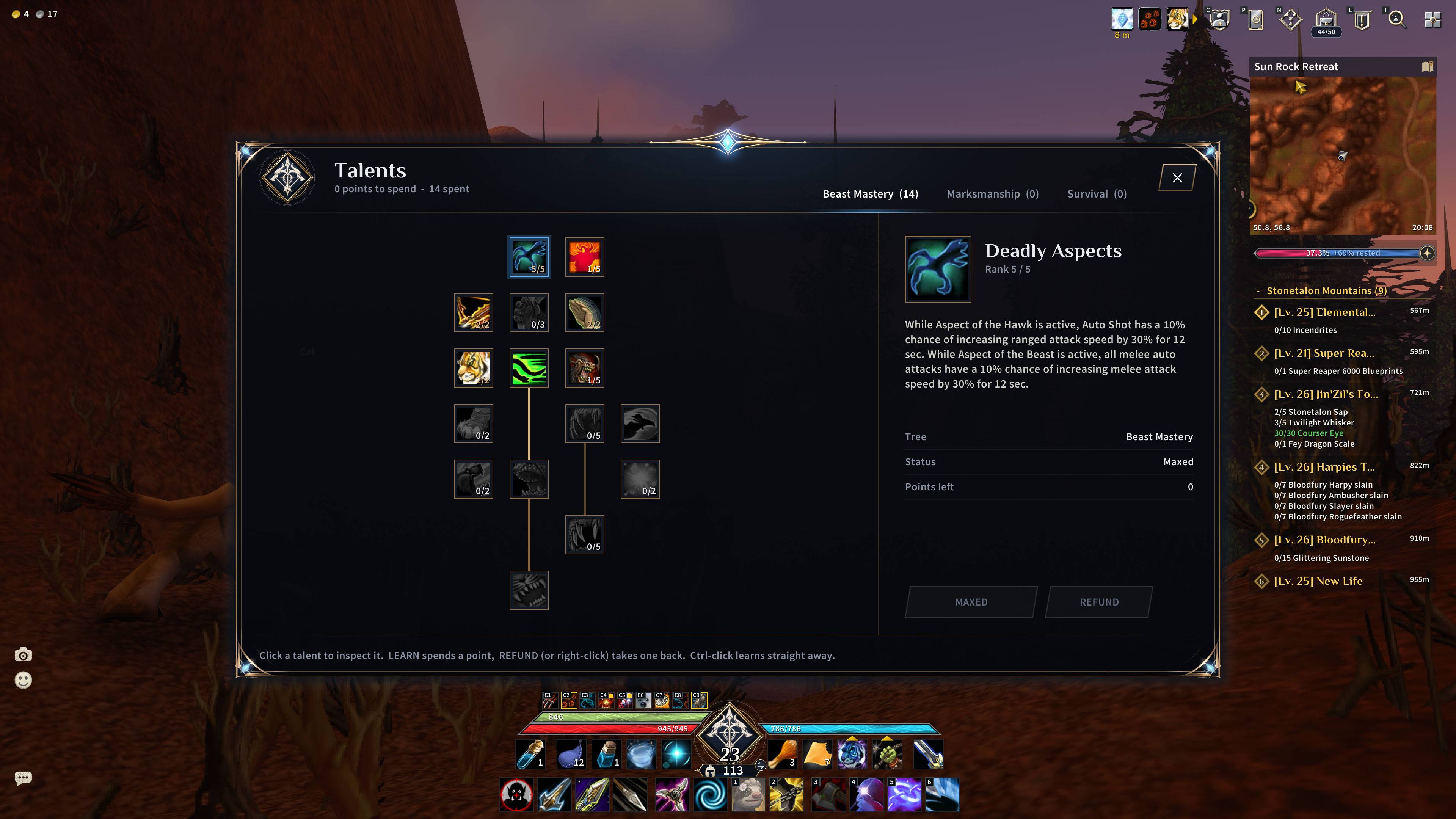
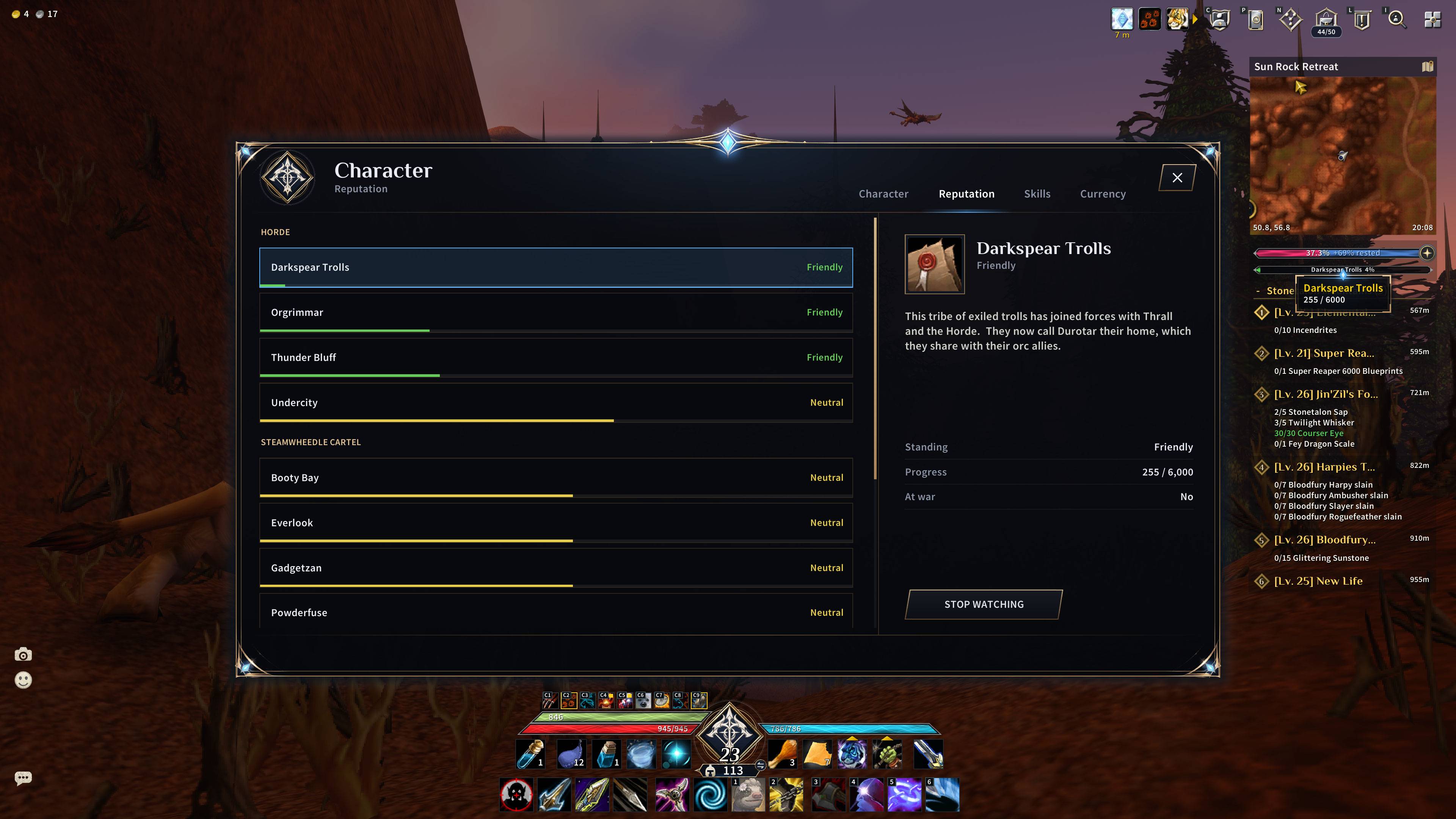
- Restyled Skills (spellbook), Character, Talents, Quests, Social, Collections (mounts, pets, toys), Professions and Group Finder windows
- Restyled NPC dialogs and pop-ups: quest, gossip, vendors, trainers, mail and more
- A Level Up Info window showing what every level gives, with every spell unlock for every class, including the abilities that are new in Forever
Helpers
- Loot feed and currency tracker
- Damage meter built on the game's own damage meter data, which can hide itself out of combat
- Sells grey items when you open a vendor
- Replaces old spell ranks on your bars when you learn a new rank
- Shows the skill needed on herb and ore tooltips
Install
- Close the game.
- Copy all three folders (
AscendUI,AscendUI_QuestDataandAscendUI_TownData) intoWorld of Warcraft\_forever_\Interface\AddOns\. With the CurseForge app, choose your Forever installation and it does this for you. - At the character screen click AddOns and make sure all three are ticked.
- Log in. Everything is on by default.
The two data folders are separate on purpose: they hold the quest and town-service positions for the map icons and load only when needed.
First steps
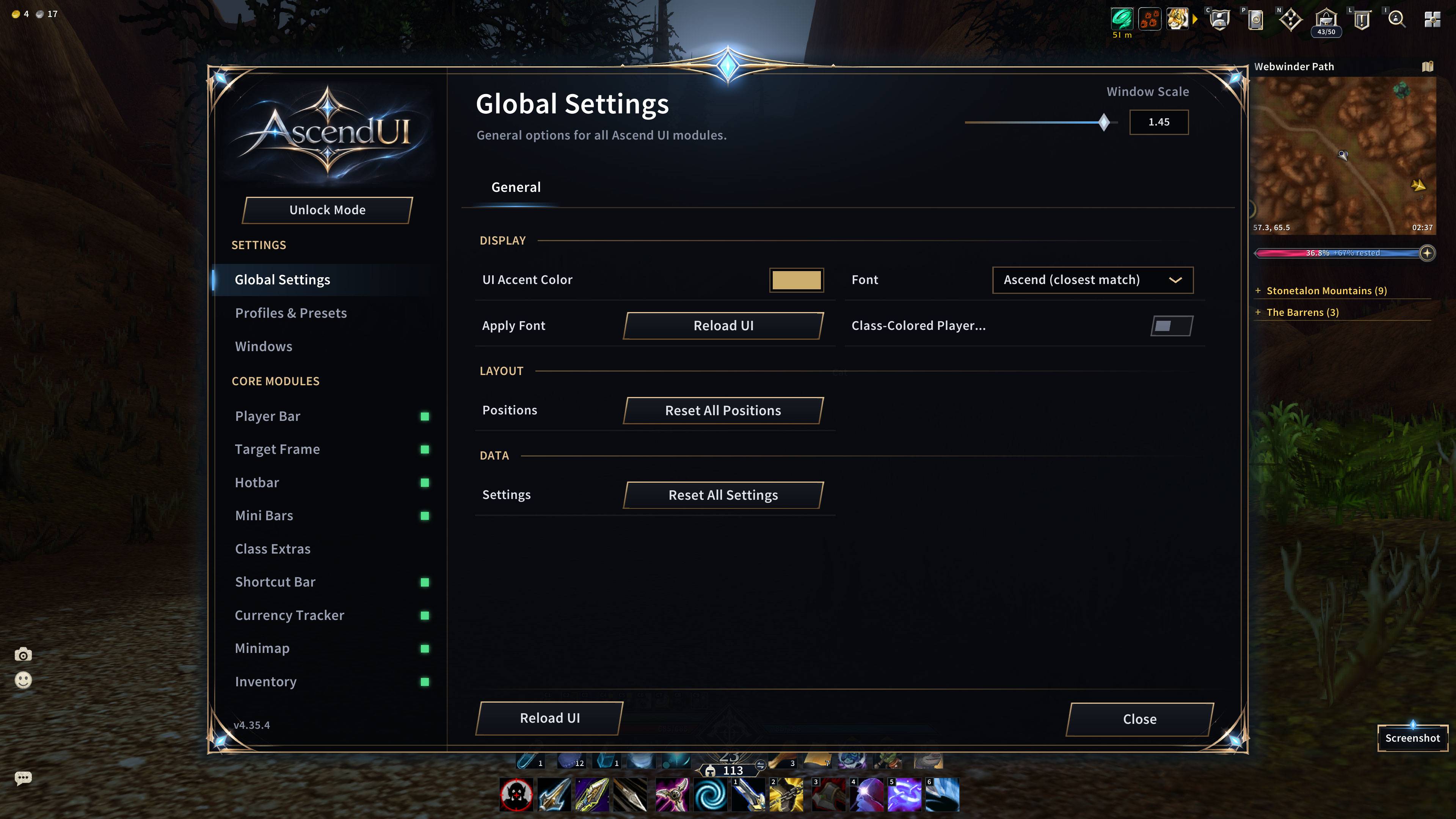
/ascendopens the settings window. Every module has its own page and a switch./ascend unlocklets you drag each piece of the UI where you want it./ascend resetputs everything back./ascendmenuopens the main menu./ascendbar2switches the optional second hotbar on or off./rlreloads the interface.- The small potion bars use Action Bar 2 and the second hotbar uses Action Bar 3. If they do not show, press Escape, open Edit Mode and tick those action bars.
- An update that changes pictures or fonts needs the game closed completely and started again.
/reloadis enough for code-only updates.
Good to know
- Sizes follow your screen resolution.
- If another addon replaces the same thing (unit frames, bags, chat, minimap, damage meter, nameplates), switch one of the two off, or they will fight over the same frame.
- Quest and town icons can be switched off in the settings. While ours are drawn, the game's matching minimap icons are hidden, and they come back when you switch ours off.
- If the optional Spoken voice-over addon is installed, AscendUI restyles its dialog windows too.
Report a problem
Install BugGrabber and BugSack, repeat what you did, and paste the error text in the comments together with your class and what you were doing. Screenshots help.
Credits and licences
- Town icon positions: a modified copy of "BV Addon Suite - Map Data" by BV, GNU GPL v2.
- Quest data: a modified copy of NetherQuester_Data by NetherUI, GNU GPL v3 or later, built from the CMaNGOS classic world database and the Forever client's map tables.
- Level stat tables: derived from CMaNGOS data, GNU GPL v2 or later.
- Fonts: Source Sans Pro (modified and renamed AscendSans), Crimson Pro and Philosopher, under the SIL Open Font License.
- In the two data folders only the global table names were changed, so they cannot clash with the originals. The data itself is unchanged. Full notices are in
AscendUI\THIRD-PARTY-NOTICES.txt. - AscendUI's own code and artwork: copyright the AscendUI author, all rights reserved.
- The nine class emblems were created with an AI image tool. The screenshots on this page are real in-game captures.
AscendUI is not affiliated with or endorsed by Blizzard Entertainment. World of Warcraft is a trademark of Blizzard Entertainment.
AscendUI Team
