
Artisan's Workshop
aw1.png
aw2.png
aw3.png
aw4.png
Description
SUMMARY
See what every crafting order is really worth, then work through your queue - shopping, crafting, selling and gold - from one place.
DESCRIPTION
Stop wasting gold on bad crafting orders.
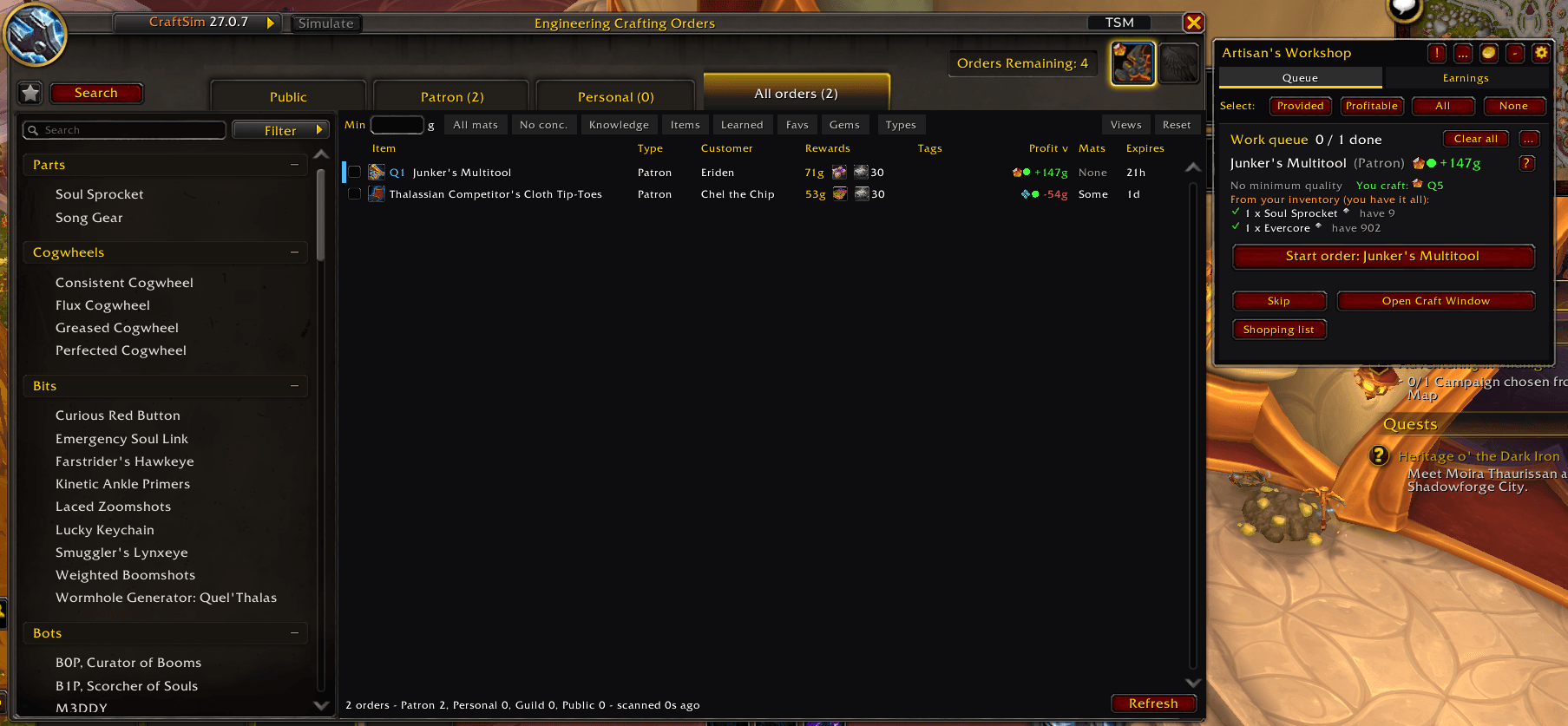
Is that Patron order with a Q1 reagent bag and 30 Moxie actually worth doing? How much will the materials cost? Can you even craft it at the quality the customer wants?
Artisan's Workshop answers these questions before you accept an order, then walks you through the orders worth doing, one click at a time.
See what you're actually making
Every order shows two numbers, like +50g (+80g).
- Profit is real gold: the commission after the consortium cut, sellable reward items and Moxie, minus the materials you supply.
- Value adds the rest: knowledge points and other rewards at the values you set, minus the concentration the order uses.
- Uses your actual stats: your gear, specializations and buffs decide the quality you can craft.
- Finds the cheapest materials: higher reagent qualities are used only where the minimum quality needs them, and concentration only when it is required or cheaper.
- Shows how reliable the estimate is: green is solid, amber depends on an assumption, grey means information is missing. Hover an order for the full breakdown, or click ? for a plain explanation.
All your orders in one place
Patron, Personal, Guild and Public orders share one All orders tab, most profitable first. Sort by any column, filter, and save views for later.
A queue that keeps track of everything
Pick the orders you want and the Queue beside your profession window walks you through each one:
Start order → Craft → Complete
The buttons stay in the same place, so you can click through an order without moving the mouse.
- Shows the quality the customer asked for and the quality you'll craft.
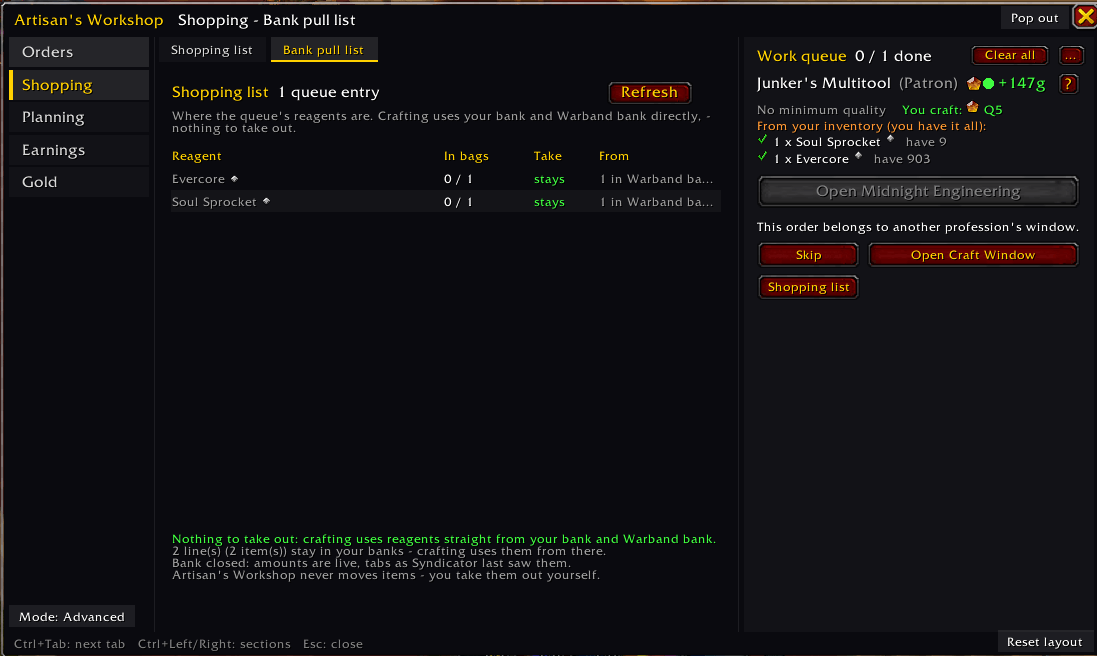
- Checks your bags and lists what's missing. Orders you already have everything for come first.
- Boost shows what it costs to craft at the recipe's best quality.
- Personal orders that would come out below the best quality ask before crafting.
- Missing an intermediate you can craft yourself? It is queued first.
- Put
/aw nexton a key to step through the queue, one step per press. - Optional: use your hoarded finishing reagents (Resourceful Rebar, Ingenious Identifier, Multicraft Matrix) on the crafts where they pay.
Buy what's missing
Everything your queue still needs lands on the Shopping list, which opens with the auction house. Buying is three clicks per material: Find, Buy, Confirm.
A price guard refuses anything too far above the market price (25 % by default). Your bank and Warband bank are counted, so you don't buy what you already own.
Use your spare concentration
Sell crafts ranks each profession's recipes by gold earned per concentration point. Star the ones you like and one button queues as many as your concentration pays for. You post the results yourself.
Keep track of your gold and progress
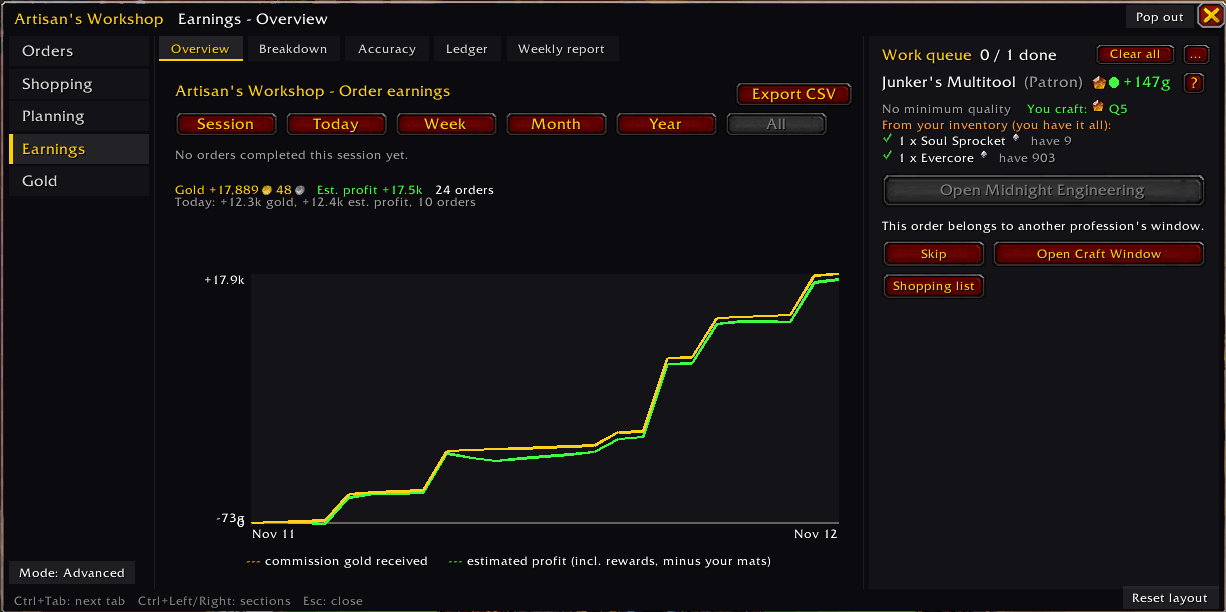
- Earnings: today, the last 30 days and the last year, with graphs and breakdowns by profession, order type, customer and item. Compare estimates with actual earnings and export to CSV.
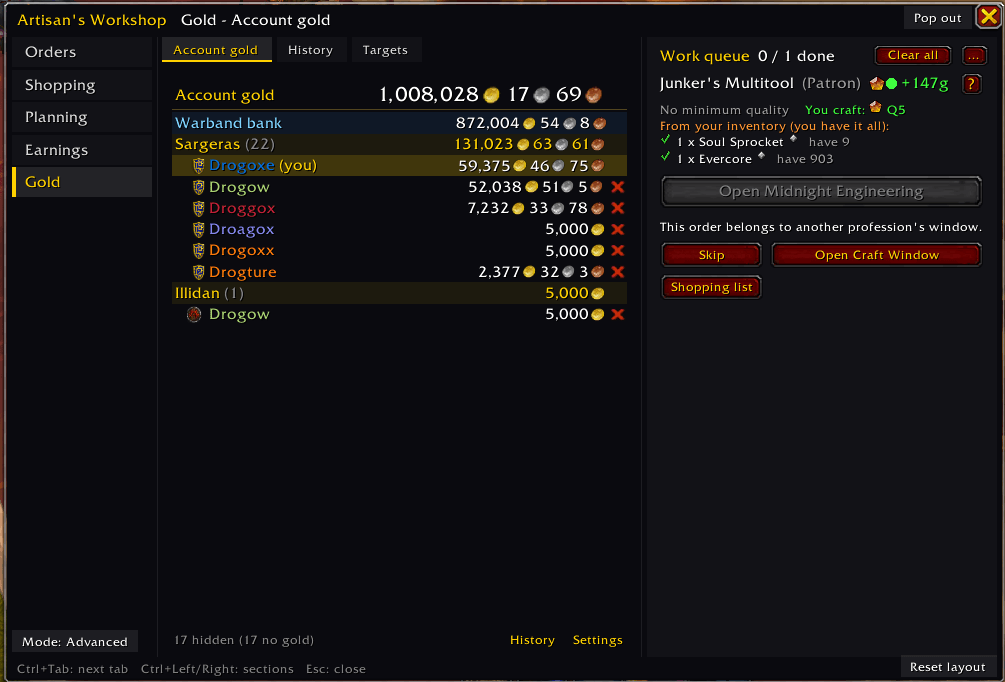
- Account gold: hover your bag gold to see every character and realm plus your Warband bank, with a history graph.
- Gold targets: set how much gold each character should hold. At the bank, one click moves the difference to or from your Warband bank.
- Planning and weekly: knowledge points, concentration and Moxie shop planners, plus a weekly checklist, goals and reports.
Nothing happens by itself
The addon never claims, crafts, buys or posts on its own: every action is your click, one action per click. Optional extras, such as bank transfers made for you when you open the bank, are off until you turn them on. Updating never changes a setting you saved.
Requirements
- TradeSkillMaster or Auctionator: one is required for pricing data. Choose which in the settings.
- Syndicator / Baganator: optional. Used for gold and inventory across your alts.
- Other addons: works alongside CraftSim, CraftScan and other profession addons.
Slash Commands
| Command | Description |
|---|---|
/aw |
Open the main window |
/aw settings |
Open settings |
/aw help |
Show all commands |
/aw next |
Go to the next queue step |
/aw shop |
Open the shopping list |
/aw sell |
Plan crafts to sell |
/aw earnings |
View earnings |
/gl |
View account gold |
/aw why |
Run diagnostics |
If something doesn't look right, type /aw why and paste the results in the comments. For blocked actions or errors, /aw log shows what the addon recorded.
Artisan's Workshop Team
