ArmoryForge Export
- By
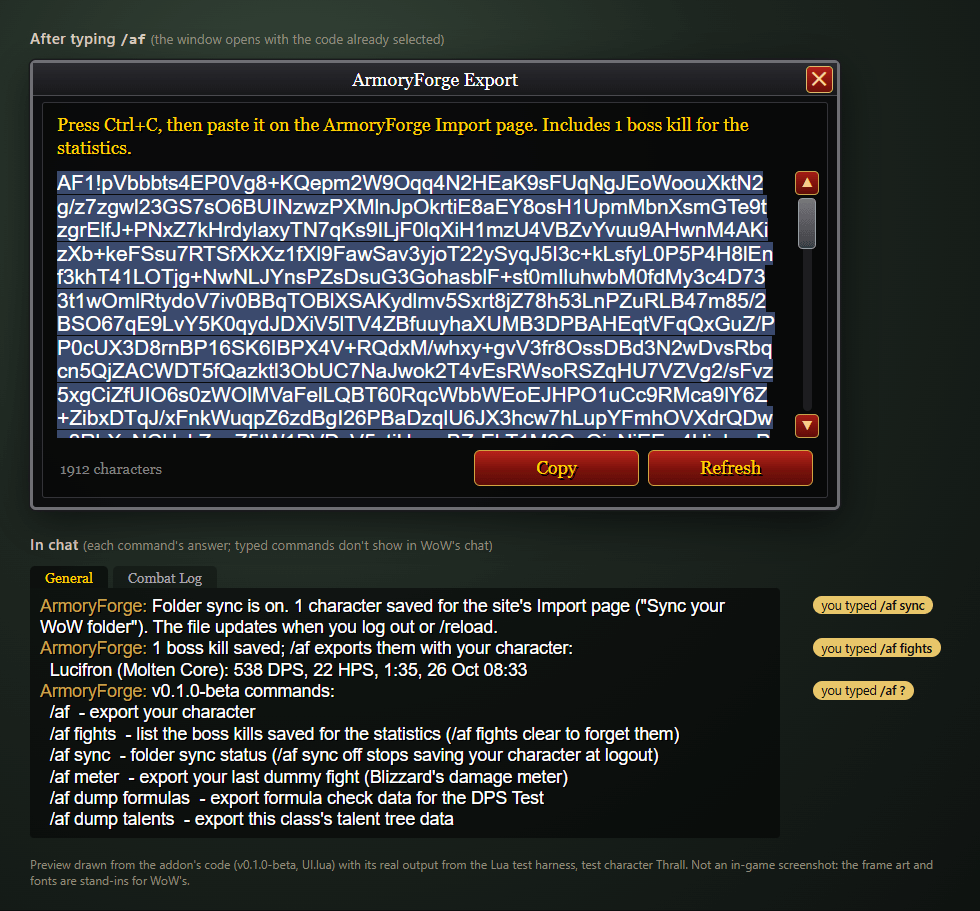
Type /af in game, press Copy and paste the export on armoryforge.net.
03-dps.jpg
Description
Your character, on the web
ArmoryForge Export packs your WoW Forever character into one string. Paste it on armoryforge.net and you get a full armory page: every item with its enchants, your character sheet stats and combat ratings, talents, professions and buffs.
Beta: 0.1.0-beta is the first public test version. Feedback is welcome in the comments.
How to use it
- Type
/afin game. The export window opens with your string already selected. - Press Ctrl+C.
- Paste it on armoryforge.net/import.
The addon never talks to the internet and changes nothing in game. It only reads what your character sheet, talents and spellbook already show.
See it on armoryforge.net
The character and rankings in these pictures are example data.
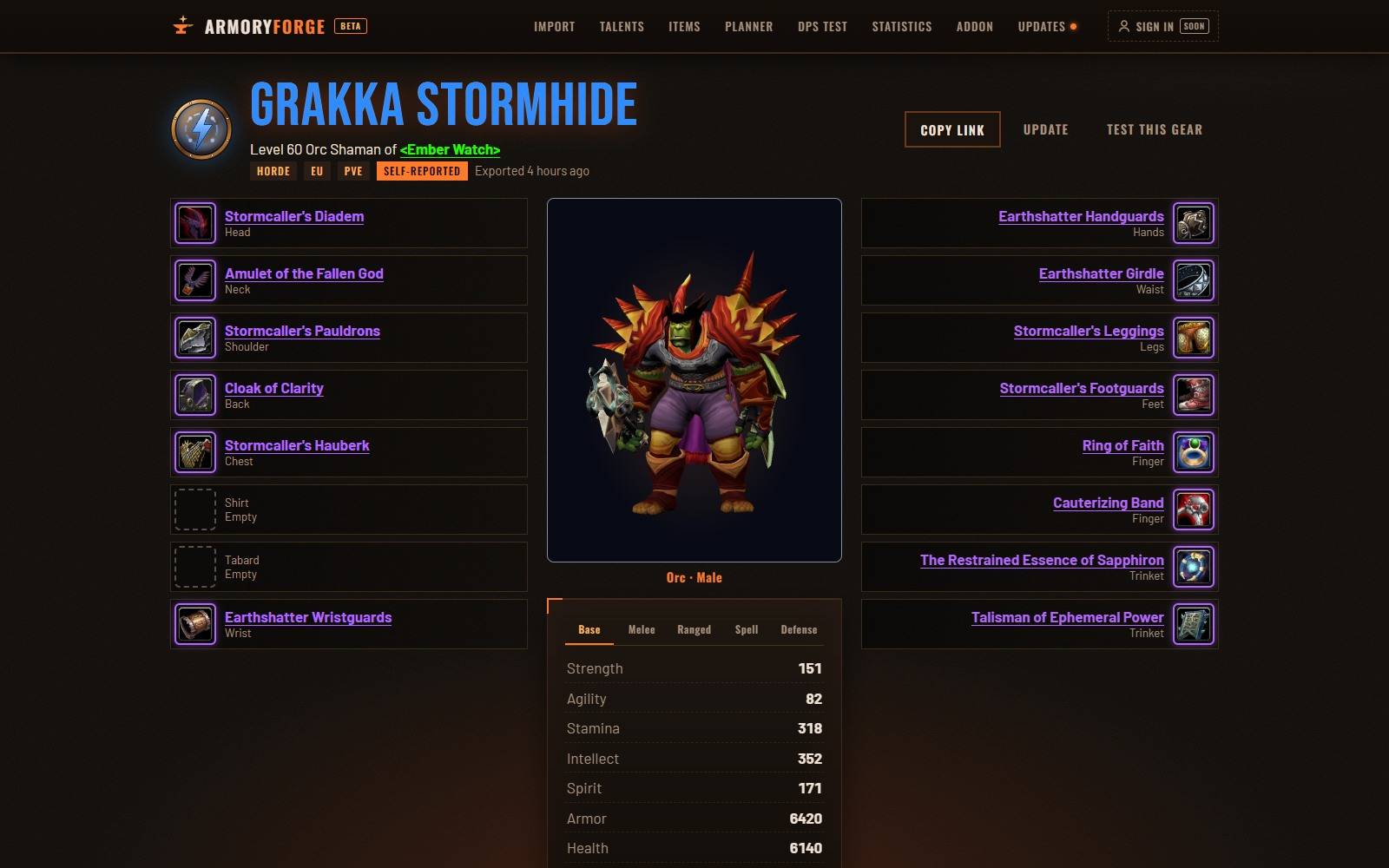
Your armory page: every item, stat and talent, and your character in 3D wearing its gear.
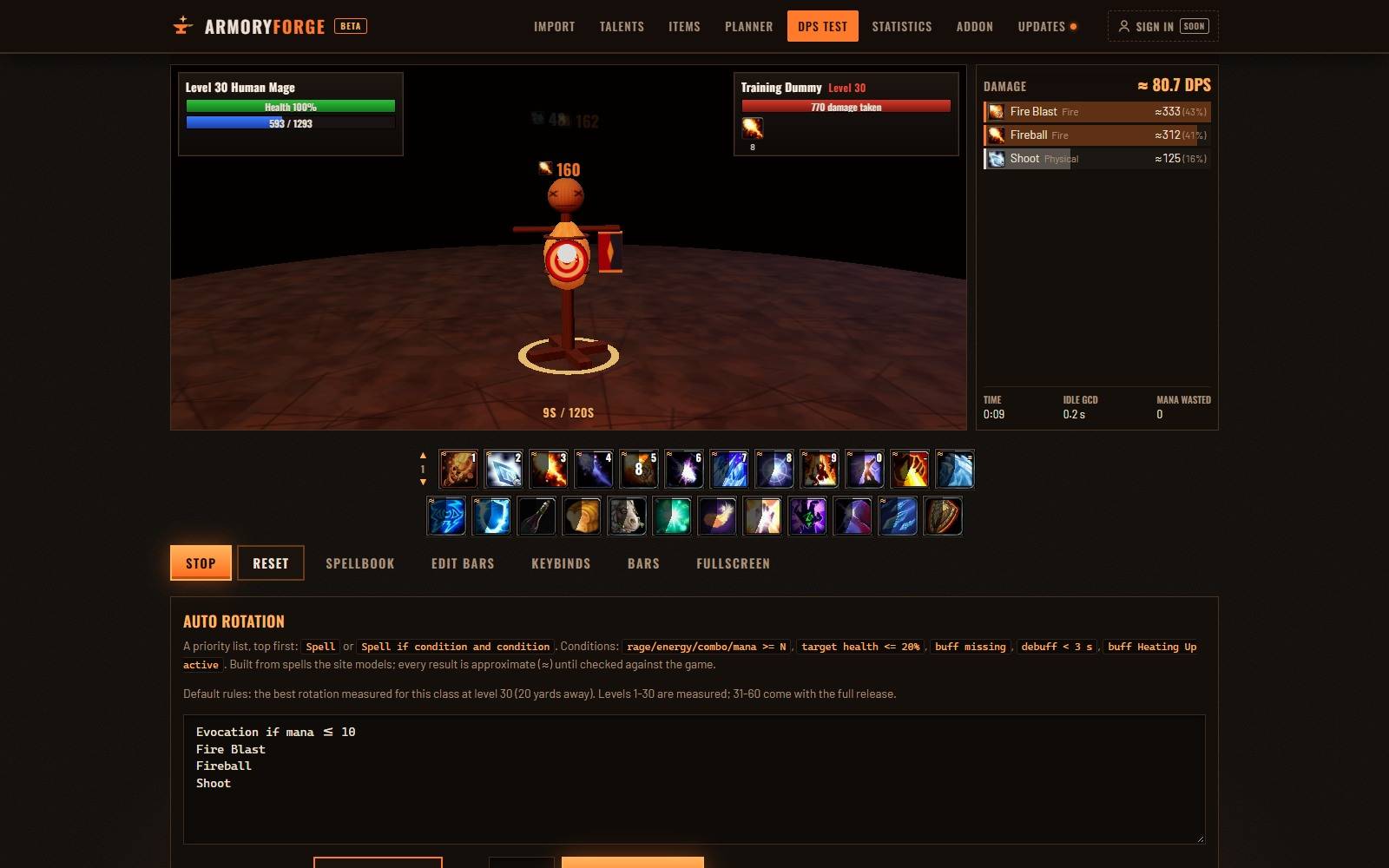
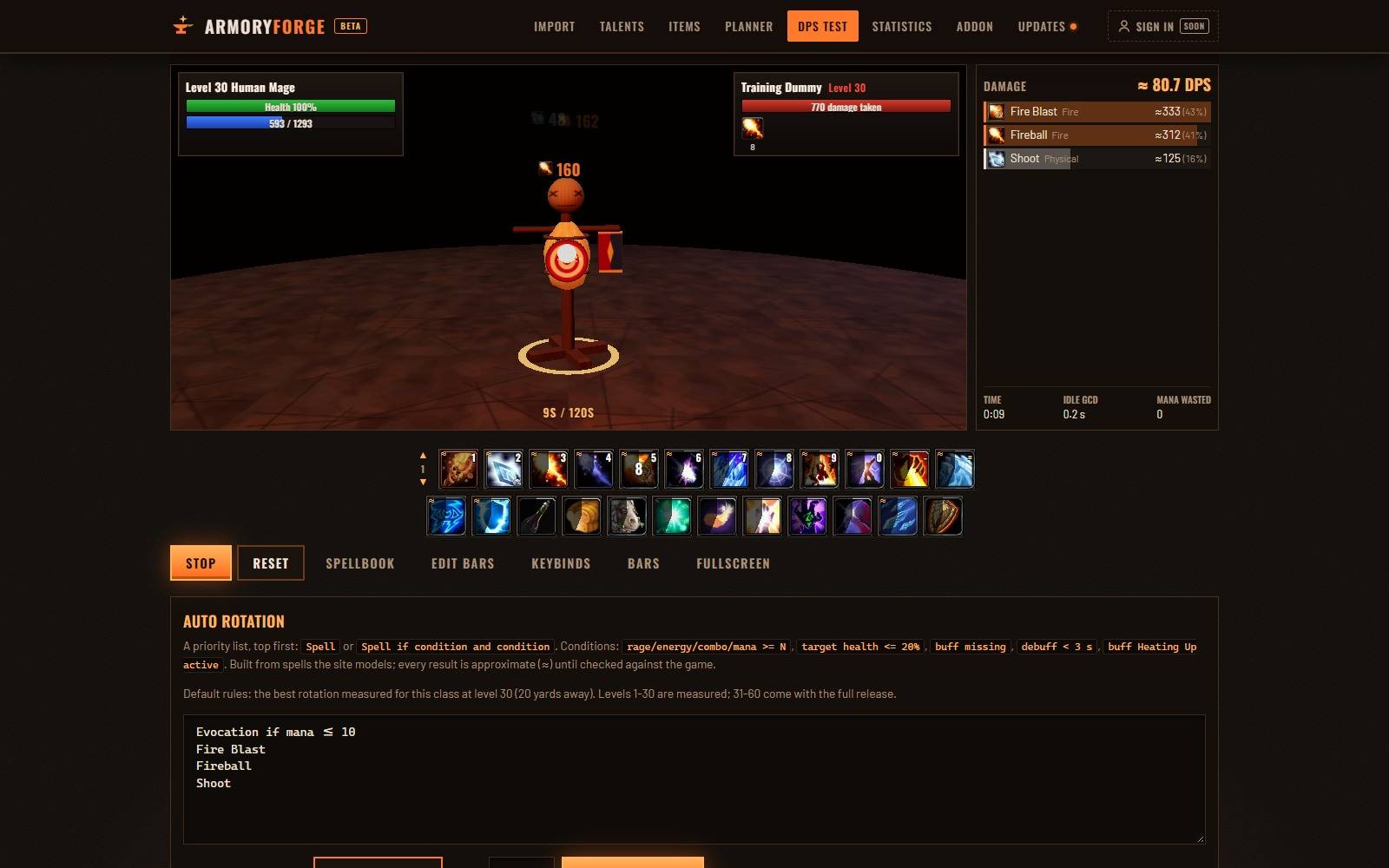
DPS Test: hit a training dummy with your spells, or let the auto rotation run 1,000 fights. Open it from your armory page to test your own gear.
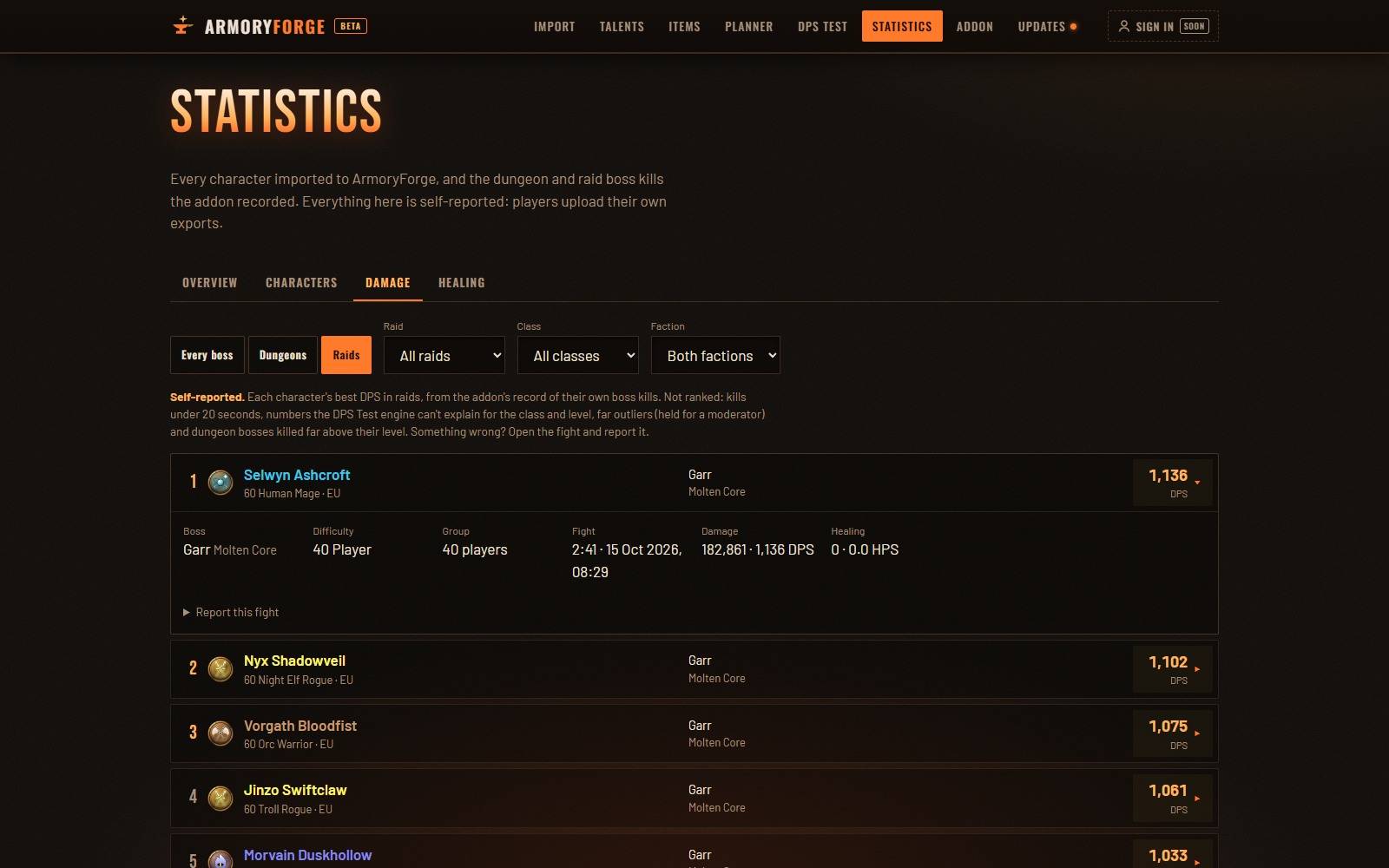
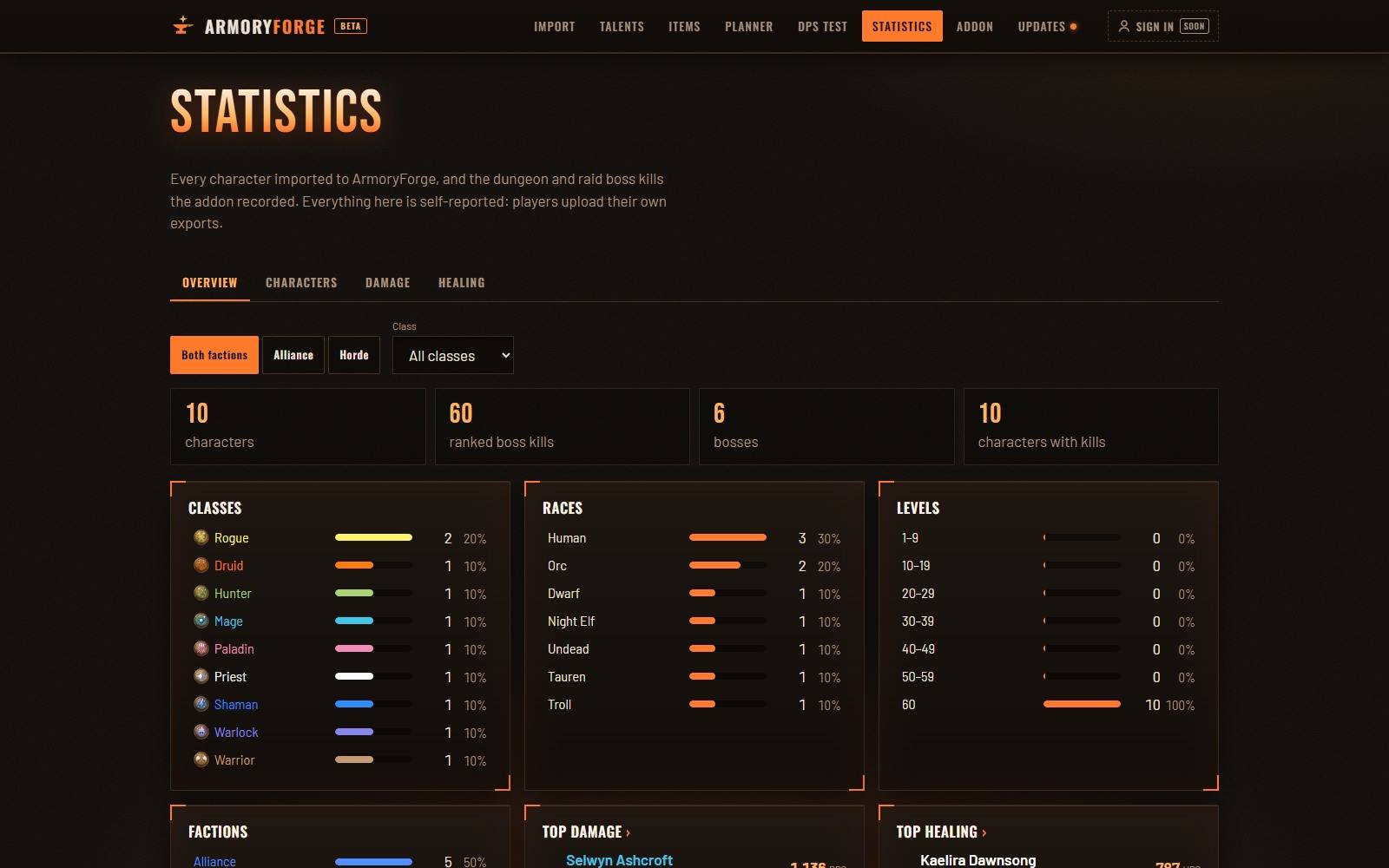
Statistics: the dungeon and raid boss kills the addon records, ranked by DPS and HPS, plus every imported character by class, race and level.
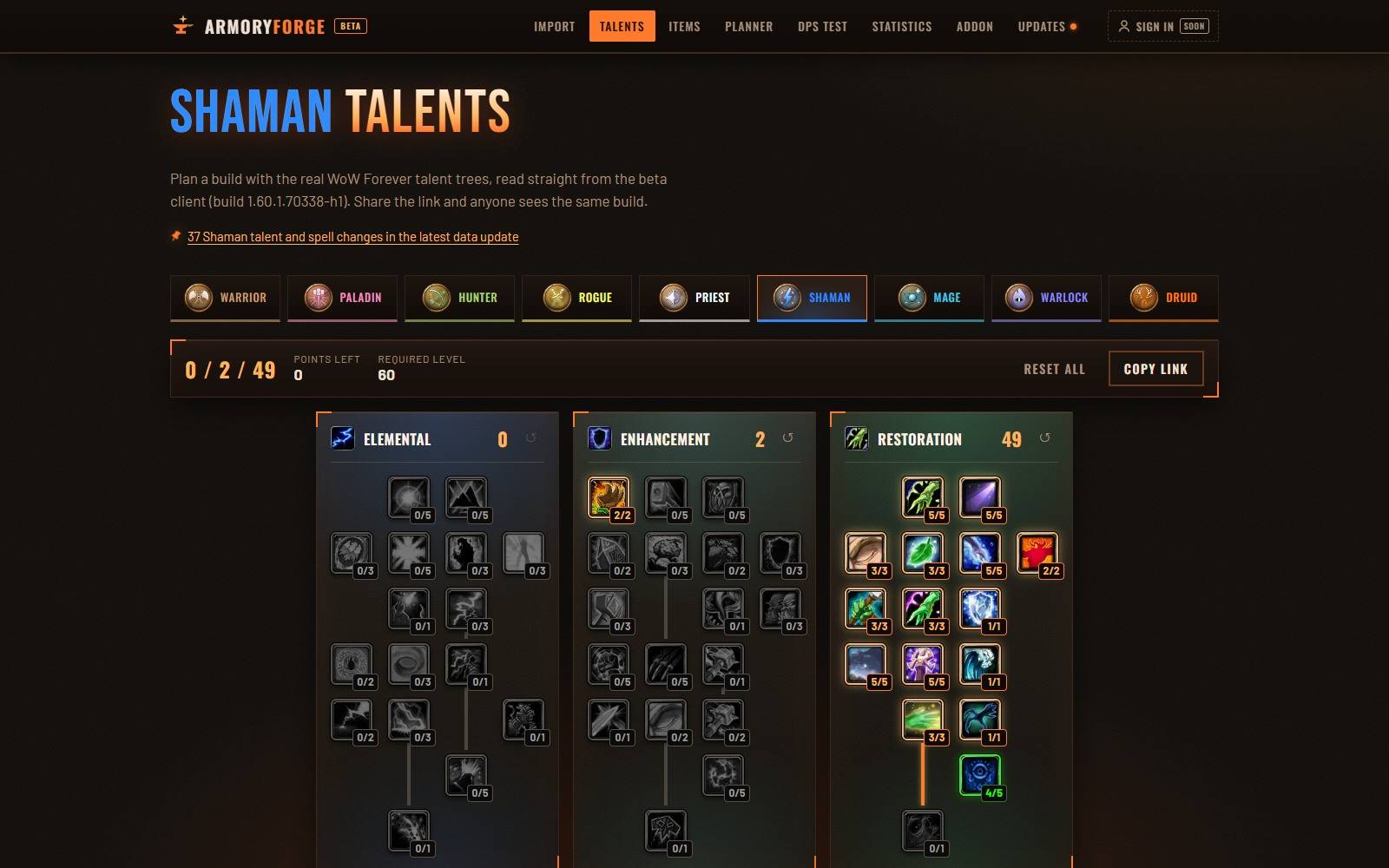
Talent calculator: the real WoW Forever talent trees. Share a build with one link.
Gear planner and item pages: try items on a 3D character and compare stat totals; every item has its tooltip, set bonuses and 3D model.
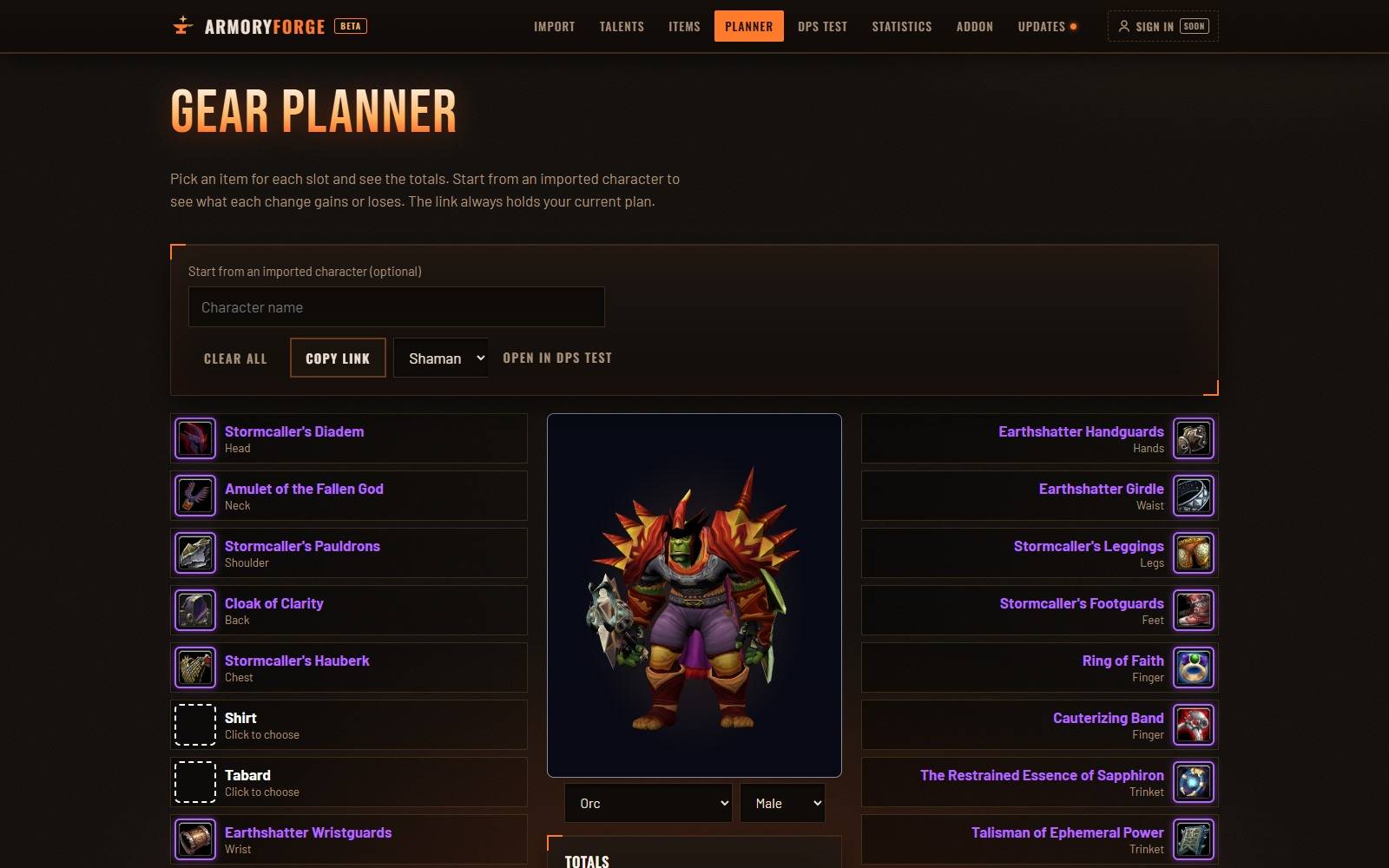
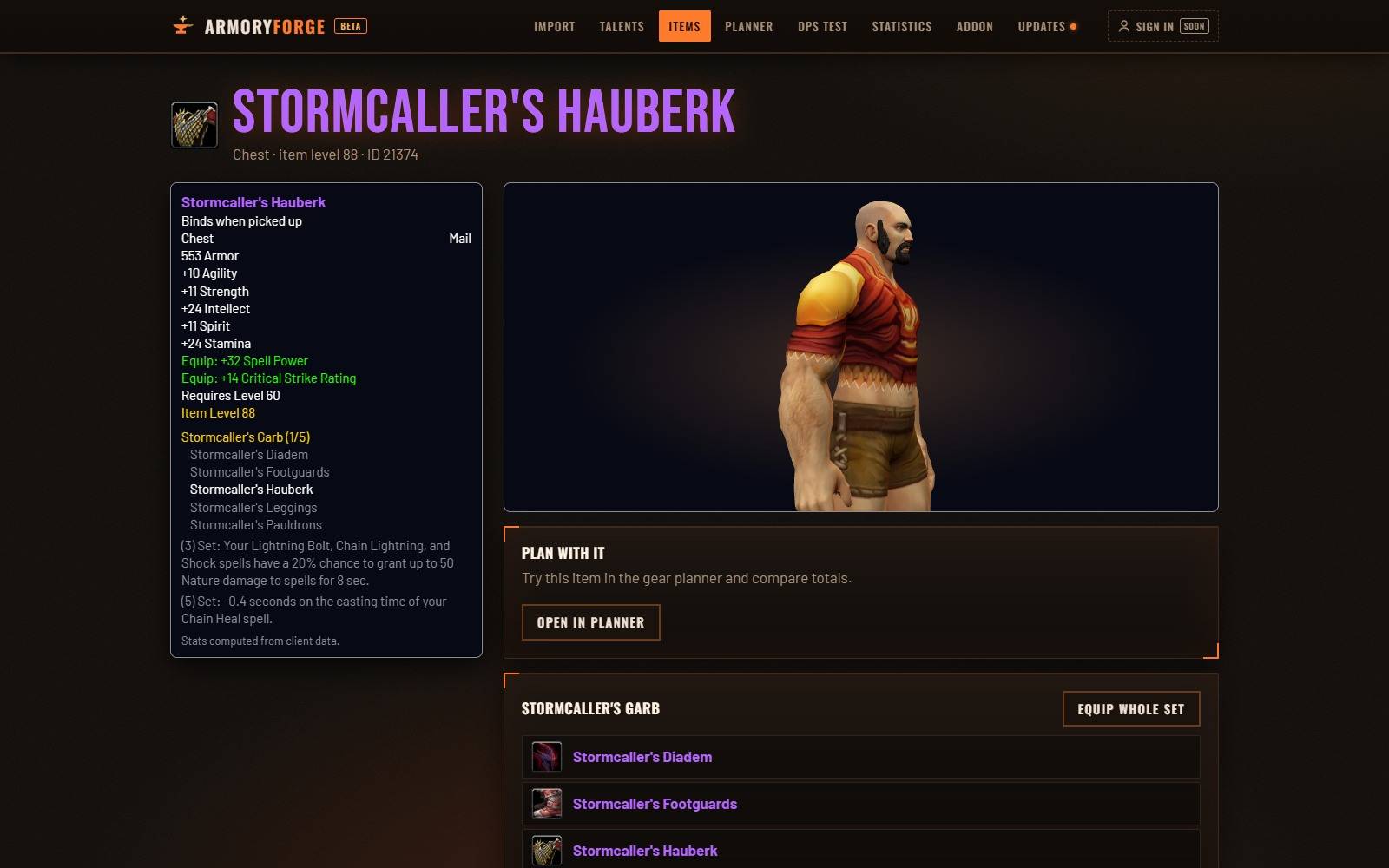
What it exports
- Gear with enchants, character sheet stats and combat ratings
- Talents from Forever's talent trees, professions and active buffs
- Spellbook, action bars and keybinds, for the site's DPS Test (macros export only the spells they cast, never their text)
- Your dungeon and raid boss kills, with your damage and healing from Blizzard's damage meter, for the site's statistics
Commands
/af- export your character/af fights- list the boss kills saved for the statistics (/af fights clearforgets them)/af sync- folder sync status (/af sync offstops saving your character at logout)/af meter- export your last training dummy fight (Blizzard's damage meter)/af dump formulas- export formula check data for the DPS Test/af dump talents- export your class's talent tree data/af help- list the commands
Folder sync
Every character is saved when you log out or /reload, so the Import page's Sync your WoW folder (Chrome, Edge or Opera) uploads them all in one click. It reads only this addon's saved file.
Good to know
- Stats are read as your character sheet shows them, so active buffs count. Export without buffs for clean numbers.
- The export window doesn't open in combat.
- Character pages are self-reported: players upload their own exports.
Fan project. Not affiliated with or endorsed by Blizzard Entertainment.
ArmoryForge Export Team