Arc Weave
- By
Weave abilities and pet commands into your swing rhythm. Next-melee ticks on the swing timer, queued next-attack abilities, and pet attack on your own buttons. WoW Forever.
Weave abilities and pet commands into your swing rhythm, in WoW Forever.
No macros needed. /arcweave opens the options.
Next Melee Weave
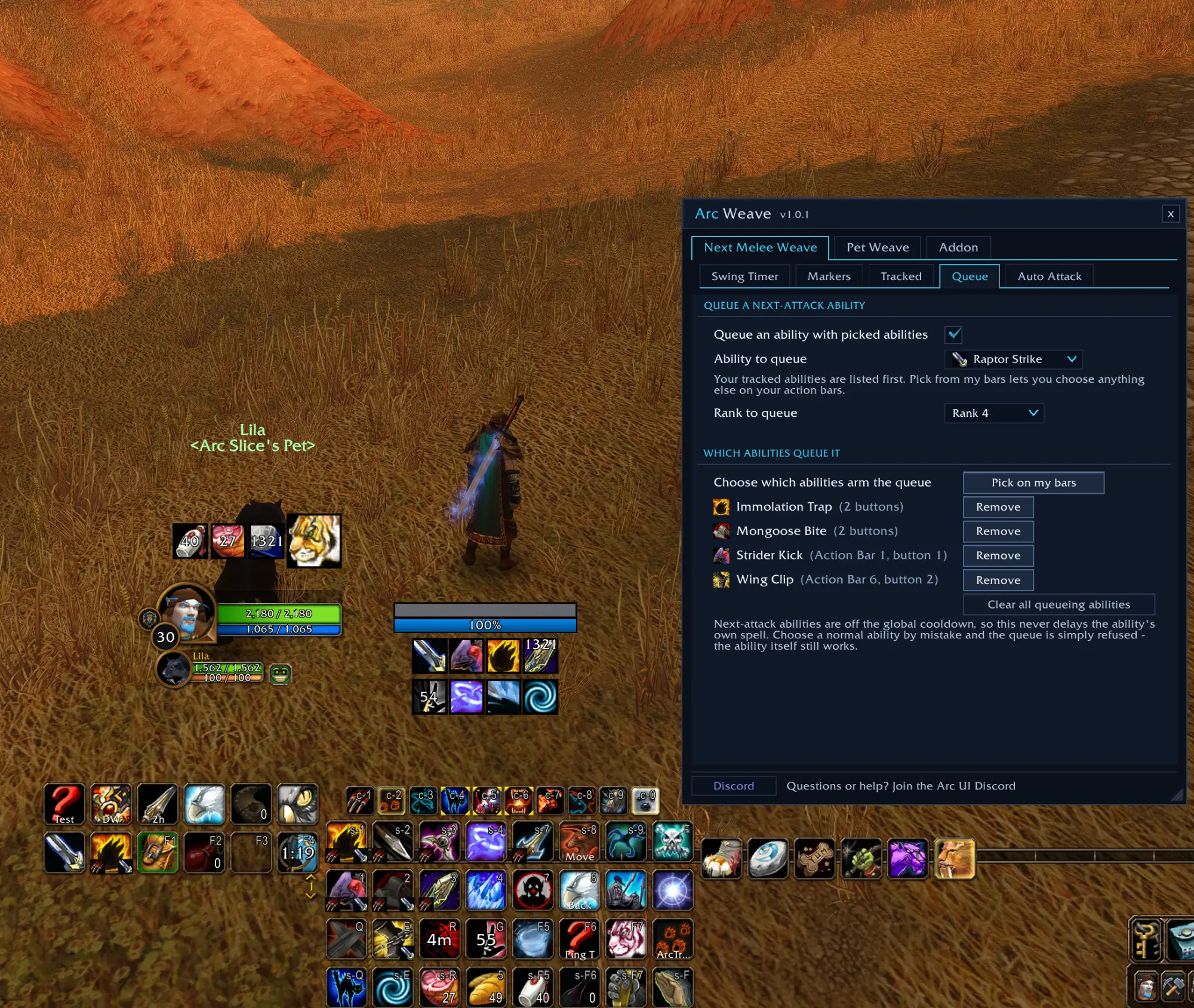
- Queue a next-attack ability - pick the ability to queue (Raptor Strike, Heroic Strike, Maul, Cleave) and then pick which of your abilities queue it. Press Mongoose Bite, Wing Clip or drop a trap, and Raptor Strike is queued for your next swing at the same time. It stays queued even if you spam the button.
- Pick the rank to queue - your highest rank by default, or a specific rank, for example a cheaper one.
- Ticks on the swing timer - your next-melee abilities drawn on Blizzard's swing bar, so you can see when each comes back and on which swing it lands. Gold = back during this swing, amber +N = N swings out, green = ready, blue = queued, red = further out.
- Queued marker - a queued ability's tick stays where it came back, jumps to where the swing lands, or rides the swing bar until the attack lands.
- Queued swing bar color - the swing bar changes color while an ability is queued, with its own color for each ability.
- Off-hand lane - the same ticks on the off-hand bar when you dual-wield.
- Start your auto attack - picked abilities also start your auto attack on your target.
Pet Weave
- Send your pet from your own buttons - pick the abilities that should also send your pet at your target, on their keybinds and on mouse clicks. The ability itself still casts normally.
- Pet abilities by family - have a pet family use one of its own abilities instead of attacking, like a Wind Serpent's Lightning Breath. Afterwards it can keep fighting, stay where it is, or follow you so it never runs into melee. Pets without a rule attack as before.
- Pet choice per ability - each picked ability can follow your pet rules or always send your pet in to attack.
- Stays out of the way in vehicles and pet battles - your keybinds go back to normal there automatically.
How picking works
You pick abilities by clicking them on your action bars. Picks follow the ability, not the slot: move it to another button and it keeps working, and a second copy on another bar works too. Macros on your bars can be picked too. Small corner markers show what each picked button does.
Needs Blizzard's swing timer turned on for the tick display.
Made by Arc. WoW Forever only.
Arc Weave Team

Owner