Arc LFG Filter
- By
Filter the Looking For Group list by role, class and open spots, hide groups with classes you don't want, and whisper players you invite. Made for WoW Forever.
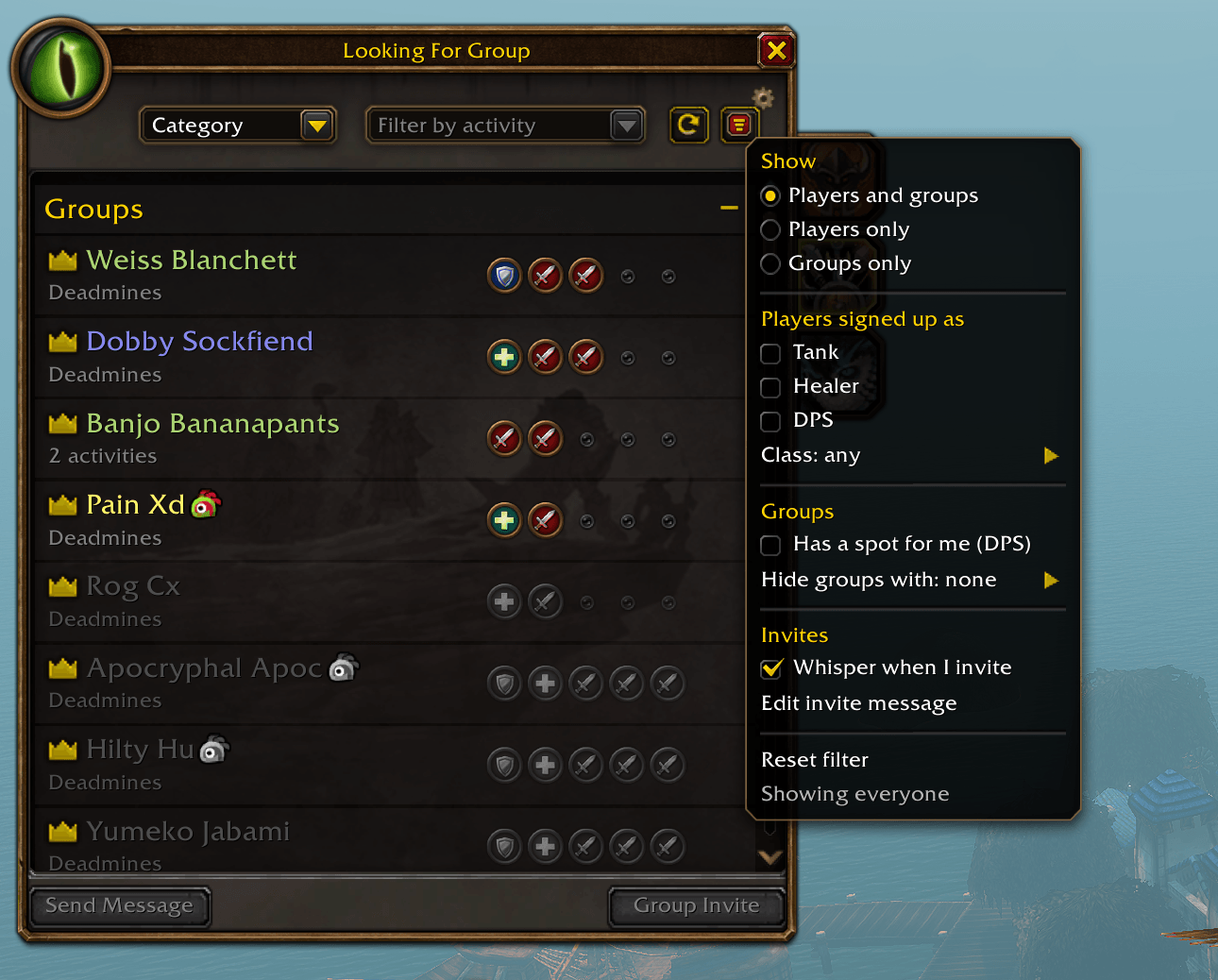
Filter by role and class, show only players or only groups, find groups with a spot for you, hide groups with classes you don't want, and whisper the players you invite.
Description
Arc LFG Filter adds a filter to the Looking For Group window in WoW Forever. A funnel button next to the refresh button opens the menu.
Find the players you want
- Role: Tank, Healer, DPS, or any mix
- Class: one or more classes, combined with the role filter, so DPS plus Mage shows only DPS mages. Every class is listed with how many are in the list right now
- Minimum level: type a level, for example 18 or 50, to see only players at or above it
- Players only or groups only, so you are not reading listings you cannot use
Find the groups you want
- Has a spot for me: only groups with an open slot for the role you are queued as
- Open spot for: pick Tank, Healer or DPS and see only groups still missing one
- Already has: only groups that already found the roles you pick, for example a group that has a tank
- Hide groups with: skip any group that has a class you do not want
When you are the one recruiting
- Whisper queue: while your group is listed, everyone who whispers you lands in a Whispers section at the top of the list, with their class, level, the roles they signed up as and where they are, plus Invite and Reply on every line. Someone standing in your zone is marked "here". It clears itself when your group fills or you delist. Off until you turn it on.
- Invite whisper: players you invite can get a whisper automatically, "Inviting you to run Deadmines" by default. Write your own with /arclfg.
- Quick messages: ready-made lines in the Send Message box, starting with "Level 20 Mage here, can I join?" filled in from your own character.
Good to know
- Nothing is filtered until you turn something on, and the filter resets each session.
- WoW Forever stops addons from reading the Looking For Group list at times, for example inside dungeons. The filter then steps aside and the normal list is shown.
- Only the invite whisper, your messages and the whisper queue switch are saved.
The Arc LFG Filter Team


Owner