| |
Changes or hides your character name on unit frames, scoreboards, the damage meter, chat and tooltips so screenshots and videos don't show it. Created with assistance from the Great AI Slopinator.
What it hides
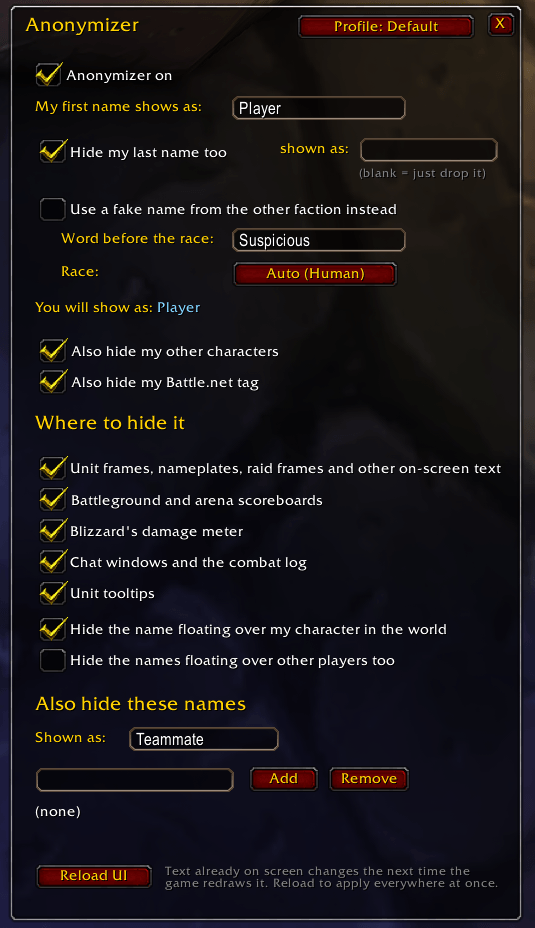
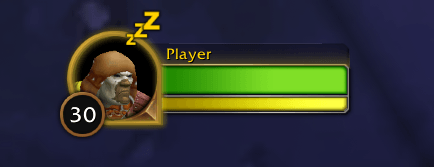
Your name (and, by default, your other characters and your Battle.net tag) is swapped for Player (changeable) in the places below. WoW Forever characters have a first and a last name, and both are hidden. By default the last name is dropped, so you show as just Player; you can show a last name of your own instead ( /anon last Anon gives "Player Anon"), or leave your real last name showing ( /anon lastname off). A last name that appears by itself is only swapped when it is the whole text, so a word like "Stone" is not changed everywhere else it shows up.
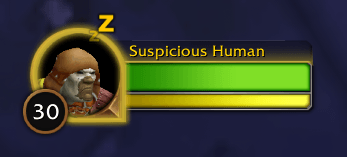
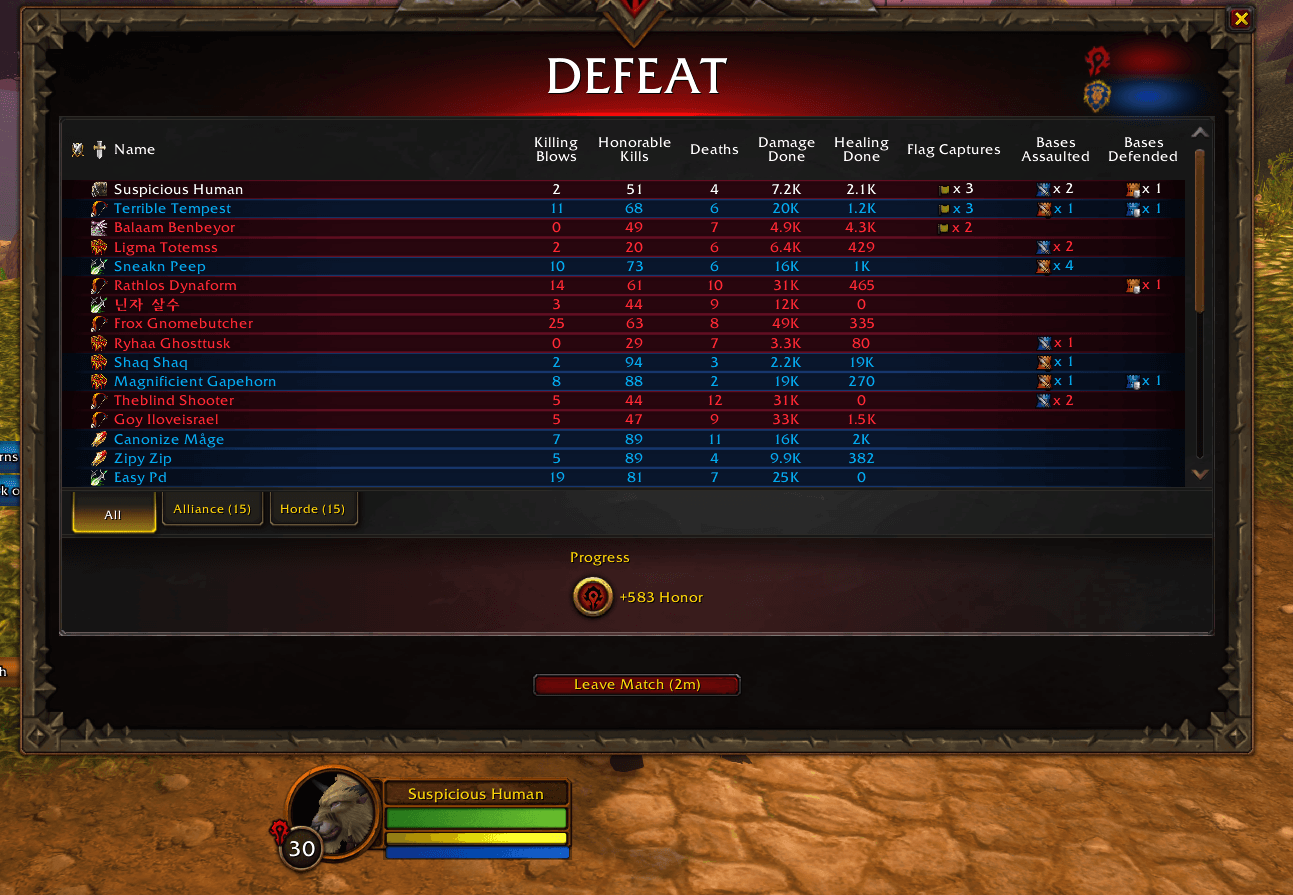
Fake race name: turn on "Use a fake name from the other faction" (or /anon fake on) and you show as, for example, Suspicious Gnome: the word you choose, then a race from the faction you are not in (a Horde character gets an Alliance race and the other way round). The race is picked for you and stays the same for that character, or choose one with the Race button or /anon race gnome. Change the first word with /anon prefix Fake. The race names are English.
Your name is hidden in:
- Unit frames, nameplates, raid frames and all other on-screen text. One hook covers every name the UI draws, including other addons' frames.
- Battleground and arena scoreboards.
- Blizzard's damage meter.
- Chat windows and the combat log, including whispers, "X has joined the party", and people typing your name in lowercase. Links still work: right-clicking
[Player] still opens the menu for your real character.
- Unit tooltips.
- The name floating over your character in the 3D world (and optionally over other players). This is drawn by the game engine, so it is turned off with the game's own "show name" settings. Your original settings are restored if you untick the option or turn Anonymizer off.
You can also list extra names (a friend, a guildmate) to hide, shown as Teammate. Other players' names are not hidden unless you add them.
/anon opens the options window (also: Esc > Options > AddOns > Anonymizer)./anon on / /anon off/anon alias <text> - what your first name becomes/anon last <text | none> - what your last name becomes (none drops it); /anon lastname on|off - hide it or leave it/anon fake on|off, /anon prefix <text>, /anon race <name | auto> - the fake race name (like "Suspicious Gnome")/anon add <name> / /anon remove <name> / /anon other <text> - extra names/anon list - everything being hidden/anon test - preview a few sample lines/anon profile - list profiles; /anon profile use|new|rename|copy|delete <name>
Text already on screen changes the next time the game redraws it. /reload applies it everywhere at once; do that before you start recording.
All of the settings above live in a profile. Click Profile: in the options window (or /anon profile) to pick a profile for the character you're on, save your current settings under a name you choose, rename, copy or delete profiles. Log in on another character and pick the same profile to get your setup there. New characters start on the profile you used last. The list of your characters (for "hide my other characters") is shared by every profile.
icon.tga is the addon-list icon the game loads (## IconTexture in the .toc); icon.png is the same image for GitHub, and icon.svg is the editable source. The game only needs icon.tga. If the addon list shows no icon, the folder isn't named Anonymizer, so the path in the .toc doesn't match.
- Secret text. In Midnight, some names in combat are "secret" values addons are not allowed to read. Anonymizer can't tell whose name that is, so it leaves such text alone. If your name still shows in a particular place, check it while out of combat and let me know where.
- Damage meter. Blizzard's meter is the part most likely to misbehave on a new client. If it errors or looks wrong, untick it under "Where to hide it".
- Only text inside the game. A name in a screenshot's file name, your desktop's window title, the character select screen, or text you typed into a chat bubble yourself are out of an addon's reach. Always glance at the frame before you post.
|