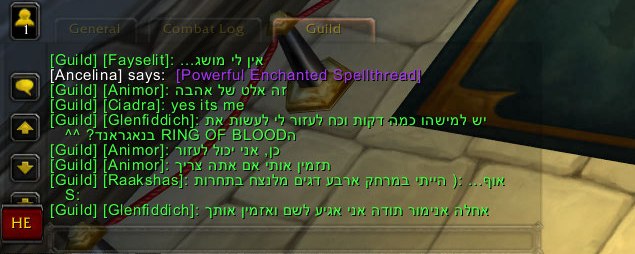
Example for guild chat in Hebrew.
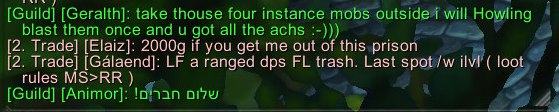
Example of Hebrew text on guild chat.
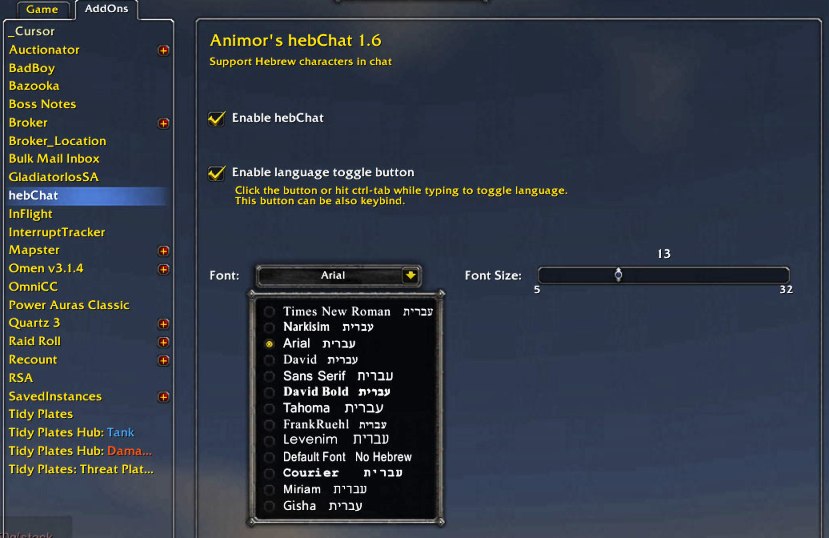
Animor's hebChat configuration options.
Description
Animor's hebChat
Adds support for Hebrew characters in WoW chat.
hebChat is intended for Hebrew speaking players that want to chat in Hebrew in WoW in-game chat.
Note: hebChat works only for the following chat channels: Whisper, Guild, Officer, Party, Raid, BN-Whisper.
Instructions
- In order to delete Hebrew characters, use "Delete" key instead of "BackSpace".
- 4 ways to switch languages between English and Hebrew:
(a) Click the language toggle button.
(b) Hit ctrl-tab while typing in chat.
(c) Keybind the button for toggling when not typing. It's recommended to keybind the button also to ctrl-tab.
(d) If language toggle button is disabled (not recommended), hit alt-shift to toggle languages, just like in Windows.
- Type /heb or /hebchat for configuration menu, in which you can enable/disable the addon, enable/disable language toggle button and choose font and font size.
Known Issues
- hebChat doesn't work correctly when Misspelled and either Prat3/Chatter are loaded.
- WIM users that see sentences in Hebrew broken, should expand WIM default window width to about 430 (type /wim for WIM config).
The Animor's hebChat Team