


Amendments to the UI
- By

Closeup of the tweaks to the inventory bag buttons and the new gold display
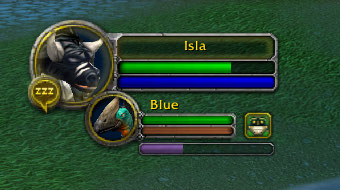
The Pet XP bar

All of the Blizzard Micro Menu Buttons can still be easily accessed using the new popout menu.

The Pet Action Bar position on top of the bottom right action bar.
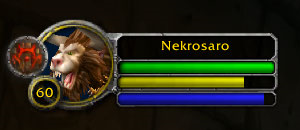
Druid Cat/Bear Form mana bar

The Pet Action Bar positioned on top of the bottom left action bar, with CTRL held down to show the Stay and Follow buttons.

The Pet Action Bar positioned above the bottom left action bar.
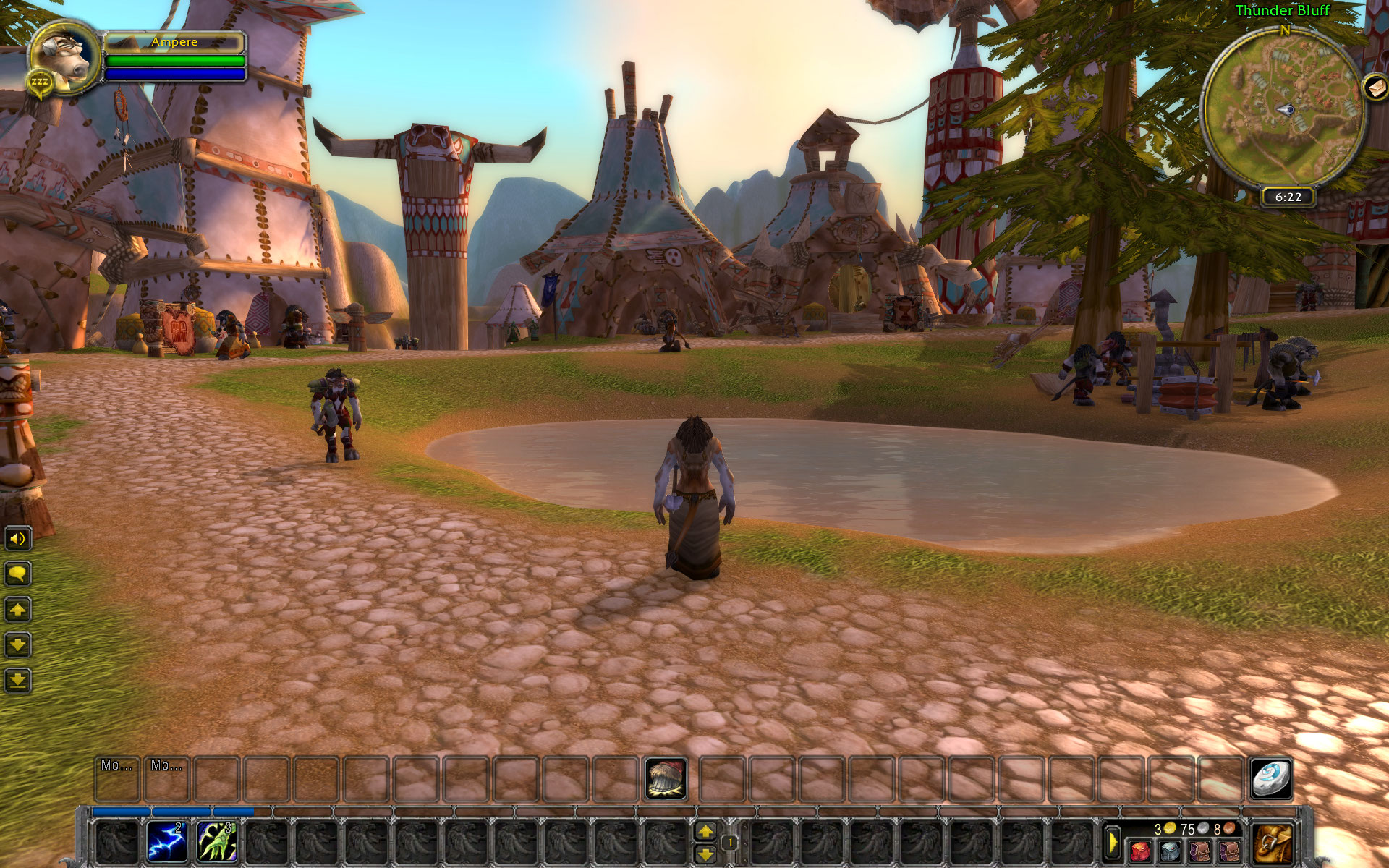
A full screen example of the UI changes (UI scale increased to show details)
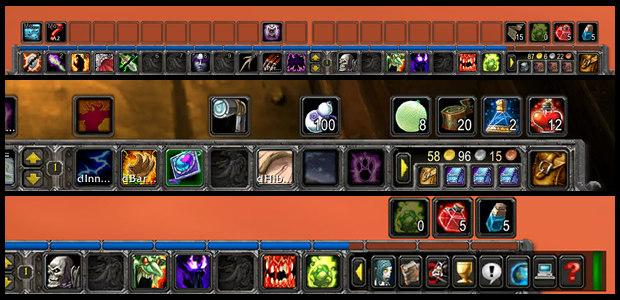
The new main menu bar and a close up of the gold display and micro button popout
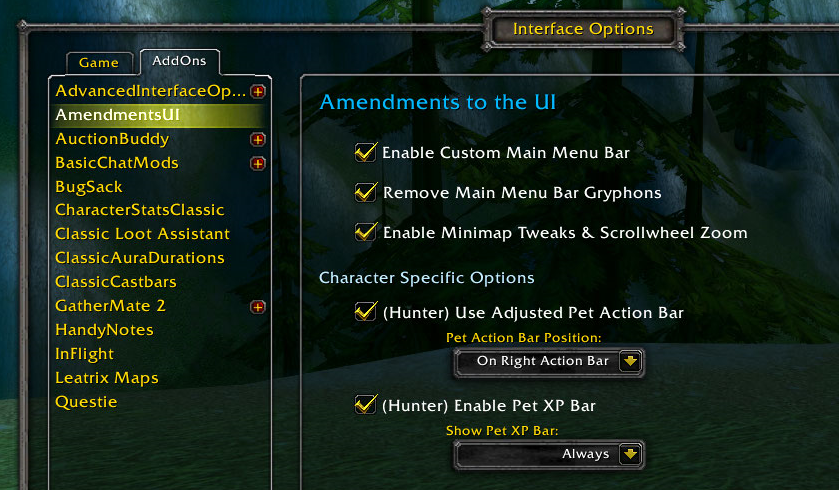
The Amendments to the UI Options Panel

The new main menu bar with 7 new action buttons and gold display
Description
Amendments to the UI is a lightweight addon meant for players who prefer to use the default UI but want a bit more flexibility out of it.
All of the included features in Amendments to the UI are easy toggle on or off in the Interface Options Menu. This addon was designed to have a tiny footprint, and only the functions that you’re actually using are loaded.
Default UI Improvements
Main Menu Bar
- Saves a bunch of wasted space by moving the Blizzard “Micro Menu Buttons” to an easily accessible pop-out menu
- Shrinks down the buttons for inventory bag slots 1 through 4 and removes the keyring button, which now only becomes visible when your inventory is open.
- Adds 7 new Action Buttons and a new display to show how much gold you’re carrying right on the Main Menu Bar itself.
- Removes and replaces the end cap Gryphons with new simple end cap graphics that match the default UI.
Minimap
Also included are some optional basic tweaks to the Minimap. These modifications clean up the HUD and allow you to use the scroll wheel to zoom the Minimap in and out when your mouse pointer is hovering over it.
Class-Specific Improvements
These optional class-specific changes add to or improve the default UI elements that are exclusive to certain classes.
Pet Action Bar (Warlock, Hunter)
Removes the Pet Action Bar background texture and hides/re-positions the Stay and Follow buttons, which are now only shown when pressing CTRL.
Allows the Pet Action Bar to be re-positioned and displayed either on or above the left or right action bars.
Pet Experience Bar (Hunter)
Displays a small experience bar for your pet bar right below the Pet Frame. Includes the option to hide the bar in combat.
Remove Stance Buttons (Warrior, Rogue, Druid)
A simple toggle that gets rid of the stance buttons for Warriors, the stealth button for Rogues, and the shape-shifting buttons for Druids.
Cat & Bear Form Mana Bar (Druid)
A dead-simple mana bar integrated into the player frame that displays whenever the Druid shifts into Cat or Bear form.
Other Information
The Amendments to the UI options menu can be accessed under the “Addons” tab of the Interface Options menu, or by entering the slash command /amendui
Please report any bugs you encounter, and feel free to suggest changes or request new features. Though I consider this addon to be mostly complete, I’m not opposed to adding new features if the demand exists and I have the free time.
 Created by Nekrosaro (Horde, Anathema)
Amendments to the UI Team
