Always Sunny in Azeroth
- By
Keeps Azeroth bright after dark — clear, colorful nights without the washed-out look.
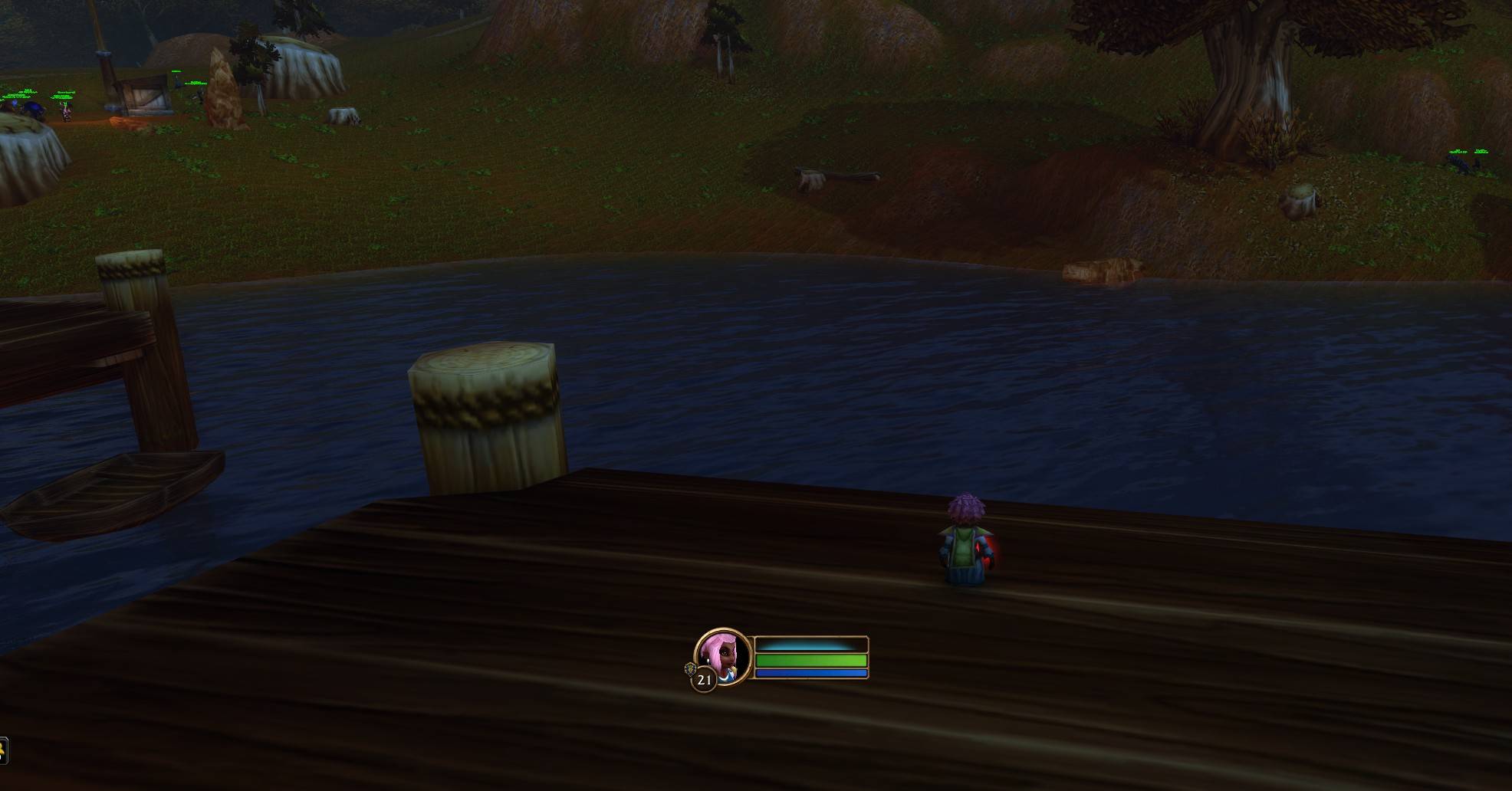
1-night-before-addon-off.jpg
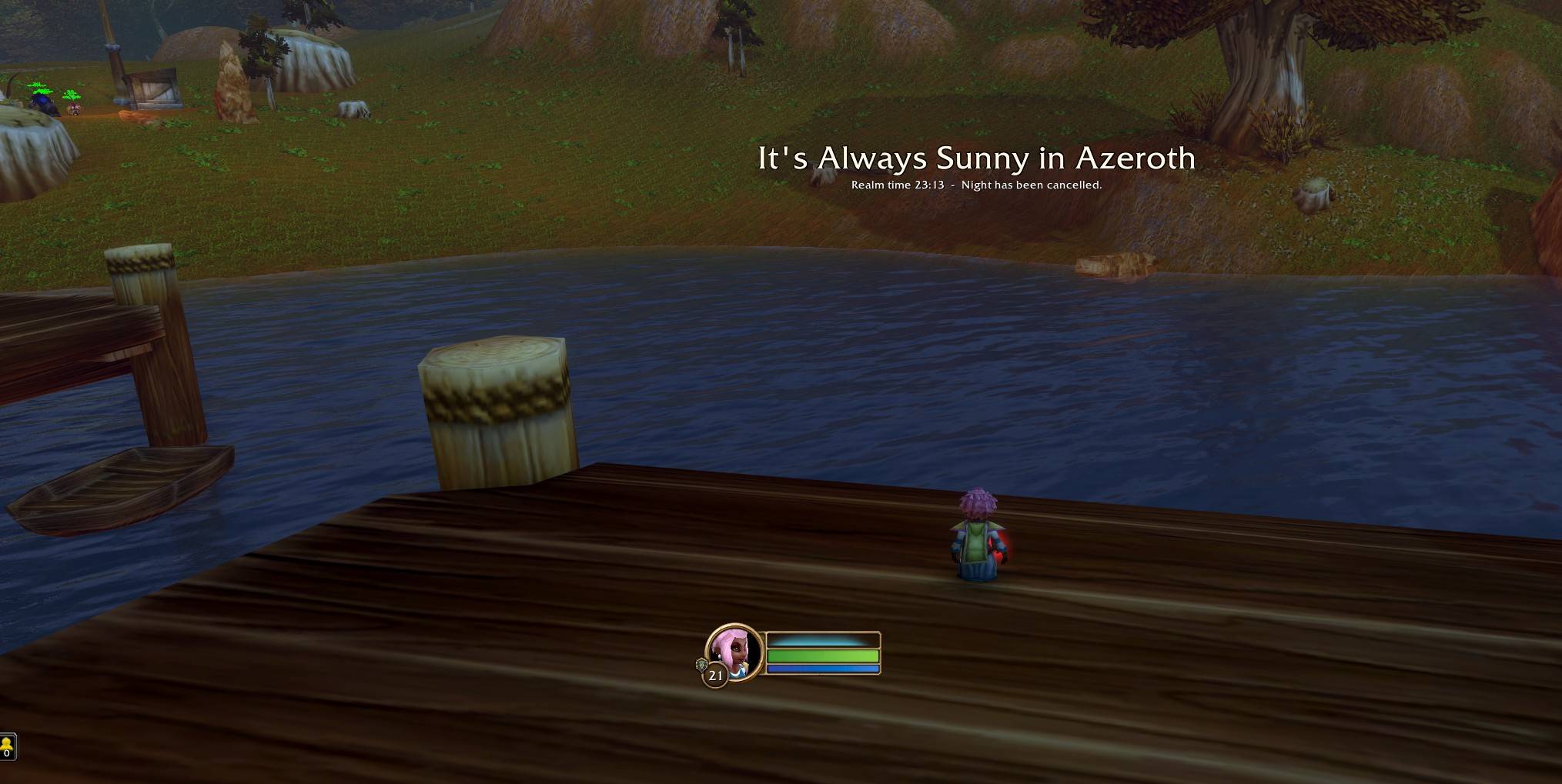
2-night-after-addon-on.jpg
Description
Tired of squinting through Azeroth's nights? It's always sunny now.
Always Sunny in Azeroth watches your realm's clock. When night falls, it eases your display gamma and contrast up so the world stays clear and colorful. At dawn it fades everything back to your normal settings. No more muddy forests, pitch-black caves on the road, or questing by torchlight.
Features
- Automatic. Follows realm time and fades in over an hour at dusk and out at dawn, so there's no sudden jump.
- No haze. Brightens with gamma and contrast instead of raw brightness, so nights look crisp rather than covered by a gray film.
- Your settings are safe. It remembers your own Gamma, Brightness and Contrast and restores them at dawn, when you turn it off, and every time you log out.
- Minimap button. Left-click to turn it on or off, right-click for a test preview, and drag to move. It uses the standard LibDBIcon button when another addon provides it, so minimap button collectors pick it up. It also appears in the AddOns dropdown by the minimap.
- Fully tunable. Adjust strength, each setting's boost, and when "night" starts and ends.
- Lightweight. No required libraries or dependencies, and it checks the time only every 10 seconds.
Commands
Type /sunny in game to see this list.
| Command | What it does |
|---|---|
/sunny on / off |
Turn it on or off |
/sunny status |
Show realm time and current values |
/sunny strength 0-100 |
How bright nights get (default 50) |
/sunny gamma 0.8 |
Night gamma boost (0 to 1.5) |
/sunny contrast 20 |
Night contrast boost (-20 to 40) |
/sunny brightness 0 |
Night brightness boost (higher values look hazy) |
/sunny night 19:00 6:00 |
When night starts and ends (realm time) |
/sunny ramp 60 |
Minutes to fade at dusk and dawn |
/sunny tint on / off |
Optional warm golden glow at night |
/sunny card on / off |
Title card when night falls |
/sunny minimap on / off |
Show or hide the minimap button |
/sunny test |
Force full night now to preview (run again to stop) |
/sunny demo |
20-second dusk-to-dawn preview |
/sunny reset |
Restore your settings and the addon defaults |
Good to know
- Addons can't change the game's actual sky or lighting. This works by adjusting your display settings on a schedule, which is the same thing you'd do by hand in the Graphics menu, just automatic.
- Because those are display-wide settings, your UI gets slightly brighter at night too. The defaults keep this subtle.
- If you uninstall the addon, log out once first so your normal settings are written back. They are restored automatically at every logout either way.
Feedback
This is a beta for WoW Forever. If something looks off or you hit an error, leave a comment with a screenshot of /sunny status.
A fan-made addon. Not affiliated with Blizzard Entertainment or any TV show.
Always Sunny in Azeroth Team