Alter Time Tracking
- By
A World of Warcraft addon that tracks your Mage's health when using Alter Time, displaying saved vs current health to help you decide whether to recall or cancel the buff
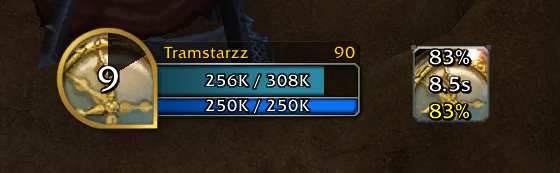
ingame .png
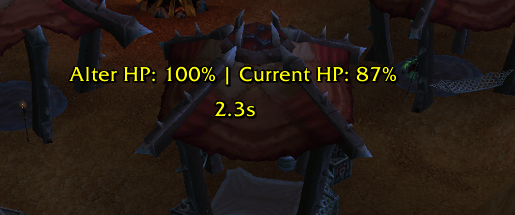
ingame-text.png
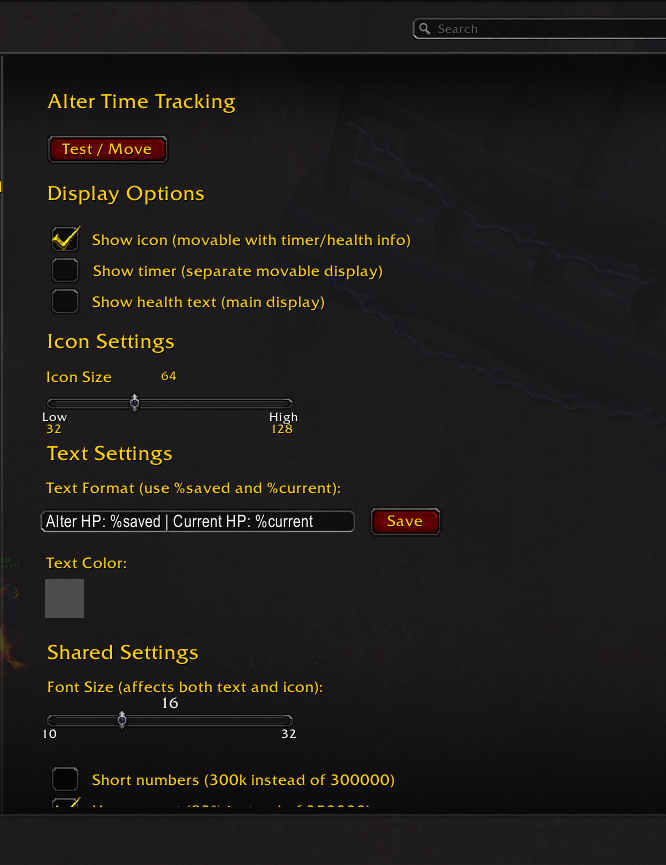
interface.png
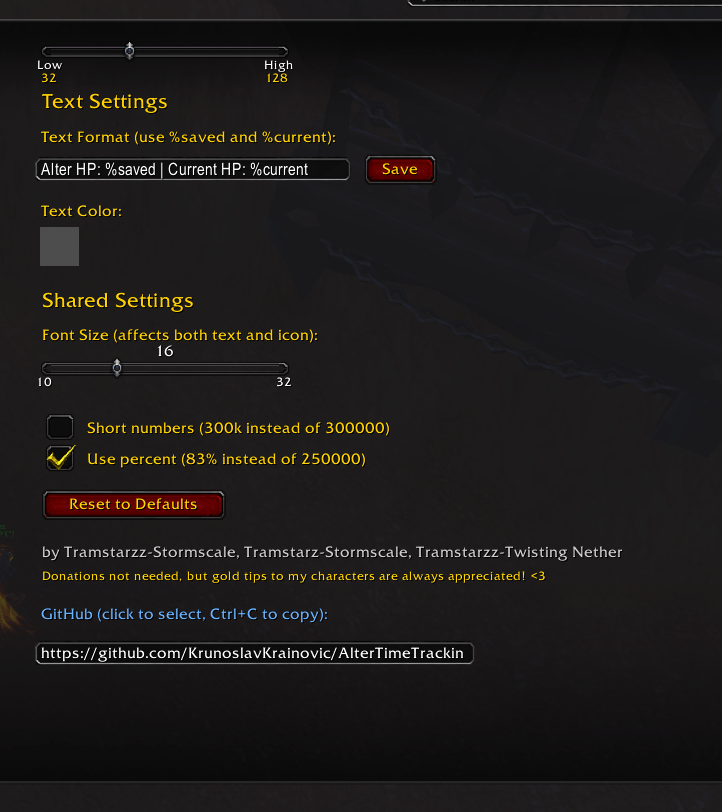
interface2.png
Description
Alter Time Tracking
Version: 1.1.0
GitHub: https://github.com/KrunoslavKrainovic/AlterTimeTracking
A World of Warcraft addon for Mages that tracks your health when using Alter Time, helping you decide whether to use the recall or cancel the buff.
What It Does
When you cast Alter Time, the addon saves your current health. It then displays both your saved health and current health, so you can see at a glance whether recalling would heal you or cause you to lose HP.
Features
- Health Tracking - Automatically saves your health when Alter Time Recall is cast
- Live Display - Shows saved health vs current health in real-time
- Icon Display - Movable icon showing timer, saved health, and current health (default display)
- Timer Display - Separate movable countdown timer showing time remaining until Alter Time expires
- Movable Elements - Drag the icon, timer, and health text anywhere on your screen (positions are saved)
- Customizable Text - Change the display format using
%savedand%currentplaceholders - Custom Color - Pick any color for the text using a color picker
- Adjustable Font Size - Slider to change text size for both text and icon (10-32)
- Adjustable Icon Size - Slider to change icon size (32-128)
- Short Numbers - Option to display health as 300k instead of 300000
- Percent Display - Option to show health as percentage (83% instead of 250000)
- Test Mode - Preview the display and move it without needing to cast spells
- Reset to Defaults - One-click reset for all settings
Options Panel
Access through Interface → AddOns → Alter Time Tracking
Display Options
- Show Icon - Toggle to show the movable icon with timer and health info (default: enabled)
- Show Timer - Toggle to show separate movable countdown timer (default: disabled)
- Show Health Text - Toggle to show the main health text display (default: disabled)
Icon Settings
- Icon Size - Adjust the icon size with the slider (32-128)
Text Settings
- Text Format - Customize the display text (use
%savedand%currentas placeholders) - Text Color - Click the color swatch to open the color picker
Shared Settings
- Font Size - Adjust the text size for both text and icon (10-32)
- Short Numbers - Toggle to show 300k instead of 300000
- Use Percent - Toggle to show 83% instead of 250000
General
- Test / Move - Click to show test text and enable dragging to reposition
- Reset to Defaults - Reset all settings to defaults
Default Settings
- Display Options:
- Show Icon: Enabled
- Show Timer: Disabled
- Show Health Text: Disabled
- Icon Size: 64
- Text Format:
Alter HP: %saved | Current HP: %current - Color: Yellow
- Font Size: 16
- Short Numbers: Off
- Use Percent: On
- Position: Center of screen (icon at center-left by default)
Know things
- I can’t detect when someone cancels Alter Time or when it gets dispelled during combat because of Blizzard API restrictions.
- Even though I can get dampening / healing reduction values, I can’t make calculations because the Blizzard API restrictions.
- I can’t show red/green indicators for when you should cancel or not because of Blizzard API limitations.
Alter Time Tracking Team