


AltBags
- By
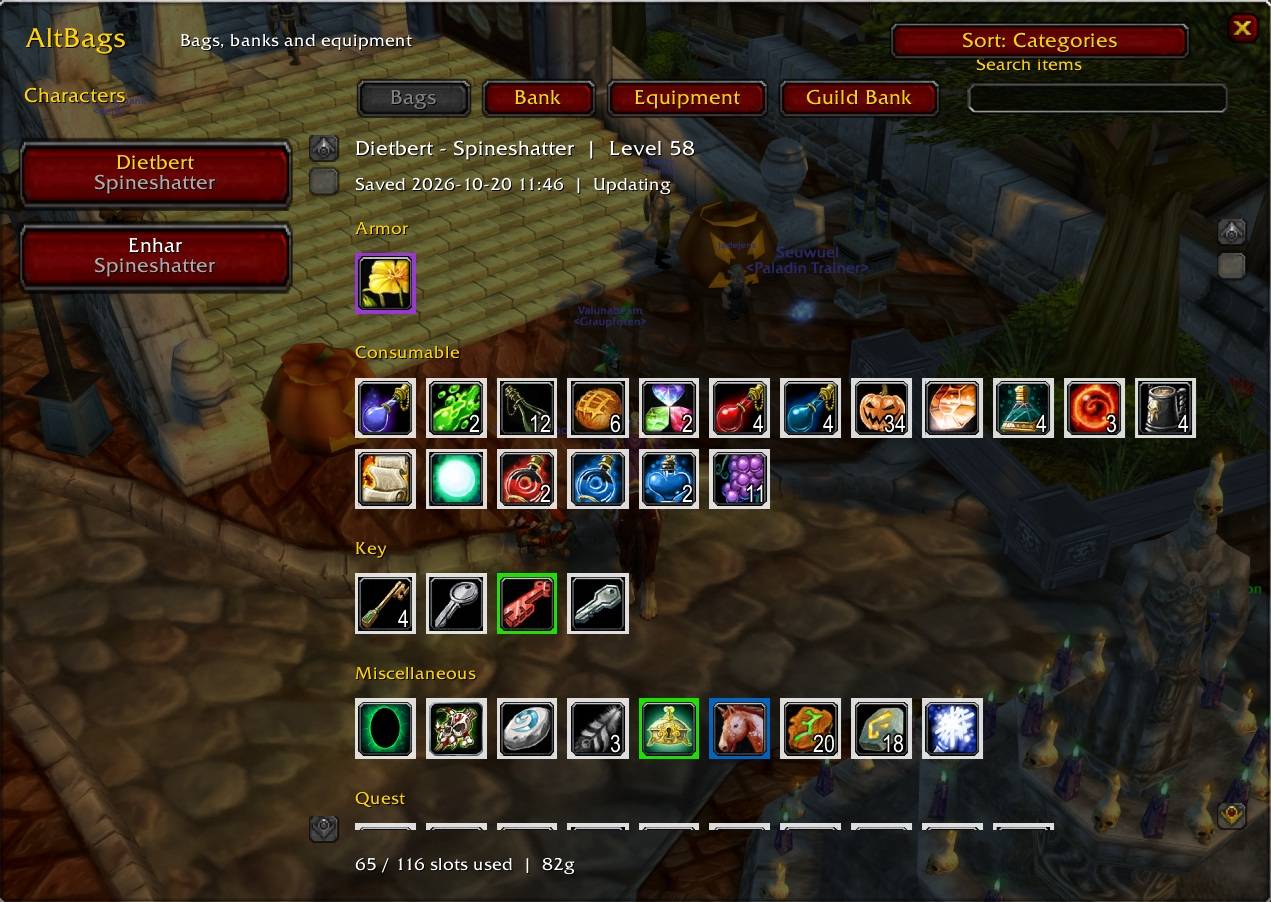
Screenshot AltBags.jpg
Description
AltBags — Keep your bags. See your alts.
Your original bag layout stays exactly as you like it. AltBags adds a separate window for browsing your characters’ saved inventories, giving you visibility across your alts without replacing or rearranging your regular bags.
Built for WoW: Burning Crusade Anniversary, AltBags puts bags, personal banks, equipment, and guild-bank snapshots within easy reach.
Features
- Preserves your bag layout: Keep using your existing bags and interface.
- Visible character list: Select an alt directly without digging through dropdown menus.
- Bags and personal banks: Browse saved items, including equipped bank bags.
- Character equipment: Check each character’s equipped items, with item links retaining enchant and gem information.
- Guild banks: Browse saved guild-bank tabs, shared between your characters in the same guild.
- Item search: Search the selected inventory by item name or item ID.
- Tooltips and chat links: Hover for details or Shift-click an item to link it in chat.
- Two optional access buttons: Open the viewer from a movable button beside your backpack or a draggable minimap button.
- Simple options: Enable or disable either button independently.
- No dependencies: No additional addons or libraries required.
Getting started
- Log into each character to save their bags and equipment.
- Visit a banker on each character to save their personal bank.
- Open each permitted guild-bank tab to save its contents.
You can then browse those snapshots while playing another character on the same WoW account and installation. Capture timestamps help you see how recently the contents were recorded.
Commands
| Command | Action |
|---|---|
/altbags |
Open options |
/abags |
Toggle the inventory viewer |
/altbags show |
Toggle the inventory viewer |
/altbags reset |
Reset button and viewer positions |
Shift-drag the interface button to reposition it. Drag the minimap button around the minimap. Positions and visibility settings persist between sessions.
How saved inventories work
Bags and equipment update while you play. Personal banks update while the bank is open, and guild-bank tabs are captured as you view them. Offline characters and closed banks show their last recorded contents.
AltBags is a read-only viewer: it cannot move or transfer items, refresh offline characters, or display inventories you have not captured. Mail, auctions, cross-account syncing, and importing data from other inventory addons are not currently supported.
AltBags Team
