


AllQuest
- By
AQ_1.png
AQ_2.png
AQ_3.png
AQ_4.png
Description
AllQuest - see every quest that's waiting for you
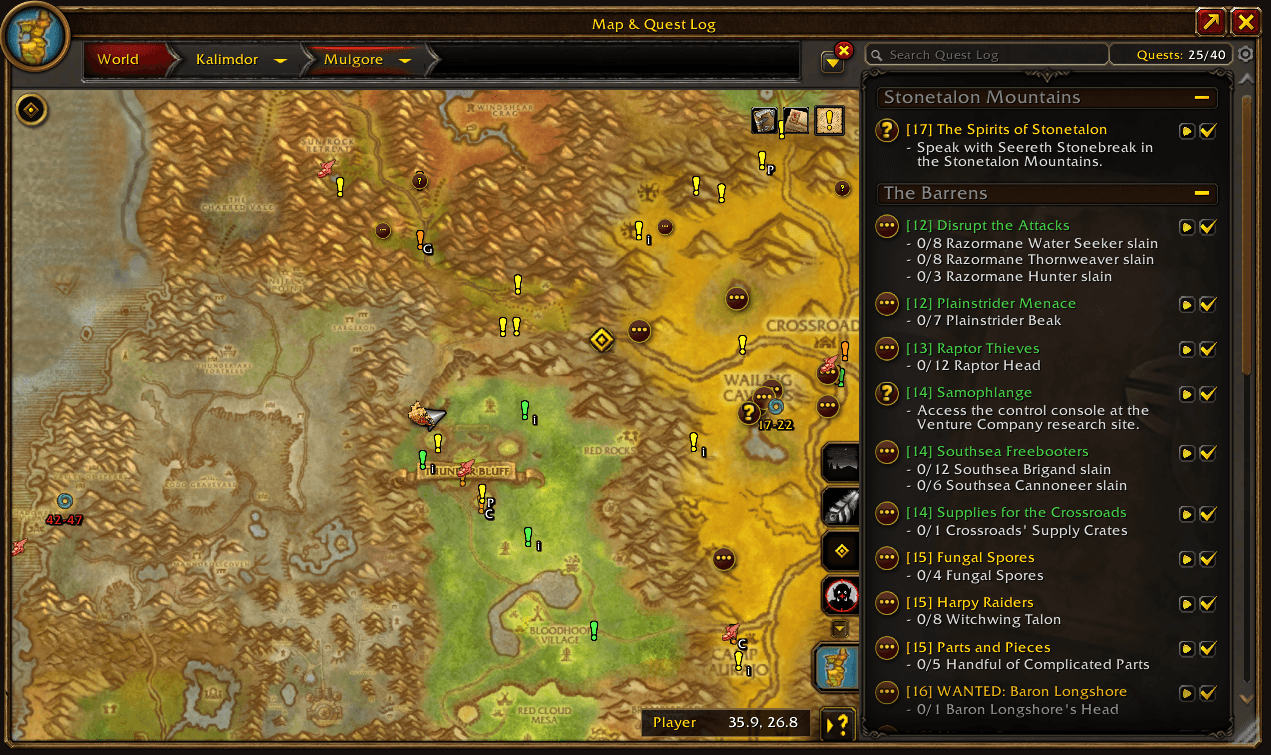
Ever run through a zone and only later find out you walked right past three quests? AllQuest fixes that. It marks each quest giver who has something you can accept, and hides everything you can't: wrong level, wrong race or class, already done, missing prerequisite, missing profession or reputation, or a holiday that isn't running.
It doesn't track your active quests or tell you how to complete them. It answers one question: "what quests are available around me?" It works out of the box, with its own built-in quest database and no other addon required.
Find quests
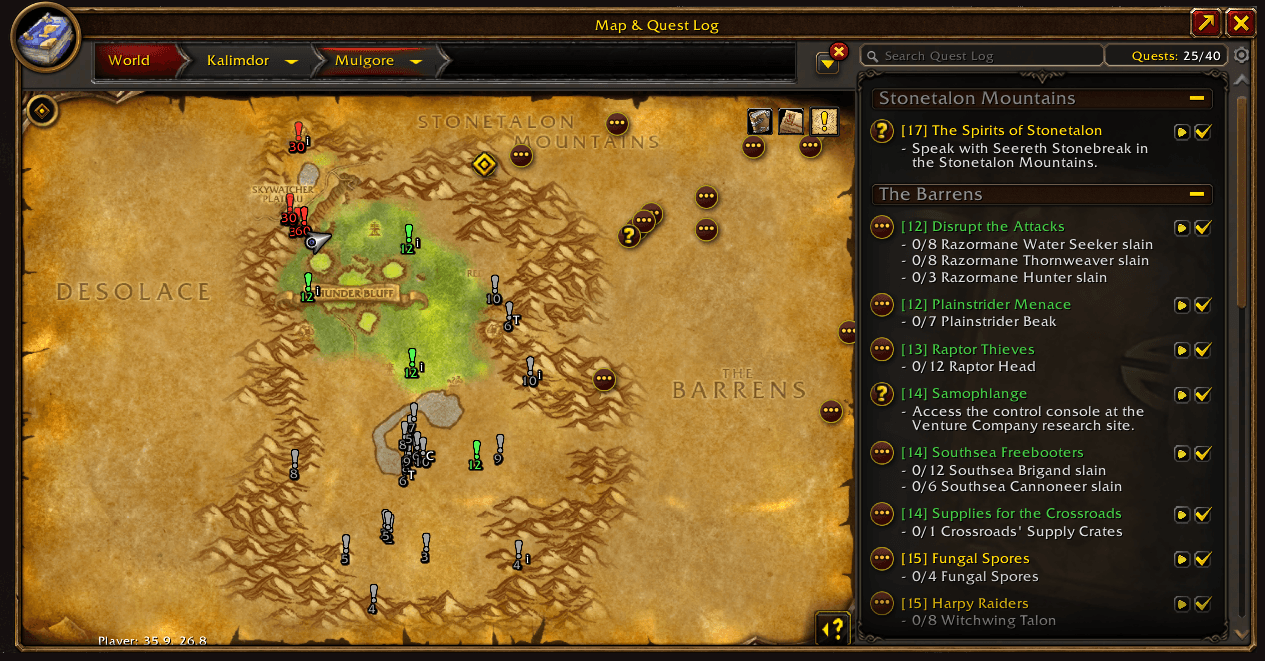
- Markers on the world map and the minimap, only for quests available to your character
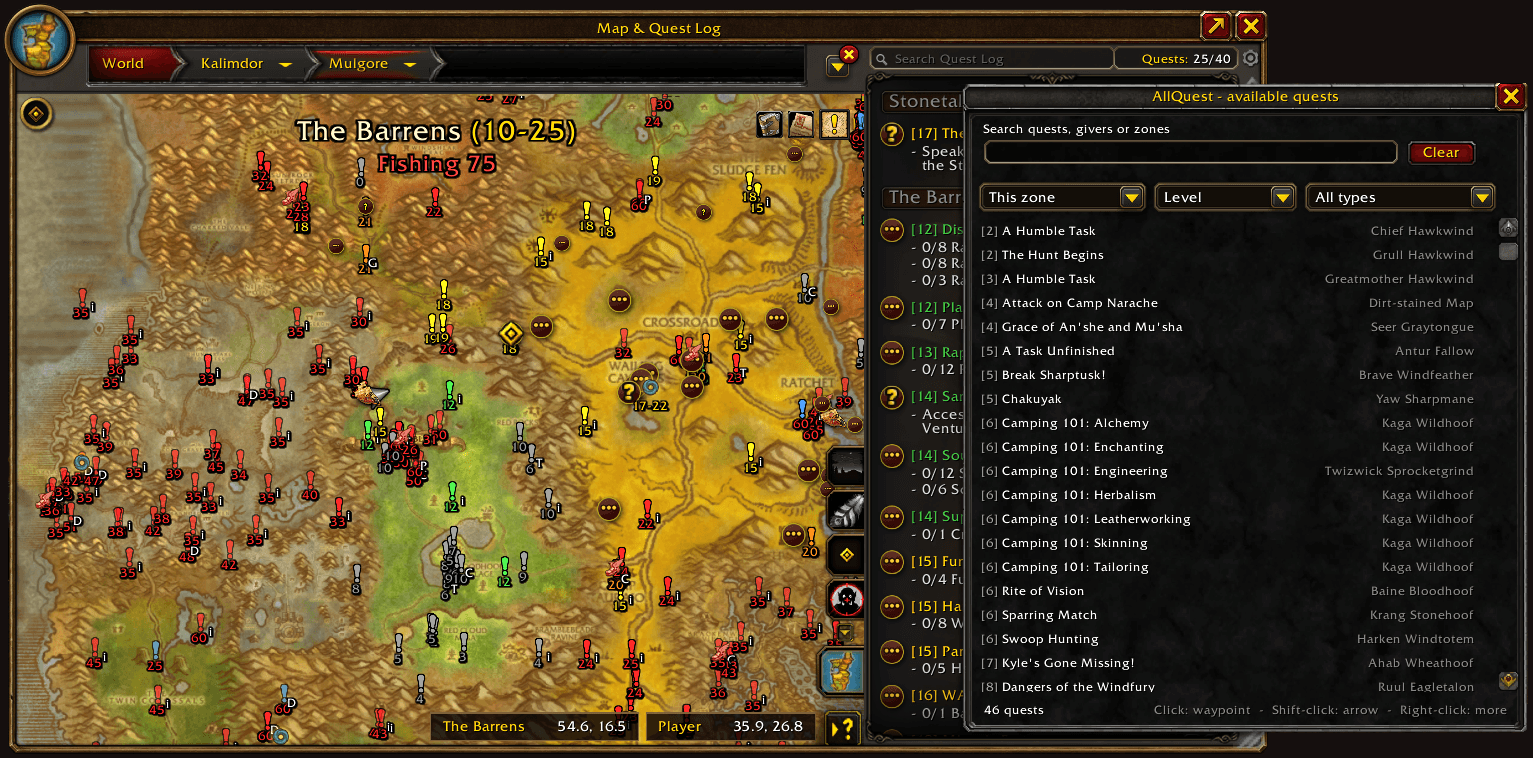
- Quest list (
/aq list, a button on the world map, or middle-click the minimap button): search quests, givers and zones; sort by level, name, distance or zone; filter by type; click a row for a waypoint - New-quest notice: a chat message when a level-up or a turned-in quest opens up new quests (switch it off if you like)
- Quests the usual map misses: dungeon quests at the dungeon entrance, dropped-item quests where the item drops (with who drops it and how often), holiday quests only while the holiday is running, and group quests with the suggested group size
- Learns as you play: if a giver offers a quest the built-in database doesn't know, AllQuest remembers it from then on
Know at a glance
- Difficulty colours that match the game's own scale: red (5+ above you), orange (3-4), yellow (close to your level), green (below), grey (trivial), blue (repeatable)
- Type letters on each marker: C class, D dungeon, E world event, G group, H heroic, i dropped item, L legendary, P PvP, R raid, S escort, T profession - hover the AllQuest button for a colour and letter key
- Colour-blind palette, plus an optional +3 / -2 difficulty number under each marker for when colour isn't enough
- Hover panel with the giver, each quest's level and name, its type, requirements, what drops a quest-starting item, and the quest before and after it in a chain. Several givers on one spot? The panel cycles through them
Take control
- Click a marker to set a waypoint (Shift-click points the arrow at it)
- Right-click to hide a single quest, a quest and everything that follows it, a giver, or a whole zone - and bring any of them back from the options
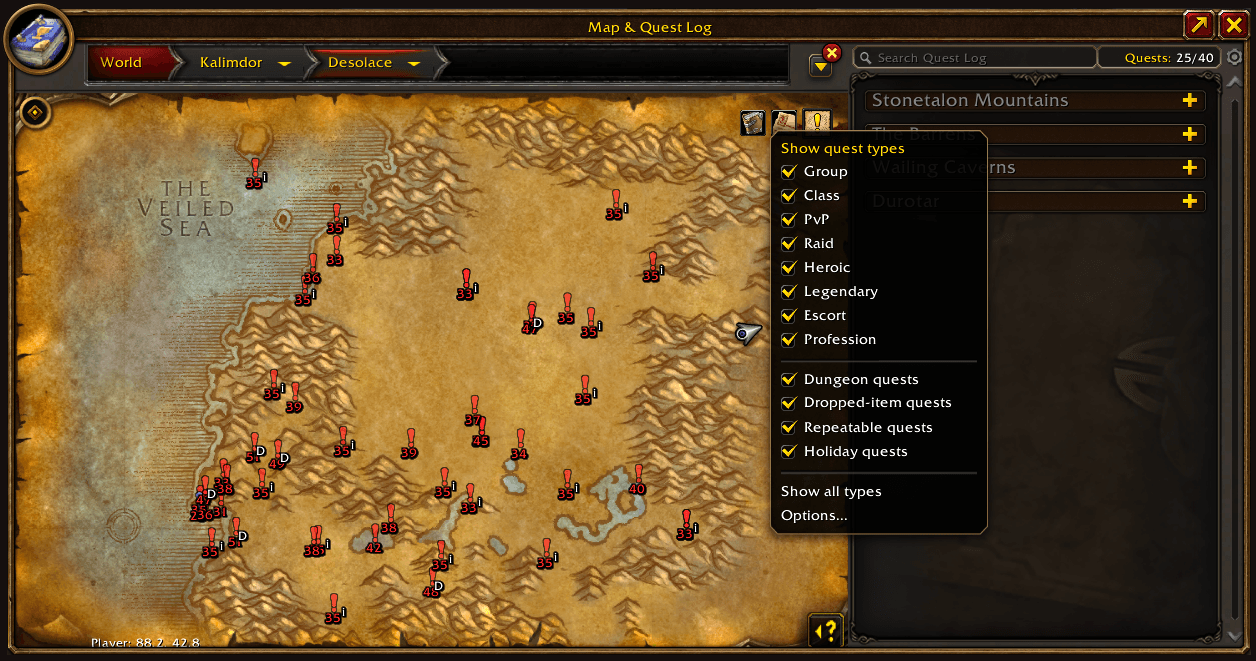
- Quest-type filter button on the world map: switch Group, Class, PvP, Raid, Heroic, Legendary, Escort, Profession, dungeon, dropped-item, repeatable and holiday quests on or off
- Levels: show quests up to X levels above you (the default of 4 covers yellow and orange), or every level; hide grey quests; "only my current zone" mode
- Presets: Minimal, Detailed, Show All - or save your own under any name
Plays well with others
- Quest Pilot and TomTom: by default a click only moves the arrow when nothing else is using it, so AllQuest never hijacks your guided route. Prefer it your way? Choose "always move the arrow" or "mark the map only"
- OpenMap: markers sit correctly on its zoomable, borderless map, and zooming in loads the whole continent so nothing pops in as you pan. An optional safeguard hides far-away markers while zooming if your frame rate dips
- For addon authors: a small public API (
AllQuestAPI) lists available quests per map and the nearest ones, and tells you when the markers refresh
Make it yours
- Display options: three marker shapes, an optional dark outline, marker opacity and size, text size on markers, and the size of the hover panel
- Profiles per character, and export / import of your settings as a text string
- Minimap button (drag, lock, hide), world map on/off button, and an option to hide Blizzard's objective tracker
- A short basic page, with everything else tucked under Advanced
- Translated into German, French and Spanish (first drafts - corrections welcome); quest titles follow your client language when the game has them
Getting started
Install, log in, open the world map - the markers are already there. Type /aq (or right-click the AllQuest button on the map or minimap) for options.
Useful commands: /aq list opens the quest list - /aq preset <name> loads a preset - /aq profile <name> switches profile - /aq toggle turns markers on/off - /aq restore un-hides everything you hid - /aq status shows what's loaded and how old the quest data is.
Good to know
- Quest and NPC names in the built-in database are English. The database is a snapshot, so quests added by later patches are picked up by the learning feature as you meet their givers.
- Availability is worked out from the quest data (levels, races, classes, prerequisites, skills, reputation). A few hidden conditions can't be known, so an occasional marker may not be takeable.
- Free and open source (GPL-3.0). Bug reports and suggestions are very welcome.
AllQuest Team
