Allemano Hush
- By
A modern whisper messenger for WoW Forever: clean chat windows, popups, saved messages, alt chats, themes and fonts. The base for Hush Feed, LFG and Recruit
Skärmbild 2026-09-30 120800.png
Skärmbild 2026-09-30 120833.png
Skärmbild 2026-09-30 120911.png
Description
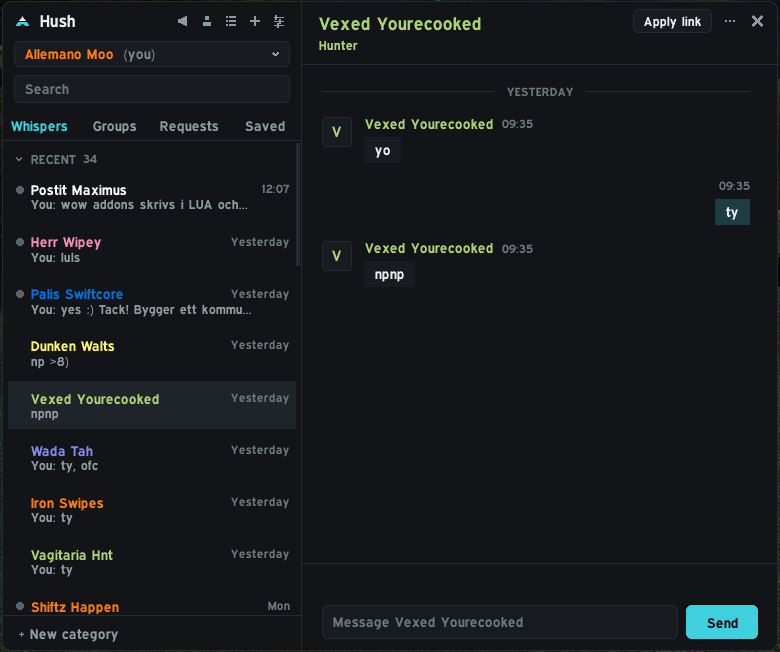
A modern whisper messenger for WoW Forever. Hush replaces the whisper tabs in your chat frame with a clean, separate messenger window, so private conversations stop getting lost between trade spam and combat text.
Alpha. Hush is new and under active development. Report problems with a screenshot and the text from
/hush report.
Every conversation gets its own chat in the Hush window, with the unread ones marked. Open the window with /hush or the small launcher button at the top of the screen (drag it anywhere).
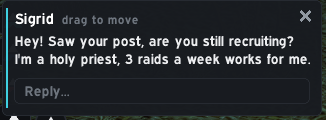
When someone whispers you, a small popup shows the message. Click the field to answer right there, or click the name to open the full conversation. The popup never appears in combat, and you can choose the sound.
Example: You are farming and a guildmate whispers a question. The popup appears, you type a quick answer in it, and you are back to farming without opening anything.
Outside combat, whispers are hidden in the default chat frame so your general chat stays readable. In combat they show there as usual. /r still works, and you can turn the hiding off with /hush filter.
Right-click a chat or a single message for: move, pin, invite to group, guild invite, save message and copy text.
- Saved tab: messages you saved stay there even if you delete the conversation. Good for addresses, prices and instructions.
- Quick replies you can set up in the settings.
- Alts: the character selector under the title lets you read your other characters' conversations, or search all characters at once.
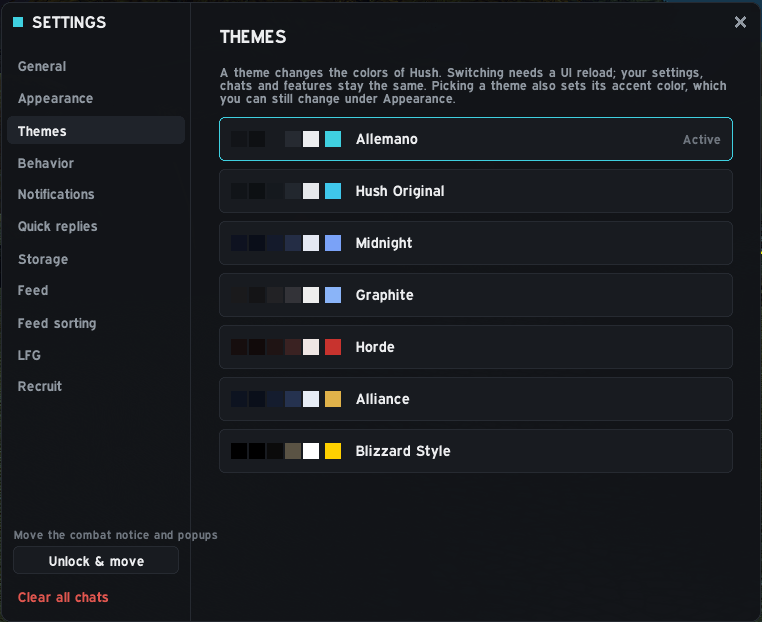
Themes (including a Blizzard style), fonts, the whisper popup, sounds, quick replies and storage are all in /hush settings. Key bindings are under Key Bindings > AddOns > Hush.
Hush is the base for the other Hush modules, which add buttons and tabs to it:
- Hush Feed: sorted channel chat (LFG, Trade, Services) without the spam
- Hush LFG: groups and players from chat and the Group Finder in one list
- Hush Recruit: guild recruitment ads, apply link and candidate tracking
Other addons can hook in as well (a small API is documented in the source), for example CraftBoard whispers crafters through Hush.
/hushopen or close,/hush settingssettings/hush filtertoggle hiding whispers in the default chat/hush launchershow the launcher button again,/hush resetreset window position and size/hush reportcopy diagnostics for a bug report
Hush is made for WoW Forever (interface 16001). If the CurseForge app does not install it into the right folder, download the file from the Files tab and unzip it so that the folder is World of Warcraft\_classic_beta_\Interface\AddOns\Hush. Restart the game completely the first time.
Pure Lua, no libraries. The Barlow fonts are included under the SIL Open Font License. Source code and issues: https://github.com/Allemano-Addons/Hush
Allemano Hush Team