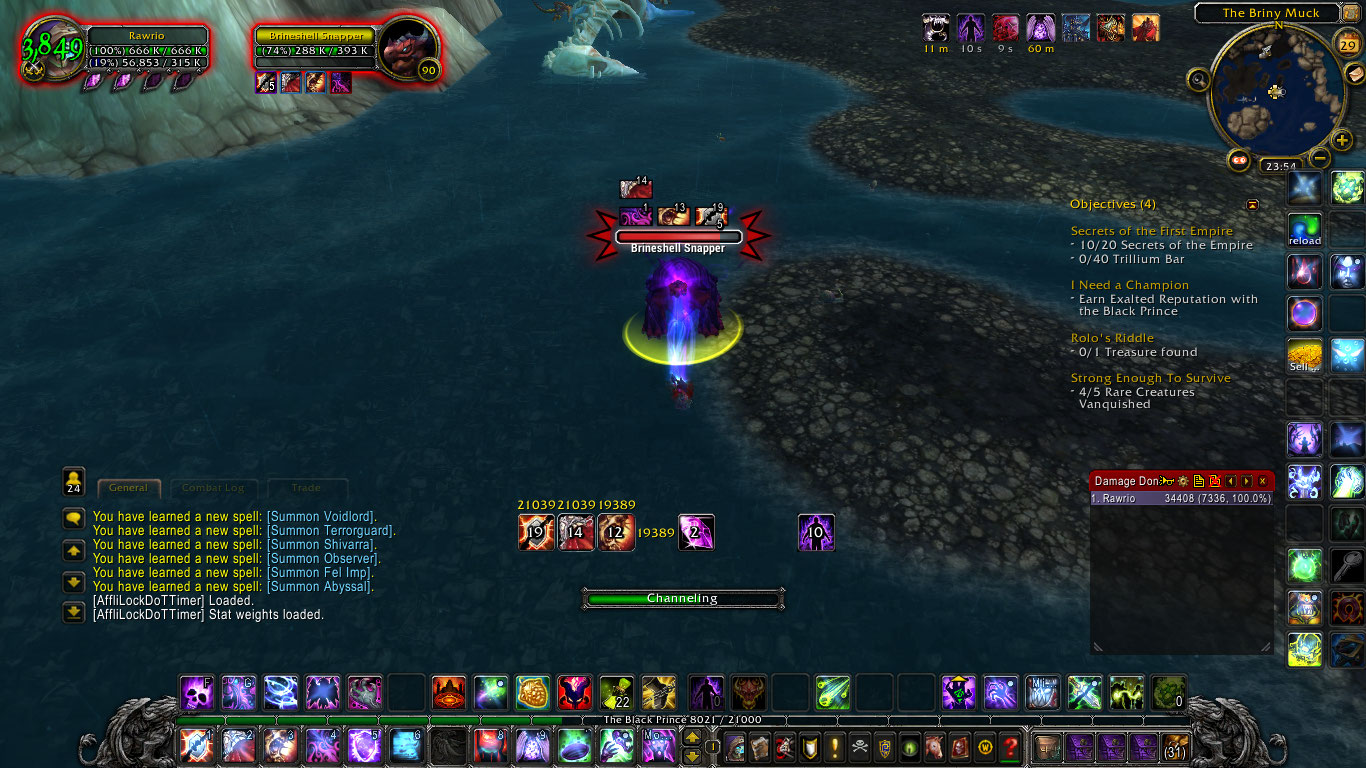
Buffscore and DoTs with their own buffscore can be seen. I have 2 Soul Shards and Dark Soul: Misery is active for 10 more seconds.
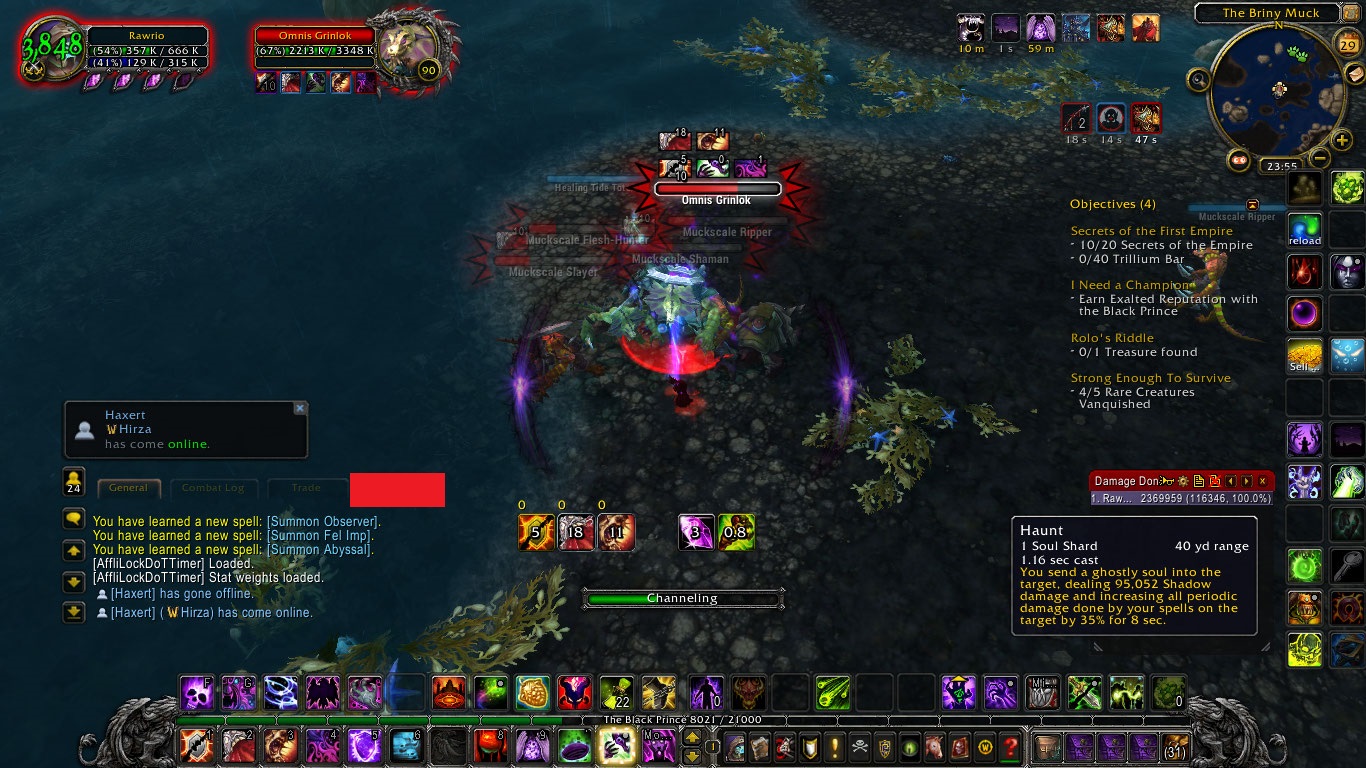
Agony and Haunt's time left has dropped below the offset that you can change in the options, so their texture changes colour to indicate that you want to re-apply them soon.
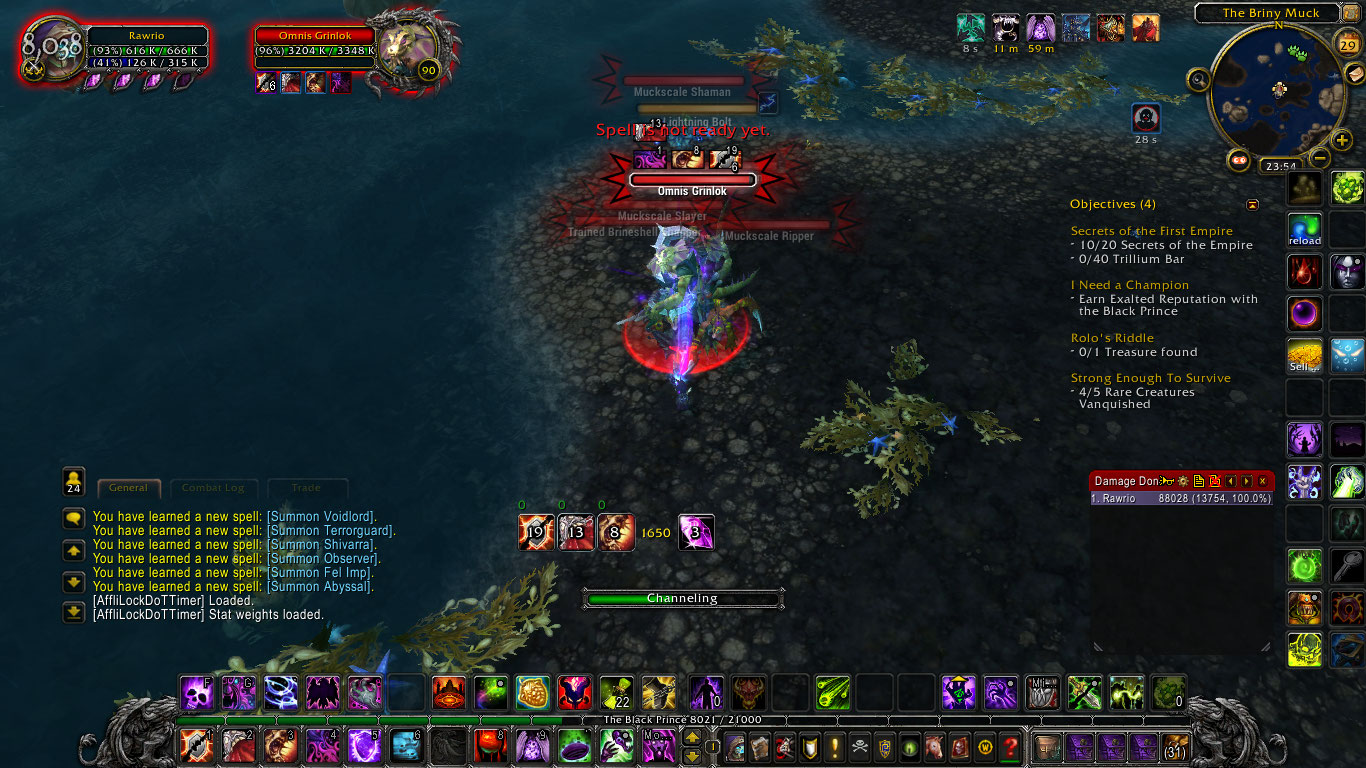
My DoTs have been applied with a buffscore of zero, but the current buffscore is higher so the numbers turn green.
Description
Short description
"When should I refresh my DoTs? With all the procs I never quite knew when the right time was to refresh a DoT..." -Bathral
That's where this addon comes into play, but that's not all. This addon tracks your current buffscore, which uses a formula with customisable weights for haste, crit, etc. So when you have a trinket proc it will be calculated in the buffscore and you know that its time to spend your pooled soul shards.
What this addon accomplishes
- Tracks buffscore (using customisable weights)
- Shows time left on Agony, Corruption, Unstable Affliction, Seed of Corruption (+ buffscores)
- Tracks Haunt
- Tracks Dark Soul: Misery (currently only active time, not when it comes off cooldown)
Configuring the addon
You can move it on the screen with the "/aldt configmode" command (/aldt noconfigmode to turn off again). To get most out of this addon you have to add your trinket procs to the watched list in the options. You have to put in the name of the proc in, not the name of the trinket. For example Kardris' Toxic Totem's proc is called Toxic Power. So you would add it to the list with as name "Toxic Power", the stat is int, the amount depends on which version of the trinket you have, and it only stacks to one. After you clicked the "add" button, it will be tracked into your buffscore.
Things like Heroism, Synapse Springs and Lightweave Embroidery are already hard coded into the addon, so you don't have to add them yourself.
Slash Commands
- /aldt (scale1 | scale2 | scale3 | scale4 | scale5 | scale6)
- /aldt (show | hide | reset | configmode | noconfigmode | options | clear)
Scale can be used to adjust the size of the interface. Configmode can be used to move the interface on the screen. Clear cleans up the list of tracked mobs.
Buffscore, extended
The buffscore currently takes int as baseline, meaning int buffs will be added one on one, so if your Jade Spirit procs, your buffscore will increase by 1650. For the other stats, it's added times the weight of the stat, which you can change in the options. If you want to be doing as much dps as you can, you must apply your DoTs when these procs are up. With the all the procs you can get it's nice if you have an addon tracking it, so you know when's the best time to re-apply.
DoTs are moment captures, meaning that they will have the same power for the duration of the DoT. The amount of power will be saved at the time of applying the DoT and it will be displayed as a number above the DoT's texture. When your current buffscore is higher than the one applied, the applied score will become green. This way you'll know to re-apply your DoT should you think this is necessary. If your current score is higher, the score will simply be yellow as usual.
What this addon does, the extended version
The addon consists of 7 textures and 1 number in a set - static - order.
- Texture 1 shows Agony, it's remaining time and above it the buffscore when you applied it.
- Texture 2 shows the same for Corruption.
- Texture 3 shows the same for Unstable Affliction.
- The 4th spot holds the current buffscore if it's greater than zero.
- Texture 5 shows the amount of Soul Shards you have.
- Texture 6 shows the duration of Haunt on the target.
- Texture 7 shows Seed of Corruption, it's duration and the buffscore.
- Finally Texture 8 shows if you have Dark Soul: Misery up and it's time left.
Offsets
The textures in this addon will change color if the time left on the DoT / buff comes below a certain value. You can change some of these values in the options. The color change is to give you an indication that it needs refreshing soon.
Credits
This addon is based on the ShadowPriestDoTTimer addon by Bathral who in turn got his inspiration elsewhere, so I would like to give them credit to making such an amazing addon which I merely adjusted to work with other classes.
The AffliLockDoTTimer Team