aGearCheck
- By
Character gear enhancement overlay - highlights missing enchants, sockets, and profession-specific enhancements
aGearCheckSettings.png
aGearCheck2.png
aGearCheck.png
Description
aGearCheck
Character gear enhancement overlay — highlights missing enchants, gems, sockets, and profession-specific enhancements at a glance.
A World of Warcraft MoP Classic addon that overlays your character frame with color-coded labels showing what enhancements are applied (or missing) on every gear slot.
Features
Enchant Detection
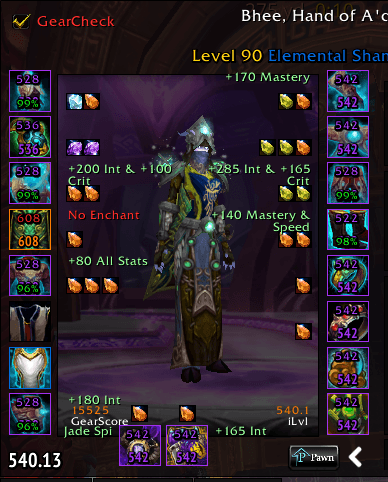
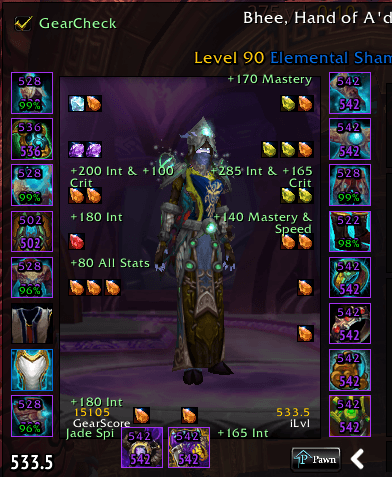
Shows the enchant effect on every enchantable slot. Missing enchants are highlighted in red.
Checked slots: Head, Shoulder, Chest, Back, Wrist, Hands, Legs, Feet, Main Hand, Off-hand (weapons/shields only).
Ring Enchants (Enchanters)
If your character has the Enchanting profession, rings are checked for enchants too.
Belt Buckle
Detects whether a Living Steel Belt Buckle (extra prismatic socket) has been applied. Flagged for all players.
Blacksmithing Sockets
If your character is a Blacksmith, checks for extra sockets on Wrist and Hands (Socket Bracer / Socket Gloves).
Engineering Tinkers
If your character is an Engineer, checks Gloves, Back, and Belt for applied tinkers:
- Gloves — Synapse Springs, Phase Fingers
- Back — Goblin Glider, Flexweave Underlay
- Belt — Nitro Boosts, Frag Belt, Watergliding Jets
Uses locale-independent detection: checks item link fields for known tinker IDs first, falls back to tooltip text scanning.
Gem Tracking
Displays filled gem count per slot. Works with the socket scanning system to detect empty sockets.
Customizable Overlay
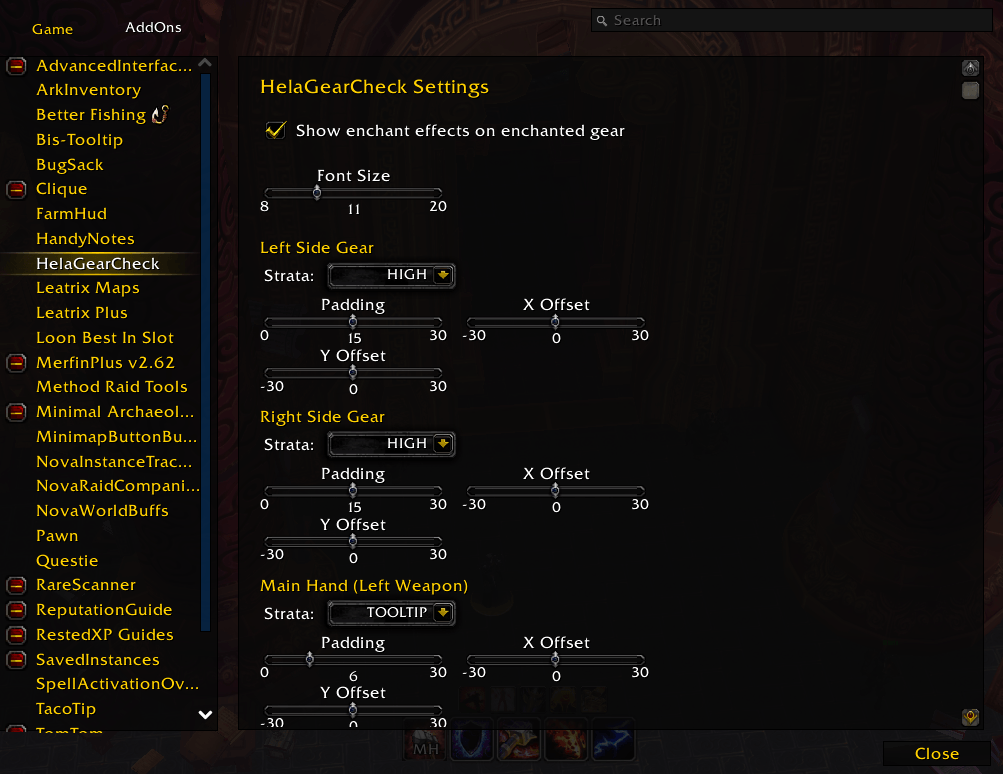
- Font size — adjustable
- Show/hide present enchants — toggle to only see missing items
- Per-side positioning — separate offset and padding controls for left, right, main hand, and off hand slots
- Frame strata — configurable per side to avoid overlap with other addons
- Toggle checkbox — quick show/hide on the character frame itself; turns red when issues are detected
Auto-Refresh
Automatically refreshes when you change gear, open the character frame, or modify items. Also refreshes periodically (every 3 seconds) while the character frame is open to catch in-place modifications like applying enchants or tinkers to equipped gear.
Debug Info Window
A scrollable, copyable debug window showing:
- Detected professions
- All item link fields per slot
- Tinker tooltip lines
- Full scan results with enchant/tinker/gem status and all detected issues
Slash Commands
| Command | Description |
|---|---|
/agc |
Open options panel |
/agc missing |
Toggle show/hide present enhancements |
/agc test |
Print current issues to chat |
/agc debug |
Dump item link fields to chat |
/agc tinker |
Open debug info window |
Installation
Extract the aGearCheck folder into:
World of Warcraft/_classic_/Interface/AddOns/
Configuration
All settings are available in the in-game options panel (Interface → AddOns → aGearCheck) or via /agc.
Settings are stored per-character in aGearCheckDB.
Screenshots
Open your character frame and the overlay appears automatically. Missing enhancements show in red, present ones in green. The checkbox at the top-left of the character frame toggles the overlay — its label turns red when any issues are detected.
aGearCheck Team