AffinityLoot
- By
A complete loot-point (DKP-style) manager for your guild — track attendance, award points, bid on raid loot, and keep everyone in sync, all in-game.
character_loot_report.png
main_screen.png
bid_menu.png
bidding.png
raid.png
Description
Affinity Loot
Affinity Loot is an in-game loot-point system for World of Warcraft, built for guilds that want a fair, transparent way to hand out raid drops. Members earn points by showing up to raids and spend them bidding on loot — highest bid wins, and every change is logged. No spreadsheets, no websites, no add-ons to your raid leader's workload.
Why use it
Most loot systems live outside the game in spreadsheets or web tools that nobody keeps updated. Affinity Loot keeps everything where your raid actually happens — inside WoW — and shares it automatically between guild members who have the addon. Open it from a minimap button and you've got your whole roster, their points, and their attendance at a glance. It even writes each member's points into their public guild note, so the whole guild can see standings straight from the in-game roster — even members who don't have the addon.
How loot points work
Earn points by showing up — raid leaders award attendance points to everyone in the raid at once (or per player). The more you raid, the more you bank.
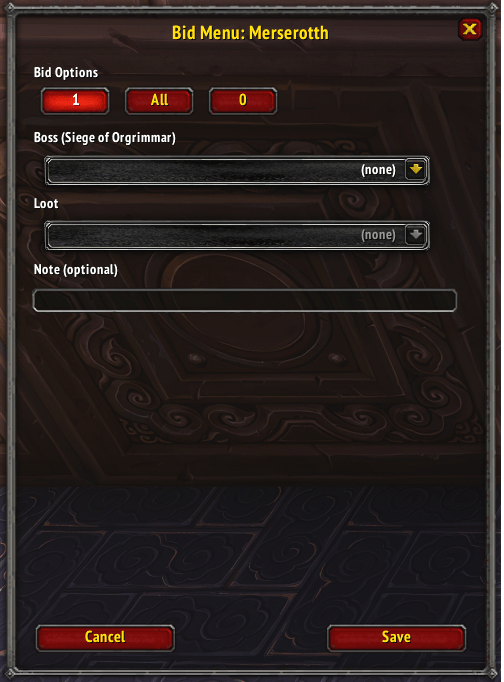
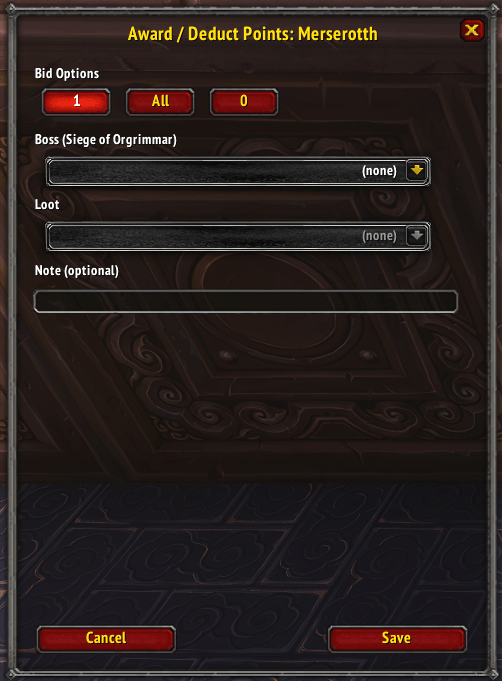
Spend points by bidding on loot — when an item drops, players bid and the highest points win it. When you record a win, you choose how much the winner spends:
- All — a "main spend" for an item you really want: it leaves you with half your current points (rounded down to the nearest half point) and spends the rest.
- 1 — spends a single point (a small, cheap bid).
- 0 — Off-spec loot bid, still spend 1 point but is last in priority
Highest points wins — points are your priority. Save them up for the drops that matter, or spend little and often.
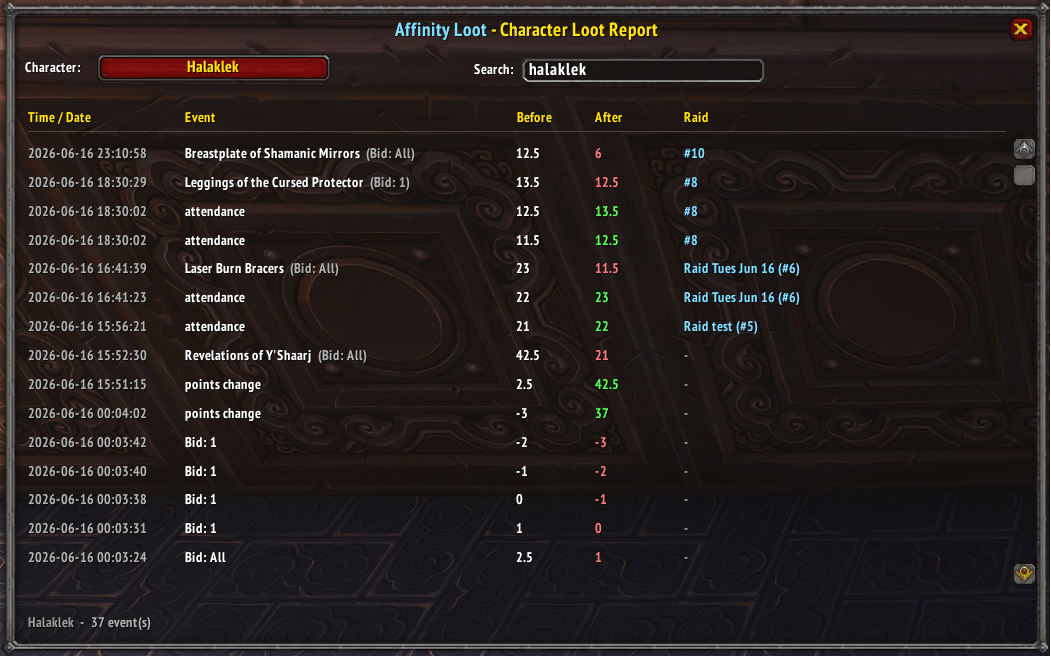
Everything is logged — every award, bid, and loot win is recorded with the points before and after, the item, the boss, and the raid it happened in. Made a mistake? Edit or undo any loot win and the points recalculate automatically.
Key features:
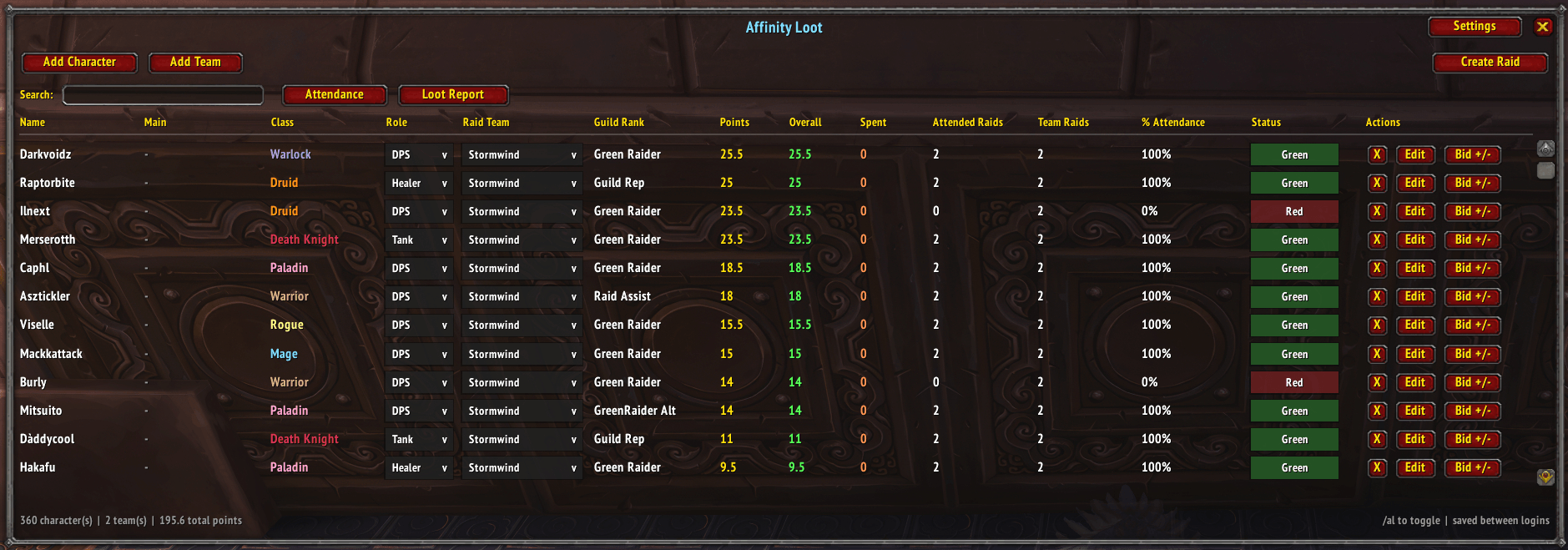
- Full guild roster — every character with their main, class, role (Tank/Healer/DPS), raid team, guild rank, current points, lifetime totals, and a live attendance-based status flag. Searchable and sortable.
- Attendance-driven status & stats — Status (Green/Yellow/Red), % Attendance, Attended Raids, and Team Raids are all calculated automatically from recorded raids, so they stay accurate and identical for everyone in the guild.
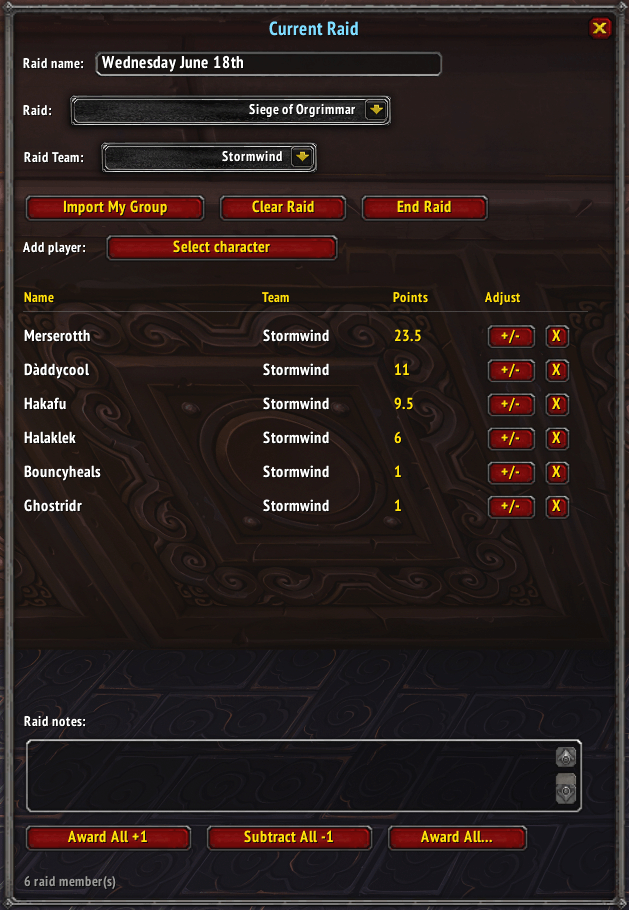
- Raid management — build a raid from your roster or import your current party/group, bench players, assign a raid team, pick the current instance, and award attendance points in bulk or per-player. Multiple raids can run at once — when you start a raid you can pick up any open guild run and continue it, or begin a fresh one.
- Smart loot bidding — bid on actual items pulled from real Mists of Pandaria raid loot tables (Boss → Item dropdowns). Each win is recorded, points are deducted, and everything ties back to the raid it happened in. Made a mistake? Edit or undo any loot win and the points recalculate correctly.
- Lifetime point tracking — Overall (everything ever earned) and Spent totals per character, plus a complete audit log of who changed what, when, and on which item.
- Attendance & loot history — browse every past raid: who attended, who was benched, raid notes, and the loot that dropped.
- Guild public notes — points are automatically mirrored into each character's public guild note, so standings are visible in the in-game guild roster to your entire guild, even to members without the addon. Administrators can toggle this on or off.
- Real-time guild sync — share your full dataset over WoW's addon channel to every online guild member who has the addon. Histories are merged (not overwritten), so two raid groups can run at the same time without clobbering each other's data. Administrators can also switch on optional auto-sharing, which pushes updates to the guild automatically after key raid and loot actions (it's off by default, so you stay in control).
- Backups — export your data as JSON to paste into a file, and import it later to restore.
- Roles & permissions — Basic users can view; Points Officers can run raids and award points;
- Administrators control access and data maintenance.
Good to know - Sharing works over WoW's in-game addon channel, so it reaches guild members who are online and also have the addon installed — there's no internet/web component (WoW addons can't access the internet). Guild-note updates require the "Edit Public Note" guild permission.
- Loot data is bundled in for all five MoP raids (Mogu'shan Vaults, Heart of Fear, Terrace of Endless Spring, Throne of Thunder, Siege of Orgrimmar), including trash drops.
- Type /afl for commands.
Created by Halaklek of Affinity.
AffinityLoot Team