Adventurer's Log
- By
Your adventure, written for you: a journal of your story plus automatic helpers for bags, vendors, quests, the map and friends.
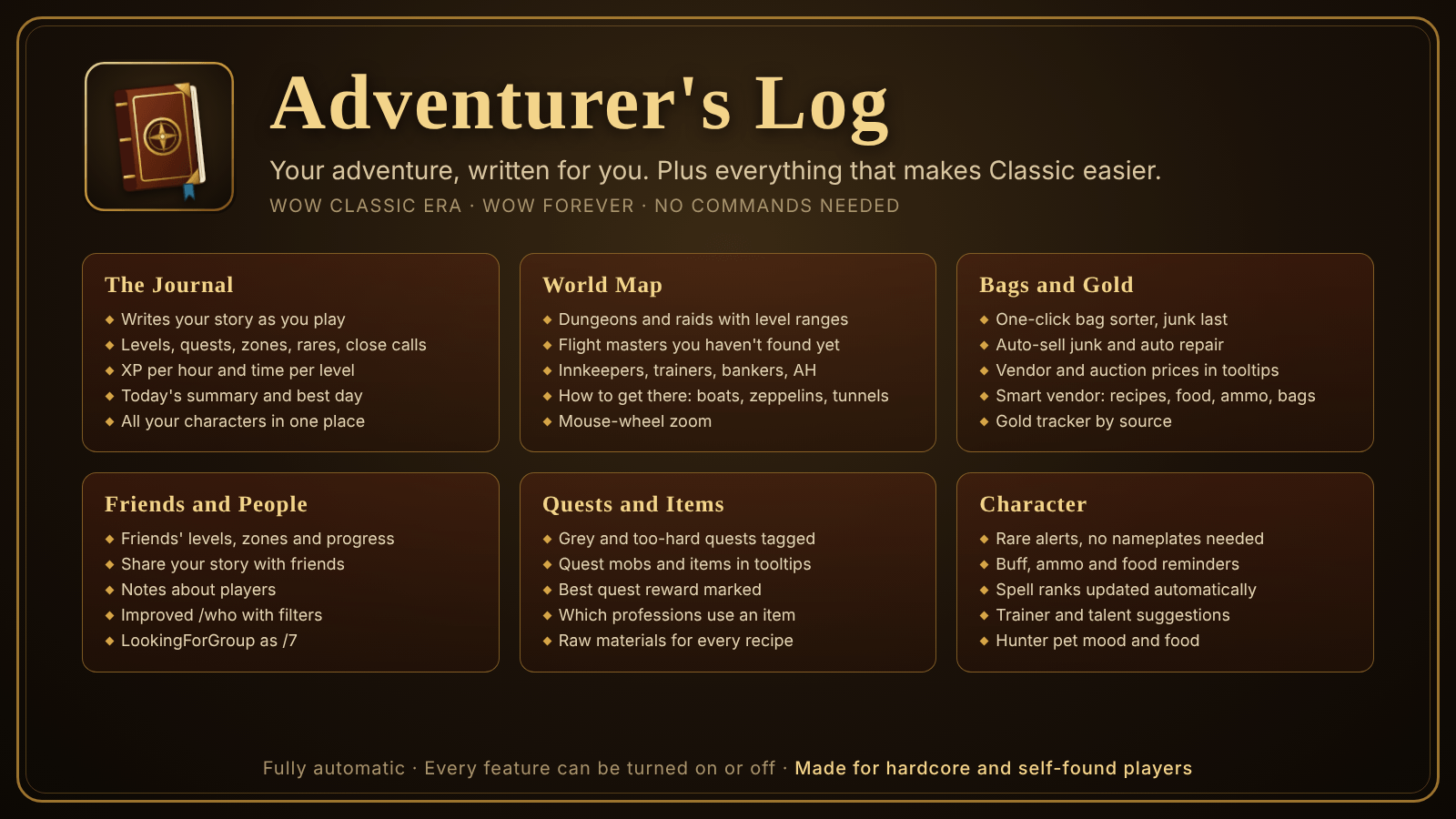
Adventurers log banner
Description
Adventurer's Log
Adventurer's Log writes the story of your character while you play, and quietly takes care of the small, annoying things along the way. It works on its own, without commands or setup: install it and play. Everything can be switched on or off in the settings.
Made for WoW Classic Era and WoW Forever. Built with hardcore and self-found players in mind, but useful for everyone.
The Journal
- Your story, written for you. Zones discovered, levels reached and how long each took, quests completed, every 100th kill, rares spotted and defeated, close calls, deaths, profession milestones and new people you met.
- Today and best day. A summary of today's levels, quests, kills and XP, daily totals in every day's header, and your best day ever.
- Filters and search. Show only levels, quests, zones, rares, close calls, professions or people, or search for anything.
- Stats. XP per hour, time to the next level, kills to level, rested XP, time spent on each level, quests, kills, most-hunted mobs, closest calls, gold earned and spent, and the best zones to level in right now, with directions to each.
- All your characters. Flip between your characters to read their stories too.
- Open it with a left-click on the minimap button.
People and Friends
- People. Everyone you grouped with, how long you played together, and when you last saw them.
- Notes. Write a note about anyone, such as "great tank". It shows in the People and Friends lists and in that player's tooltip.
- Friends. Every friend on your friend list with level, class, zone, online status or when they were last seen, levels gained this week and month, and level history. Their level ups go into your Story.
- Friends who also use Adventurer's Log share their XP per hour, time on the current level, quests, kills, close calls, deaths and recent story. Their close calls, deaths and rares appear in your Story as well. Data is only shared between people who have each other on their friend lists, on the same realm and faction, while both are online.
- Improved /who. Search by name, level range (a one-click button sets it around your level), zone (one click fills in yours) and one or more classes. Results show in the journal with class, level, zone, race, guild and your note. Click to whisper, Shift-click to invite.
World Map and Travel
- Dungeons and raids on the zone and continent maps, with level ranges colored for your level.
- Flight masters for your faction. The ones you haven't discovered yet are marked.
- Useful NPCs: innkeepers, your class trainers, profession trainers (optionally only for your professions), bankers, auctioneers and weapon masters. Hunters also see stable masters and pet trainers. Icons that would overlap spread out in a small circle.
- How to get there. Look at a zone on another continent, or at a hard-to-find zone like Moonglade, Winterspring or Un'Goro Crater, and the map tells you the way in: which boat, zeppelin or tram to take, and where the entrance is. Pin tooltips show the same directions.
- Map zoom. Zoom in with the mouse wheel or the + and - buttons, and drag the map when zoomed in. Wheel down past a zone to see its continent and then the world. Wheel up on the world or a continent to open the area under the cursor.
- Hearthstone reminder. When you walk into an inn and your Hearthstone is set somewhere else, a short reminder appears at the top of the screen.
Bags, Vendors and Gold
- Item prices in tooltips: vendor price and auction house price.
- Auto-sell junk when you open a vendor.
- Bag space warnings. When your bags are almost full, or you see "Inventory is full", it suggests the cheapest things to drop. It never suggests items your recipes need, quest items or items you can't sell.
- Bag sorter. A button on your backpack and on the bank window stacks partial stacks together and sorts everything: Hearthstone and tools, food and drink, potions and bandages, quest items, trade goods, recipes and gear, with junk always last. Special bags such as quivers and soul bags are left alone.
- One key for all bags. Your backpack key (B) opens all bags at once.
- Smart vendor. At a vendor it marks recipes your characters can use but don't know yet (including limited-stock ones), the best food and drink for your level, the right arrows or bullets for your ranged weapon, and a bigger bag you can afford.
- Auto repair at vendors who can repair, if you can afford it. A warning appears on screen when your gear is almost broken.
- Ammo, food and water reminders before you run out.
- Gold tracker. How much you earned and spent this session, today, this week and overall, and where it came from: loot, quests, vendors, repairs, trainers, flights, mail, the auction house and trades.
- Auction house scanner. Records prices when you visit the auction house, with a full scan when possible, so tooltips show real prices for your realm and faction.
Quests
- Quest log assistant. Quests that turned grey (little XP, worth abandoning) and quests that are too hard for now are tagged right in the quest log, with a one-line summary under the quest counter. A warning appears when your log is almost full.
- Quest mobs in tooltips. Tooltips show when a mob is needed for one of your quests, such as "Defias Trapper slain: 3/10", including quest items it has dropped before. It can also put a skull on quest mobs you mouse over.
- Quest rewards. When you choose a reward, a green check marks the best upgrade for your class compared with what you're wearing, and a gold coin marks the one that sells for the most.
Professions and Items
- What is this item for? Item tooltips show which professions use an item and in how many recipes, for every Classic profession, even ones you don't have. Your own professions come first, with the skill range.
- Who needs it, who has it. Tooltips show which of your characters needs an item for their recipes, and how many your characters already own in their bags and banks.
- Raw materials breakdown. For crafted items, tooltips break the recipe down into raw materials and show how many you have and how many you need, using your intermediate items first.
- Profession reminders to open your profession windows and visit the bank, so the addon knows your recipes and items.
Combat and Your Character
- Rare alerts. Spots rares through mouseover, your target, your party's targets and the combat log, with an on-screen alert. Nameplates are not required.
- Mob drops. Mob tooltips show what that mob has dropped for you before. Drop data can be shared with your party, raid and guild.
- Fishing. Remembers what you caught from each fishing pool and in each zone's open water, and shows it on pool tooltips and your fishing pole.
- Buff reminders. When you target an enemy out of combat, it reminds you of your missing class buffs (only the ones you know), poisons or weapon imbues, and warns if Aspect of the Cheetah or the Pack is still on.
- Trainer reminders. When you level up, it tells you which new skills your class trainer has and what they cost. It also reminds you about unspent talent points.
- Talent advisor. Suggests where to put your next talent point, following a popular leveling build for your class, and highlights it in the talent window (Classic Era only).
- Spell rank checker. Action bar buttons that still use an old rank of a spell are marked. When you learn a new rank, buttons with your previous best rank are updated automatically, out of combat. Healing spells, Frostbolt and Earth Shock are left alone, since they're often used at lower ranks on purpose.
- Hunter pet helper. Warns when your pet gets hungry or unhappy, tells you if you have no food it eats, and marks the best food for your pet at vendors.
- Mini damage meter with class-colored bars. Pets count for their owner.
- XP tracking. XP per hour, time to the next level, kills to level and rested XP.
Chat
- LookingForGroup as /7. Joins the LookingForGroup channel when you log in, or reuses it if another addon already did, and moves it to /7.
Minimap Button
- Hover for a quick overview: free bag slots, junk value, the cheapest item to drop, auction data, gold this session and today, lowest durability, Hearthstone location and cooldown, XP rate, your pet's mood and good zones for your level.
- Left-click opens the journal, right-click opens the settings, Shift-click shows what to drop. Drag it to move it.
WoW Forever
- Works on the WoW Forever client too. Map coordinates are adjusted for the redrawn zones (Stormwind, Mulgore, Redridge and the Eastern Plaguelands).
- New dungeons, flight masters and NPCs in the new zones are remembered as you find them and shown on your map from then on.
- The new Forever zones are included in the zone suggestions. The talent advisor is turned off on Forever, because the talent trees are different there.
Good to Know
- Profession names, fishing pools, quest objectives and zone directions are recognized on English clients.
- Addons can't reach the internet, so prices, drops and catches are learned as you play.
- Settings: right-click the minimap button, or type /alog.
Credits
Thanks to Diana for the zone directions idea. Dungeon and flight master positions are based on HandyNotes DungeonLocations (Classic) and HandyNotes FlightMasters (Classic) by Callie. NPC positions come from QuestieDB (GPLv3). Recipe data comes from wow-classic-items (MIT) and LibPeriodicTable-3.1 (LGPL).
Adventurer's Log Team