


Advanced Currency Tracker
- By
A currency and item tracking addon that shows you every WoW currency (and selected items) across all your characters in one list - see what each character holds, what the whole warband holds and how the weekly cap is going.
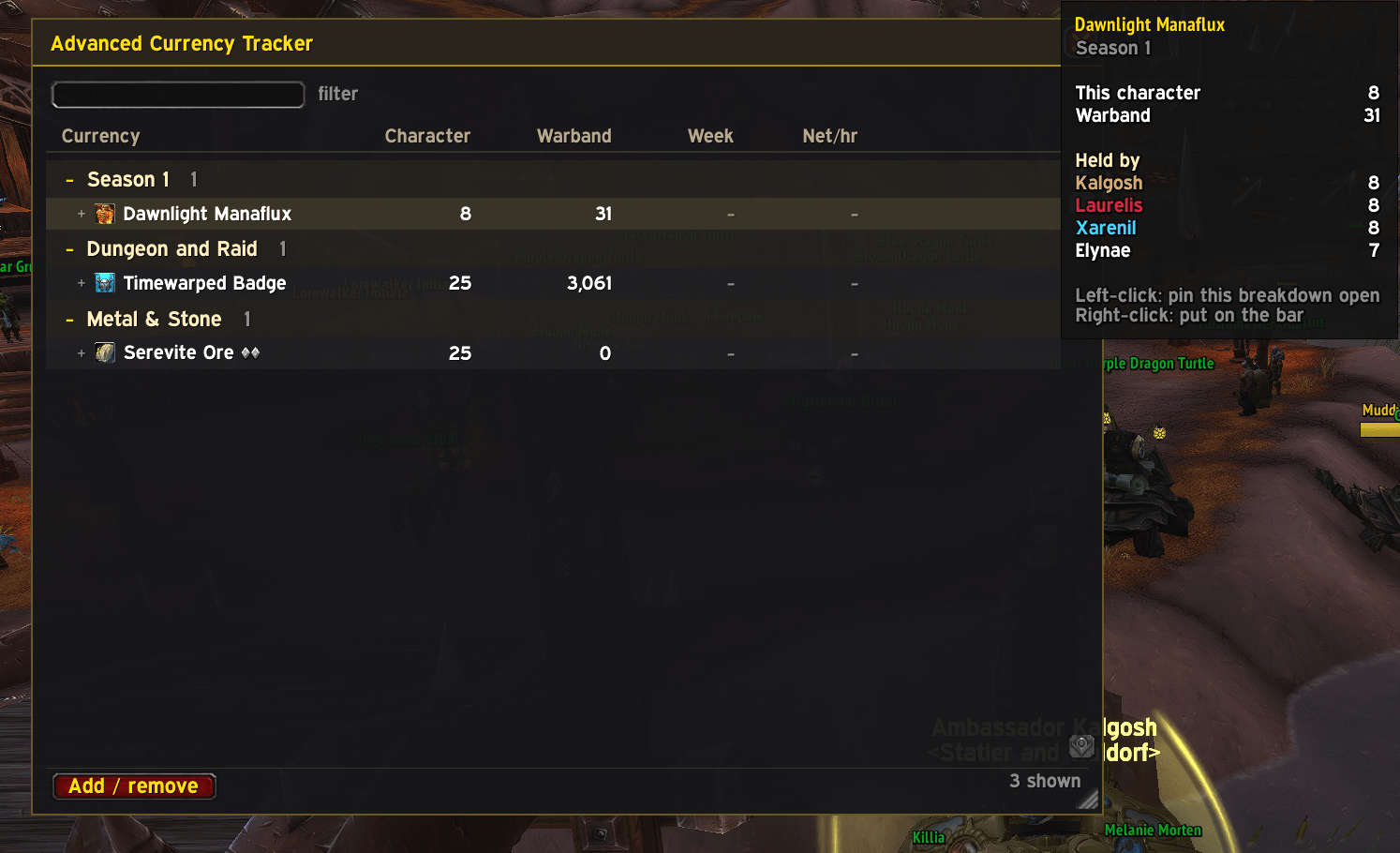
View all your chosen currencies/items with character, warband, weekly caps and hourly rates
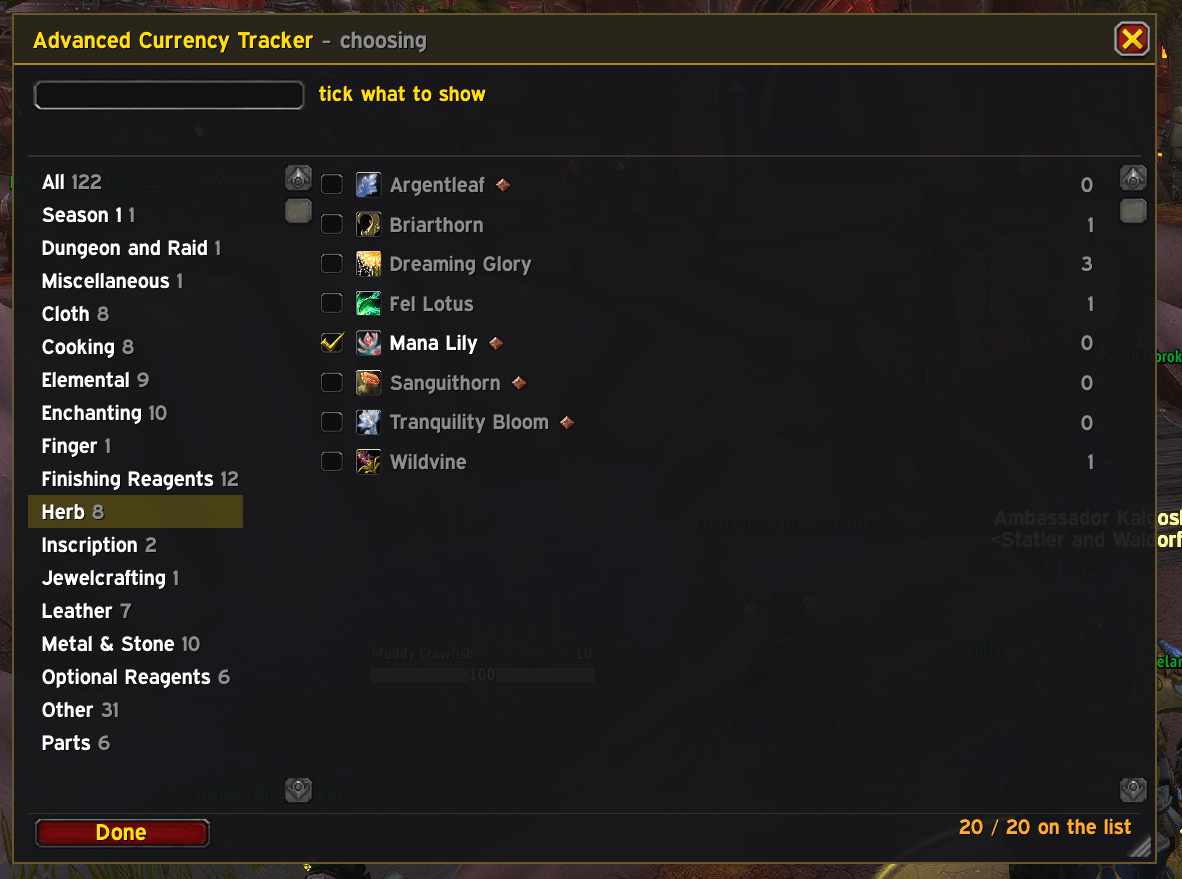
Choose what currencies/items you want to actually see.
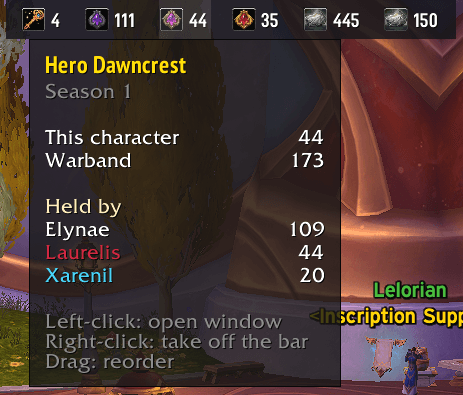
Choose which currencies you want easy access to, or simply toggle this bar off if you don't like it.
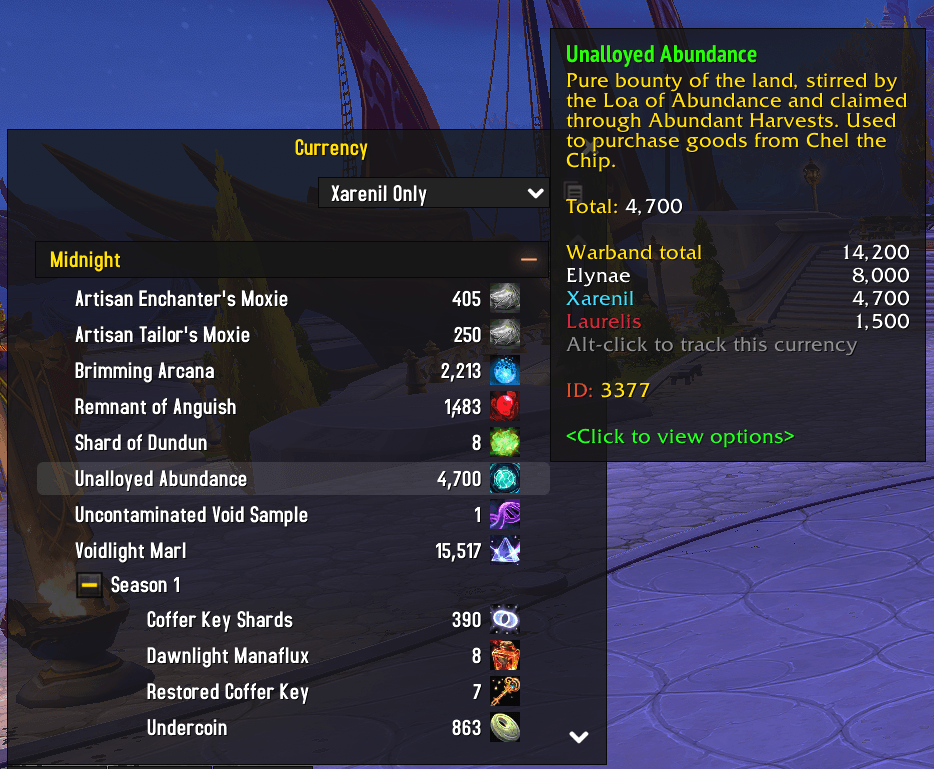
View your Warband total while also seeing which characters have the most of each currency
Description
Advanced Currency Tracker
** This addon is new and a work in progress - if you notice any bugs or issues, please report them in the comments and I will fix them ASAP. Thanks. **
Advanced Currency Tracker shows you every WoW currency (and selected items) across all your characters in one list - see what each character holds, what the whole warband holds and how the weekly cap is going.
Features
Currency List
- One scrollable window groups currencies by expansion
- Character, Warband and Weekly columns side by side
- Weekly caps coloured green at cap and amber while still in progress
- Expand any row to see the per-character breakdown inline.
- Shared pool currencies show as shared rather than listing each character.
- Collapse expansion headings. Collapse state is remembered per heading.
- Filter the list by name with the search box. Works across all currencies.
- Add items that you want to track like a currency, for example crafting materials.
Choosing What To Track
- Click Add / remove to flip the window into edit mode - a category pane on the left, every available currency on the right. Tick what you want to see, untick what you don't.
- Auto-add on gain or spend. Anything you earn or spend during a session starts appearing automatically. A fresh install seeds from whatever you already hold, so the first window is never empty.
- Alt-click in Blizzard's Currency tab to add any currency directly from the source.
- Alt-click on any item in your bag to add it to the currency tracker.
- Right click any currency/item in the ACT menu to add it to the top tracking bar
Currency Tab Improvements
- Hover any currency in the currency tab and the tooltip shows the Warband total and which characters are holding it.
- Off by default. Turn it on in Settings under Currency, where you can also pick how many characters it lists.
Per-hour rates (optional column)
- Rolling one-hour window of one-minute buckets.
- Choose between net (gained − spent) or gross gained.
- Sub-hour readings extrapolate from time actually covered - a fresh window reports immediately rather than ramping for an hour.
Display and window options
- Resizable window. Size and position are saved per character.
- Optional class-coloured character names in tooltips.
- Compact number formatting (e.g. 1.2k).
- Separate opacity for the window and the tracking bar - the window is something you open and close, the bar sits on screen all the time.
- Choose how many characters each hover tooltip lists. The window, the bar and the currency tab each have their own settings.
Settings
ESC > Options > AddOns > Advanced Currency Tracker.
Commands
/ct — Toggle the currency window /ct list — Print what is currently being shown/ct add currencyname/currencyID — Add a currency by name or ID/ct remove currencyname/currencyID — Remove a currency/ct reset rates — Clear the per-hour rate windows/ct help — Shows all commands/ct settings — Open settings/ct additem itemID/shift-click item> — Track an item by ID, or shift-click to link it/ct removeitem itemID/shift-click item — Stop tracking an item/ct bar — Toggle the tracking bar
Aliases: /act, /ct, /currencytracker, /advancedcurrencytracker
Support
Any feedback is appreciated! Feel free to leave any suggestions in the comments also please report any bugs you find, I'm testing as much as I can, but things will always slip through.
The Advanced Currency Tracker Team

