Addon Loadouts
- By
Automatically switch addon profiles based on your current activity, zone, role, or specialization.
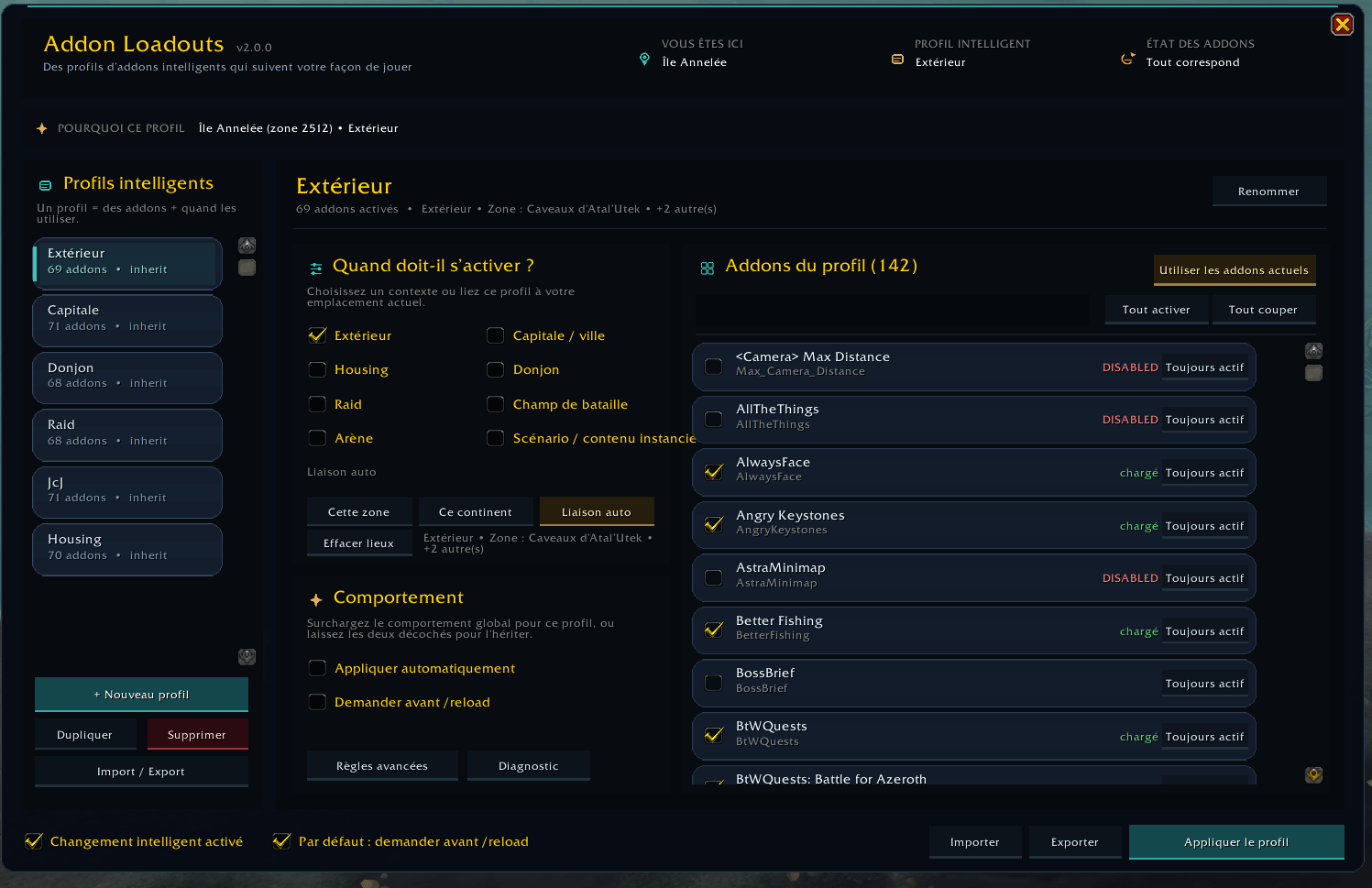
Addon Loadout v2.png
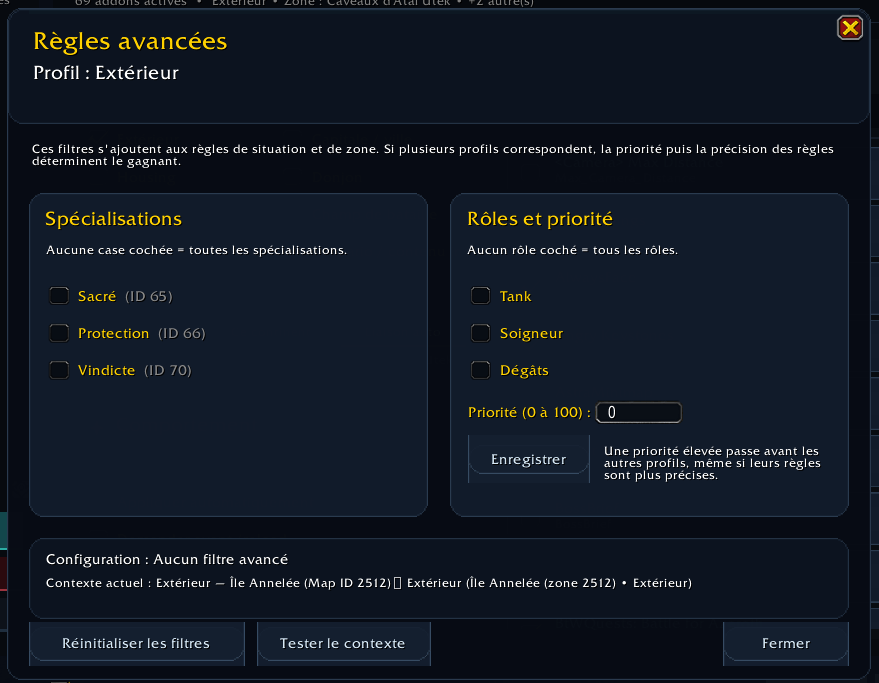
Addon Loadout Avancé.png
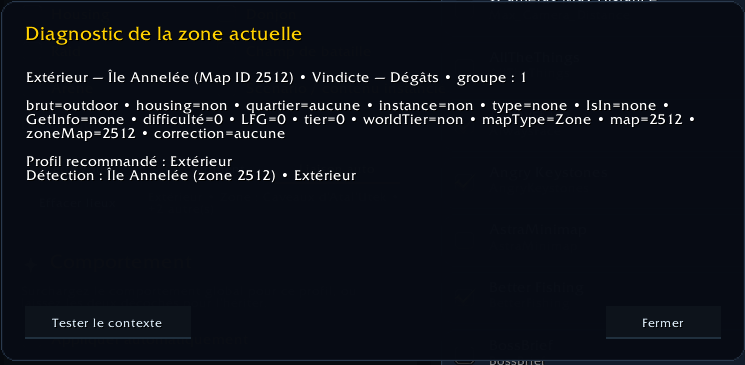
Addon Loadout Diag.png
Description
Addon Loadouts
Addon Loadouts lets you create different addon configurations and automatically apply them depending on what you are doing in World of Warcraft.
Do you really need gathering addons during a raid?
Do you need raid tools while standing in a capital city?
With Addon Loadouts, you can create dedicated profiles for each situation and quickly enable or disable the addons you need.
Main Features
- Create, duplicate, rename, and delete addon profiles
- Capture your currently enabled addons into a profile
- Enable or disable addons individually
- Search through your installed addons
- Enable or disable all addons in a profile
- Automatically detect your current activity
- Preview all changes before applying a profile
- Automatically handle required addon dependencies
- Delay profile changes while you are in combat
- Close addon windows with the Escape key
- Open the interface from a macro or slash command
Supported Situations
Profiles can be assigned to:
- Outdoor content
- Capital cities
- Dungeons
- Raids
- Battlegrounds
- Arenas
- Scenarios and other instanced content
- Custom zones using Map IDs
Advanced Rules
Profiles can also be filtered by:
- Character specialization
- Role: Tank, Healer, or Damage
- Custom profile priority
When multiple profiles match the current situation, Addon Loadouts automatically selects the most specific profile with the highest priority.
For example, you can create:
- A general Raid profile
- A Raid Healer profile
- A Raid Tank profile
- A specific profile for one raid or zone
How It Works
World of Warcraft does not allow an already loaded addon to be completely unloaded during a session.
When Addon Loadouts detects that another profile should be used, it displays a preview showing:
- Addons that will be enabled
- Addons that will be disabled
- Dependencies that must remain enabled
You can then apply the profile and reload the interface.
Profile changes are never forced while you are in combat.
Slash Commands
- /al : Toggle the main window.
- /al open : Open the main window.
- /al close : Close the main window.
- /al toggle : Toggle the main window.
- /al matches : Display the profiles matching your current context.
- /al clear : Clear the profile ignored for the current session.
The full command is also available:
- /addonloadouts
Macro
To open Addon Loadouts from an action bar, create a macro containing:
- /al open
Basic Setup
-
Open the interface with /al.
-
Select or create a profile.
-
Click Capture Enabled Addons to copy your current addon configuration.
-
Enable or disable the addons you want for that profile.
-
Assign one or more automatic rules.
-
Repeat the process for your other activities.
Example profile setup:
- Outdoor: GatherMate2, Routes, HandyNotes
- City: Auction House, professions, and inventory addons
- Dungeon: damage meters, boss mods, and dungeon tools
- Raid: raid frames, boss mods, logs, and raid utilities
- PvP: arena frames and battleground tools
Important
Addon Loadouts changes the enabled state of your addons, but a UI reload is required before those changes become active.
Your profiles and settings are stored in SavedVariables and are preserved between sessions.
Compatibility
Addon Loadouts is designed for World of Warcraft Retail.
Addon Loadouts Team