Action Bar Storage
Copy, clone, save and share action bar setups across accounts, characters, specs.
Description
Action Bar Storage
Save your action bar layouts as named profiles and restore them on any character — perfect for alts, spec swaps, or sharing setups with friends.
✦ Features
- Save any bar or all bars into a named profile with a single click
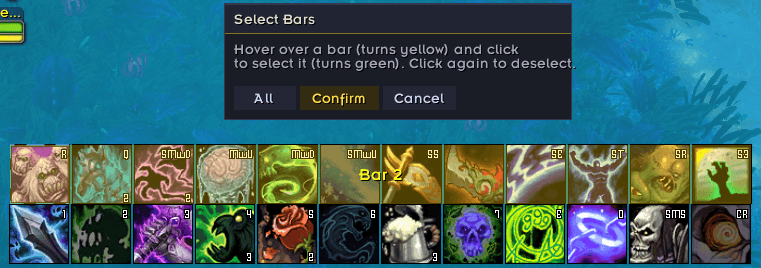
- Hover & click bar selection — an overlay highlights whichever bar your mouse is over; click to select, click again to deselect
- Cross-character — profiles are stored account-wide and available on every alt
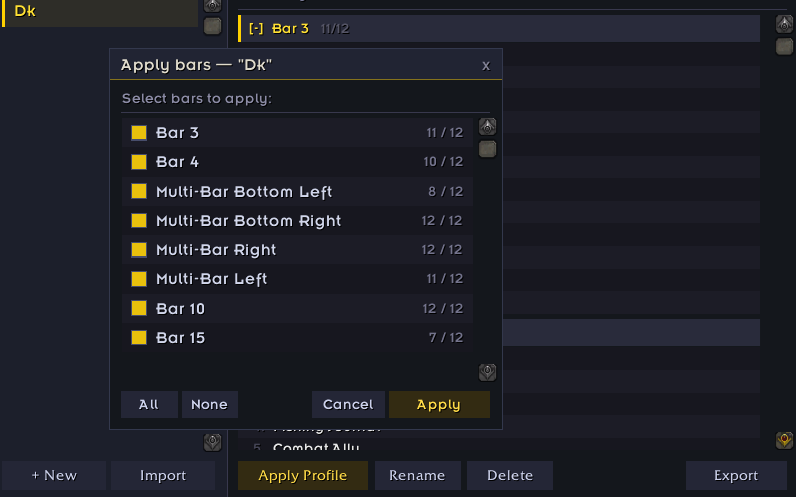
- Per-bar restore — choose exactly which bars to write back when applying a profile
- Skipped slot report — chat output tells you which slots couldn't be restored and why (wrong class, item not in bags, macro not found)
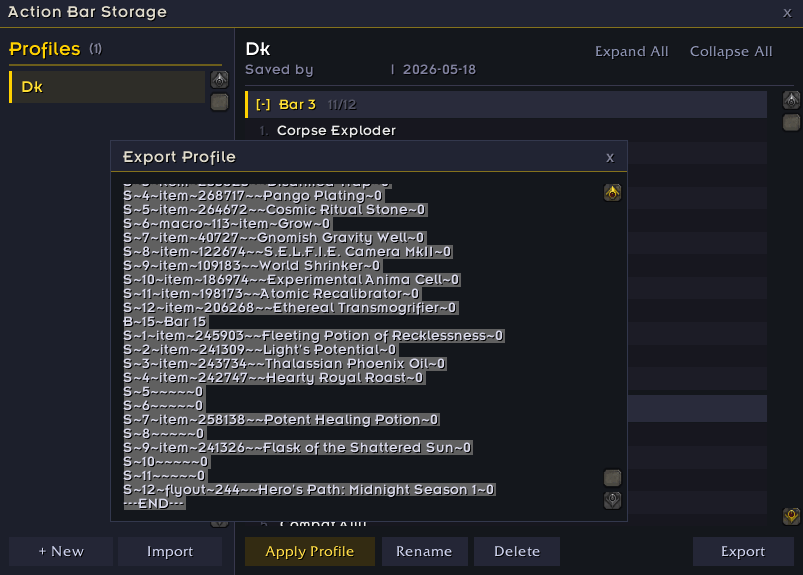
- Export & Import — copy a profile to clipboard and share it with anyone; paste to import on any character
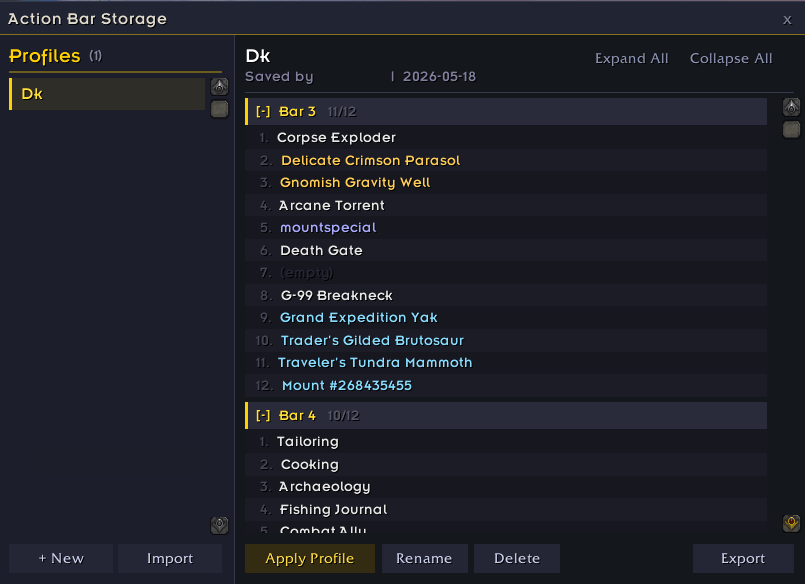
- Profile management — rename, delete, and browse slot-by-slot contents in the detail panel
- Bar addon compatible — works with ElvUI, Bartender4, Dominos, and Blizzard default bars
✦ Usage
| Command | Action |
|---|---|
/abs | Open / close the window |
/actionbarstorage | Same as above |
- Click New Profile, enter a name, hover over bars to highlight them, click to select, then Confirm
- Select a profile from the list and click Apply Profile to restore it
- Click Export to copy the profile text — share it, then use Import on any account to load it
Action Bar Storage Team