Mod by Blamdarot.
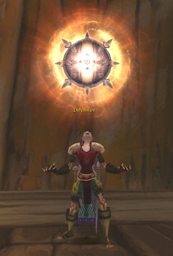
This addon takes screenshots of important events in your WoW life. It can automatically take a screenshot when you earn an Achievement, when you Level Up, and when you reach a Reputation Milestone (example: when you cross the Neutral -> Friend threshold), and when you complete a battleground match.
To open the options panel, type /as or /screenshotter. Here you can select which of the event types (Achievements, Level Ups, and Rep Milestones) you want screenshots of.
There is an option to hide the UI while taking screenshots. This option will only hide the UI for Level-ups, Reputation Milestones, battleground endings, and arena endings. (Hiding the UI for Achievements would remove the visual indication that an Achievement was earned.) This option is OFF by default. To turn it ON, go to the Options panel (/as) and check the appropriate checkbox.
Join us at Achievement Screenshotter on Facebook.
== FAQ ==
Where are the screenshots saved on my computer? The screenshots are saved to the \World of Warcraft\Screenshots folder where the manual screenshots are stored.
What are the slash commands that open the options panel? /as /screenshotter
This addon takes screenshots of important events in your WoW life. It can automatically take a screenshot when you earn an Achievement, when you Level Up, and when you reach a Reputation Milestone (example: when you cross the Neutral -> Friend threshold), and when you complete a battleground match.
To open the options panel, type /as or /screenshotter. Here you can select which of the event types (Achievements, Level Ups, and Rep Milestones) you want screenshots of.
There is an option to hide the UI while taking screenshots. This option will only hide the UI for Level-ups, Reputation Milestones, battleground endings, and arena endings. (Hiding the UI for Achievements would remove the visual indication that an Achievement was earned.) This option is OFF by default. To turn it ON, go to the Options panel (/as) and check the appropriate checkbox.
Join us at Achievement Screenshotter on Facebook.
== FAQ ==
Where are the screenshots saved on my computer? The screenshots are saved to the \World of Warcraft\Screenshots folder where the manual screenshots are stored.
What are the slash commands that open the options panel? /as /screenshotter
The Achievement Screenshotter Team