


Account Census - Statistics
- By
Charts of your most played and most created classes, races, factions and specs across all your alts, weighted by playtime and level. Level filter, playtime-hiding mode and one-time import from WoW Level Checklist.
Captura de pantalla 2026-10-30 054847.png
Captura de pantalla 2026-10-30 054914.png
Captura de pantalla 2026-10-30 054925.png
Captura de pantalla 2026-10-30 054945.png
Captura de pantalla 2026-10-30 054955.png
Description
Account Census - Which class do you really play?
Which class do you actually spend your time on? Which race do you keep rolling? Account Census turns all your alts into clear bar charts, based on the time you really played them, not just how many characters you created.
Features
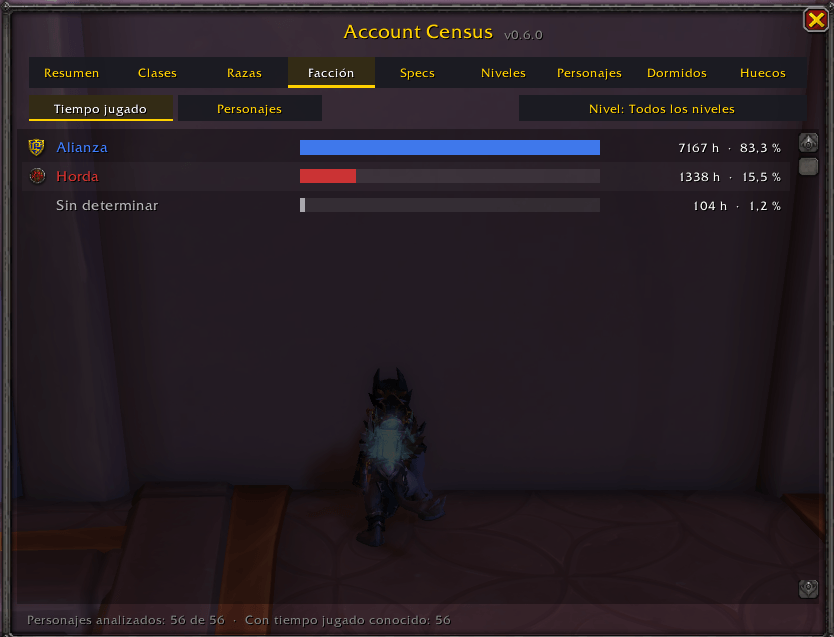
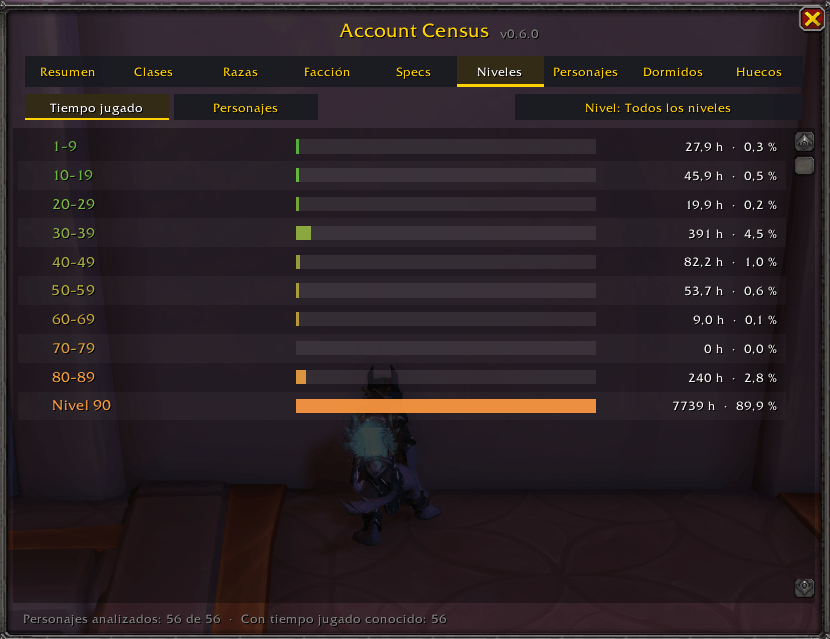
- Bar charts for Classes, Races, Faction, Specs and Level ranges.
- Two views: Playtime (weighted by hours) or Characters (how many you created).
- Fair weighting: three Priests with 101 h, 1 h and 0 h count as about 102 h of Priest, not as three equal characters. A character you barely played does not distort your stats.
- Level filter: all levels, 10+, 30+, 60+ or max level only.
- Characters tab ("Analyzed characters"): the list of every character that counts, with class, race, spec, level and playtime. Use Remove to take a character out of all statistics (a bank alt, for example) and Restore to bring it back. Nothing is deleted.
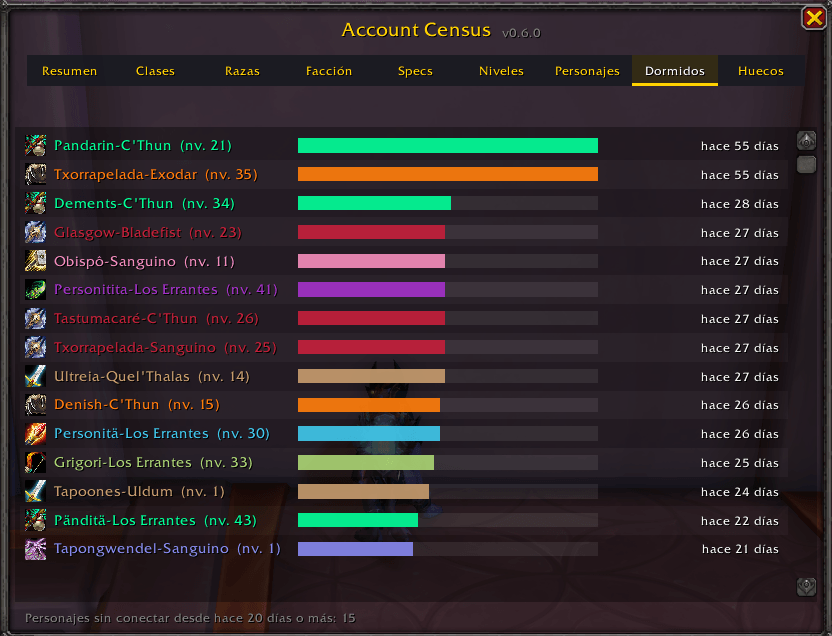
- Dormant tab: characters you have not logged in with for 20+ days.
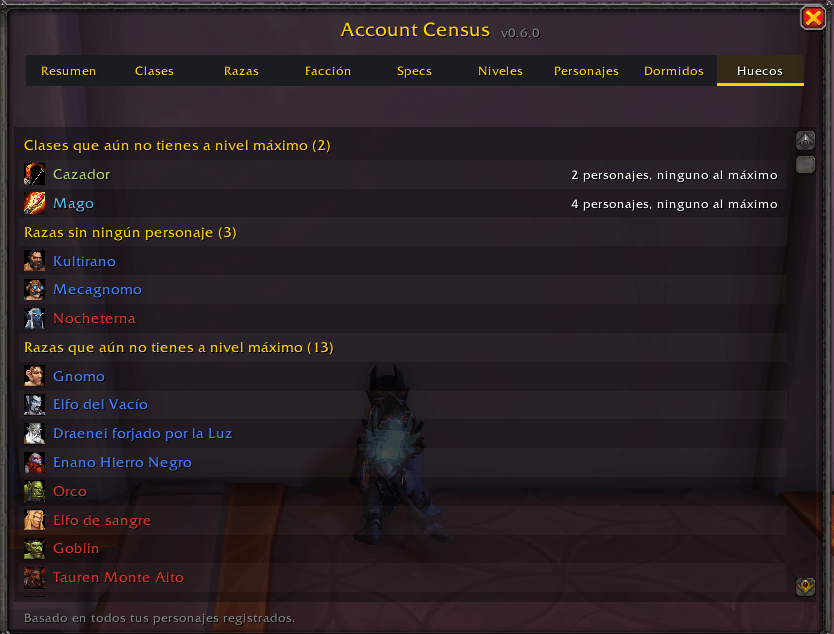
- Gaps tab: classes, races and specs you have not played yet, or have not taken to max level.
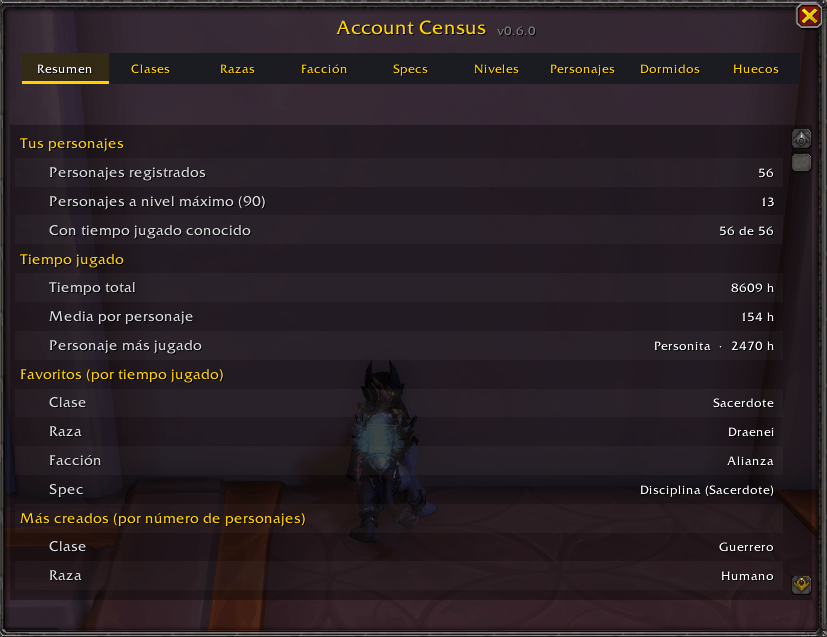
- Summary tab: totals, most played and most created at a glance.
- Hover any bar to see exactly which characters make it up.
- Playtime privacy mode: hide every hour count and show statistics only.
- Minimap button (draggable) and Addon Compartment entry.
Switching from WoW Level Checklist
The first time you log in with both addons enabled, Account Census imports the data already saved by WoW Level Checklist, so you do not have to log in with every alt again. After that it works completely on its own and you can disable the original. Account Census is an independent addon and is not affiliated with WoW Level Checklist or its author.
Good to know
- Characters appear when you log in with them. The addon cannot discover characters it has never seen.
- The spec shown is the last one each character used, not a history.
- The faction of neutral races (Pandaren, Dracthyr, Earthen, Haranir) shows as "Undetermined" until you log in with that character once.
- Playtime is refreshed automatically when you log in, and the usual chat message is not shown.
Commands
| Command | What it does |
|---|---|
/alts |
Open or close the window |
/alts hidetimes |
Hide or show playtime (statistics-only mode) |
/alts import |
Import again from WoW Level Checklist |
/alts playtime |
Refresh the current character's playtime |
/alts minimap |
Show or hide the minimap button |
/alts forget Name-Realm |
Permanently delete a character record |
/alts window |
Reset the window position |
/alts help |
List all commands |
If another addon already uses /alts, /acensus works exactly the same. Every command also accepts its Spanish name (tiempos, importar, minimapa...).
Language
The interface follows your game client: Spanish clients (esES / esMX) get Spanish, every other client gets English. Class and spec names always come from the game itself. Feedback and bug reports are welcome in the comments.
Account Census - ¿Qué clase juegas de verdad?
¿A qué clase le dedicas realmente el tiempo? ¿Qué raza repites una y otra vez? Account Census convierte todos tus alts en gráficos de barras claros, basados en el tiempo que de verdad has jugado cada personaje, no solo en cuántos has creado.
Características
- Gráficos de barras de Clases, Razas, Facción, Specs y rangos de nivel.
- Dos vistas: Tiempo jugado (ponderado por horas) o Personajes (cuántos has creado).
- Reparto justo: tres sacerdotes con 101 h, 1 h y 0 h cuentan como unas 102 h de Sacerdote, no como tres personajes iguales. Un personaje que casi no has tocado no distorsiona tus estadísticas.
- Filtro de nivel: todos los niveles, 10 o más, 30 o más, 60 o más, o solo nivel máximo.
- Pestaña Personajes («Personajes analizados»): la lista de todos los personajes que cuentan, con clase, raza, spec, nivel y tiempo jugado. Con Quitar sacas un personaje de todas las estadísticas (un alt de banco, por ejemplo) y con Restaurar lo devuelves. No se borra nada.
- Pestaña Dormidos: personajes con los que no entras desde hace 20 días o más.
- Pestaña Huecos: clases, razas y specs que aún no has jugado o que no has llevado a nivel máximo.
- Pestaña Resumen: totales, más jugados y más creados de un vistazo.
- Pasa el ratón por cualquier barra para ver qué personajes la forman.
- Modo sin tiempos: oculta todas las horas y muestra solo estadísticas.
- Botón en el minimapa (se puede arrastrar) y entrada en el menú de addons.
Si vienes de WoW Level Checklist
La primera vez que entres con los dos addons activados, Account Census importa los datos que ya guardó WoW Level Checklist, así que no tienes que volver a entrar con cada alt. Después funciona totalmente por su cuenta y puedes desactivar el original. Account Census es un addon independiente y no está afiliado a WoW Level Checklist ni a su autor.
Conviene saber
- Los personajes aparecen cuando entras con ellos. El addon no puede descubrir personajes que nunca ha visto.
- La spec que se muestra es la última que usó cada personaje, no un histórico.
- La facción de las razas neutrales (Pandaren, Dracthyr, Terráneo, Haranir) sale como «Sin determinar» hasta que entres una vez con ese personaje.
- El tiempo jugado se actualiza solo al entrar, y no aparece el mensaje habitual en el chat.
Comandos
| Comando | Qué hace |
|---|---|
/alts |
Abre o cierra la ventana |
/alts tiempos |
Oculta o muestra los tiempos de juego (modo solo estadísticas) |
/alts importar |
Vuelve a importar desde WoW Level Checklist |
/alts tiempo |
Actualiza el tiempo jugado del personaje actual |
/alts minimapa |
Muestra u oculta el botón del minimapa |
/alts olvidar Nombre-Reino |
Borra del todo el registro de un personaje |
/alts ventana |
Restablece la posición de la ventana |
/alts ayuda |
Muestra todos los comandos |
Si otro addon ya usa /alts, /acensus funciona exactamente igual. Todos los comandos también aceptan su nombre en inglés (hidetimes, import, minimap...).
Idioma
La interfaz sigue el idioma de tu cliente de juego: los clientes en español (esES / esMX) la ven en español y cualquier otro cliente la ve en inglés. Los nombres de clases y specs vienen siempre del propio juego. Los comentarios y avisos de errores son bienvenidos.
Account Census - Statistics Team


