Absolute Controller
- By
Play WoW Forever and Retail with an Xbox or PS5 DualSense controller. Map every button on a picture of your controller, four trigger layers, on-screen button prompts, and your old bindings backed up.
01-Xbox-controller-map.png
02-PS5-controller-map.png
03-Settings-and-About.png
Description
# Absolute Controller
**Play World of Warcraft with an Xbox or PS5 DualSense controller, on WoW Forever and Retail.**
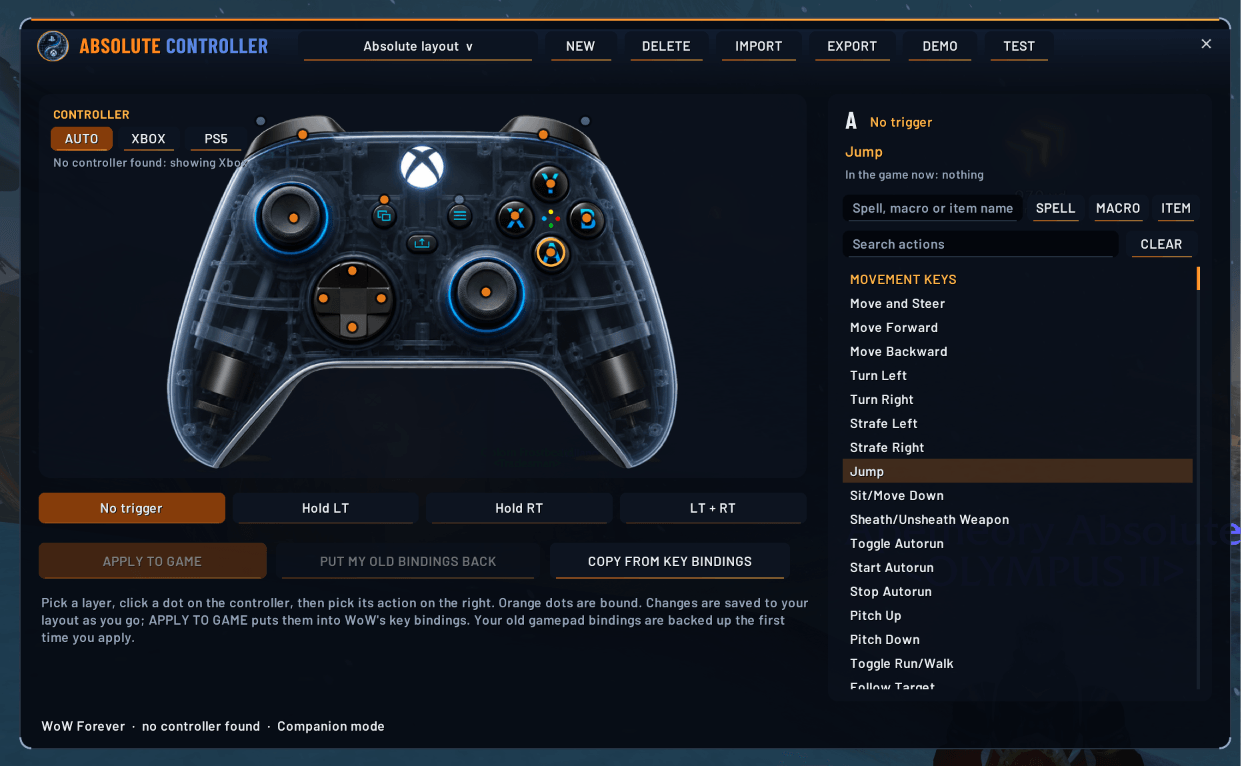
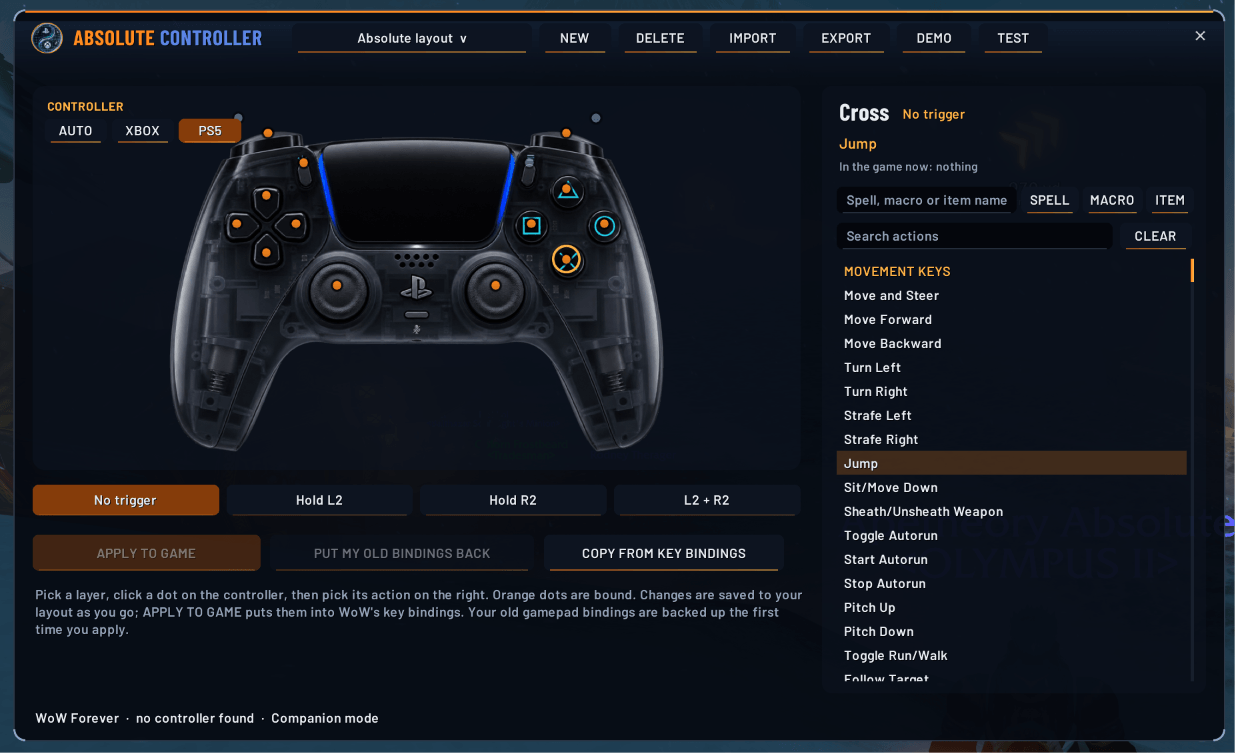
Absolute Controller shows a picture of your own controller with a dot on every button. Click a button, pick what it does, and press **Apply to game**. No keybind menus, no guessing which button is which.
## Features
- **Your controller, on screen.** Xbox or PS5 art and button names, picked automatically from the controller you plug in, or choose them yourself.
- **Four layers on the triggers.** No trigger, hold LT, hold RT, and both triggers. Each layer is its own full set of buttons.
- **Every action the game knows.** The action list comes from the game's own key bindings, by category, with search. You can also type any spell, macro or item name.
- **Your old bindings are safe.** Every gamepad binding you had is backed up the first time you apply. One button puts them back.
- **Demo mode.** `/actrl demo` tours your layout on screen: every button on every layer and what it does. No controller needed, and nothing in your game changes.
- **Button test.** `/actrl test` lights up each button you press and says what it does on the layer you're holding. Nothing is cast while it's on.
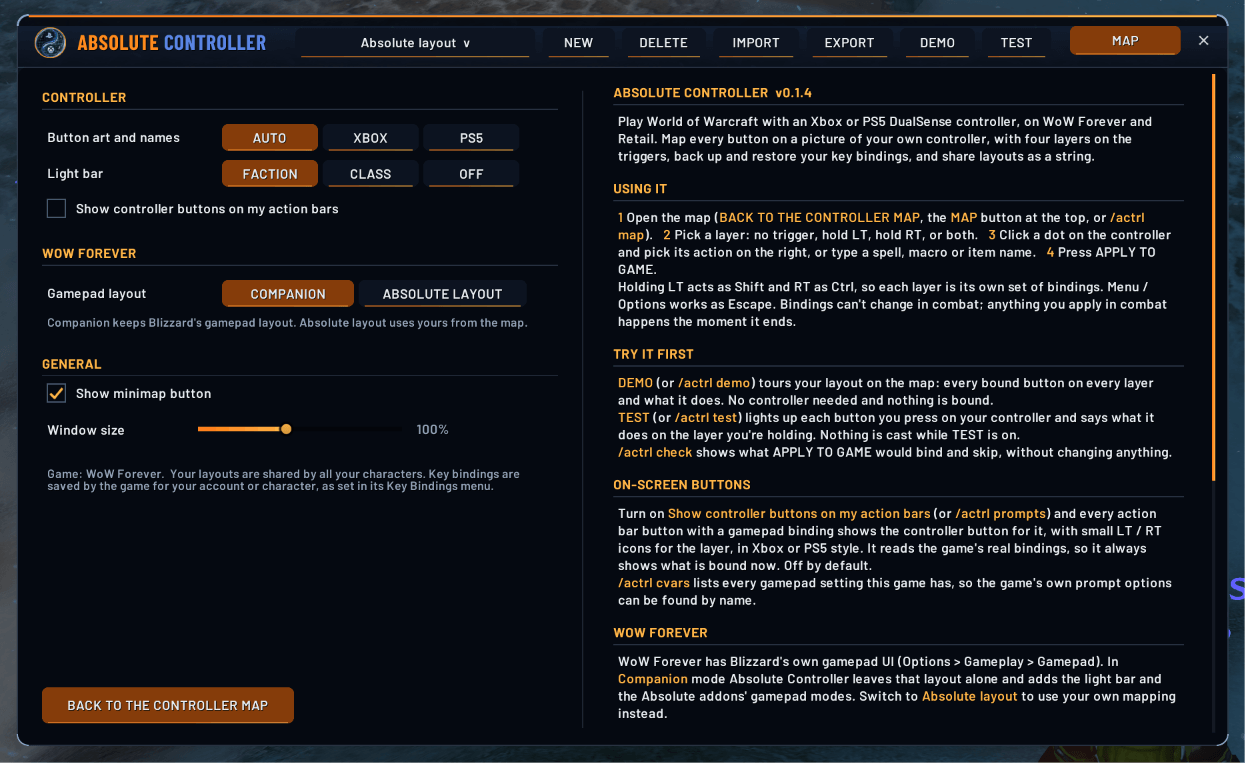
- **On-screen button prompts.** Optional controller button icons on your action bars, in Xbox or PS5 style, with small LT / RT icons for the layer.
- **Share layouts.** Export your layout as a string for Discord, or import someone else's.
- **Light bar.** Faction colour, your class colour, or off, on controllers with a light like the DualSense.
- **WoW Forever.** Companion mode keeps Blizzard's own gamepad UI. Absolute layout uses your own mapping instead.
- **One download** for WoW Forever and Retail.
## Getting started
1. Pair your controller. Our guides cover Bluetooth on Windows 11 and macOS:
- Xbox: https://absolutegaming.store/wowxboxcontroller.html
- PS5 DualSense: https://absolutegaming.store/wowps5controller.html
2. In game, type `/actrl` or click the minimap button.
3. Pick a layer, click a dot on the controller, then pick its action.
4. Press **Apply to game**.
## Commands
- `/actrl`: the controller map
- `/actrl options`: settings
- `/actrl demo`: tour your layout, no controller needed
- `/actrl test`: press buttons to see what each one does
- `/actrl check`: dry run of Apply to game, changes nothing
- `/actrl apply` / `/actrl restore`: apply your layout / put your old bindings back
- `/actrl prompts`: show or hide controller buttons on your action bars
- `/actrl export` / `/actrl import`: share a layout string
## Good to know
- Bindings can't change in combat. Anything you apply mid-fight happens the moment combat ends.
- Typing in chat still needs a keyboard. Keyboard and mouse keep working alongside the controller.
- This is an early test build. Please report anything odd.
## Part of the Absolute family
Free, original addons from Absolute Gaming, in one translucent navy and orange look.
- Website and setup guides: https://absolutegaming.store/controller.html
- Discord: https://discord.gg/a8nM6yvMQM
- Support: support@absolutegaming.store
*Created by ApeTheory - Admin for Absolute Gaming LLC. Copyright (c) 2026 Absolute Gaming LLC. All rights reserved. Xbox is a trademark of the Microsoft group of companies. PlayStation, PS5 and DualSense are trademarks of Sony Interactive Entertainment Inc. Not affiliated with Blizzard Entertainment, Microsoft or Sony.*
Absolute Controller Team