


AbilityFlow
- By
3.jpg
4.jpg
Description
AbilityFlow
A boss timeline that lights up when it matters.
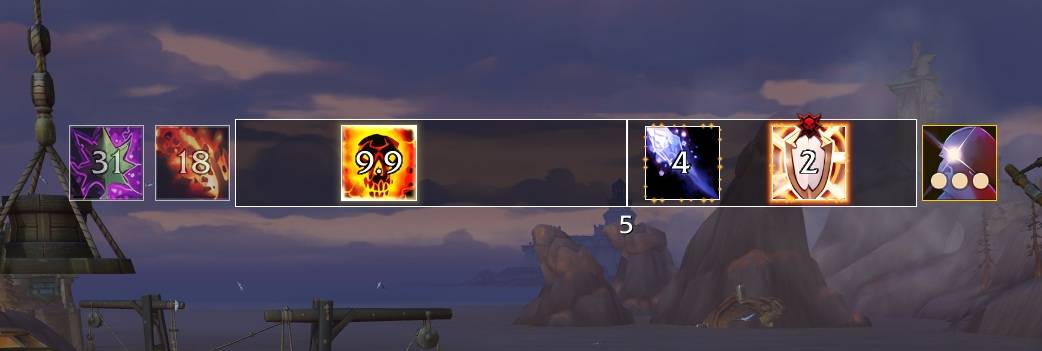
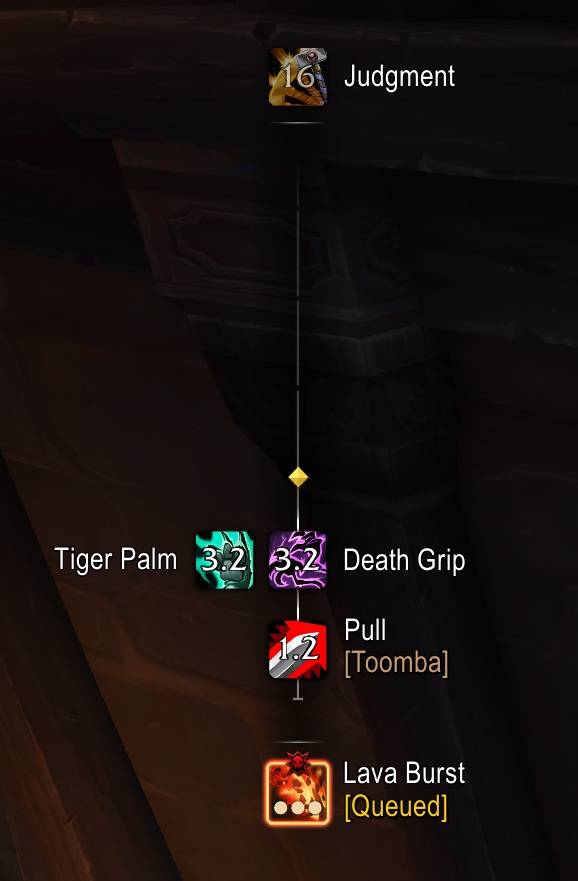
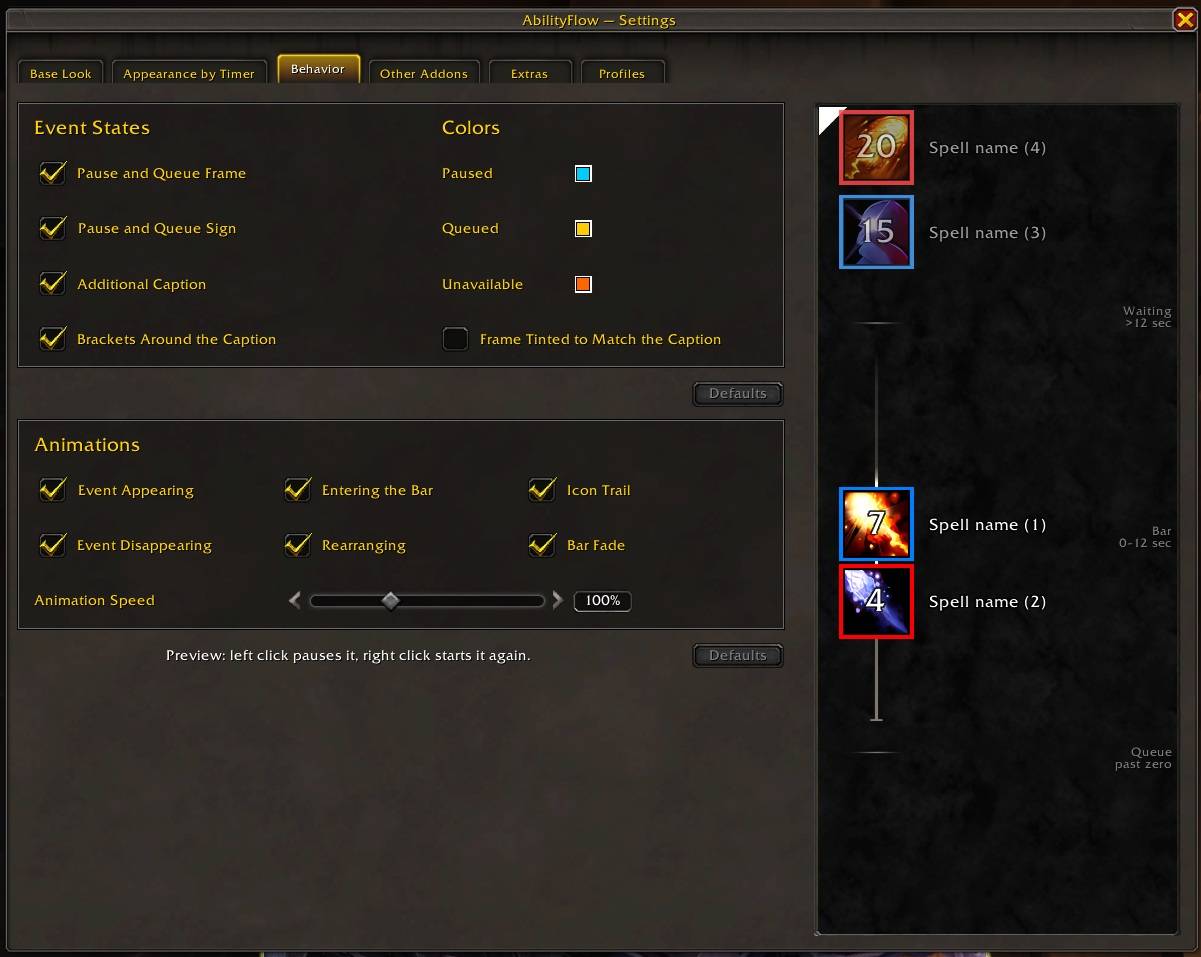
Midnight shows upcoming boss abilities on a timeline bar. AbilityFlow replaces that bar with its own, in a look you control, from the icons and their names to how they light up in the last seconds. It shows more, too: breaks, ready checks and pull countdowns, reminders from Northern Sky Raid Tools, and timers from BigWigs and DBM.
Pick the game's look or a cleaner one when you first log in, and fine-tune it later, or never.
Features
The bar
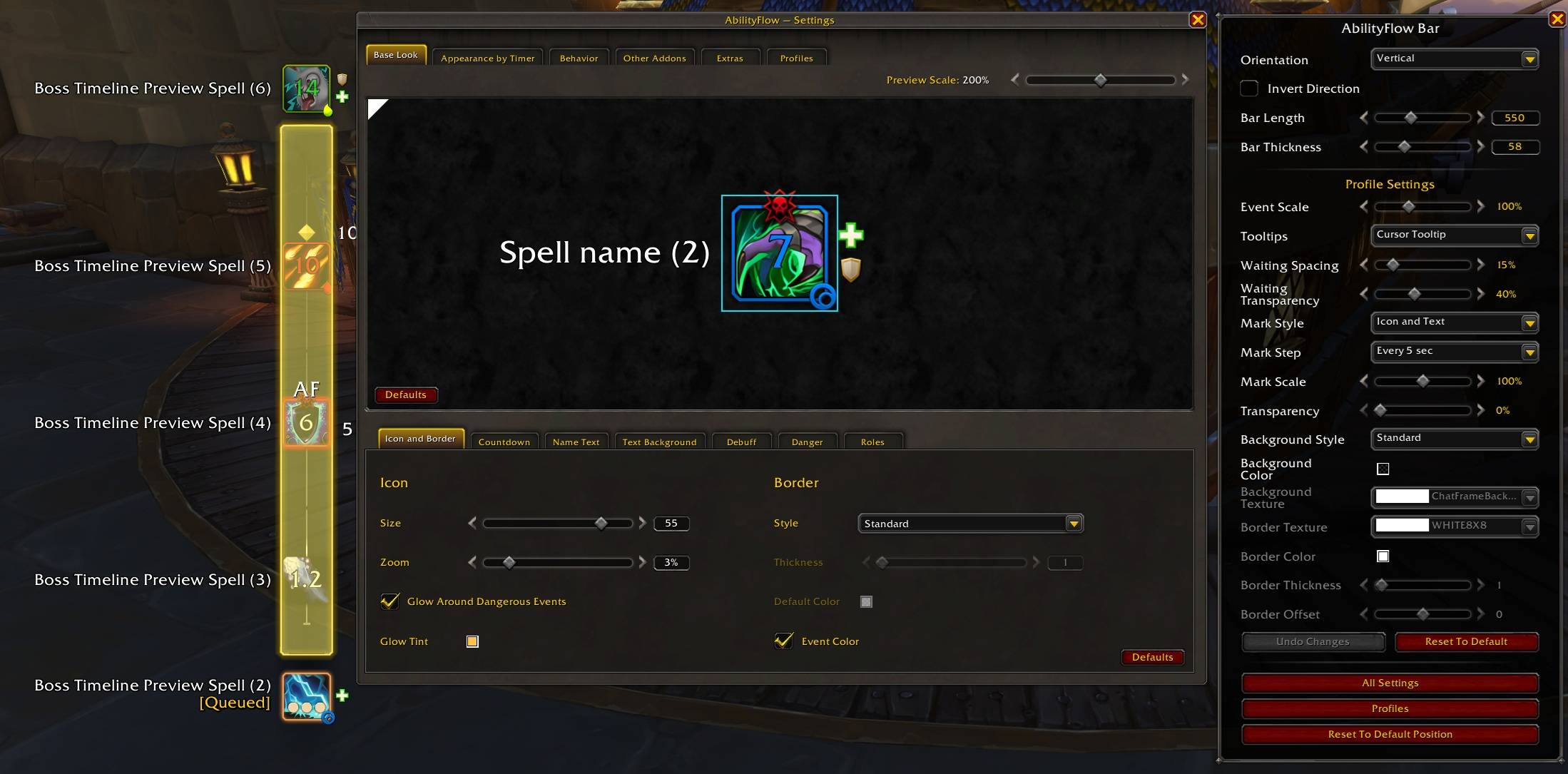
- Vertical or horizontal, running either way, any length and thickness
- Abilities wait beside the bar, slide onto it as they come near, queue up and pause just like the game's own
- Time marks every 5 or 10 seconds, as lines, icons or text
- The standard background, or a plain one with your own texture, color and border
- Placed in Edit Mode, with its own size and position for each Edit Mode layout
How abilities look
- A live preview: click any part of the sample icon to edit it
- Icon size and zoom, border (the game's frame, a flat color, or colored by debuff type)
- Spell name and countdown: font, size, outline, color, position, an optional background
- Name, countdown and border can take the color of the event: its debuff type, its color in a boss mod, or the color of an NSRT note or alert
- Debuff, danger and role indicators, each with its own size and place
Appearance by timer
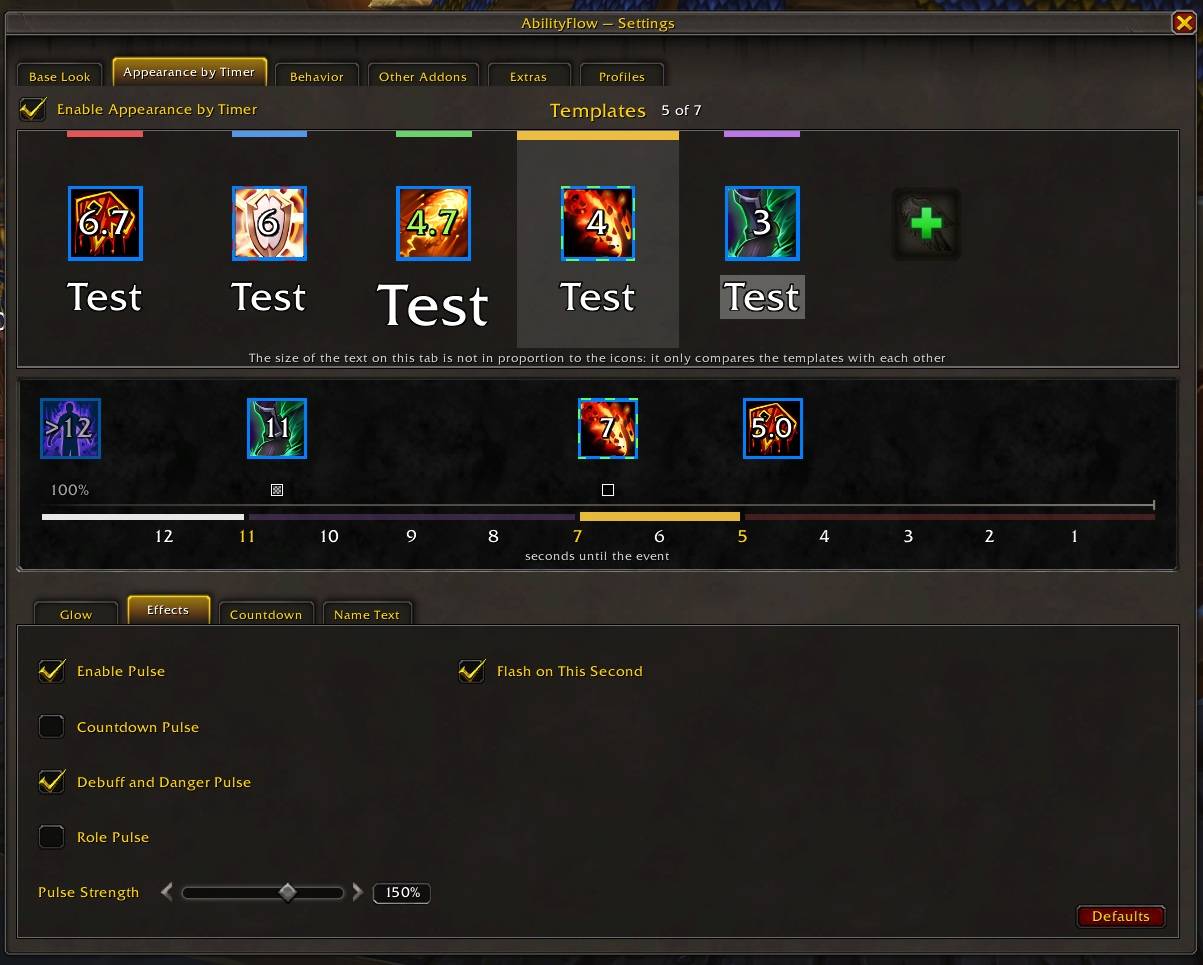
- Change how an ability looks as it comes close: up to 7 templates on the last 12 seconds
- Countdown color and size, tenths of a second
- Glows (several types, each with its own size, speed, direction and color); the optional Orbit: Media pack adds dozens more
- Pulse and flash, like the game's highlight, at any strength
More on the bar
- Ready check and pull countdown, with who started them in their class color
- Break timers, whatever starts them, even with no boss mod installed
- (optional) Reminders from Northern Sky Raid Tools, in colors of their own
- (optional) Ability names from BigWigs or DBM, with counts and your renames
- (optional) Timers the game does not have, from BigWigs (stages, bars started by players) or DBM
- (optional) Ability colors from BigWigs or DBM
Profiles
- One per character, or one for each specialization
- Share a profile as a line of text
Getting started
/aflowor/abflowopens the settings (or use the addon menu by the minimap, or "All Settings" in the bar's Edit Mode dialog)/aflow testshows sample abilities without a boss/aflow helplists all commands- Open Edit Mode and select the bar to set its position, length, thickness, direction, background and time marks; "All Settings" there opens the full settings window
Requires the game's boss warnings: Options > Gameplay Enhancements > Enable Boss Warnings. The game's own bar is hidden by default; you can show it again in the addon's settings.
Help translate
AbilityFlow is written in English and Russian. Other languages are translated by the community on CurseForge, and a translation shows up in the next release.
- Open the localization page of the project
- Pick your language and translate the phrases you see. Leave a phrase alone if you are not sure; it stays in English until someone translates it.
Please keep these as they are:
%s,%dand similar codes stay in the text. They are replaced by the game with a name or a number. Move them to where the sentence needs them, but do not remove or add any.\nis a line break. Keep it where the English text has it.- Short labels sit on buttons and in drop-down lists, so keep them about as short as the English ones.
Thank you for helping!
AbilityFlow Team
