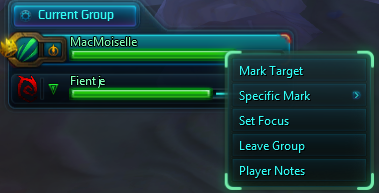
When grouped, the class icon is color coded on players that have notes on them
Description
What is this?
This addon adds an extra item to the right-click context menu that allows you to give a good/bad rating to other players, along with a note about that player.
When grouping up, the class icons will also be color-coded for players you've rated in the past: green for good players, red for naughty players.
How to use?
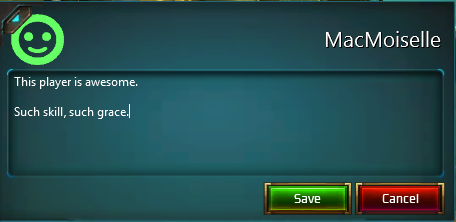
After installing the addon, either rightclick the player in chat or rightclick a unitframe. You will see that a "Player Notes" option has been added.
When you open the note, you can click the portrait to select an impression (neutral/positive/negative) about that player and optionally fill in some text about the player. Click "Save" and your experience with this player shall never be forgotten.
The PlayerNotes Team


Owner