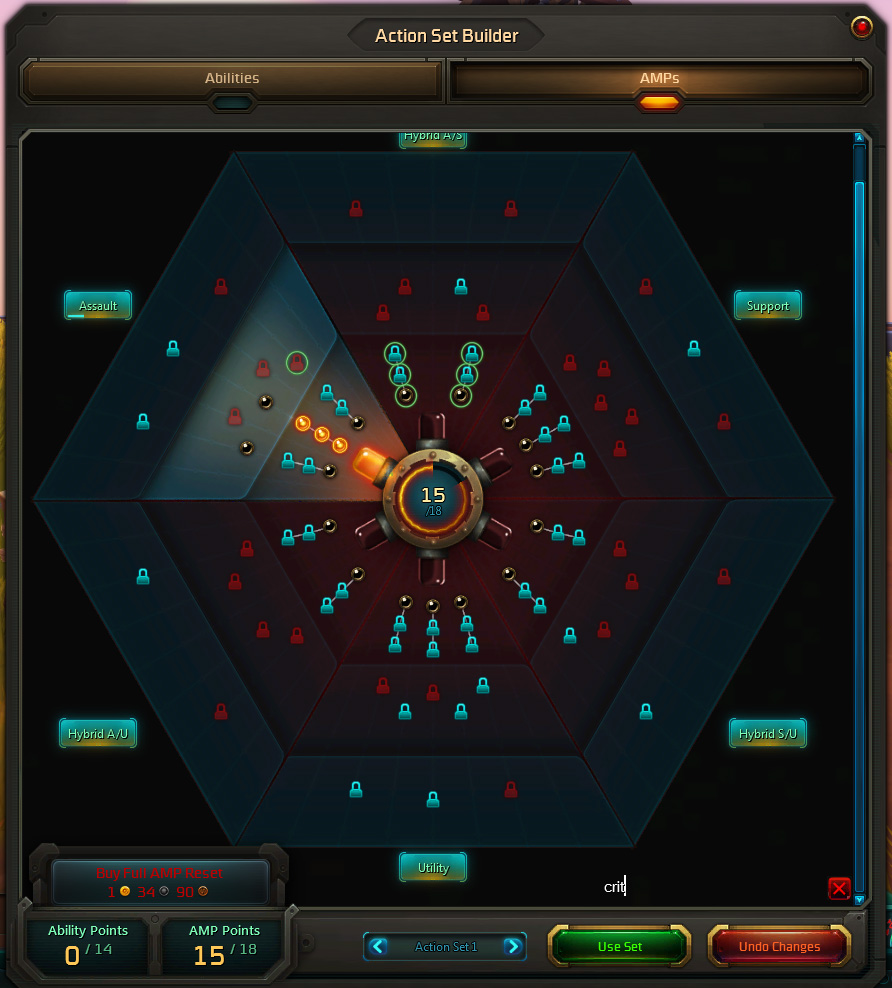
Even in AMP ranks that are closed off, AMP icons show in blue. Also, AMPs matching the filter criteria (set in the lower right of the dialog) are surrounded by a glowing green ring.
Description
(formerly known as AMPPurchased)
WildStar's AMP interface brings a wide variety of character customization to the game. Sometimes it can be tough to track down the inlaid AMPs that you need for your ultimate character build -- most are bought for reputation or Prestige currency, others are granted as quest rewards, and the toughest to find are only available by killing random badguys across Nexus. Some kind souls may place these on the Commodity Exchange in Thayd or Illium!
AMP Finder has five main features that can help you complete your AMP collection:
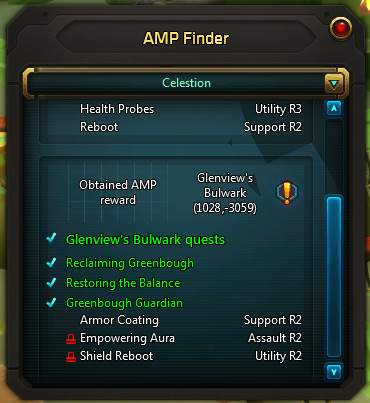
- The AMP Finder window points the way to the AMP vendors in a given zone. This window can be displayed:
- by pressing the "AMP Finder" button in the AMP pane of the Action Set Builder
- by selecting AMP Finder from the Interface Menu
- by pinning AMP Finder from the Interface Menu and then selecting the pinned button, or
- by typing /ampfinder
- On the AMP window, tooltips for locked AMPs are modified slightly to indicate how to unlock the AMP inlay, whether by quest reward, vendor purchase, or the Commodity Exchange.
- The AMP window also gains a new "filter" dialog. Typing a filter will highlight AMPs which match the filter text.
- Vendors which sell AMPs will now display "(Known)" next to the name of AMPs which have already been learned.
- AMP tooltips will be modified to also show the type of AMP (assault, support, utility, hybrid) and rank.
There are two options which can be set via slash commands:
- /ampfinder reset - This command will reset the window to its default location.
- /ampfinder filter - If the Filter dialog and button are visible on the AMP pane, this command will hide them. If the dialog and button are not visible this command will show them.
Feedback is most welcome and appreciated!
AMP Finder Team

Owner