Stardew Stabilizer
Work with all mods
Safe to uninstall anytime. Removing it just disables the features.
This mod is available for download here on CurseForge. For bug reports, feature requests, or community discussions, please visit our official Nexus Mods page:
https://www.nexusmods.com/profile/ZeroXPatch/mods?sortBy=endorsements
Android User please use this link: Stardew Stabilizer For Andriod
Why you might want Stardew Stabilizer
<figure class="quote col-3-3">
Not an FPS mod. Not a leak fix. Optional stability tool for heavy modlists/long sessions.
</figure>
<figure class="quote col-3-3">
If you never sees OOM or memory-related stutters, you probably don’t need this mod at all
</figure>
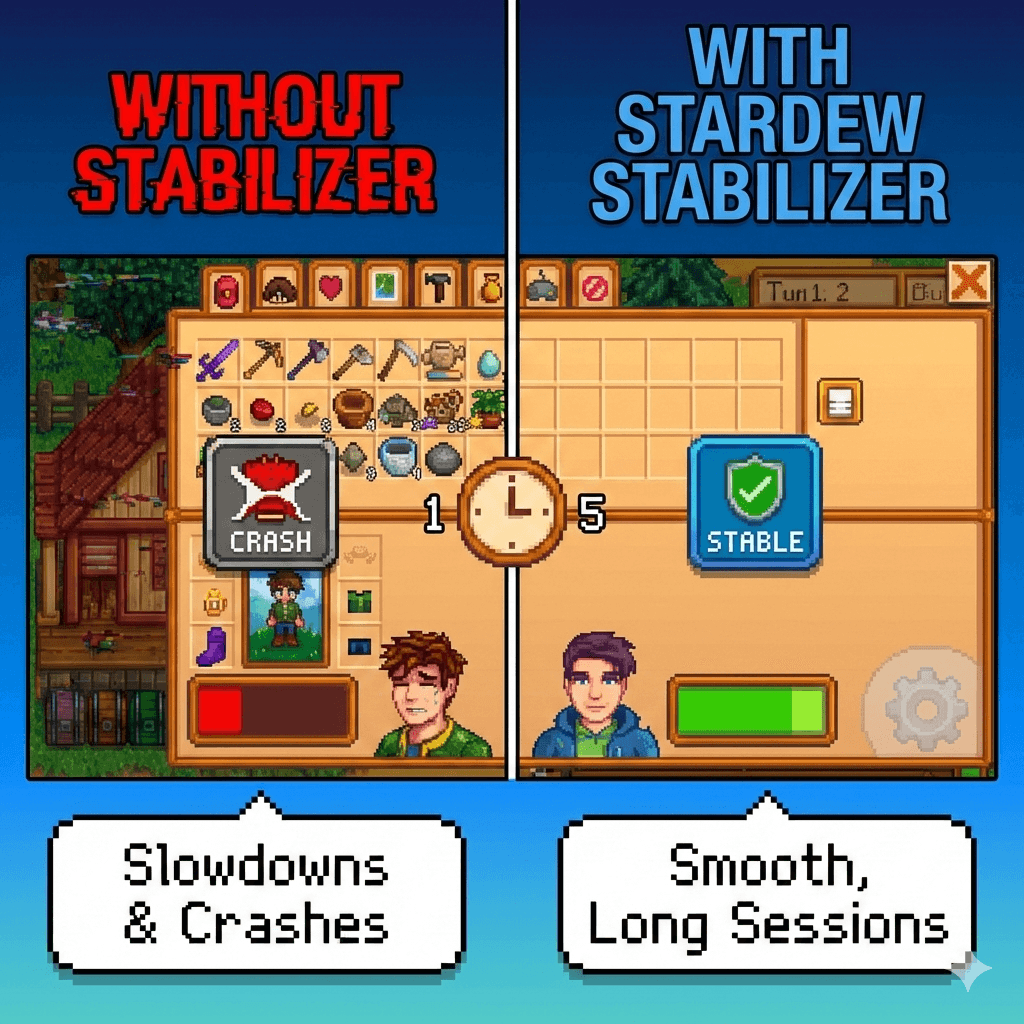
Long modded sessions can slowly get heavier over time. Even if everything starts fine, after an hour or three you might notice the game becoming less reliable. Stardew Stabilizer helps by keeping your session “fresh” in the background.
Benefits:
- Fewer random crashes in long sessions
If you tend to crash after playing a long time, this mod reduces the chance by cleaning up when memory stays too high.
- Less “getting slower over time”
Some mod setups start smooth, then gradually feel more sluggish. Stabilizer helps prevent that slow creep by doing light cleanups before things get bad.
- Smoother recovery after heavy moments
Big areas, lots of visuals, long playdays, or many modded events can leave the game feeling heavier. Stabilizer can help the game bounce back instead of staying bogged down.
- Less need to restart the game
Many players restart Stardew to “fix” slowdowns. This mod aims to reduce how often you feel you have to restart.
- Peace of mind for large mod lists
If you run a lot of mods, you don’t have to babysit your session. The mod watches memory pressure and only steps in when it’s truly needed.
Quote from another mod explaining one of its function which is what this mod is trying to achieve in a I believe more flexible and lesser aggressive way especially with hard cleanup only activates when you use in-game menu: No More Lag
<figure class="quote col-3-3">
Advanced Memory Management
Games can slow down when they use too much memory (RAM), especially during long sessions. This mod helps prevent that by managing memory usage efficiently.
- Automatic Cleanup: The mod frees up memory by cleaning out unnecessary data that the game doesn’t need anymore, preventing memory-related slowdowns.
- Three Levels of Cleanup: Depending on how much memory your system has, you can choose between Light, Moderate, or Aggressive memory cleanup to best suit your needs.
</figure>
How it works
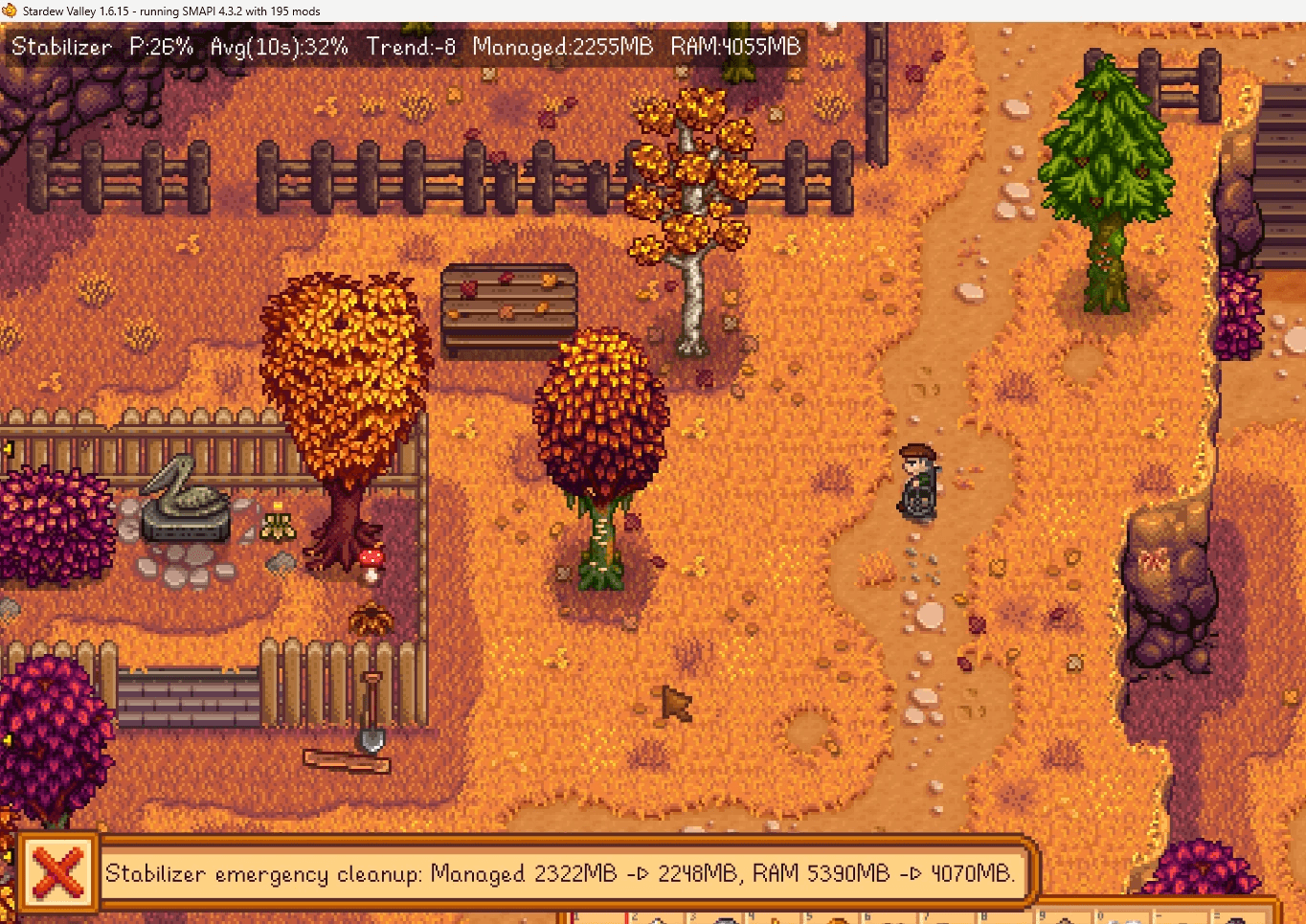
The mod checks your game once per second and estimates “memory pressure” as a percentage. It also tracks a short trend so it won’t react to a one-second spike. When pressure stays high long enough, it runs a cleanup:
- Light cleanup: quick and usually unnoticeable.
- Deep cleanup: stronger, can cause a short pause, so it prefers to run while you’re in a menu. It only runs outside menus if memory reaches an emergency level (to help avoid a crash).
GMCM options (what each one does)
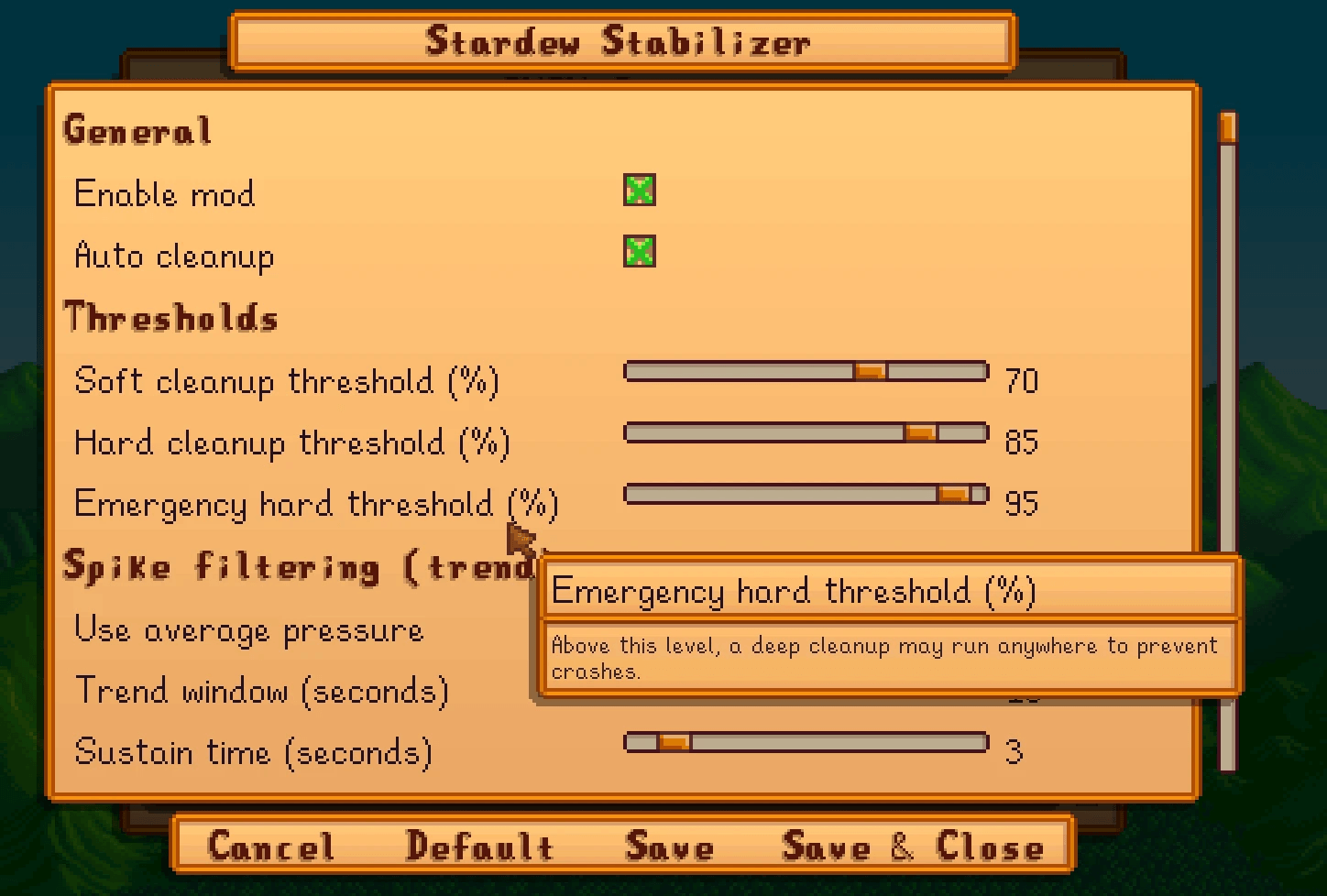
General
Enable mod
Turns Stardew Stabilizer on or off.
Auto cleanup
When on, the mod automatically cleans up when memory pressure stays high. If off, you can still use hotkeys/commands (if you choose to) but it won’t trigger by itself.
Thresholds
These settings control when the mod starts helping.
Soft cleanup threshold (%)
When memory pressure rises above this number (and stays there long enough), the mod does a light cleanup.
Benefit: reduces slowdowns with minimal chance of a noticeable pause.
Hard cleanup threshold (%)
When pressure rises above this number, the mod prepares to do a deep cleanup.
Benefit: helps prevent crashes during long sessions when memory gets very high.
Emergency hard threshold (%)
If memory reaches this level, the mod may do a deep cleanup even if you are not in a menu.
Benefit: “last chance” protection when you’re near the edge of a crash.
Tip: Keep this high (default is good) so it only triggers when truly needed.
Spike filtering (trend)
These options help the mod ignore tiny, temporary spikes and only act when the problem is real.
Use average pressure
Uses the recent average instead of reacting to only the latest reading.
Benefit: fewer unnecessary cleanups.
Trend window (seconds)
How long the mod looks back when calculating the average and trend.
Benefit: bigger window = calmer decisions; smaller window = faster reaction.
Sustain time (seconds)
How long pressure must stay above the soft threshold before automatic cleanup triggers.
Benefit: prevents cleanups from one-second spikes.
Tip: 2–5 seconds is usually ideal.
Hysteresis (%)
Adds a “buffer zone” so the mod doesn’t repeatedly trigger if pressure hovers around the same number.
Benefit: less cleanup spam.
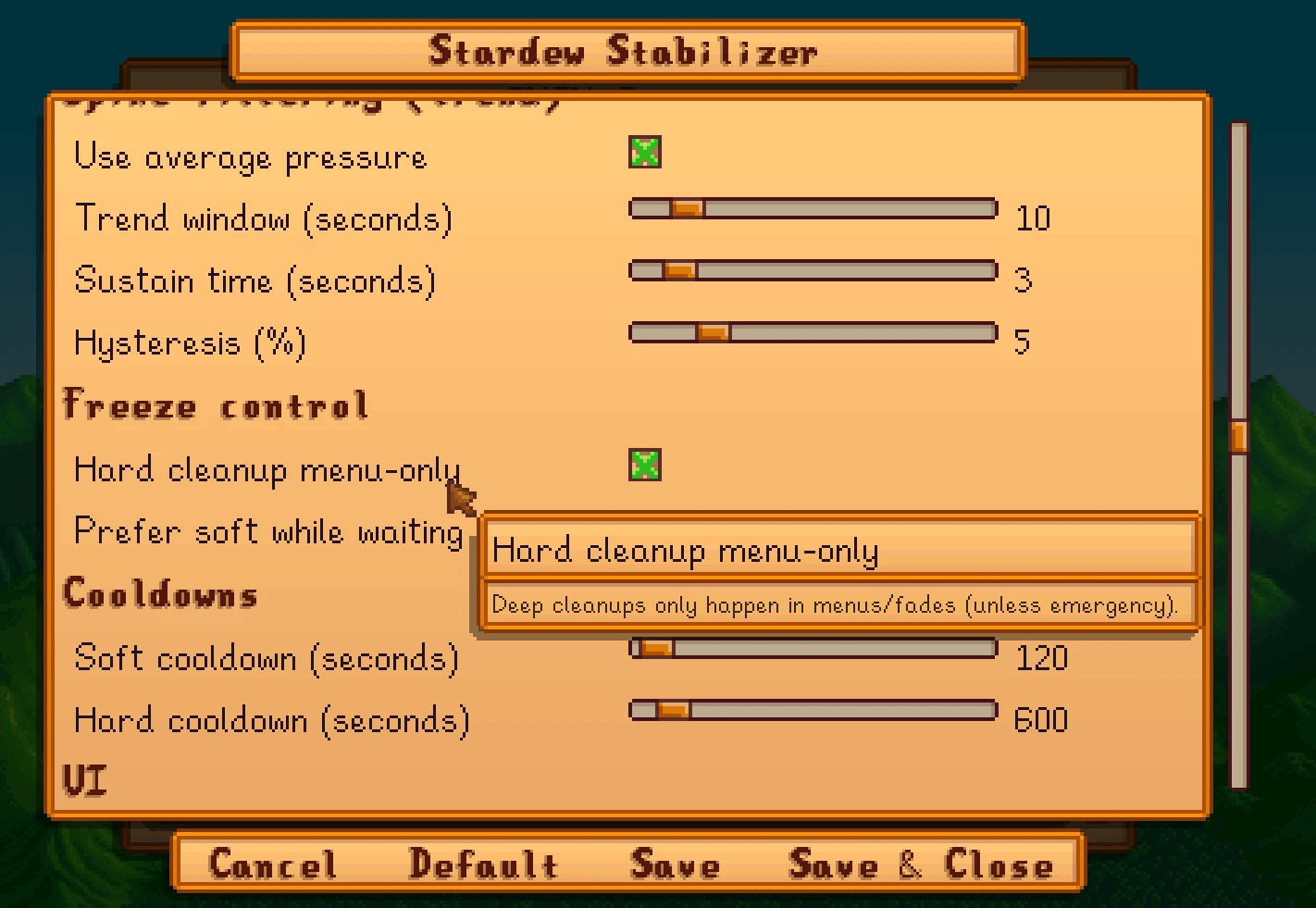
Freeze control
These options are about reducing noticeable pauses.
Hard cleanup menu-only
When enabled, deep cleanups only happen while you’re in a menu or during screen fades, unless emergency pressure is reached.
Benefit: reduces the chance you feel a sudden freeze during gameplay.
Prefer soft while waiting
If a deep cleanup is needed but you’re not in a menu, the mod can do light cleanups while waiting for a safer moment to do the deep one.
Benefit: keeps things under control without forcing a big pause.
Cooldowns
Prevents the mod from doing cleanups too often.
Soft cooldown (seconds)
Minimum time between light cleanups.
Benefit: avoids over-cleaning and keeps gameplay smooth.
Hard cooldown (seconds)
Minimum time between deep cleanups.
Benefit: deep cleanups are more noticeable, so spacing them out is better.
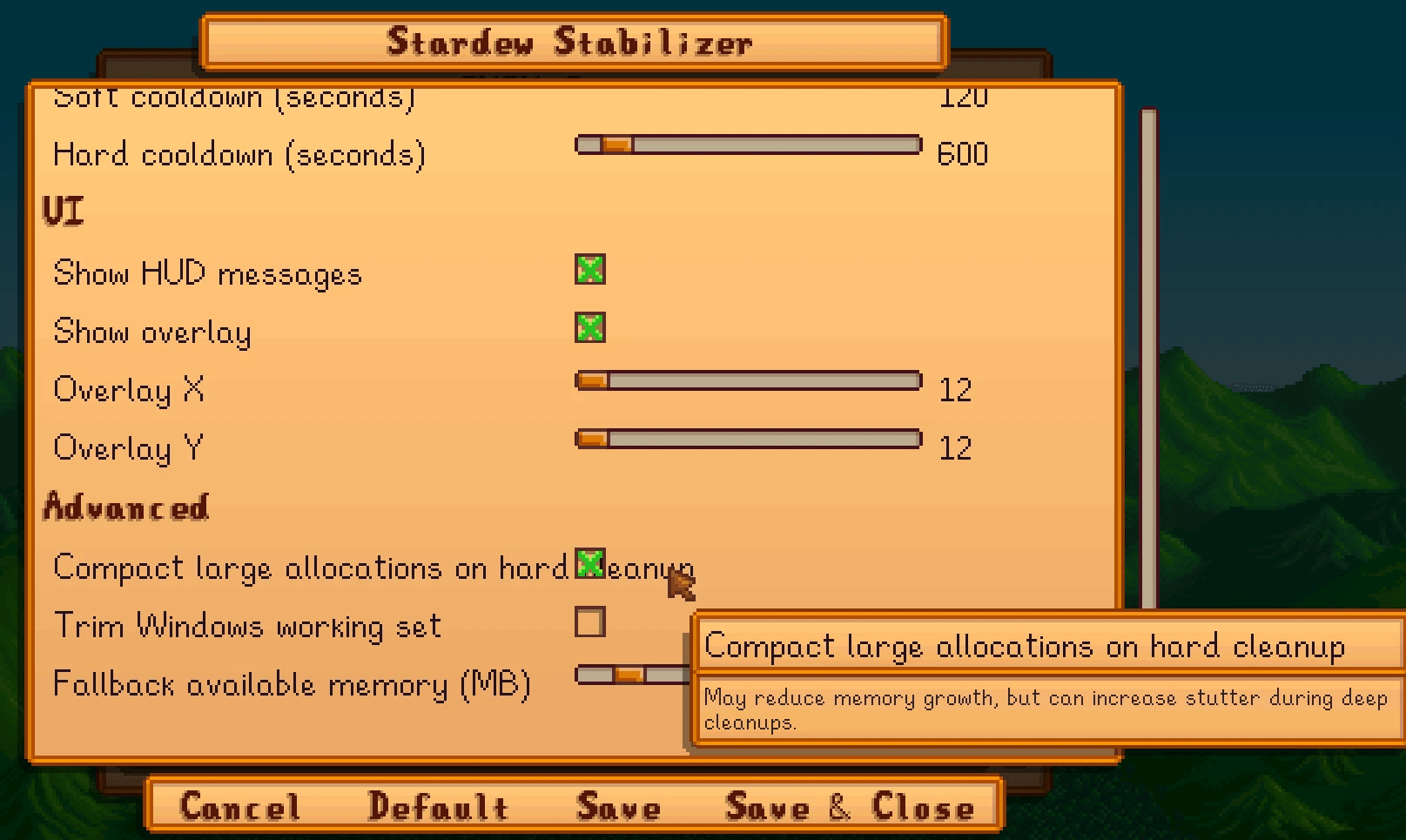
UI
Show HUD messages
Shows a short message when a cleanup happens.
Benefit: you know the mod is working and when it acted.
Show overlay
Shows a small info line on-screen (pressure, average, trend, and memory numbers).
Benefit: helps you see whether your session is getting heavier over time.
Overlay X / Overlay Y
Moves the overlay position.
Advanced
Compact large allocations on hard cleanup
Makes deep cleanups more effective during long sessions.
Benefit: can reduce memory buildup more strongly, but deep cleanups may feel slightly more noticeable.
Tip: Leave on unless you’re sensitive to hitching.
Trim Windows working set
Optional setting for Windows users.
Benefit: can reduce how much RAM the game appears to use.
Important: on some PCs it may increase stutter later, so it’s off by default.
Fallback available memory (MB)
Only used if the game can’t detect your available memory properly.
Benefit: keeps the mod working reliably.
Tip: set close to your system RAM (example: 16384 for 16GB).
Recommended settings
- Keep defaults if you’re not sure.
- If you want fewer cleanups: increase Soft threshold a bit or increase Sustain time.
- If you still crash in very long sessions: lower Hard threshold slightly (small changes).
Compatibility and safety
- Safe to add or remove at any time.
- Does not edit saves and does not change gameplay content.
- Compatible with other mods, including content packs and big mod lists.
- It does not “fight” other mods. It only performs cleanups inside the game process when memory stays high.
Works on Windows/macOS/Linux/Steam Deck.
Not for Android.
Code at: same place see my profile
Check out another performance tool that's helpful for heavy modder:
Universal Performance Mod: Virtual Memory Presets for Modpacks - Reduce memory-related crashes and freezes in large modpacks