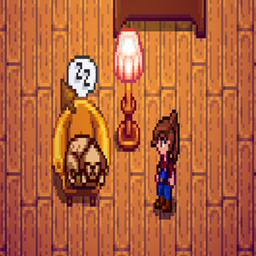
This mod offers multiple types of pockets for shirts and pants that can be customized in size and placement:
Pocket types tied to specific clothing items
Global pocket types for each individual clothing item
Global pockets irrespective of which clothing item the player is wearing
57b95f50-70ba-4bcb-84b3-a2cac54b71c1
Gameplay
Opening Pockets
There are two ways to open a pocket:
From the game menu's inventory page, if you hover over the player portrait in the right location, you will see a highlighted square indicating the existence of a pocket. Left clicking opens the pocket in place of the main player inventory.
Hovering over the player when there is no open menu and pressing a hotkey will open the inventory page with the hotkey's pocket open.
Closing Pockets
To close a pocket, returning to the main inventory, either click on the player portrait's face or press the menu open key (E or Esc on keyboard).
Transfering Items
You can transfer items from pocket to pocket, inventory to pocket, or pocket to inventory in two ways:
Pick up an item with the cursor, switch to the target pocket or main inventory, drop the item in a slot.
Pick up an item with the cursor, hover over the target pocket indicator (or players face for main inventory) and press the right mouse button.
Defaults
Inventory
By default, each shirt has a single 3x3 pocket that covers the entire shirt, and each pants has two 2x2 pockets, one on the left and one on the right.
Pocket inventory is by default tied to specific clothing, so if you switch pants, your pocket inventory changes.
Hotkeys
Default hotkeys are:
LeftControl + L for the right pocket (because it's on the left side from your perspective)
LeftControl + R for the left pocket (because it's on the right side from your perspective)
LeftControl + S for the shirt pocket
Config
Basic Config
Basic configuration can be done using GMCM:
You can disable the need to hover over the player for hotkeys to work.
You can turn on global default pockets so that, regardless of what the player is wearing, the same set of pockets is used.
You can change the pocket indicator opacity and color.
Advanced Config
The settings for the default pockets is in the config as well, but must be changed manually by editing the mod's config.json file (created after starting the game).
Here's the default pocket settings in the config file:
StartX, StartY, Width and Height are relative to the portrait location on the inventory page and denote the highlight area for that pocket.
PocketSlots is the total number of item slots the pocket has, and PocketRows determines how they will be laid out. Max should be 36 and 3 respectively.
Custom Pockets
You can use Content Patcher to set custom pocket types for specific clothing items. Pockets set in this way will always be individual to each instance of that clothing item.
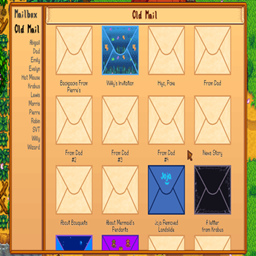
Replaces the mailbox's click-to-open-next mechanic with a fully-functional mailbox menu that shows new mail and old mail with titles and customizable envelope icons.
Replaces the mailbox's click-to-open-next mechanic with a fully-functional mailbox menu that shows new mail and old mail with titles and customizable envelope icons.