Indoor And Outdoor Lighting Customizable Lamps and Street Lights
- By
Set the perfect night-time vibe with completely customizable colors and lighting effects, inside and out.
Indoor & Outdoor Lighting
Safe to uninstall anytime. Removing it just disables the features.
This mod is available for download here on CurseForge. For bug reports, feature requests, or community discussions, please visit our official Nexus Mods page:
https://www.nexusmods.com/profile/ZeroXPatch/mods?sortBy=endorsements
Take control of the atmosphere in Stardew Valley! This mod allows you to customize the color, intensity, and radius of environmental lights (street lamps, windows, sconces) with separate configurations for indoor and outdoor locations.
Features
- Independent Configurations: Set a spooky blue atmosphere for the town at night, while keeping your farmhouse interiors warm and cozy. Indoor and Outdoor settings are completely separate.
- Full Color Control: Adjust Red, Green, and Blue channels (0-255) to create any color you want.
- Adjust Radius & Intensity: Make street lights cast a massive glow, or dim them down for a darker mood.
- Safe Filtering: The mod intelligently targets environmental lights only. It will not mess up your Glow Ring, torches you are holding, or other gameplay-critical light sources.
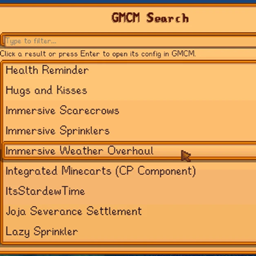
- Native UI: Built for Generic Mod Config Menu (GMCM) for easy in-game adjustment.

Important Technical Note
Please be aware of how Stardew Valley handles lighting:</figure>
- Street lamps and certain environmental objects often emit two separate light sources simultaneously: a wide, faint ambient halo and a smaller, brighter "inner" light.
- This mod controls the INNER light source.
- As a result, if you drastically change the color (e.g., to bright red), you may still see a faint halo of the original color around the edges. This is a limitation of how the game maps are designed.
Configuration
You can configure the mod by editing the config.json file created after the first run, or strictly recommended, by using the Generic Mod Config Menu icon (the gear) on the title screen or in the options tab.
- Enable Indoors/Outdoors: Toggle the effects on or off for specific contexts.
- Radius: How far the light reaches (Default: 1.5).
- Intensity: How "solid" the light looks. Lower values make it more transparent.
- RGB Sliders: Mix the color of the light.

Some options for you to try out, or mix your own:
1.The "Cozy Hearth" (Best for Indoors)A warm, deep amber glow that makes every house feel like it has a roaring fireplace.
- Red: 255
- Green: 150
- Blue: 40
- Intensity: 1.2
- Radius: 1.2
2. "Cyber Valley" (Best for Outdoors)A futuristic, neon-cyan look that turns Pelican Town into a modern district.
- Red: 0
- Green: 255
- Blue: 220
- Intensity: 1.0
- Radius: 1.8
3. "Spirit's Eve" (Spooky)A deep, blood-red hue perfect for Halloween or a haunted playthrough.
- Red: 255
- Green: 10
- Blue: 10
- Intensity: 0.8
- Radius: 1.5
4. "Moonlight Magic" (Fantasy)A soft violet/purple glow that gives the town a magical, ethereal atmosphere.
- Red: 160
- Green: 80
- Blue: 255
- Intensity: 0.9
- Radius: 2.0
5. "Winter Frost" (Crisp)A stark, cold white-blue light. Perfect for winter nights to make the snow look colder.
- Red: 210
- Green: 230
- Blue: 255
- Intensity: 1.1
- Radius: 1.6
The Indoor And Outdoor Lighting Customizable Lamps and Street Lights Team

Owner