55116-1793958605-357130807.webp
55116-1793958584-970873681.webp
Description
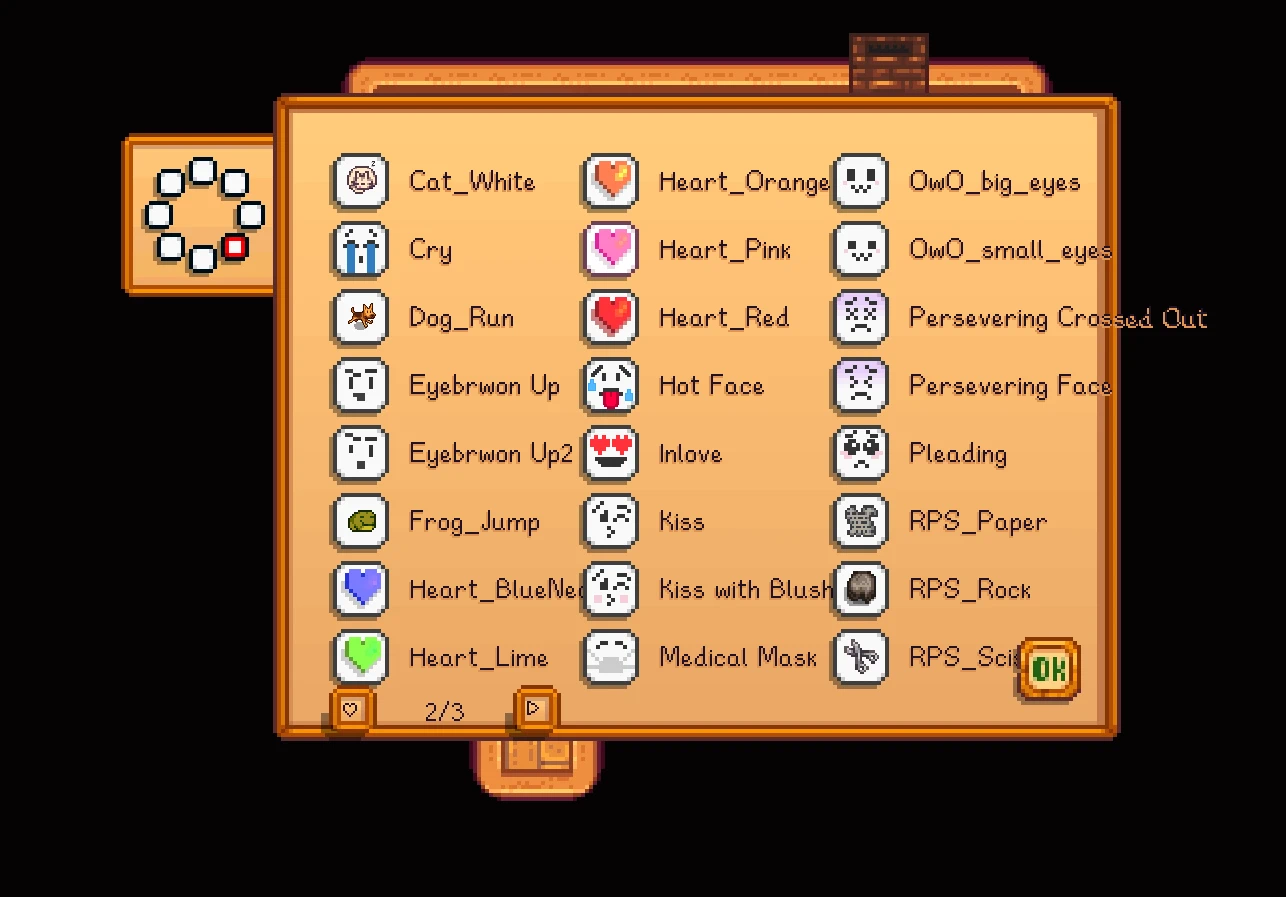
Emote+
Custom animated emotes, NPC reactions, and rock–paper–scissors — integrated into Stardew Valley’s original emote menu!
Custom animated emotes, NPC reactions, and rock–paper–scissors — integrated into Stardew Valley’s original emote menu!
Features
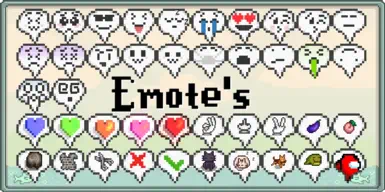
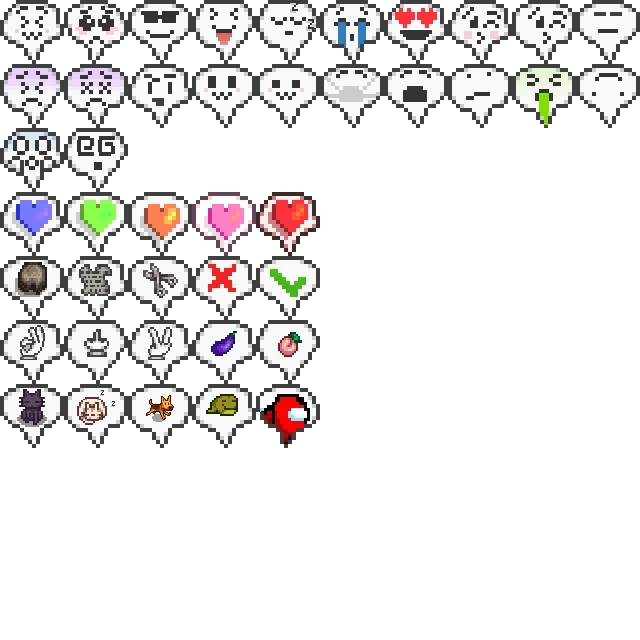
• 45 custom animated emotes.
• Integration with the original emote wheel and favorites selector.
• Additional pages for browsing custom emotes.
• NPC reactions based on friendship hearts.
• Rock–paper–scissors with villagers.
• Configurable friendship bonuses, cooldowns, and daily limits.
• Support for additional emote packs.
• Multiplayer synchronization.
• Optional Generic Mod Config Menu integration, with English and Polish translations.
Requirements & Installation
Requires Stardew Valley 1.6.15 and SMAPI 4.5.2 or newer within the 4.x series.
- Extract the EmotePlus folder into your game's Mods folder.
- Disable the old Emote's / Custom Emotes Menu mod.
- Launch the game through SMAPI.
Generic Mod Config Menu is optional. Content Patcher is only needed for packs that specifically require it.
When updating Emote+, replace its files inside the existing folder to keep your config.json.
Opening & Using Emotes
Open the original emote wheel using your normal game controls:
Y on keyboard or Right Stick on controller by default.
Choose an emote with the mouse or right stick. Its animation appears above your character.
Browse additional pages using:
• Mouse wheel
• PageUp / PageDown
• LB / RB on controller
The first page keeps your eight native favorite slots. Additional pages contain the remaining custom emotes.
⭐ Setting Favorites
Mouse: Right-click an emote slot on the wheel to open the original favorites selector.
Controller: Point at a slot with the right stick, then press Back / View to open the selector.
Choose an emote to assign it to that slot. Custom emotes can use all eight native favorite slots, and the game saves your choices with your character.
The larger selector also includes page buttons for browsing additional emotes.
NPC Reactions & Friendship
Use supported emotes near a villager to receive a response! Reactions depend on your friendship and the type of emote.
Default settings:
• The nearest awake villager within 3 tiles can respond.
• Friendly responses become available at 4 hearts.
• Heart responses become available at 8 hearts, when romance conditions are met.
• Romantic replies require a romanceable adult NPC you are dating or married to by default.
• Repeating the same emote three times in a row makes the NPC bored.
• An 8-second cooldown prevents constant reactions.
Positive interactions can grant 2 base friendship points, with a default limit of 10 base points per NPC and player each day. The game may apply its own friendship modifiers.
There are no friendship penalties for losing a game or receiving a bored response.
This system supports villagers, including eligible villagers added by other mods. Pets, horses, and monsters do not participate.
✊ Rock–Paper–Scissors
Use RPS_Rock, RPS_Paper, or RPS_Scissors near a villager to play one round.
The NPC randomly chooses a move, displays its emote, and a notification shows the result.
By default, you need 2 hearts to play. Wins and draws can award friendship points within the daily limit.
Configuration
Edit config.json or use the optional Generic Mod Config Menu to customize:
• NPC reactions and rock–paper–scissors.
• Friendship thresholds and romantic reply conditions.
• Interaction range and cooldown.
• Reactions to repeated emotes.
• Friendship bonuses and daily limits.
• Result notifications and additional wheel pages.
In multiplayer, the host controls interaction rules and NPC outcomes. Each player can choose whether to display result notifications.
Multiplayer
All players should use the same version of Emote+.
Install the same emote pack files to see the same custom graphics. Textures are not transferred automatically; players without a pack will not see its custom player emotes.
The host also needs the pack to recognize its NPC interaction category.
🧩 Creating Your Own Emote Pack
Emote+ supports the original cfg.json format and a new emotes.json format with custom frame sizes, animation timing, and NPC interaction categories.
Step 1: Folder Structure
YourEmotePack/
├── assets/
│ └── heart.png
├── emotes.json
└── manifest.json
Step 2: manifest.json
{
"Name": "My Emote Pack",
"Author": "YourName",
"Version": "1.0.0",
"Description": "Custom emotes for Emote+",
"UniqueID": "YourName.MyEmotePack",
"ContentPackFor": {
"UniqueID": "Zexu2K.EmotePlus",
"MinimumVersion": "1.1.0"
}
}
Step 3: Add Your Graphics & Definitions
For a single transparent 64×64 PNG, save the image as assets/heart.png and use this emotes.json:
{
"MyHeart": {
"DisplayName": "My Heart",
"Texture": "assets/heart.png",
"FrameWidth": 64,
"FrameHeight": 64,
"IconFrame": 0,
"Frames": [0],
"FrameDurations": [1200],
"Scale": 1,
"OffsetY": -164,
"Reaction": "Love"
}
}
For animated emotes, place frames in a PNG sprite sheet. Number frames from 0, left to right, then top to bottom.
Frames sets the playback order. FrameDurations sets each frame's duration in milliseconds. Both arrays must contain the same number of entries.
Reaction supports:
None, Auto, Friendly, Love, Sad, Angry, Funny, Rock, Paper, Scissors.
Use an explicit category for new emotes. Auto recognizes selected existing names; unknown names do not trigger NPC interactions.
Example: "Reaction": "Rock" lets your custom emote start a rock–paper–scissors round.
Using the Original cfg.json Format
Existing packs can keep their original structure:
YourEmotePack/
├── assets/
│ └── Tongue.png
├── cfg.json
└── manifest.json
{
"Tongue": "Tongue.png"
}
This format requires the original 64×64-frame sprite sheet with at least 13 frames — not a single 64×64 image. Frame 4 is the menu icon.
The animation uses:
0, 1, 2, 3, 5, 6, 7, 8, 9, 10, 11, 12.
To customize timing, frame sizes, or NPC reactions, move the definition to emotes.json. Do not define the same emote in both files.
Updating an old pack: Change ContentPackFor.UniqueID from Zexu2K.NewEmotes to Zexu2K.EmotePlus, and update its minimum version to 1.1.0.
Place your pack beside EmotePlus in Mods, then restart the game. Keep your pack's UniqueID and emote keys stable so saved favorites continue to work.
Special thanks to Treeways for the OwO emoji assets used in this mod.
EmotePlus Team