Dynamic Dusk
Breathe new life into your days with randomized, seasonal, and realistic night transitions.
Safe to uninstall anytime. Removing it just disables the features.
The Concept
In vanilla Stardew Valley, the sun sets at exactly 6:00 PM. Every day. Every season. Whether it is a blazing Summer afternoon or a snowy Winter evening, the lighting cycle never changes.
Dynamic Dusk changes that.
This mod detaches the sunset from the static 6:00 PM clock. Now, the transition to night can happen as early as 4:00 PM or as late as 8:00 PM. You can let the mod randomize this daily for an unpredictable experience, or configure it manually to simulate realistic seasonal daylight cycles.
Example of Early Dusk: (Please note the GMCM menu in the video is from version 1.0, see version 1.2 menu in the screenshot section)
Key Features
- Randomized Transitions
Break the monotony of the daily grind with dynamic sunset times.
- Seasonal Ranges: Configure specific random limits for each season. Make Summer sunsets randomize between 6:00 PM – 8:30 PM, while keeping Winter sunsets between 3:30 PM – 5:00 PM.
- Daily Mode: Every morning brings a unique sunset time within your seasonal range.
- Weekly/Seasonal Frequency: Prefer consistency? Have the random time roll only once a week or once a season.
- Realistic Schedules (Manual Mode)
Disable randomness to take full control of the daylight cycle.
- Weekly Progression: You can now set a specific sunset time for every single week of the year.
- Immersive Seasons: Simulate the days slowly getting longer in Spring or shorter in Fall by adjusting Week 1, Week 2, Week 3, and Week 4 individually.
- Smooth, Natural Fading
Unlike some lighting tweaks that abruptly switch the sky to dark, Dynamic Dusk dynamically calculates the transition speed.If the sun begins to set at 4:30 PM, it will gradually fade through, becoming pitch dark exactly 2 hours later. The natural pacing of the sunset is always preserved.
- Fully Configurable
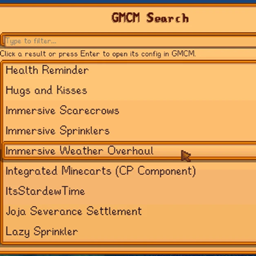
Supports Generic Mod Config Menu (GMCM) for easy in-game configuration. The menu is organized by season, making it easy to tweak your Weekly Schedules or Random Ranges on the fly.
How It Works
You have two main ways to play:
1. Random Mode (Default)
The mod picks a random time between your configured Minimum (default 4:00 PM) and Maximum (default 8:00 PM).
- Daily: A new time is rolled every morning.
- Weekly: A new time is rolled every Monday (Day 1, 8, 15, 22).
- Seasonal: A new time is rolled on Day 1 of the season.
2. Manual / Realistic Mode
Turn off "Random Mode" in the config. The mod will use the specific times you set for each season.
Example Setup:
- Spring: 6:00 PM
- Summer: 7:30 PM
- Fall: 5:30 PM
- Winter: 4:30 PM
Configuration
The easiest way to configure this mod is by installing Generic Mod Config Menu (GMCM). You can access the settings directly from the Title Screen (gear icon) or the in-game options.
1. General Settings
- Enable Random Mode: (Default: true)
If enabled, the sunset time will change dynamically based on the frequency below. If disabled, the mod uses the fixed "Manual Weekly Schedule" times.
- Frequency:
- Daily: A new sunset time is chosen every single morning. (Best for variety).
- Weekly: A new time is chosen every Monday (Day 1, 8, 15, 22).
- Seasonal: A new time is chosen on Day 1 of the season and stays the same all month.
2. Random Ranges (Seasonal)
These settings only apply if Random Mode is ON.
Here you can define the "Window of Time" for the sun to set for each season. The mod will pick a random time between the Earliest and Latest values you set here.
- Example: Set Winter range to 3:30 PM – 5:00 PM so you never get a late sunset, but the exact time is still unpredictable.
3. Manual Weekly Schedule
These settings only apply if Random Mode is OFF.
This gives you total control over the daylight cycle. You can configure a specific sunset time for every single week of the year.
- Week 1 - 4 Sliders: Set distinct times for the beginning, middle, and end of the month.
- Progression: You can create realistic transitions. For example, in Fall, you could set Week 1 to 6:30 PM, Week 2 to 6:00 PM, Week 3 to 5:30 PM, and Week 4 to 5:00 PM to simulate the days getting shorter as Winter approaches.
Compatibility
- Compatible with Stardew Valley 1.6+
- Compatible with Single Player and Multiplayer (Host controls the time).
- May conflict with other mods that strictly force lighting times (e.g., specific Dynamic Night Time settings).
⚠️ Compatibility with Dynamic Night Time (DNT)
Please note that this mod is only partially compatible with Dynamic Night Time.
What to expect:
- Morning: You will still see the correct sunrise and morning lighting effects from DNT.
- Night: Dynamic Dusk takes priority. The time the sun sets will be controlled by this mod (Random or Manual). Consequently, you will not see DNT's specific sunset visual effects.
Why does this happen?
The Dynamic Night Time mod calculates lighting based on a specific internal latitude simulation (e.g., it expects sunset exactly at 7:30 PM). When Dynamic Dusk forces the sun to set at a random time (e.g., 5:00 PM), DNT's visual engine desyncs because it is still waiting for the "scientific" time to trigger its effects. We cannot force DNT's internal engine to respect random times without rewriting that mod entirely.
For Mod Authors: Compatibility Info
Dynamic Dusk uses Harmony to patch Game1.getStartingToGetDarkTime and Game1.getTrulyDarkTime.
If your lighting or visual mod triggers its effects by checking these native game methods (rather than hardcoding 6:00 PM or running a separate latitude calculation), your mod is automatically compatible!