Data Layers
- By
Overlay the world with visual data like bee/Junimo/scarecrow/sprinkler coverage, hidden paths and warps, and more.
Description
Overlay the world with visual data like bee/Junimo/scarecrow/sprinkler coverage, hidden paths and warps, and more. It automatically includes data from other mods if applicable.
For non-English players, translations are included in the base mod. Contributions are welcome!

- Install the latest version of SMAPI.
- Unzip the mod folder into Stardew Valley/Mods.
- Run the game using SMAPI.

- Compatible with...
- Stardew Valley 1.5.5 or later;
- Linux, macOS, and Windows;
- single-player and multiplayer.
- No known mod conflicts.
Data Layers automatically supports these mods if they're installed:
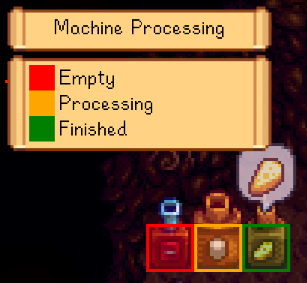
- Automate — shows whether your machines are empty, processing, or ready to harvest.
- Better Junimos — shows custom Junimo hut range.
- Better Sprinklers — shows custom sprinkler range.
- Cobalt — shows cobalt sprinkler range.
- <s>Line Sprinklers — shows custom sprinkler range</s> (currently unsupported since that mod no longer has an API).
- Pelican Fiber — shows coverage when building a Junimo hut or sprinkler through Pelican Fiber's menu.
- Prismatic Tools — shows prismatic sprinkler/scarecrow range.
- Simple Sprinkler — shows custom sprinkler range.

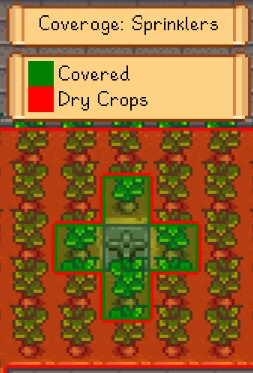
Press F2 to show the overlay, and then [left CTRL] and [right CTRL] to cycle between data layers (buttons configurable). For coverage layers (e.g. scarecrows or sprinklers), point at one with the cursor to see a blue border around that one's range and a green border around the coverage without it.
You can optionally customise the options (including keyboard/controller bindings).
Below are the current data layers.
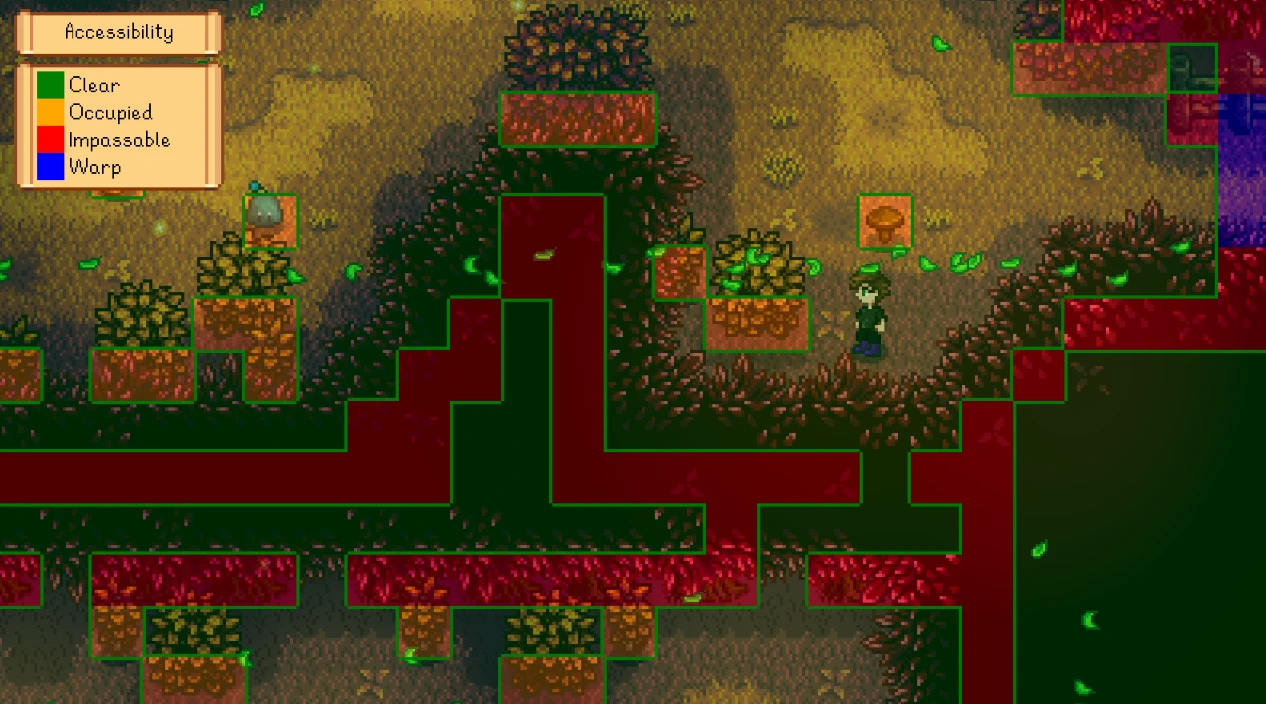
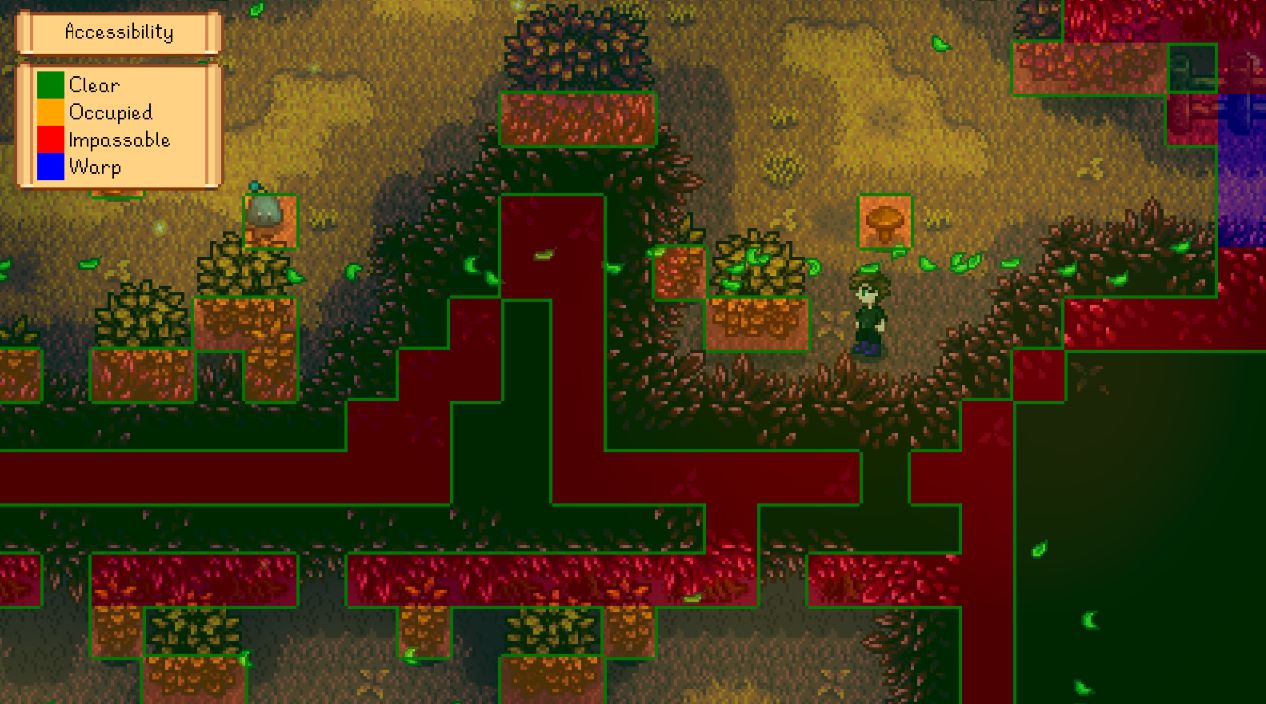
Accessible
Shows where you can walk and highlights warp tiles; useful for finding hidden paths and nooks, or testing custom maps.
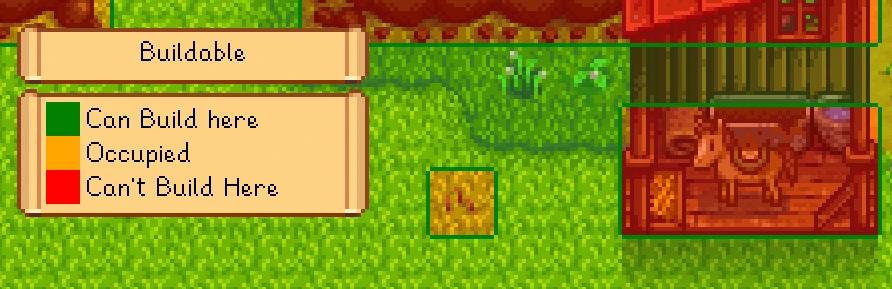
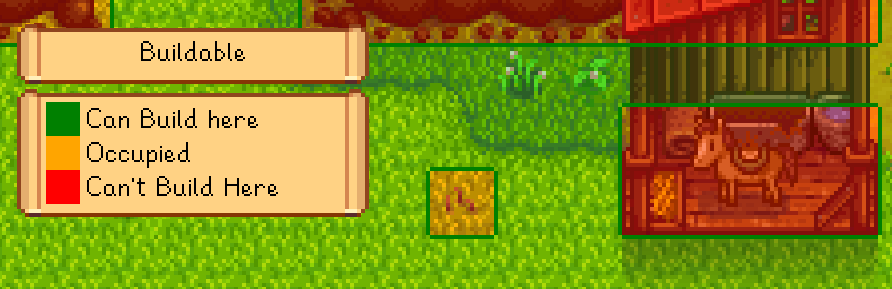
Buildable
Shows where you can construct buildings on the farm. Useful for spotting issues before you try to build at Robin's, or testing custom maps.
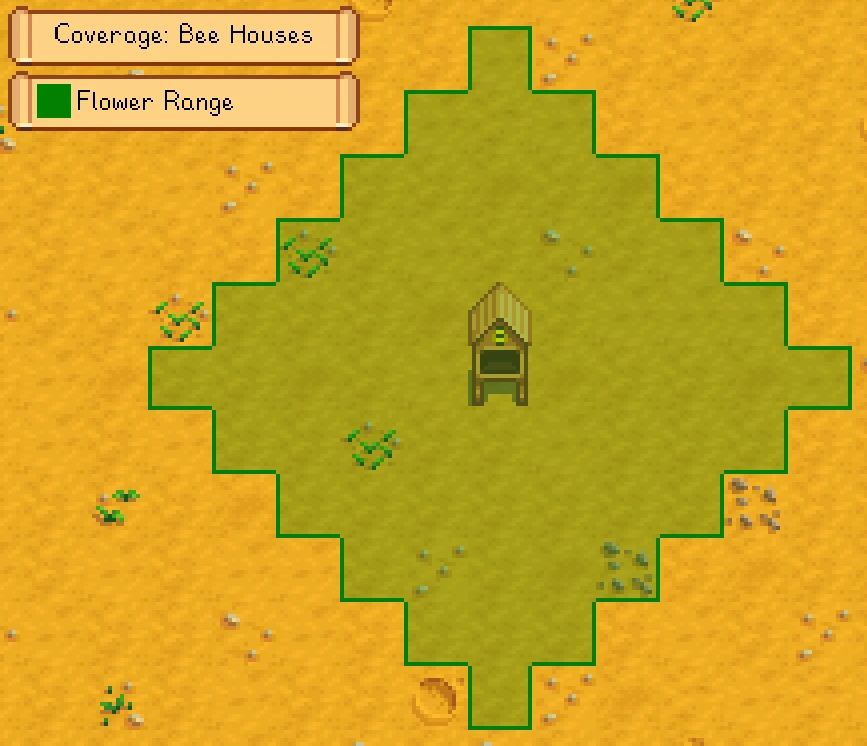
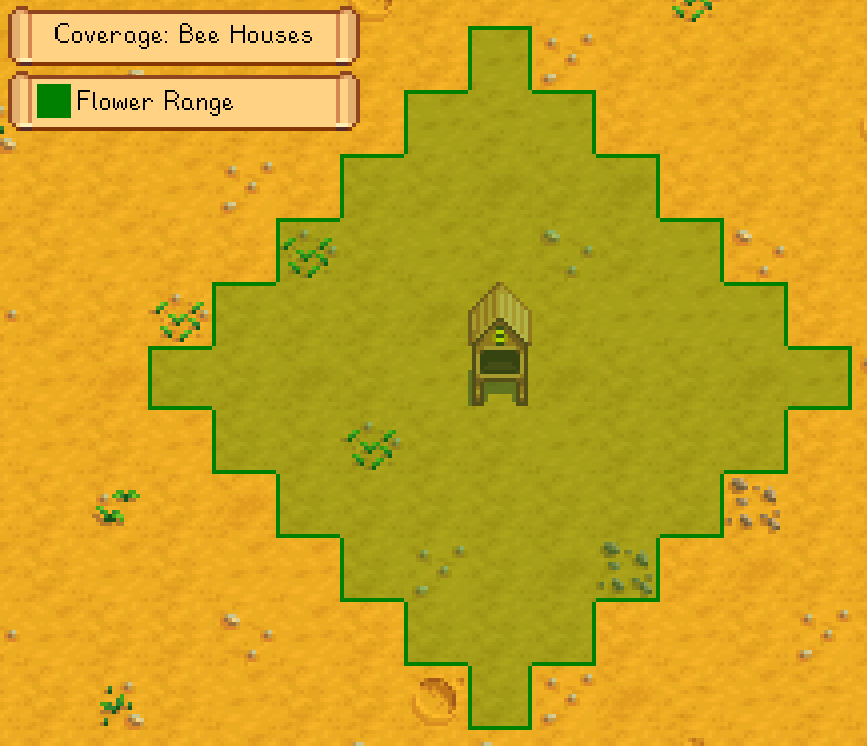
Coverage: bee houses
Shows bee houses' flower search range.
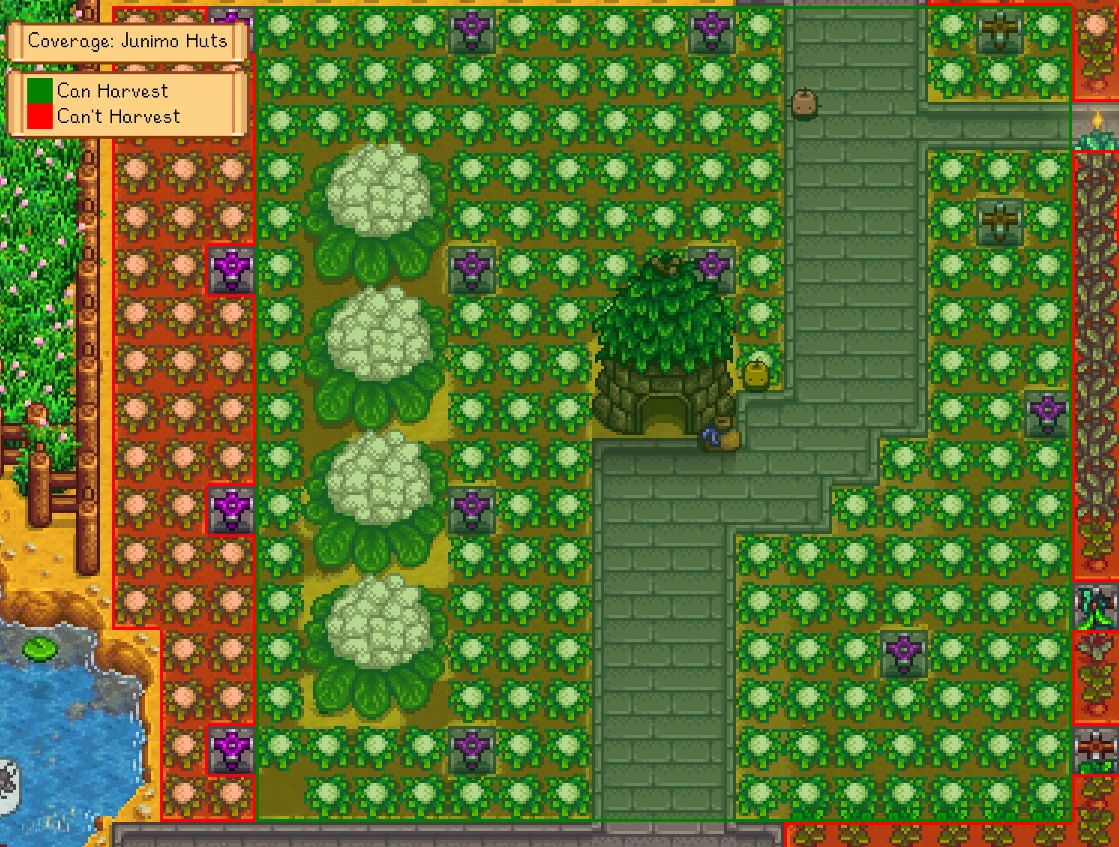
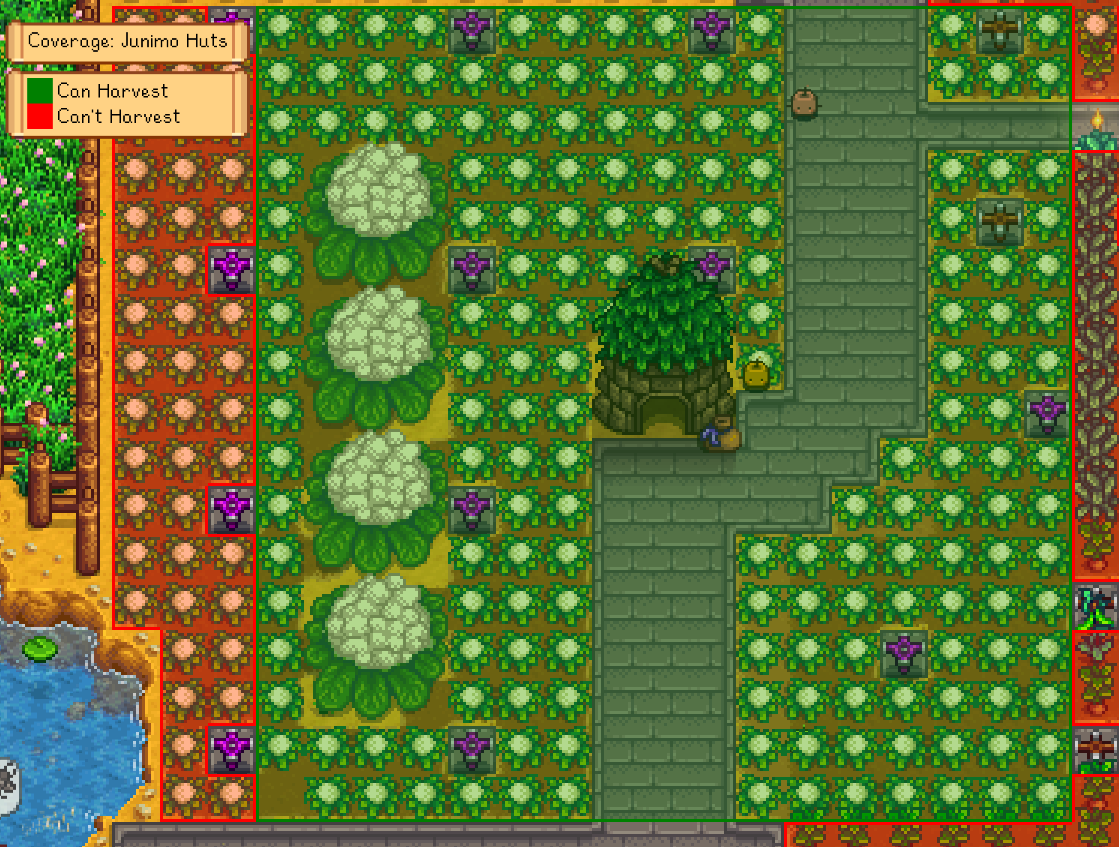
Coverage: Junimo huts
Shows Junimo hut coverage, and highlights crops they won't reach. Also works when placing a Junimo hut from the Wizard's build menu.
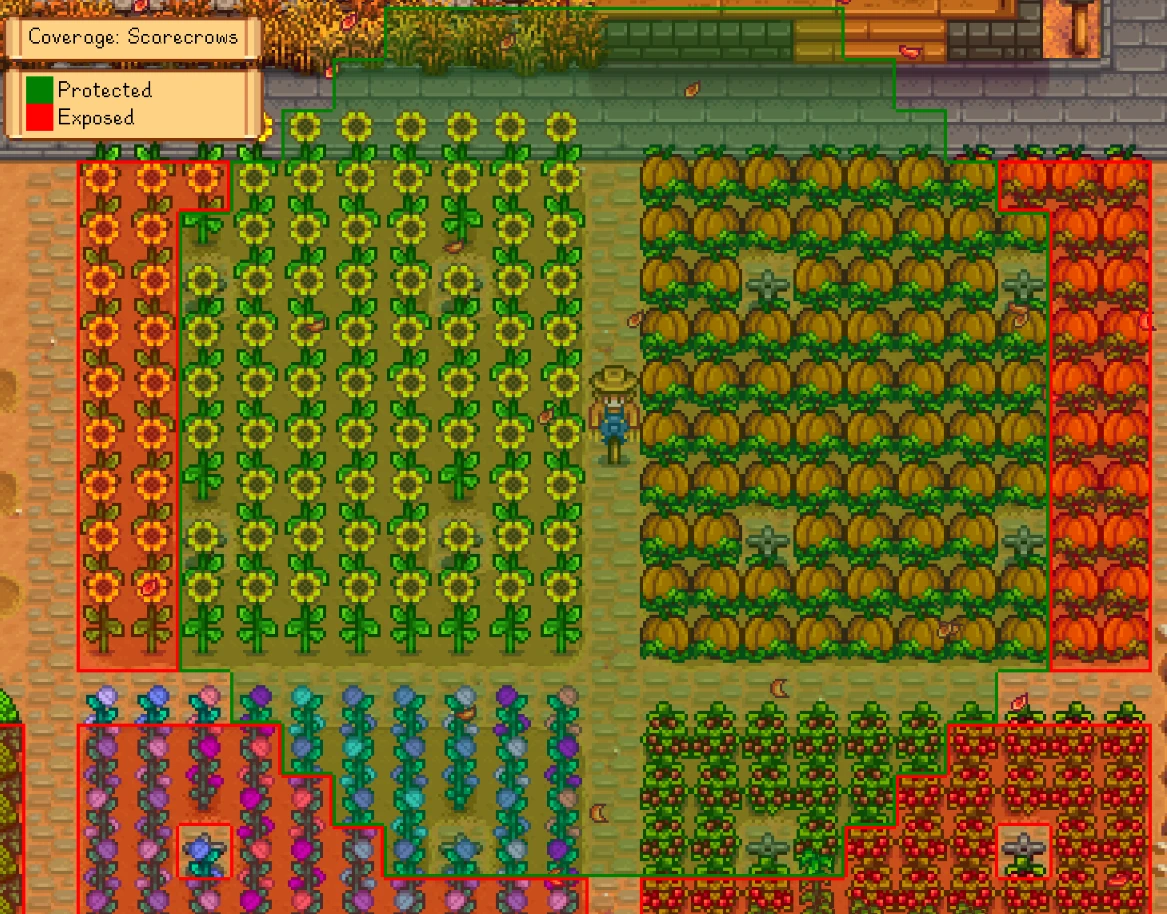
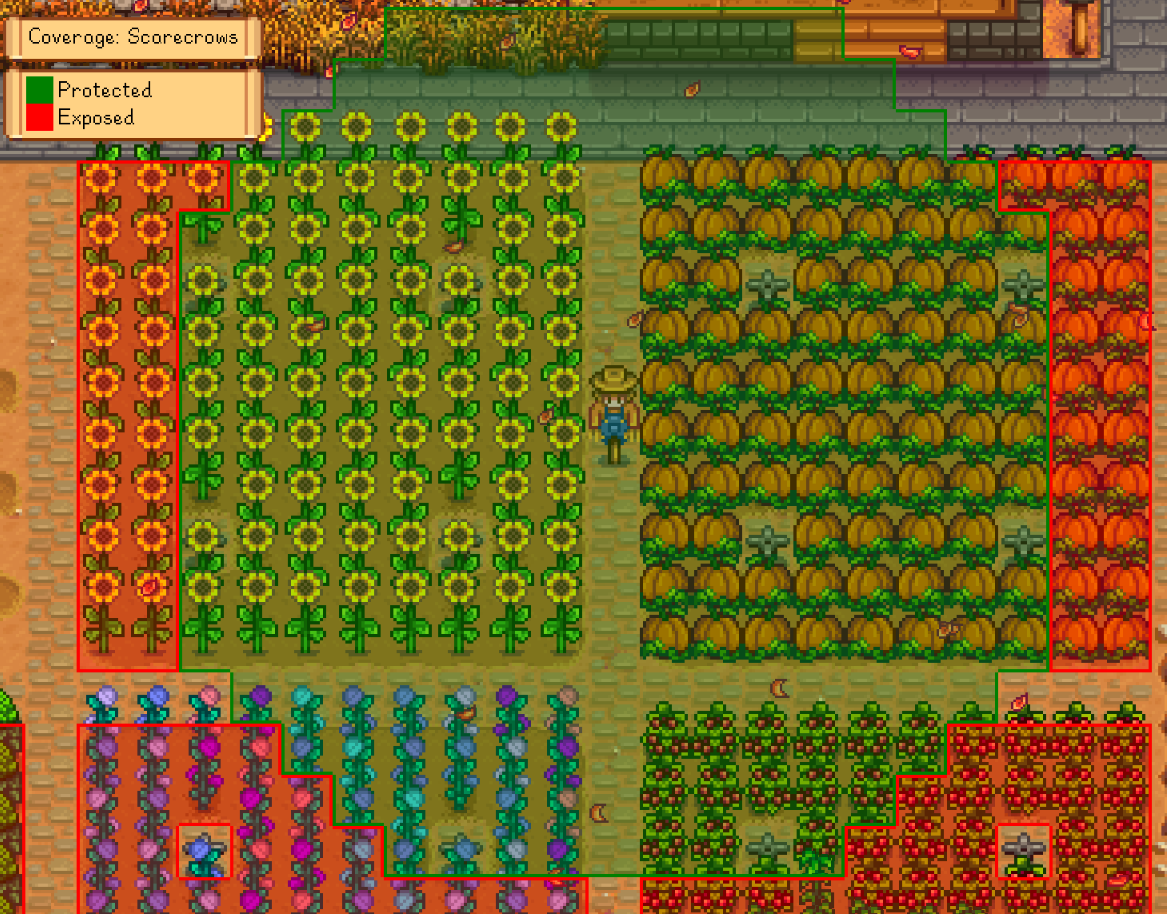
Coverage: scarecrows
Shows scarecrow coverage, and highlights unprotected crops. Also works on scarecrows being placed.
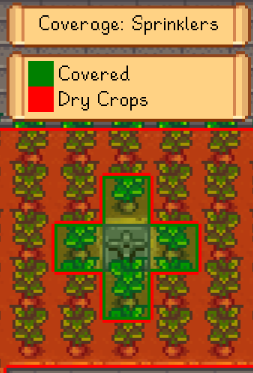
Coverage: sprinklers
Shows sprinkler coverage, and highlights unsprinkled crops. Also works on sprinklers being placed.
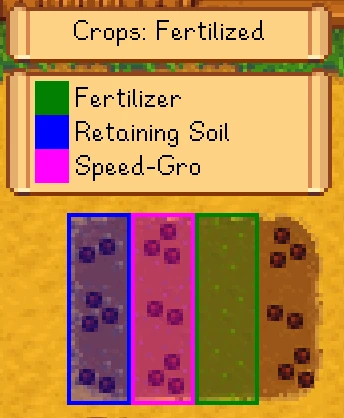
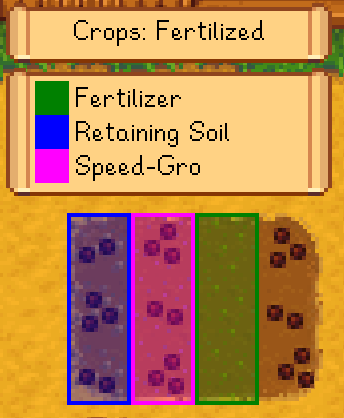
Crops: fertilised
Shows which crops have fertiliser applied.
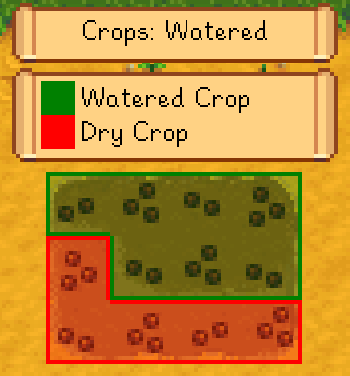
Crops: watered
Shows which crops have been watered today.
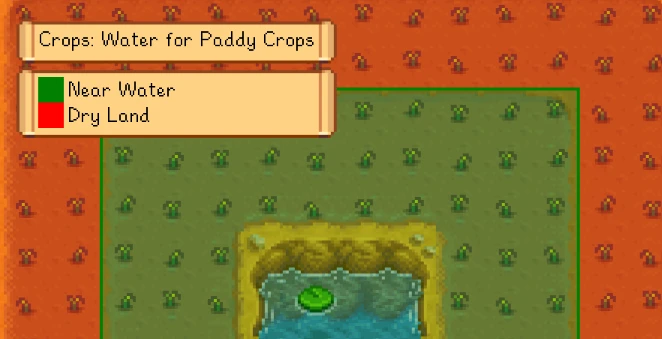
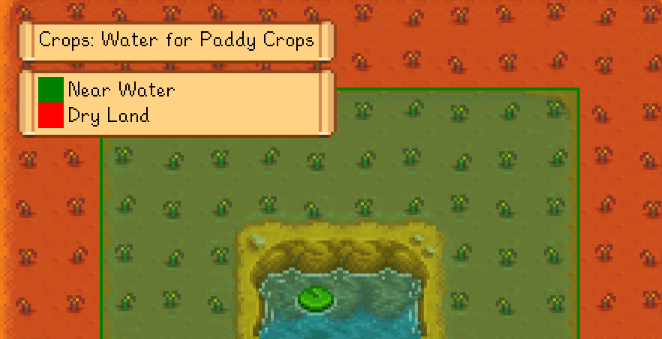
Crops: water for paddy crops
Shows which tiles are close enough to water for paddy crops to get auto-watered and bonus growth.
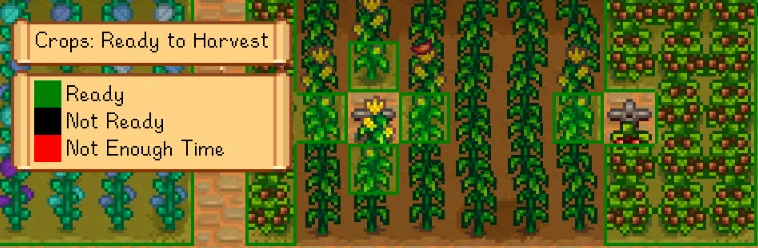
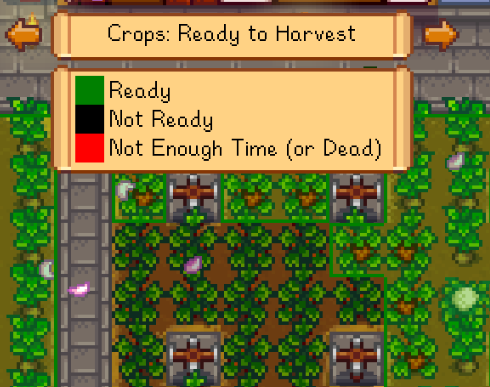
Crops: ready for harvest
Shows which crops are ready to harvest, or which won't be ready before they die due to a season change.
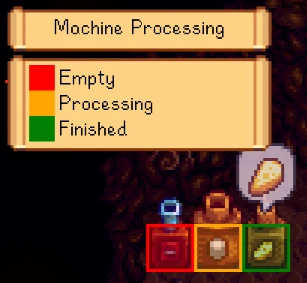
Machine processing
Shows whether your machines are empty, processing, or finished. (You need to install Automate for this layer to appear, but it'll work for machines that aren't being automated too.)
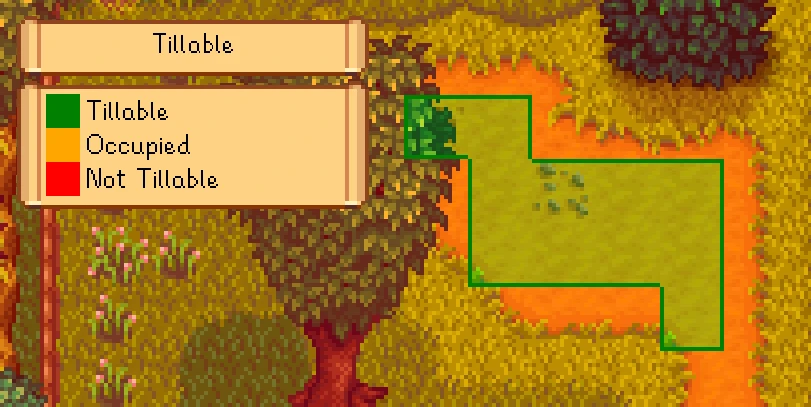
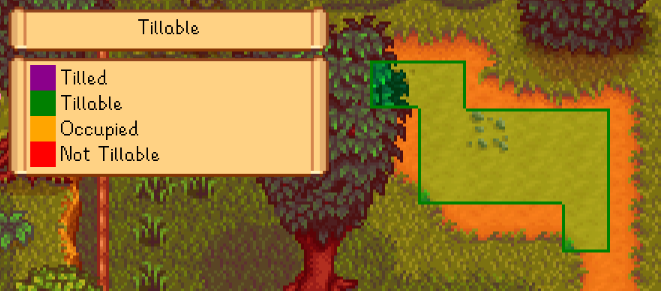
Tillable
Shows where you can till dirt with your hoe. Useful for planning crop layouts, or testing custom maps.
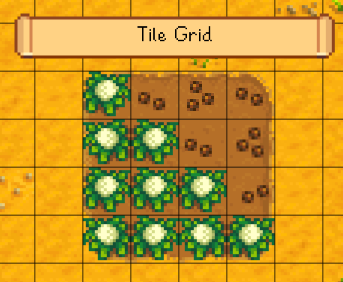
Grid
The grid layer shows tile borders useful for planning layouts, calculating fishing distance, etc:
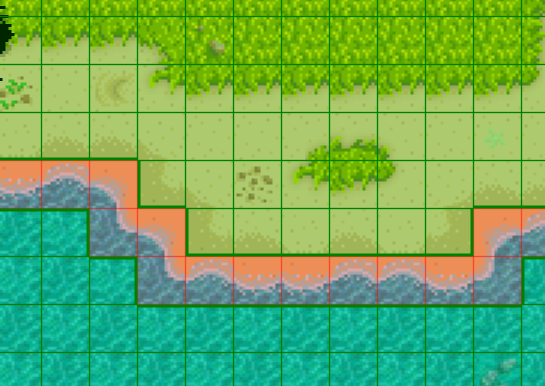
You can optionally edit the config.json file to enable the grid for all layers instead:

Data Layers Team

Owner