Custom Text Signs
- By
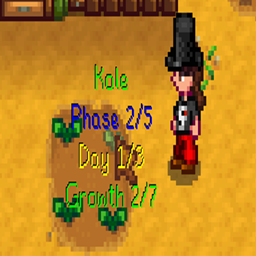
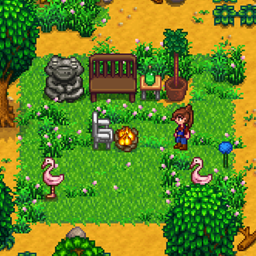
Lets all signs display text like text signs. Enables a context tag to make any placed object show text.
Overview
This mod enables an item context tag to designate any big craftable as a text sign.
By default, it adds this context tag to wood signs, stone signs, and dark signs.
Basic Usage
To add text to a sign, interact with it as you normally would.
To trigger vanilla interactions with objects designated as text signs, hold down the suppress hotkey (default Left Shift) while trying to interact with the object.
To adjust the vertical position of the text bubble, hover over the object's base tile and hold down the up or down hotkey (default NumPad 8 and NumPad 2).
To adjust the max width of the text bubble, hover over the object's base tile and hold down the increase or decrease width hotkey (default NumPad 4 and NumPad 6).
Advanced Usage
To designate any object type as a text sign, use Content Patcher to add the context tag "text_sign" to the object. An example of how to set context tags is here:
https://github.com/Pathoschild/StardewMods/blob/stable/ContentPatcher/docs/author-guide/action-editdata.md#target-field
Config
The config has entries for the hotkeys and max text length. There is also an option to remove the context tag from ordinary signs.
Use GMCM to set config variables.
b7ef8cef-7b71-4c89-aef1-0b2a8f4873b4
Technical
Requires SMAPI.
Implements a Generic Mod Config Menu interface to change config settings in-game.
Translations should use config variable names as the keys, adding .Desc to the end of the key for hover descriptions.
Code is at https://github.com/aedenthorn/StardewValleyMods.
A list of all my mods for Stardew Valley is available at https://www.nexusmods.com/stardewvalley/articles/895.
This mod enables an item context tag to designate any big craftable as a text sign.
By default, it adds this context tag to wood signs, stone signs, and dark signs.
Basic Usage
To add text to a sign, interact with it as you normally would.
To trigger vanilla interactions with objects designated as text signs, hold down the suppress hotkey (default Left Shift) while trying to interact with the object.
To adjust the vertical position of the text bubble, hover over the object's base tile and hold down the up or down hotkey (default NumPad 8 and NumPad 2).
To adjust the max width of the text bubble, hover over the object's base tile and hold down the increase or decrease width hotkey (default NumPad 4 and NumPad 6).
Advanced Usage
To designate any object type as a text sign, use Content Patcher to add the context tag "text_sign" to the object. An example of how to set context tags is here:
https://github.com/Pathoschild/StardewMods/blob/stable/ContentPatcher/docs/author-guide/action-editdata.md#target-field
Config
The config has entries for the hotkeys and max text length. There is also an option to remove the context tag from ordinary signs.
Use GMCM to set config variables.
b7ef8cef-7b71-4c89-aef1-0b2a8f4873b4
Technical
Requires SMAPI.
Implements a Generic Mod Config Menu interface to change config settings in-game.
Translations should use config variable names as the keys, adding .Desc to the end of the key for hover descriptions.
Code is at https://github.com/aedenthorn/StardewValleyMods.
A list of all my mods for Stardew Valley is available at https://www.nexusmods.com/stardewvalley/articles/895.
The Custom Text Signs Team


Owner