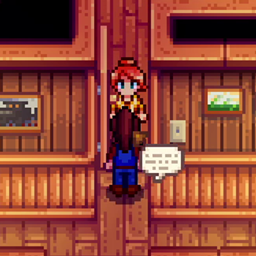
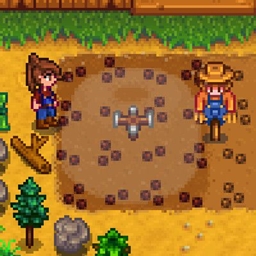
With this mod installed, you can create custom sign templates using JSON notation and apply a template to a specific sign when it is placed.
Usage
With templates installed, simply hold down the mod key (default LeftShift) when placing a sign (or any object) designated by the template file and a dialogue will open asking you which template to apply to the sign.
Templates
Templates are added via Content Patcher. An example patch is as follows:
{

    "Format": "1.23.0",

    "Changes": [

        {

            "Action": "EditData",

            "Target": "aedenthorn.CustomSigns/dictionary",

            "Entries": {

                "Welcome Sign": {

                    "packID": "aedenthorn.CPCustomSignTest",

                    "tileWidth": 4,

                    "tileHeight": 1,

                    "types": [

                        "Wood Sign"

                    ],

                    "scale": 4

                    "text": [

                        {

                            "text": "Welcome to",

                            "X": 128,

                            "Y": 24,

                            "center": true,

                            "fontPath": "Fonts\\SmallFont",

                            "scale": 1

                        },

                        {

                            "text": "{{FarmName}} Farm",

                            "X": 126,

                            "Y": 45,

                            "fontPath": "Fonts\\SpriteFont1",

                            "scale": 1,

                            "color": {

                                "R": 50,

                                "G": 100,

                                "B": 0,

                                "A": 255

                            }

                        },

                        {

                            "text": "{{FarmName}} Farm",

                            "X": 128,

                            "Y": 47,

                            "fontPath": "Fonts\\SpriteFont1",

                            "scale": 1,

                            "color": {

                                "R": 100,

                                "G": 255,

                                "B": 100,

                                "A": 255

                            }

                        }

                    ],

                    "texturePath": "aedenthorn.CustomSigns/4xWoodSign"

                }

            }

        },

        {

            "Action": "Load",

            "Target": "aedenthorn.CustomSigns/4xWoodSign",

            "FromFile": "assets/4xWoodSign.png"

        }

    ]

}
"Target" is the path to this mod's dictionary, don't change it.
Each entry in the dictionary can have the following keys:
- packID - the name of the Content Patcher pack, used for instantly reloading an edited template file in-game (see below)
- tileWidth - how many tiles wide the base of the object is (used for collision)
- tileHeight - how many tiles tall the base of the object is (used for collision)
- types - an array of names of objects that should be allowed to use this template
- scale - the display scale of the sign's background texture
- text - an array of objects designating text to display on the sign (see below).
- texturePath - a fake path caught by your Content Patcher pack that leads to the background texture for this template.
Objects in the text array have the following fields:
- text - the text to display (can use Content Patcher tokens, etc.)
- X - the X position on the sign to display the text (refers to the center of the text if center is set to true)
- Y - the Y position on the sign to display the text
- center - whether the text should be horizontally centered in the sign (default true)
- fontPath - the relative path in the Content folder to the font texture file used to display the text (existing fonts are in the game Content folder under Fonts)
- scale - the display scale of the text
- color - the RGBA color of the text (each value is 0 - 255)
You can reload all template files by pressing LeftShift + F5 (customizable)
For an example sign content pack, take a look at Welcome Signs.
Technical
Requires SMAPI, uses Harmony.
Compatible with Mod Updater for automatic updates.
Code is at https://github.com/aedenthorn/StardewValleyMods.
If you want to complain or ask for help or help me test my mods, you can visit my Discord server.
A list of all my mods for Stardew Valley is available at https://www.nexusmods.com/stardewvalley/articles/895.